







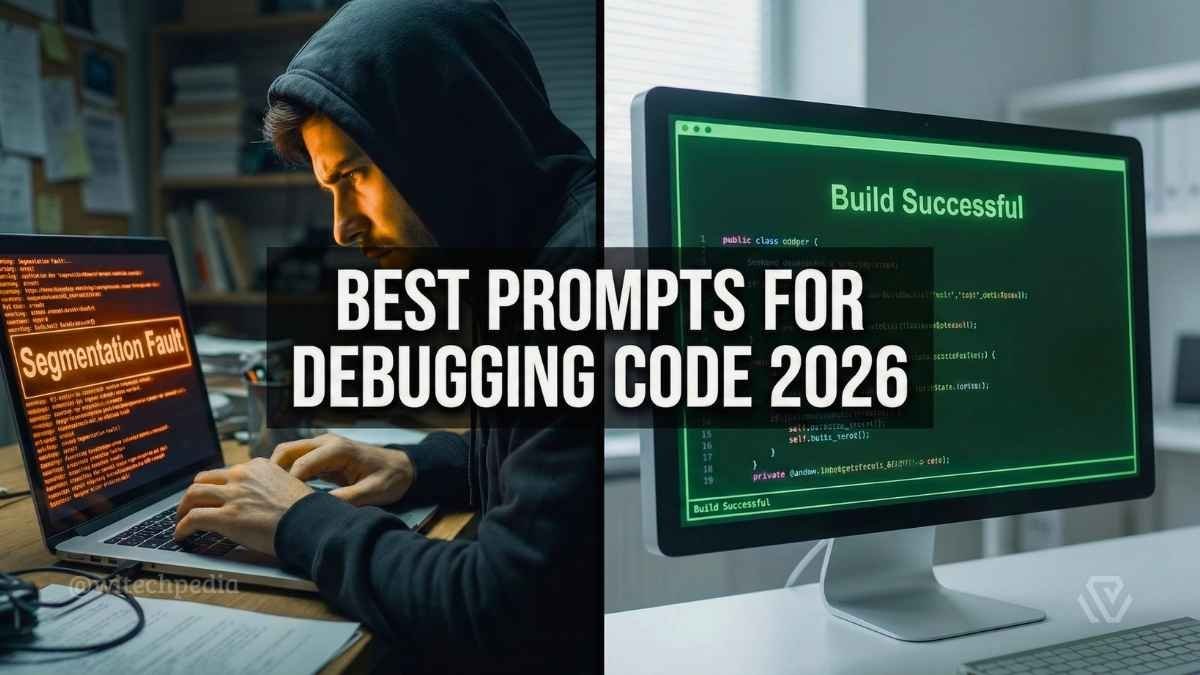
You’ve been staring at the same syntax error for two hours. The deadline is approaching, and your coffee is cold. We have all been there. But in 2026, you don’t need to suffer through “rubber duck debugging” alone.
If you are looking for the best prompts for debugging to fix your code instantly, you have come to the right place. AI tools like ChatGPT, Claude, and GitHub Copilot have evolved into “Senior Developer” assistants—but only if you know how to talk to them.
This guide curates the best prompts for debugging Python, JavaScript, and C++ code. Whether you are fixing a React render loop or hunting down a C++ segmentation fault, these copy-paste prompts will save you hours of frustration.
Pro Tip: Debugging is often about data. If your issue stems from messy CSVs or Excel files, check out our guide on Best Prompts for Excel: Formulas & Data Cleaning to fix the data before it breaks your code.
The “Stack Trace” Formula: How to Write the Perfect Coding Prompt
Most developers make the mistake of simply pasting their code and saying “Fix this.” To get the best prompts for debugging results, you need to provide context.
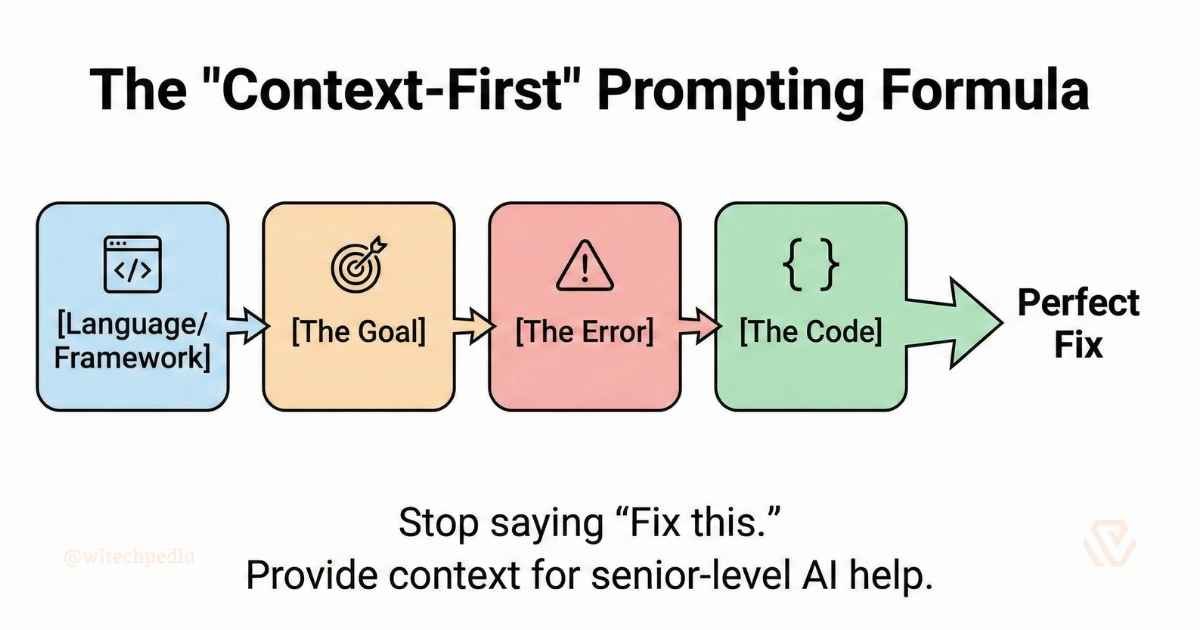
The Context-First Formula:
[Language/Framework] + [The Goal] + [The Error] + [The Code]
- Language: “Act as a Python Expert.”
- The Goal: “I am trying to filter this list using a lambda function.”
- The Error: “I am getting a
KeyError: 'id'.” - The Code:
[PASTE CODE]
Best Prompts for Debugging Python
Python is known for readability, but its dynamic typing can lead to runtime headaches. Use these prompts to untangle your scripts.
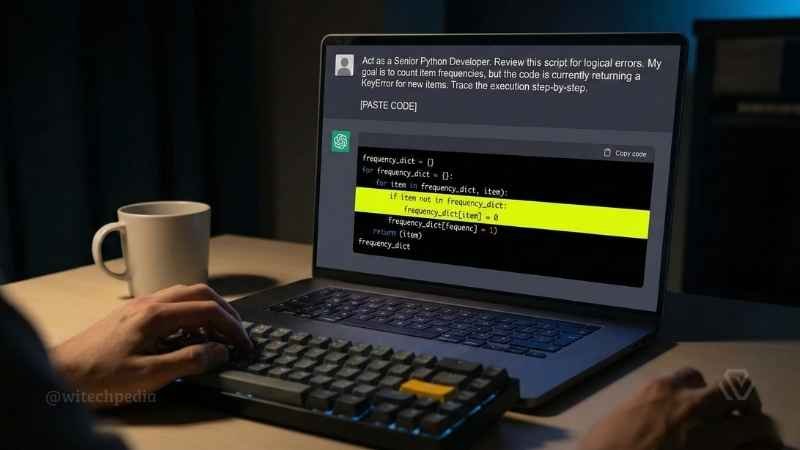
The “Logic Checker”
Use this when your code runs without errors but gives the wrong result (the worst kind of bug).
Prompt: “Act as a Senior Python Developer. Review this script for logical errors. My goal is to [Explain Goal], but the code is currently returning [Current Output]. Trace the execution step-by-step and tell me where the logic fails. [PASTE CODE]“
The “Indentation & Syntax” Fixer
Prompt: “I am getting an IndentationError or SyntaxError in this block. Please reformat the code with correct 4-space indentation and fix any missing colons or parentheses. [PASTE CODE]“
The “Data Science” Explainer (Pandas/NumPy)
Prompt: “Explain this Pandas chain operation step-by-step. Why is my DataFrame returning NaN values after the merge? Check for mismatched indices or data types. [PASTE CODE]“
- Resource: For deep dives into Python errors, always cross-reference with the Official Python Documentation.
Best Prompts for Debugging JavaScript
From “undefined is not a function” to infinite React render loops, JavaScript requires a specific approach.
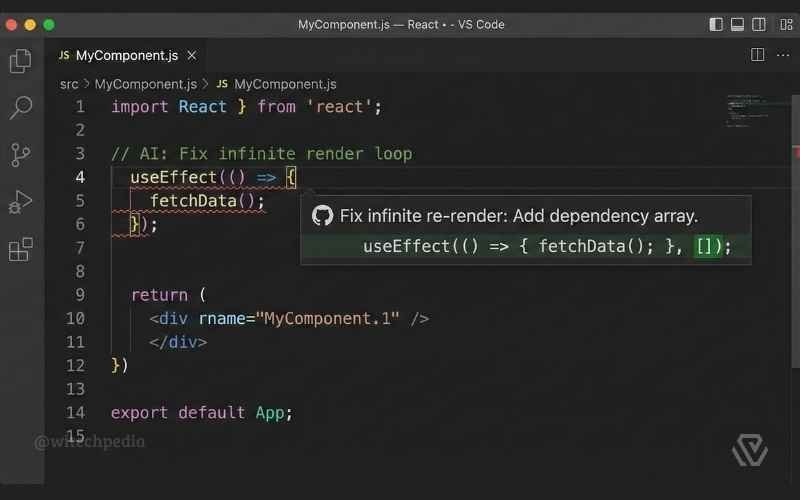
The “Frontend Detective” (Console Errors)
Prompt: “I am seeing Uncaught TypeError: Cannot read property of undefined in the console. Analyze the object structure in my code and identifying where I am accessing a null value. Add optional chaining (?.) where appropriate. [PASTE CODE]“
The “Async/Await” Untangler
Prompt: “My API call is returning a ‘Promise Pending’ object instead of the data. Rewrite this function using async/await best practices and wrap it in a try/catch block for proper error handling. [PASTE CODE]“
The “React Effect” Fix
Prompt: “My React component is re-rendering infinitely. Review my useEffect dependency array. Am I creating a new object reference on every render? Suggest a fix using useMemo or useCallback. [PASTE CODE]“
- Resource: Stuck on modern JS syntax? The MDN Web Docs are your best friend.
Best Prompts for Debugging C++
C++ gives you power, but it also gives you memory leaks and segmentation faults. These prompts help you manage memory safely.
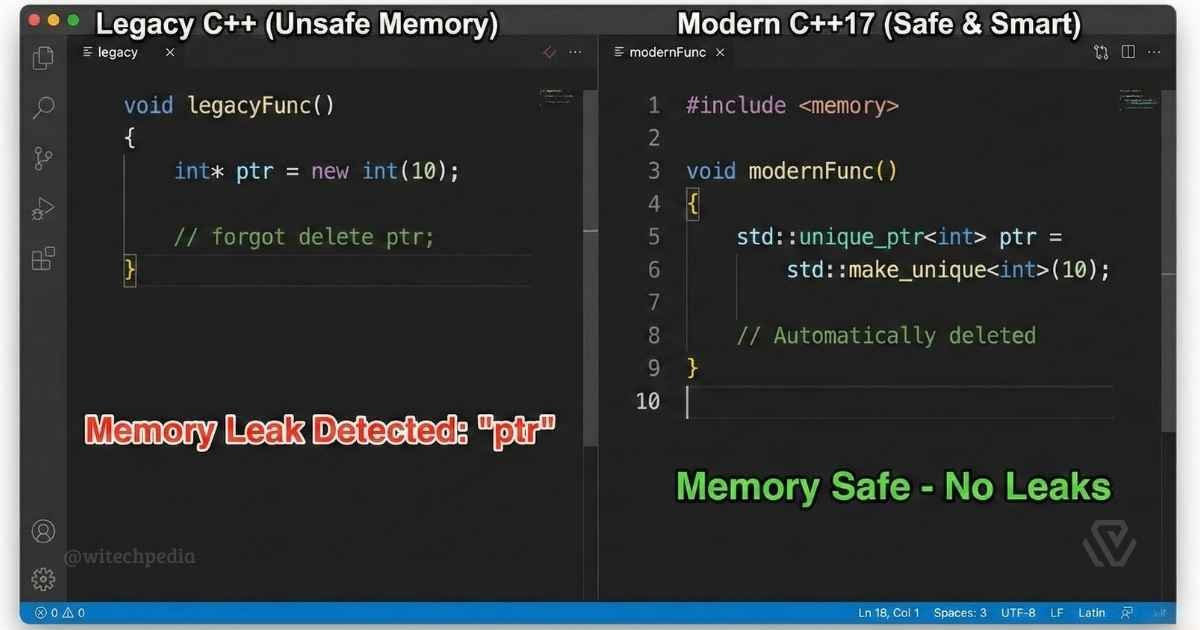
The “Segfault” Hunter
Prompt: “I am getting a Segmentation Fault (Core Dumped). Analyze my pointer usage and memory allocation in this snippet. Am I dereferencing a null pointer or accessing an array out of bounds? [PASTE CODE]“
The “Memory Leak” Audit
Prompt: “Act as a C++ Expert. Audit this code for memory leaks. Identify where I used new without delete. Refactor this to use modern C++17 smart pointers (std::unique_ptr, std::shared_ptr) to prevent leaks automatically. [PASTE CODE]“
- Resource: For standard library references, check ISO C++.
Advanced Prompts: Refactoring & Security
Debugging isn’t just about fixing broken code; it’s about making code better.
The “Clean Code” Refactor
Prompt: “Refactor this function to follow ‘Clean Code’ principles. Rename variables to be descriptive (no single letters like x or i), break large functions into smaller ones, and add comments explaining the ‘Why’, not the ‘What’. [PASTE CODE]“
The “Security Vulnerability” Check
Prompt: “Audit this SQL query for security vulnerabilities. Rewrite it to prevent SQL Injection using parameterized queries. Check for any other topOWASP vulnerabilities. [PASTE CODE]“
If you are building a frontend for your secure app, use our Best Midjourney Prompts for Web Design to visualize a secure login UI before you code it.
Frequently Asked Questions (FAQ)
Can I paste my company’s proprietary code into ChatGPT?
No. Never paste sensitive code, API keys, or passwords into public AI models. Always “sanitize” your code first by replacing variable names and removing proprietary logic.
Is GitHub Copilot better than ChatGPT for debugging?
Copilot is better for real-time autocomplete and small logic fixes within your IDE (VS Code). ChatGPT or Claude are better for high-level architectural debugging and explaining complex error messages.
Why does the AI generate code that imports non-existent libraries?
This is called “hallucination.” AI sometimes invents libraries that sound real. Always verify imports by checking the official documentation or running pip install / npm install before using the code.
Final Thoughts
The difference between a junior and senior developer isn’t just knowledge—it’s how they handle bugs. By using these best prompts for debugging, you can turn AI into your personal pair programmer. Don’t just ask the AI to fix the bug; ask it to explain the fix so you never make that mistake again.
Ready to optimize your workflow further?
Found this guide helpful? Share it with your dev team and tag @WiTechPedia!