





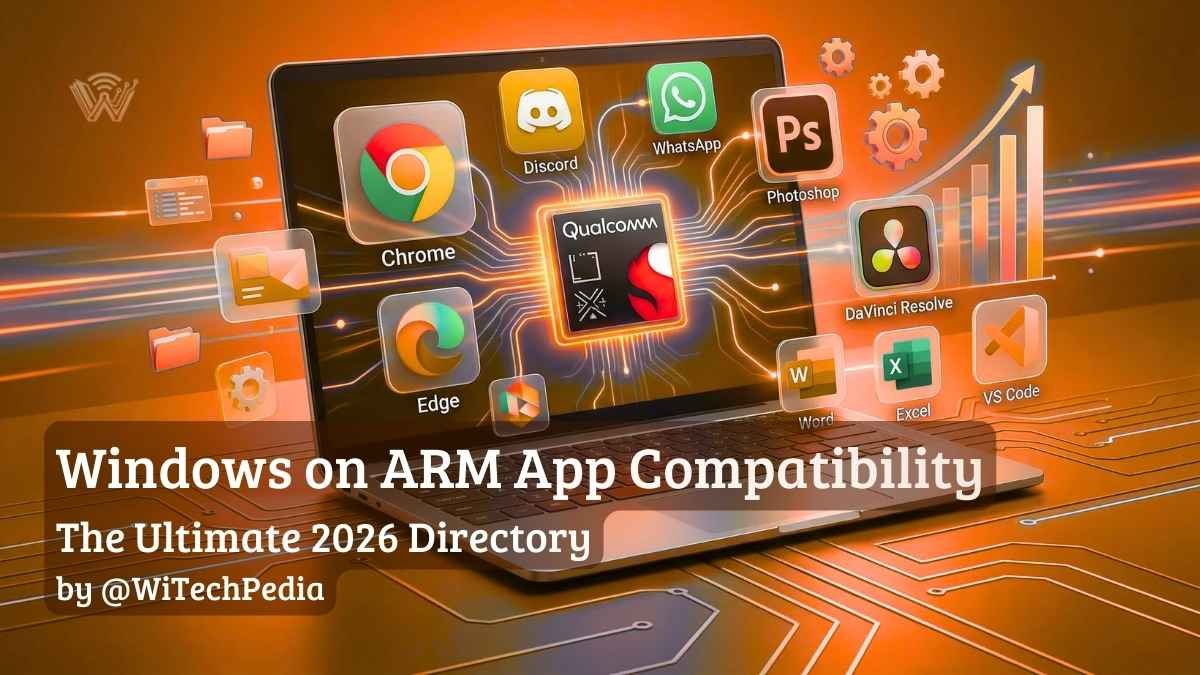
The rapid rise of the Snapdragon X2 Elite and Copilot+ PCs has shifted the tech landscape, but hardware is only as good as the software it runs. If you are considering the jump to next-generation silicon, Windows on ARM app compatibility is the single most important factor to verify before making a purchase. While early ARM devices struggled with performance overhead, the 2026 ecosystem is vastly different. Today, over 93% of the apps most users spend their time in are running natively, and the rest are handled by a dramatically improved emulation layer.
Welcome to the definitive, living encyclopedia for Windows on ARM software support.
Native vs. Emulated: Understanding the “Prism” Engine
When you install an application on a Snapdragon-powered PC, the operating system handles the code in one of two ways. If the app is not built specifically for ARM, Windows 11 uses a translation layer called Prism to emulate traditional x86 or x64 instructions.
To make this directory easy to navigate, we have categorized software into three distinct tiers:
- Tier 1 (ARM64 Native): Compiled specifically for the ARM architecture. These apps launch instantly, maximize the new 45+ TOPS NPUs, and drain the least amount of battery. (Expect up to 20+ hours of continuous use on modern Snapdragon X2 laptops).
- Tier 2 (Emulated x86/x64): Runs through the Prism emulator. Thanks to improvements in Windows 11 Prism emulator performance, these apps run smoothly for everyday tasks, though they generally consume 15% to 20% more battery life than their Tier 1 counterparts due to translation overhead.
- Tier 3 (Incompatible): Fails to launch entirely. This is almost always due to deep kernel-level driver requirements, such as specialized anti-cheat software in competitive games or legacy cybersecurity protocols.
The WiTechPedia App Compatibility Directory
1. Web Browsers & Communication
The foundational apps of the modern workflow are almost universally native in 2026.
| Application | Status | Notes |
| Google Chrome | Native | Fully optimized for Snapdragon processors. |
| Microsoft Edge | Native | Best battery life for browsing on ARM. |
| Discord | Native | Transitioned to stable ARM64 late last year. |
| Native | Includes NPU-accelerated cross-device resume. | |
| Zoom | Native | NPU powers background blur and framing natively. |
| Slack | Native | Runs smoothly via Prism with minimal battery hit. |
2. Creative & Design Software
Adobe and Blackmagic have made massive strides to ensure creators are not left behind on Copilot+ PCs.
| Application | Status | Notes |
| Adobe Photoshop | Native | Fully supports ARM64. |
| Adobe Lightroom | Native | AI masking features utilize local NPU hardware. |
| DaVinci Resolve | Native | Version 19.1+ is deeply optimized for Snapdragon. |
| Figma | Native | Desktop app runs natively on ARM architecture. |
| Blender | Native | Rendering is fully supported. |
| Adobe Premiere Pro | Emulated | Core app works via Prism; some legacy x86 plugins may fail. |
3. Productivity & Office
Cloud storage and office tools are the backbone of enterprise computing, and support on ARM is now virtually flawless.
| Application | Status | Notes |
| Microsoft Office 365 | Native | Word, Excel, and PowerPoint are fully ARM-optimized. |
| Google Drive | Native | Out of beta as of 2025; integrates perfectly with Explorer. |
| Notion | Native | Extremely responsive on ARM. |
| 1Password | Native | Full biometric integration via Windows Hello. |
4. Developer Tools & IT
Developers building the future of software can now confidently code on ARM machines without worrying about x86 emulation on Snapdragon getting in the way.
| Application | Status | Notes |
| Visual Studio Code | Native | Official ARM64 builds available and highly stable. |
| Python | Native | Core libraries run efficiently. |
| Git for Windows | Native | Fully supported natively. |
| Docker Desktop | Emulated | Requires specific configuration; WSL2 backend runs natively. |
5. VPN & Security Software
Because cybersecurity tools and Virtual Private Networks (VPNs) require deep kernel-level access to route your traffic, traditional x86 VPNs generally fail on ARM. Fortunately, the biggest providers have completely rewritten their apps for Snapdragon processors.
| Application | Status | Notes |
| NordVPN | Native | Fully rewritten for ARM64 with custom NordLynx protocol support. |
| ExpressVPN | Native | Lightway protocol runs natively with zero emulation overhead. |
| Surfshark | Native | Full ARM support released alongside the Copilot+ PC launch. |
| Malwarebytes | Native | Real-time protection drivers are fully ARM-compatible. |
| Legacy Corporate VPNs | Incompatible | Many older Cisco AnyConnect or proprietary corporate VPNs still require x86/x64 architecture. Check with your IT department. |
6. Gaming & Anti-Cheat (The Dealbreakers)
While gaming via Prism is possible for casual titles, competitive gamers must pay close attention to this section. Kernel-level anti-cheats look for x86 hardware and will block execution on ARM.
| Application | Status | Notes |
| Steam | Emulated | The launcher runs perfectly via Prism. |
| Baldur’s Gate 3 | Emulated | Playable at 1080p, utilizing Prism translation. |
| Cyberpunk 2077 | Emulated | Playable on low to medium settings. |
| Valorant | Incompatible | Vanguard anti-cheat strictly requires x64 architecture. |
| Apex Legends | Incompatible | Easy Anti-Cheat blocks ARM systems entirely. |
How to Check if an App is Running Natively (ARM64)
If you already own a Snapdragon PC and want to verify how your software is running, Windows makes it incredibly easy to check.
- Press Ctrl + Shift + Esc to open the Task Manager.
- Navigate to the Details tab on the left sidebar.
- Right-click on any of the column headers (like Name or PID) and click Select Columns.
- Scroll down, check the box for Architecture, and click OK.
- Look at the new Architecture column next to your running apps. If it says ARM64, it is running natively. If it says x64 or x86, it is running through the Prism emulator.
Frequently Asked Questions (FAQ)
Can I run standard Windows (.exe) files on a Snapdragon PC?
Yes. Thanks to Microsoft’s Prism emulator, the vast majority of standard x86 and x64 .exe files will install and run exactly as they would on an Intel or AMD PC. The only major exceptions are programs that rely on custom hardware drivers or deep kernel access.
Does Google Drive work on Windows 11 ARM?
Yes. After spending time in beta, Google released a stable, native ARM64 version of Google Drive for Desktop. It integrates flawlessly with the File Explorer on Snapdragon laptops without requiring workarounds.
Will Intel and AMD apps run slower on ARM?
Apps running through the Prism emulator generally see a 10% to 15% performance overhead compared to running natively. However, because modern chips like the Snapdragon X2 Elite are so incredibly fast, this emulation overhead is completely unnoticeable in day-to-day tasks like web browsing or text editing.
Further Reading
- Hardware Guide: Windows 11 26H1: The Ultimate Guide to the Hardware-Exclusive “Bromine” Update
- The Future of the OS: Windows 12 (Hudson Valley): The Complete WiTechPedia Wiki & Roadmap
Software updates happen fast in the ARM ecosystem. Join the WiTechPedia newsletter to get an alert the moment major apps drop native ARM support.