








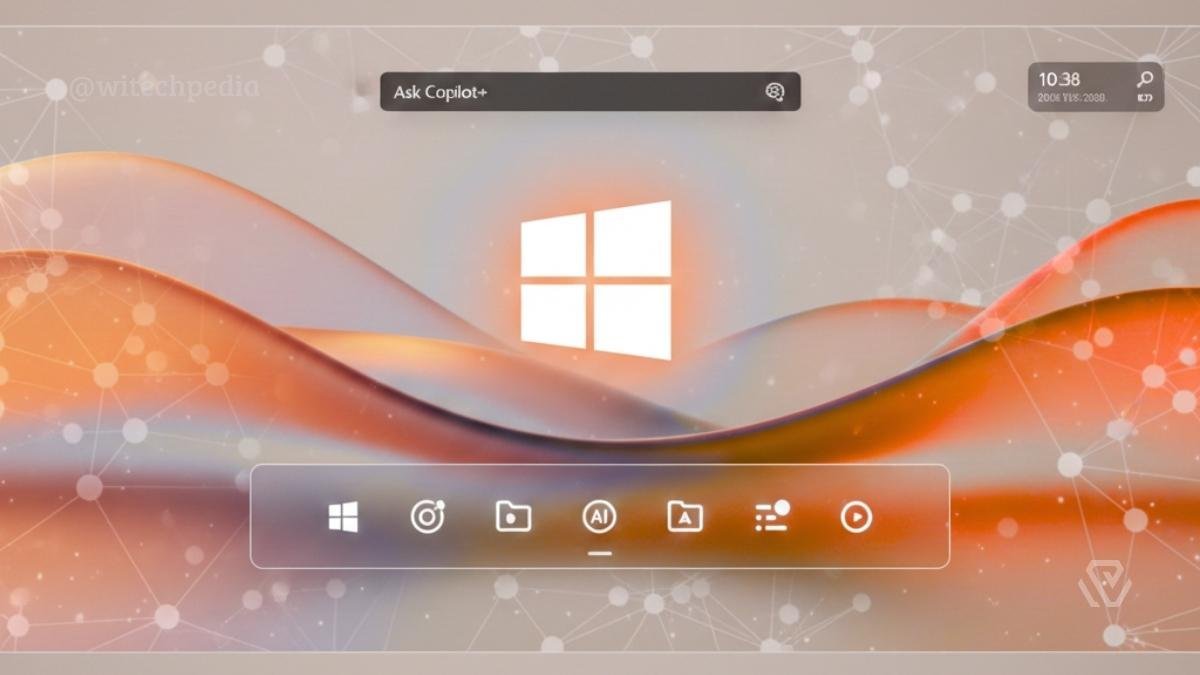
Windows 12, internally codenamed Hudson Valley (and more recently Hudson Valley Next), is the widely rumored successor to Windows 11. It is expected to feature a modular CorePC architecture, deep Copilot+ AI integration, and a minimum 40 TOPS NPU requirement for full AI functionality. As of June 2026, Microsoft has not officially announced Windows 12 — most credible sources now point to a 2027 release window, with 2026 focused on polishing Windows 11 under the internal “Windows K2” quality initiative.
- What Is Windows 12 “Hudson Valley”?
- Hudson Valley vs. Hudson Valley Next — What Changed?
- CorePC: The Modular Architecture That Changes Everything
- Windows 12 Requirements: Is Your PC Ready?
- Key Features of the AI-Native OS
- Windows 12 vs Windows 11: Side-by-Side Comparison
- Windows 12 Release Date & Official Roadmap
- What Microsoft Is Actually Doing in 2026: Windows K2
- Will Windows 12 Be a Free Upgrade?
- Enterprise & Business Implications
- NPU Processors Compared: Intel vs AMD vs Qualcomm
- Frequently Asked Questions
- Verdict: Should You Be Excited or Worried?
In this WiTechPedia Wiki, we explore the Windows 12 requirements, rumored features, and the official roadmap for the 2025–2026 rollout.
What Is Windows 12 “Hudson Valley”?
Windows 12 is the popular name given to the expected next major version of Microsoft’s Windows operating system, with “Hudson Valley” being its internal development codename. While Microsoft has not made any official announcement as of June 2026, mounting evidence from developer builds, industry leaks, and internal code references has confirmed that a significant new Windows platform is in active development.
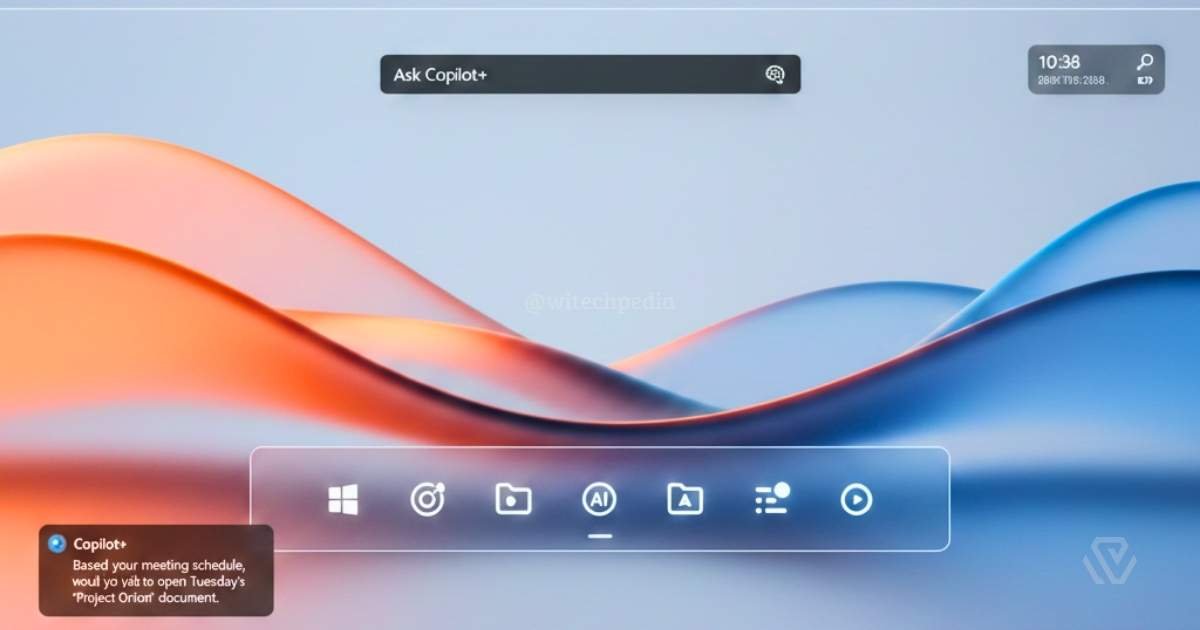
The vision behind Hudson Valley represents the most ambitious architectural overhaul since Windows 11 launched in 2021. Rather than being a cosmetic refresh, the next Windows is designed from the ground up to be an AI-native operating system — one where artificial intelligence is woven into the OS shell itself, not bolted on as a sidebar feature.
Think of it this way: if Windows 11 added Copilot as a passenger, Windows 12 is being built with Copilot in the driver’s seat.
The platform pivots around three pillars:
- CorePC — a new modular OS architecture replacing the legacy monolithic Windows structure
- Local AI — on-device intelligence running through dedicated Neural Processing Units (NPUs), eliminating the need for constant cloud connectivity
- Adaptive UX — an interface that responds to user behavior, context, and intent rather than static design rules
Important Note
Because no official Windows 12 announcement exists, all feature details and timelines in this article are based on credible industry reporting, leaked build analysis, and developer community sources. We update this wiki as new information surfaces.
Hudson Valley vs. Hudson Valley Next — What Changed?
The codename evolution is itself a story worth understanding, because conflating the two has caused a lot of confusion in the tech press.
“Hudson Valley” (original) first surfaced in leaked internal Microsoft planning documents around 2023. At that time, it was tied to the long-term evolution of Windows 11 — specifically, an initiative to redesign how Windows updates and deployments work. It was closely linked to the CorePC modular architecture concept, also from 2023, which explored separating the OS core from user applications and data.
“Hudson Valley Next” emerged in 2025–2026 reporting as the codename specifically for what would ship as a numbered successor — i.e., something the market would recognize as “Windows 12.” This is the version that features deeper AI integration, hard NPU requirements, and a redesigned shell.
It is important to note that Windows Central’s Zac Bowden — one of the most reliable Microsoft insiders — clarified in early 2026 that the “Hudson Valley” codename dates to 2023 Windows 11 planning and does not necessarily confirm a standalone Windows 12 product. The CorePC project, similarly, was an internal 2023 initiative that was never shipped in its original form.
| Codename | Period | What It Referred To |
|---|---|---|
| Hudson Valley | 2023 | Windows 11 modular update architecture |
| CorePC | 2023 | Internal modular OS experiment (not shipped) |
| Hudson Valley Next | 2025–2026 | Rumored Windows 12 successor platform |
| Germanium / Bromine | 2025–2026 | Experimental platform builds in Canary Channel |
CorePC: The Modular Architecture That Changes Everything
Whether it arrives as “Windows 12” or as a major Windows 11 platform update, the CorePC architecture is the most technically significant change Microsoft is developing — and it deserves its own explanation.
Traditional Windows uses a monolithic architecture: the OS core, system files, user applications, and data all live intertwined in a shared file system. This design, inherited from the Windows NT kernel lineage going back to 1993, creates several well-known problems — system files can be corrupted by apps, updates require reboots, and removing the OS cleanly from user data is nearly impossible.
CorePC changes this by applying a “State-Separated” design:
- Read-Only OS Partition — The core Windows files live in a protected, read-only partition. Apps and malware cannot touch them.
- Separate User Data Layer — Personal files, app installations, and settings exist in a completely separate partition.
- Modular Updates — Because the OS and data are separated, Microsoft can push OS updates without touching user data, and vice versa. This eliminates the “rebooting to update” experience that Windows 10 and Windows 11 users know all too well.
- Device-Type Optimization — CorePC allows Microsoft to ship tailored Windows builds for laptops, desktops, 2-in-1s, and potentially cloud/server scenarios — all from the same base codebase.
This approach is analogous to what ChromeOS and Apple’s macOS have implemented, though with Windows’ far broader hardware compatibility requirement making it a massively harder engineering challenge.
Why This Matters 💡
A read-only OS partition is a game-changer for cybersecurity. The most devastating Windows malware — rootkits, bootkits, ransomware — achieves persistence by embedding into system files. CorePC’s architecture would make that class of attack structurally impossible.
For a deeper dive into how OS architectures affect security, see our guide on How to Remove Malware from Windows 10 and our Home Network Hardening Guide.
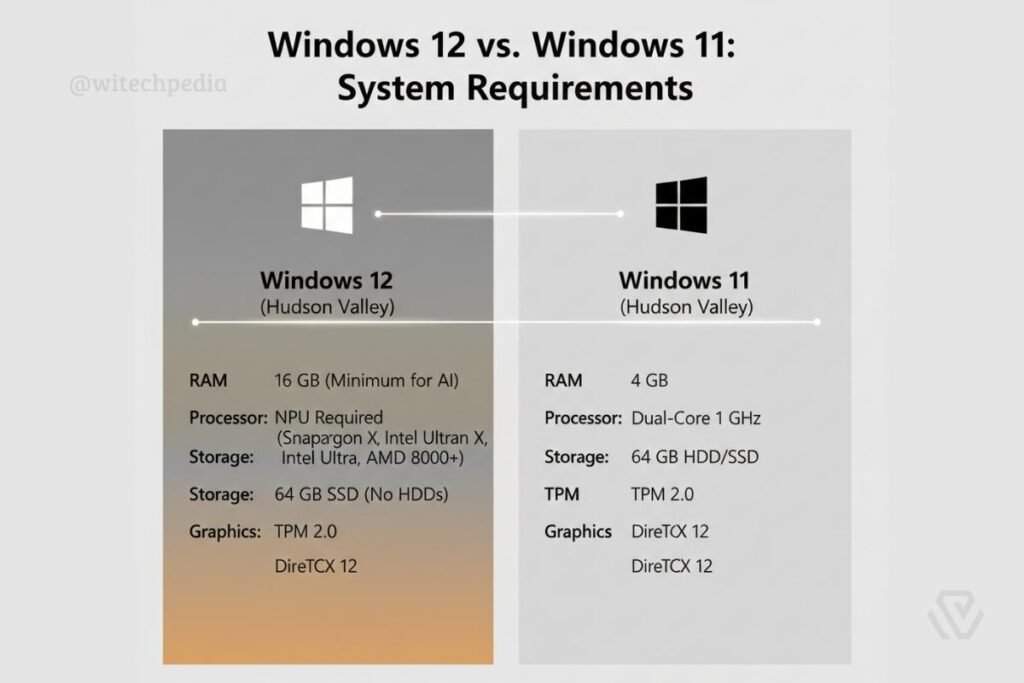
Windows 12 Requirements: Is Your PC Ready?
Hardware requirements are the single most controversial aspect of the Windows 12 discussion. The shift from Windows 10 to Windows 11 famously locked out hundreds of millions of PCs over TPM 2.0 and processor requirements. Windows 12 is expected to raise the bar even higher — especially around AI hardware.
Here is the current picture based on industry leaks and developer build analysis:
Minimum Hardware Requirements (Leaked / Rumored)
| Component | Windows 12 (Expected) | Windows 11 (Current) | Windows 10 (Legacy) |
|---|---|---|---|
| Processor | 64-bit, 2+ cores, NPU strongly recommended | 1 GHz, 2+ cores, compatible 64-bit | 1 GHz processor |
| RAM | 16 GB minimum | 4 GB | 1–2 GB |
| Storage | 128 GB SSD (HDDs not supported) | 64 GB | 16–20 GB |
| TPM | TPM 2.0 | TPM 2.0 | Not required |
| Firmware | UEFI, Secure Boot | UEFI, Secure Boot | UEFI or BIOS |
| GPU | DirectX 12, WDDM 2.0 | DirectX 12, WDDM 2.0 | DirectX 9, WDDM 1.0 |
| NPU | 40+ TOPS for full AI features | Not required | Not required |
| Display | 720p, 9″ diagonal | 720p, 9″ diagonal | 800×600 |
Important
These requirements are based on industry leaks and are not officially confirmed by Microsoft. The final Windows 12 system requirements could differ significantly.
The NPU Requirement — The Biggest Change
The most significant and contentious new requirement is the Neural Processing Unit (NPU). Unlike a CPU (general computing) or GPU (graphics/parallel compute), an NPU is a dedicated chip specifically designed for running AI inference — the mathematical operations behind features like real-time translation, image recognition, and the kind of smart suggestions that Copilot+ delivers.
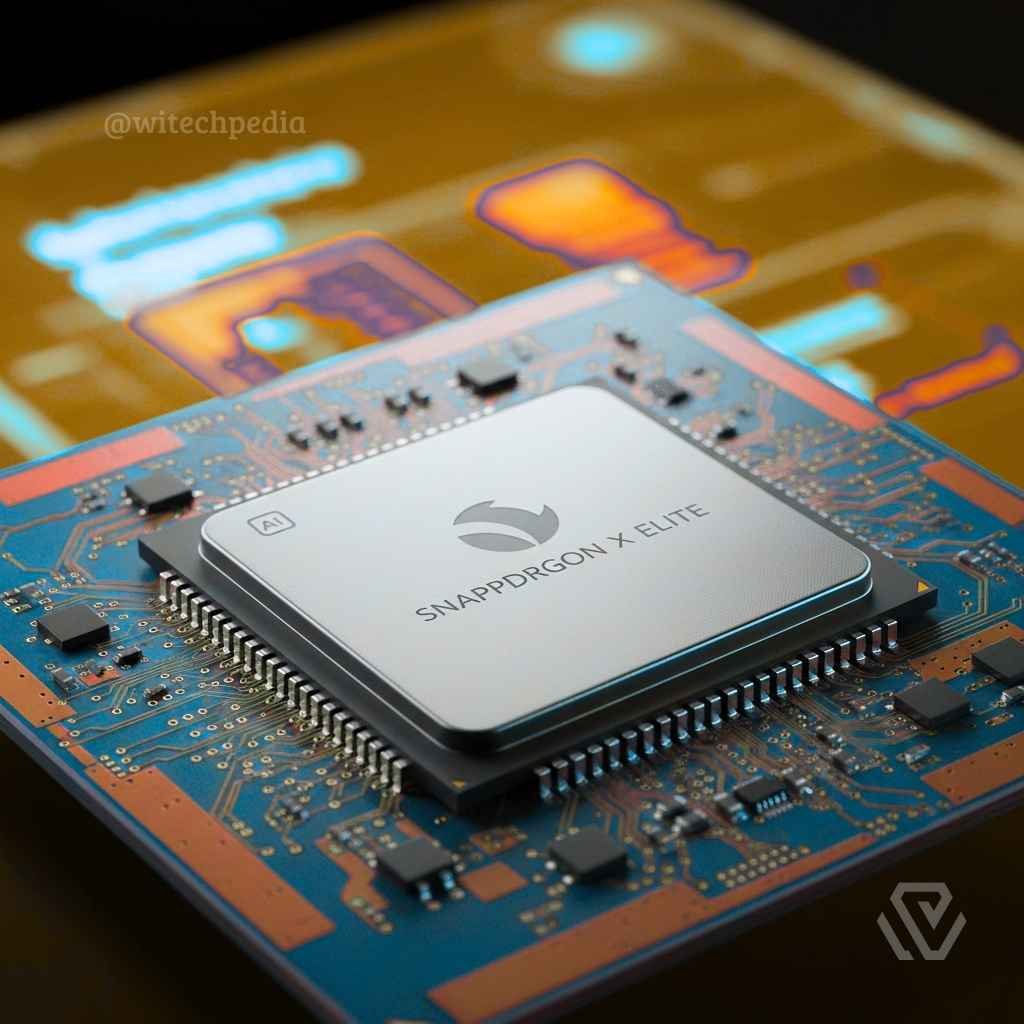
Microsoft’s Copilot+ PC standard — announced in May 2024 — already requires 40 TOPS (Tera Operations Per Second) for certification. The current leading NPU processors include:
- Qualcomm Snapdragon X Elite — 45 TOPS NPU, the current benchmark for Windows on ARM AI performance
- Intel Core Ultra (Meteor Lake / Lunar Lake) — integrated NPU delivering 34–48 TOPS depending on generation
- AMD Ryzen AI (Strix Point) — NPU delivering up to 50 TOPS
- Nvidia N1X (ARM-based) — debuted at Build 2026, powering the new Surface Laptop Ultra
Most PCs manufactured before 2023 do not include a dedicated NPU. This means a large portion of the current Windows install base — estimated at over 1.8 billion devices — will not qualify for full Windows 12 AI features without a hardware upgrade.
Check out: Windows on ARM App Compatibility
Key Features of the AI-Native OS
1. Deep Copilot+ Integration
Windows 11 introduced Copilot as an optional sidebar — a feature many users dismissed or disabled. Windows 12 is designed to change that relationship fundamentally.
In the Hudson Valley vision, Copilot evolves from an optional assistant into a system-level agent integrated into the OS shell itself. This means:
- Contextual awareness — Copilot can see what’s on your screen and proactively suggest actions without being explicitly prompted. Opening a PDF of a contract? Copilot might offer to summarize it, extract key dates, or compare it against a previous version.
- Cross-app automation — Instead of just answering questions, Copilot can execute multi-step workflows across applications. “Prepare a report from last week’s meeting notes and email it to the team” becomes a one-sentence command.
- Natural language OS control — Settings, preferences, and system configurations can be changed through conversation rather than menus.
This mirrors what Generative AI is doing across the software landscape — and positions Windows as the ambient AI layer for the entire PC experience.
2. Floating Taskbar & Redesigned UI
Leaked prototype builds and concept renders consistently show a departure from Windows’ traditional docked taskbar. The rumored Floating Taskbar hovers above the bottom edge of the screen rather than being flush with it — a design pattern increasingly popular in macOS and Linux desktop environments.
Other interface changes rumored or seen in Canary Channel builds include:
- A top-of-screen notification/system tray similar to macOS’s menu bar
- A more gesture-first design optimized for touchscreen and 2-in-1 devices
- Adaptive layouts that reconfigure based on whether you’re using a keyboard, touchpad, stylus, or voice
- Concept designer Abdi’s (AR 4789) “Brilliant Windows 12” concept — which went viral in September 2025 — proposed a “Collectzone” for wallpapers and collections, alongside streamlined screenshot functionality
3. Semantic Search
This is one of the most practically useful features in the Windows 12 roadmap. Traditional Windows Search relies on exact filenames and keywords — meaning if you can’t remember what you named a file, good luck finding it.
Semantic Search uses on-device AI to index and understand the content of your files, not just their names. This enables natural language queries like:
- “Find the presentation I made about the product launch last March”
- “Show me the spreadsheet with the orange logo mockups”
- “Pull up that email I wrote to Sarah about the contract”
The system understands context, intent, and relationships between files — functioning closer to how human memory works than how a database search works. This runs locally via the NPU, meaning your files are never sent to the cloud for indexing.
4. Local AI & On-Device Inference
One of the most significant strategic pivots in Windows 12 is the shift from cloud-dependent AI to local, on-device AI. Many of the AI features in Windows 11’s Copilot require an active internet connection and send data to Microsoft’s servers.
Windows 12 is designed to move these workloads onto the local NPU, delivering:
- Privacy — Your data stays on your device. Real-time translation, transcription, and image analysis happen without leaving your machine.
- Speed — Local inference is dramatically faster than cloud round-trips, enabling real-time responses in applications.
- Offline capability — AI features work without an internet connection, which is critical for enterprise, government, and remote-use scenarios.
- Battery efficiency — Dedicated NPUs are far more power-efficient than running AI tasks through a general-purpose CPU or GPU.
This aligns with the broader industry trend toward AI at the edge. For a deeper look at how local AI models work, see our guide on LLMs & Models.
5. Enhanced Security Architecture
CorePC’s state-separated design delivers security improvements that go beyond anything a software patch can achieve:
- Immutable OS core — System files in the read-only partition cannot be modified by any application, including malware
- Verified boot — The entire OS load sequence is cryptographically verified before any user code runs
- Isolated app containers — Applications run in sandboxed environments with limited access to OS resources
- Hardware-backed attestation — TPM 2.0 integration ensures the OS state can be verified against known-good baselines
For users concerned about their current Windows security posture, see our guides on Best Antivirus Software 2026 and How to Remove Malware from Windows 10.
Windows 12 vs Windows 11: Side-by-Side Comparison
| Feature | Windows 12 (Hudson Valley) | Windows 11 (Current) |
|---|---|---|
| Architecture | Modular CorePC (State-Separated) | Monolithic NT Kernel |
| AI Integration | OS-level, shell-integrated Copilot+ | Sidebar Copilot (optional) |
| NPU Requirement | 40+ TOPS for full features | Not required |
| Minimum RAM | 16 GB | 4 GB |
| Storage | 128 GB SSD only | 64 GB (HDD allowed) |
| Search | Semantic, content-aware | Keyword-based |
| AI Processing | Local (on-device) | Primarily cloud-based |
| Taskbar | Floating (rumored) | Docked, centered icons |
| Update Experience | Seamless, background (CorePC) | Restart-required |
| Security Model | Hardware-enforced immutable OS | Software-layer protection |
| HDD Support | No (SSD mandatory) | Yes |
Windows 12 Release Date & Official Roadmap
This is where the situation becomes nuanced — and where a lot of tech reporting got it wrong in early 2026.
The 2026 Speculation That Was Debunked
In early March 2026, a widely republished article (originally from German outlet PC-Welt, syndicated by PCWorld) claimed Windows 12 was on track to ship “later in 2026,” timed around the end of Windows 10 extended support in October 2026. The piece spread virally before PCWorld’s own executive editor added a correction note, stating the claims were largely unfounded and the article did not meet their editorial standards.
Windows Central’s Zac Bowden subsequently reported, citing his own Microsoft sources, that:
- There are no confirmed plans to ship Windows 12 in 2026
- The “Hudson Valley” codename dates to 2023 Windows 11 planning, not a new OS
- CorePC as originally conceived was never shipped
The More Likely Timeline
Based on the most credible and current reporting as of June 2026:
| Milestone | Timeframe | Status |
|---|---|---|
| Hudson Valley / CorePC internal development | 2023–2024 | Confirmed (internal) |
| Copilot+ PC platform launch (NPU standard) | May 2024 | ✅ Official & live |
| Windows K2 quality improvement initiative | Late 2025 – 2026 | ✅ Confirmed (in progress) |
| Windows Insider Canary Channel experiments | Ongoing 2026 | ✅ Active |
| Windows 12 official announcement | 2026–2027 (TBD) | ❌ Not confirmed |
| Windows 12 consumer launch | 2027 (most likely) | ❌ Not confirmed |
| Windows 10 extended support ends | October 14, 2026 | ✅ Official Microsoft date |
Microsoft’s own Pavan Davuluri (President, Windows + Devices) confirmed ahead of Build 2026: “Something new is coming for developers. And no, it’s not a new OS version.” Microsoft’s Build 2026 conference (June 2–3, 2026, San Francisco) focused on AI developer tools, new Silicon partnerships, and Windows 11 improvements — with zero Windows 12 announcement.
What Microsoft Is Actually Doing in 2026: Windows K2
Rather than rushing a new OS, Microsoft has launched an internal initiative called Windows K2 — a concerted quality and performance program targeting the biggest criticisms of Windows 11.
Windows K2 is reportedly tackling:
- A rebuilt Start Menu that addresses years of user complaints about the centered layout and reduced customization
- A faster, more responsive File Explorer with improved performance on both SSD and network drives
- Pullback from unsolicited AI integrations — reversing some of the more intrusive Copilot integrations that frustrated users
- Stability and reliability improvements across the core shell
- Better RAM and CPU management for background tasks and AI workloads
The initiative runs through 2026 and into 2027. For IT administrators and enterprise users, this is actually good news: it means Windows 11 will be in better shape before any major transition is required.
The Big Picture
Microsoft’s 2026 strategy appears to be “fix Windows 11 first, ship Windows 12 when it’s ready.” This is a mature move that prioritizes user trust over a version number. The company has explicitly described its approach as “Continuous Innovation” — meaning major improvements arrive as updates, not necessarily as a new branded OS.
Will Windows 12 Be a Free Upgrade?
Microsoft has not confirmed any pricing for Windows 12. Based on historical precedent:
- Windows 10 → Windows 11 was a free upgrade for eligible hardware (though with controversial TPM/processor requirements)
- Windows 7/8 → Windows 10 was offered as a free upgrade for the first year
The expectation within the tech community is that Windows 12 will similarly be offered as a free upgrade for licensed Windows 11 users — provided their hardware meets the new requirements.
The catch: Given the expected NPU requirement and 16 GB RAM minimum, a significant portion of current Windows 11 machines may not qualify for the full Windows 12 experience, even if a basic upgrade path is offered.
Enterprise & Business Implications
For IT departments, Windows 12 represents both opportunity and operational challenge.
Opportunities
- AI-powered productivity — Copilot+ integration could meaningfully reduce time spent on repetitive document tasks, email management, and data summarization
- Security hardening — CorePC’s immutable OS architecture addresses enterprise-grade security requirements that software tools struggle to meet
- Lifecycle simplification — Modular updates could eventually reduce the need for disruptive, scheduled maintenance windows
Challenges
- Hardware refresh acceleration — The 16 GB RAM minimum and NPU requirement could trigger enterprise-wide hardware refresh cycles earlier than planned
- Application compatibility — The transition to CorePC and ARM-first designs raises application compatibility questions for legacy line-of-business software
- Management tooling — Existing MDM (Mobile Device Management) and endpoint management tools will need updates to handle CorePC’s new architecture
Microsoft has historically provided extended enterprise migration windows for major OS transitions, and similar provisions are expected for Windows 12. Businesses should treat current Windows 12 messaging as a planning signal rather than an immediate requirement.
NPU Processors Compared: Intel vs AMD vs Qualcomm
If Windows 12’s AI features are gated behind NPU performance, choosing the right processor becomes critical for anyone buying a new PC today with Windows 12 in mind.
| Processor | NPU Performance | Architecture | Best For |
|---|---|---|---|
| Qualcomm Snapdragon X Elite | 45 TOPS | ARM | Ultrabooks, fanless laptops, battery life |
| Qualcomm Snapdragon X Plus | 45 TOPS | ARM | Mid-range ARM laptops |
| Intel Core Ultra 9 (Lunar Lake) | 48 TOPS | x86 | High-performance thin-and-lights |
| Intel Core Ultra 7 (Meteor Lake) | 34 TOPS | x86 | Mainstream laptops |
| AMD Ryzen AI 9 (Strix Point) | 50 TOPS | x86 | Performance laptops, gaming |
| Nvidia N1X | TBD | ARM (MediaTek) | Surface Laptop Ultra (2026) |
Buying tip: Any processor hitting 40+ TOPS will qualify for current Copilot+ features and is the safest bet for Windows 12 AI compatibility. For x86 users who want broad app compatibility alongside NPU power, AMD’s Ryzen AI series currently offers the highest TOPS on traditional architecture.
Frequently Asked Questions
Is Windows 12 a free upgrade?
While not officially confirmed, Microsoft is expected to offer Windows 12 as a free upgrade for licensed Windows 11 and Windows 10 users, provided their hardware meets the new requirements.
Can I bypass the 16GB RAM requirement?
Third-party tools on GitHub have historically allowed Windows installations on non-compliant hardware. This is likely to continue for Windows 12. However, running Windows 12 on under-spec hardware will mean AI features are disabled or severely degraded, and Microsoft will not provide official support for such installations.
Has Microsoft officially announced Windows 12?
No. As of June 2026, Microsoft has made no official announcement of Windows 12. Pavan Davuluri, President of Windows + Devices, explicitly confirmed ahead of Build 2026 that no new OS version would be announced at that event. Most reliable industry sources now point to a 2027 release window at the earliest.
Will Windows 12 require an NPU?
Based on all available leaks and industry reporting, full AI functionality in Windows 12 will require an NPU capable of at least 40 TOPS. Basic OS functionality may be available on older hardware, but AI features — Semantic Search, advanced Copilot, real-time AI tools — would be disabled or significantly limited without NPU support.
Does Windows 12 mean Windows 11 support will end?
Not immediately. Microsoft has already committed to Windows 11 support through at least 2031 (for enterprise) under its standard lifecycle policy. Even after Windows 12 launches, Windows 11 will continue receiving updates in parallel. The transition will be gradual.
What is the difference between “Hudson Valley” and “Hudson Valley Next”?
“Hudson Valley” was a 2023 internal codename tied to Windows 11 architectural planning and the CorePC modular concept. “Hudson Valley Next” appears in 2025–2026 reporting as the codename for the product intended to ship as a numbered Windows successor (Windows 12). The two are related but not identical.
Is Windows 12 the same as a “Windows 11 25H2” or major update?
This is an open question even within Microsoft, according to current reporting. Microsoft’s “Continuous Innovation” strategy means major improvements could arrive as Windows 11 feature updates rather than a new numbered release. Whether the CorePC architecture arrives as “Windows 12” or as a platform version of Windows 11 is still undecided.
What should I do with my Windows 10 PC?
Windows 10 extended support ends October 14, 2026. If your hardware supports Windows 11, upgrade now using our Windows 11 installation guide. If it doesn’t, consider whether a hardware upgrade makes sense given Windows 12’s even steeper requirements. Our Windows 10 review covers what to expect after end-of-support.
Verdict: Should You Be Excited or Worried?
Windows 12 “Hudson Valley” — when it arrives — represents the most structurally significant change to Windows since the NT kernel itself. The CorePC architecture solves real problems. Local AI with NPU hardware is the right long-term direction. Semantic Search is a feature users genuinely need.
The concern is the hardware stratification. If a 40 TOPS NPU is required for the full experience, Microsoft risks creating a two-tier Windows ecosystem: NPU-equipped “premium” users getting a genuinely transformed OS, and everyone else stuck with a stripped-down version. That’s a risky move for a platform that built its dominance on broad hardware accessibility.
For now, the practical advice is clear:
- If you’re buying a new PC in 2026, prioritize Copilot+ certified hardware with 40+ TOPS NPU capability
- If you’re on Windows 10, upgrade to Windows 11 before October 2026
- If you’re in IT planning, treat Windows 12 as a 2027+ consideration and focus Windows K2 improvements in the interim
We’ll keep this wiki updated as Microsoft makes official announcements.