









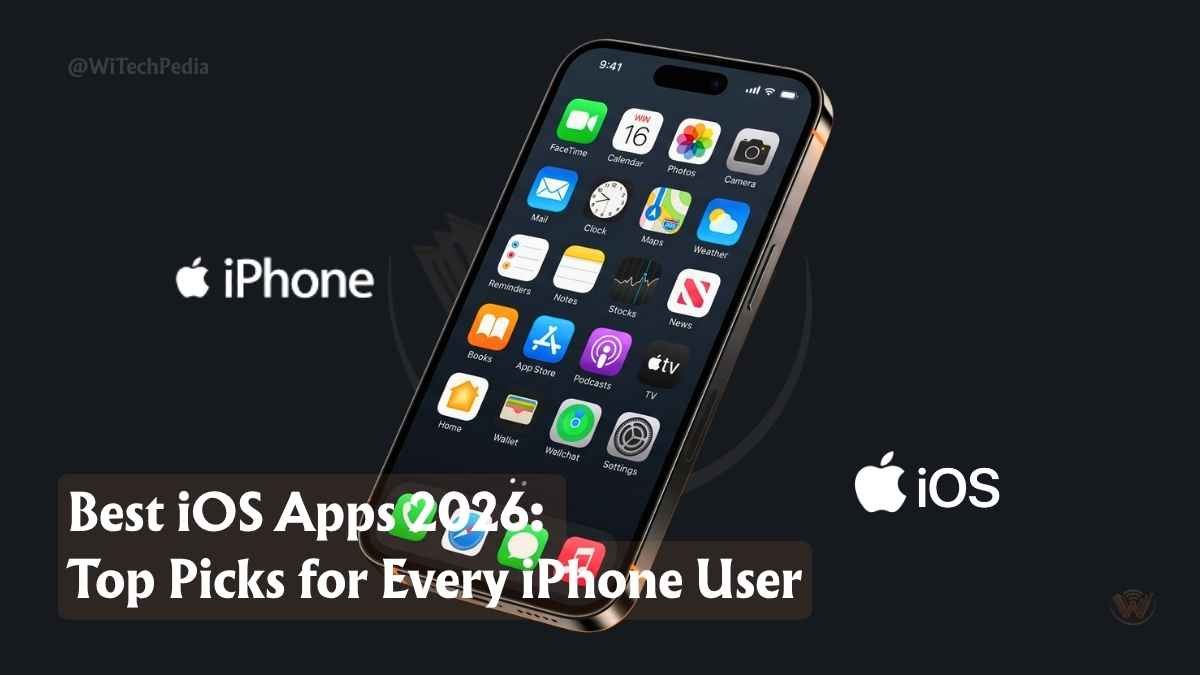
There are over 1.8 million apps on the App Store. Most of them aren’t worth your storage space. A small handful will genuinely change how you work, create, and live — and finding them is what this guide is about.
- What Makes a Great iOS App in 2026?
- Best iOS Apps of 2026 — Quick Comparison Table
- Best iOS Apps for Productivity in 2026
- Best iOS AI Apps of 2026
- Best iOS Apps for Creativity
- Best iOS Apps for Entertainment and Lifestyle
- Best iOS Apps for Privacy and Security
- Best iOS Apps for Learning and Coding
- Honorable Mentions: More Best iPhone Apps Worth Downloading
- FAQ: Best iOS Apps 2026
- Conclusion: Build the iOS App Stack That Works for You
Whether you’re chasing peak productivity, creative freedom, smarter AI assistance, or just a quieter digital life, the best iOS apps of 2026 are more powerful, more polished, and more purposeful than anything we’ve seen before. The iPhone has evolved into a cognitive workstation. The apps have followed suit.
We tested dozens of apps across every category. These are the ones that earned a permanent spot on the home screen.
What Makes a Great iOS App in 2026?
The bar for a great iOS app has risen dramatically. It’s no longer enough to look good or run smoothly. The best iPhone apps in 2026 share four traits:
- Deep Apple ecosystem integration — seamless sync with iCloud, Shortcuts, Focus modes, and Widgets
- AI-native features — not bolted on, but built into the core workflow
- Genuine utility — solving real problems, not inventing fake ones
- Respect for privacy — on-device processing, transparent data policies, and App Store privacy labels that match reality
With iOS 26’s expanded Apple Intelligence features, the best third-party apps are pushing even further. Here’s what’s actually worth downloading.
Best iOS Apps of 2026 — Quick Comparison Table
| App | Category | Price | Best For | iOS 26 Integration |
|---|---|---|---|---|
| ChatGPT | AI Assistant | Free / $20 mo | Writing, reasoning, voice | Siri handoff |
| Claude | AI Assistant | Free / $20 mo | Deep analysis, long projects | App Intents |
| Notion | Productivity | Free / $10 mo | Second brain, docs, wikis | Widget support |
| Things 3 | Task Manager | $9.99 (one-time) | GTD task management | Shortcuts deep link |
| Grammarly | Writing | Free / $12 mo | Keyboard-level writing AI | System keyboard |
| Canva | Creativity | Free / $13 mo | Design, presentations, social | Photos integration |
| Spotify | Music | Free / $11 mo | Music, podcasts, audiobooks | CarPlay, AirPlay 2 |
| Libby | Reading | Free | Free ebooks from your library | N/A |
| Procreate Pocket | Art | $4.99 (one-time) | Digital illustration on iPhone | Apple Pencil Pro |
| Replit | Coding | Free / $25 mo | AI-powered mobile coding | N/A |
| 1Password | Security | $3/mo | Password & identity management | Face ID, passkeys |
| Akiflow | Calendar | $15/mo | Time-blocking & task calendar | Calendar app sync |
Best iOS Apps for Productivity in 2026
1. Notion — The Ultimate Second Brain
If there’s one productivity app that has earned permanent home screen real estate in 2026, it’s Notion. What began as a note-taking app has become a full workspace — combining docs, databases, wikis, project boards, and now AI writing and automation in a single fluid interface.
In 2026, Notion’s AI agent system lets you deploy autonomous background agents to handle research tasks, summarize documents, or draft content while you stay focused elsewhere. The document chat feature — upload a PDF or CSV and ask questions directly — makes it invaluable for students, researchers, and professionals alike.
Real-world use case: A freelance consultant uses Notion to manage every client project — storing briefs, tracking milestones, and using AI to generate weekly status summaries from raw notes.
Why it stands out: The template library, collaborative editing, and knowledge management depth are unmatched in a mobile-first environment.
- Free tier available
- Best for: students, writers, consultants, remote teams
- Download Notion on App Store
2. Things 3 — The Most Beautiful Task Manager on iOS
If you’ve ever been overwhelmed by Todoist or underwhelmed by Reminders, Things 3 hits a rare sweet spot: power and simplicity living together. It’s built around the GTD (Getting Things Done) methodology but removes all the friction.
The drag-and-drop “Magic Plus” button, natural language input, and nested project structure make it the fastest way to capture and organize tasks on an iPhone. One-time purchase. No subscription. Rare.
Real-world use case: A product manager uses Things 3 to plan weekly sprints, track personal goals, and link tasks directly into Apple Calendar via Shortcuts integrations.
- Price: $9.99 (one-time, no subscription)
- Best for: solo professionals, students, GTD practitioners
- Download Things 3 on App Store
3. Akiflow — Time-Blocking for the Overloaded Professional
Task lists are easy to make. Hard to follow. Akiflow solves this by fusing your task list and calendar into a single unified timeline. You drag tasks onto time slots — a practice called time-blocking — so your ambitions match your actual available hours.
In 2026, Akiflow integrates with Slack, Gmail, Notion, and Google Calendar. Every incoming action item lands in one unified inbox, ready to be prioritized, scheduled, or deferred with a swipe.
Real-world use case: A startup founder uses Akiflow to convert Slack messages and Gmail action items into scheduled calendar blocks each morning, cutting their “open loops” from 40 to under 10 per week.
- Price: $15/month
- Best for: executives, founders, anyone suffering from task fragmentation
- Download Akiflow on App Store
Best iOS AI Apps of 2026
4. ChatGPT — The AI App That Started It All (Still the Most Downloaded)
ChatGPT is, by almost any measure, the most downloaded AI app in history with over 500 million Android downloads alone — and iOS numbers are comparable. But in 2026, it has become something fundamentally different from the chatbot that launched in late 2022.
The voice mode is now the gold standard for conversational AI assistants. You can speak naturally while walking, then export a transcript directly into a workspace tool. The vision feature lets you photograph a whiteboard or handwritten notes and have ChatGPT instantly convert them into structured outlines or project plans.
Real-world use case: A marketing lead photographs a competitor’s landing page, asks ChatGPT to identify persuasion techniques used, then requests a rewrite optimized for their own audience — all in one conversation.
- Free tier available; ChatGPT Plus at $20/month
- Best for: writing, reasoning, research, voice workflows
- Download ChatGPT on App Store
5. Claude — The AI for Deep Work and Long-Horizon Projects
While ChatGPT excels at quick, versatile tasks, Claude by Anthropic has carved out a distinct strength: sustained, structured thinking on complex problems. In 2026, Claude’s Projects feature lets you build persistent, context-rich workspaces where the AI maintains memory of your documents, goals, and past conversations across sessions.
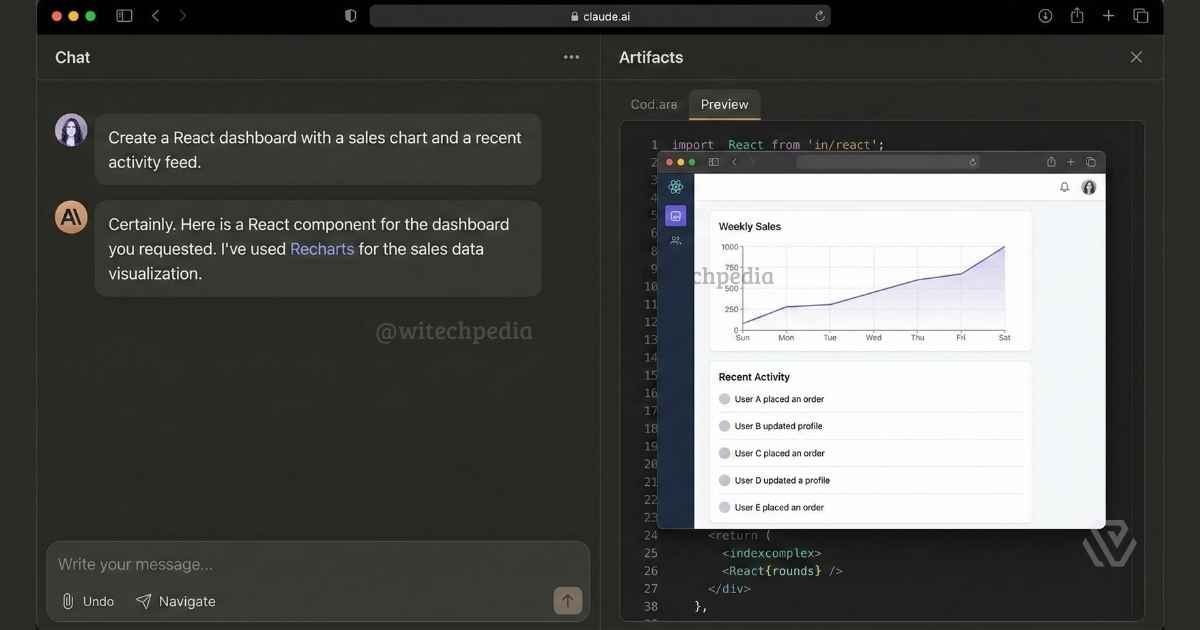
Upload a 50-page industry report, and Claude can map key risks, surface contradictions, and track follow-up questions — all within a single Project. It’s an ongoing collaborator, not a one-off prompt tool.
Claude is also widely praised for its human-sounding communication — ideal for drafting long-form content, strategic plans, and nuanced business documents.
Real-world use case: A senior researcher uses Claude to maintain a persistent project on regulatory changes in fintech, uploading new documents weekly and asking Claude to identify how each update affects their existing notes.
- Free tier available; Claude Pro at $20/month
- Best for: analysts, writers, researchers, knowledge workers
- Download Claude on App Store
6. Grammarly — The AI That Lives in Your Keyboard
Most AI writing tools require you to open an app. Grammarly is the exception: it works directly inside your iOS keyboard, silently improving every word you type across every app — iMessage, Gmail, LinkedIn, Notion, anywhere.
In 2026, Grammarly has evolved far beyond grammar correction. The Coda mode handles complete writing projects with research management, citation tracking, and collaborative drafting. The Humanizer tool adjusts AI-generated text to sound more natural — a feature that’s earned a dedicated fanbase among professionals navigating the post-AI writing landscape.
Real-world use case: A hiring manager uses Grammarly to polish every candidate rejection email in real time, ensuring consistent tone across hundreds of messages without opening a separate app.
- Free tier available; Grammarly Premium from $12/month
- Best for: professionals, students, anyone who writes under a personal brand
- Download Grammarly on App Store
Best iOS Apps for Creativity
7. Canva — The AI Creative Studio That Fits in Your Pocket
Canva has evolved from a template library into a full AI-powered creative studio. In 2026, you can generate social posts, presentations, video content, brand assets, and complete design systems — all from your iPhone.
The AI design tools now handle layout, color matching, and copy generation simultaneously. If you run a business, create content, or manage a social media presence, Canva has effectively replaced a suite of separate design tools.
Real-world use case: A small business owner creates a complete month’s worth of Instagram posts — with on-brand visuals, captions, and hashtag sets — in a single Sunday morning session.
- Free tier available; Canva Pro from $13/month
- Best for: content creators, small businesses, marketers
- Download Canva on App Store
8. Procreate Pocket — Professional Illustration on iPhone
If you’ve ever dismissed Procreate Pocket as a toy compared to its iPad counterpart, 2026 is the year to reconsider. The app packs a full professional illustration toolkit — hundreds of brushes, layered canvas, pressure sensitivity, animation assist — into an iPhone-native experience that punches well above its $4.99 price tag.
Apple Pencil Pro support now makes freehand drawing on iPhone genuinely responsive, and the export options (PSD, TIFF, animated GIFs) integrate cleanly with other creative tools for professional workflows.
Real-world use case: A logo designer sketches initial brand concepts on iPhone during commutes, exports the PSDs to Mac for final refinement — cutting ideation time by roughly half.
- Price: $4.99 (one-time)
- Best for: illustrators, designers, hobbyist artists
- Download Procreate Pocket on App Store
Best iOS Apps for Entertainment and Lifestyle
9. Spotify — The All-In-One Audio Platform
Spotify remains the most versatile audio app on iOS in 2026. It’s not just music anymore: podcasts, audiobooks, AI-generated playlists, and personalized radio stations make it a complete entertainment platform for commuters, gym-goers, and remote workers alike.
What keeps it at the top is the recommendation engine — genuinely one of the best machine learning implementations in any consumer app. The Discover Weekly and Daylist features still surprise users who’ve been on the platform for years.
- Free tier available; Spotify Premium at $11/month
- Best for: music lovers, podcast listeners, commuters
- Download Spotify on App Store
10. Libby — The Best Free App You Aren’t Using Yet
Libby is possibly the most underrated app on the App Store. If you have a library card from a participating library, Libby lets you borrow ebooks, audiobooks, and magazines completely free — including popular new releases and bestsellers.
In an era of $20/month subscription fatigue, Libby is a compelling reminder that your public library card is actually one of the most powerful digital subscriptions you already own — you just forgot about it.
Real-world use case: A student borrow six textbooks and four audiobooks in a semester through Libby, saving an estimated $300 in purchases.
- Price: Free
- Best for: avid readers, students, audiobook listeners
- Download Libby on App Store
Best iOS Apps for Privacy and Security
11. 1Password — The Last Password You’ll Ever Need to Remember
In 2026, cybersecurity isn’t optional — and 1Password is the gold standard for iOS password management. Beyond storing passwords, it handles passkeys, one-time codes, secure documents, and SSH keys. The Watchtower feature actively monitors for breached credentials across your vault and alerts you before the damage is done.
The biometric unlock via Face ID makes the daily experience effortless. Families and teams can share specific vault items without exposing the full vault — a practical touch most competitors still don’t nail cleanly.
Real-world use case: A remote team of eight uses 1Password’s shared vaults to securely access shared SaaS tools, eliminating the insecure practice of sharing passwords over Slack.
- Price: From $3/month (individual)
- Best for: professionals, families, anyone with more than 10 online accounts
- Download 1Password on App Store
Best iOS Apps for Learning and Coding
12. Replit — Code Anywhere, Ship Anything
For developers, Replit represents a genuine paradigm shift. It’s a fully AI-powered coding environment that runs in your browser and on your iPhone, eliminating the need for a laptop for most coding tasks. In 2026, the AI autocomplete, debugging assistant, and one-tap deployment pipeline make mobile coding a realistic workflow — not a compromise.
For learners especially, Replit removes the most painful barrier in coding education: setting up a development environment. You just open the app and start writing.
Real-world use case: A junior developer fixes a production bug and deploys a hotfix directly from their iPhone during a weekend, avoiding a full laptop boot-up emergency.
- Free tier available; Replit Core from $25/month
- Best for: developers, students learning to code, DevOps professionals
- Download Replit on App Store
Honorable Mentions: More Best iPhone Apps Worth Downloading
Don’t sleep on these additional best iOS apps that narrowly missed the main list:
- ReciMe — Pulls recipes from Instagram and TikTok videos and auto-generates ingredient lists and steps. Genuinely magical for food content consumers.
- Gemini (Google) — Deep integration with Google’s ecosystem and exceptional camera input support. Best choice if you live in Google Workspace.
- Apple Notes — Criminally underrated. Handles handwriting, scanning, checklists, and collaboration — all free, all iCloud-synced.
- AllTrails — The definitive outdoor navigation app. Offline maps, crowdsourced trail guides, and custom route creation.
- Microsoft Copilot — The best free AI app for Office 365 users who need AI embedded directly into Word, Excel, and Outlook workflows.
FAQ: Best iOS Apps 2026
What are the best free iOS apps in 2026?
The best free iOS apps include ChatGPT (free tier), Libby (completely free with a library card), Canva (generous free tier), Grammarly (free keyboard AI), and Google Gemini. All offer genuinely useful features without requiring a paid subscription to get real value.
Which iOS apps are worth paying for?
The iOS apps most worth paying for in 2026 are Things 3 ($9.99 one-time), Procreate Pocket ($4.99 one-time), 1Password (~$3/month), Notion (for teams), and Claude Pro or ChatGPT Plus for power users who rely on AI daily. Apps with one-time pricing offer the best long-term value.
What are the best iOS apps for productivity?
The best iOS productivity apps in 2026 are Notion for knowledge management and docs, Things 3 for task management, Akiflow for time-blocking, and Grammarly for writing quality. Together, these four apps cover the full productivity stack for most professionals.
Are AI apps on iOS safe and private?
Reputable AI apps including ChatGPT, Claude, and Google Gemini follow standard iOS security protocols and publish transparent App Store privacy labels. For the most privacy-sensitive tasks, look for apps offering on-device processing (such as Whisper Transcription for voice). Always review an app’s privacy nutrition label in the App Store before downloading.
What’s the difference between ChatGPT and Claude on iPhone?
ChatGPT excels at quick, versatile tasks — voice interactions, image analysis, fast content generation, and broad general knowledge. Claude excels at sustained, structured deep work — long documents, complex research projects, and nuanced writing where consistency and reasoning quality matter over multiple sessions. Both are worth having installed; they complement rather than replace each other.
How do I find the best new iOS apps each month?
The Apple App Store editorial team curates a “Game of the Day” and “App of the Day” feature. For broader discovery, follow WiTechPedia’s Mobile & Apps section, which covers new releases, app updates, and monthly roundups covering App Store highlights.
Conclusion: Build the iOS App Stack That Works for You
The best iOS apps of 2026 don’t just fill your home screen — they reshape what your iPhone is capable of. Here are the five takeaways worth bookmarking:
- AI apps have matured. ChatGPT and Claude are no longer novelty chatbots — they’re full-stack cognitive tools that handle serious professional work on a 6-inch screen.
- One-time purchases are rare and valuable. Things 3 and Procreate Pocket represent the best value on the App Store — pay once, own forever.
- Privacy matters more than ever. In a world of 1.8 million apps, choosing apps with transparent data practices isn’t paranoia — it’s basic digital hygiene.
- Free doesn’t mean limited. Libby, Apple Notes, and Canva’s free tier are among the most powerful apps in their categories, regardless of price.
- The best iOS app stack is personal. Use this guide as a starting point — then ruthlessly cut anything that doesn’t earn daily use.
📬 Stay updated: Subscribe to the WiTechPedia newsletter for weekly roundups on the best apps, tools, and tech insights — delivered directly to your inbox.