







The “Activate Windows” watermark is sitting in the corner of your screen. Personalization settings are greyed out. And if you’re reading this in 2026, there’s a second problem stacked on top of the first: Windows 10 itself reached end of support on October 14, 2025, which means activation and security updates are now two separate problems you need to solve.
- Quick Comparison: All 4 Methods at a Glance
- Why Activating Windows 10 Actually Matters
- Method 1: Digital License via Linked Microsoft Account (Easiest)
- Method 2: Reuse Your Old Windows 7 or 8.1 Product Key
- Method 3: Activate Windows 10 Using CMD (KMS Method)
- Method 4: Permanent Activation via Microsoft Activation Scripts (MAS HWID)
- Comparing Activated vs. Unactivated Windows 10
- Troubleshooting Common Activation Errors
- Frequently Asked Questions
- How to Check Your Windows 10 Activation Status
- Should You Upgrade to Windows 11 Instead?
- Final Thoughts
You don’t need to spend money to fix either one. This guide covers four verified methods to activate Windows 10 for free, plus a fifth section most “activation” guides skip entirely — how to keep getting free security updates after end of support, because an activated copy of an unpatched OS is still a risk.
Security Warning:
Many “activator” downloads online are disguised malware. Every method in this guide uses either a built-in Windows tool or one specific, verifiable open-source script. Never download a random .exe activator from a forum link or ad — that’s where most Windows malware infections actually come from.
Important Note
If your PC was ever genuinely activated before, open Settings → Update & Security → Activation → Troubleshoot and sign in with the Microsoft Account you used previously — this reinstates your Digital License in under a minute, for free, with zero downloads. If that doesn’t apply to you, the built-in CMD/KMS method (Method 3 below) activates Windows 10 in about two minutes using only Command Prompt. For permanent activation with no 180-day renewal cycle, use the MAS HWID method (Method 4). For security updates beyond October 2025, see Method 5.
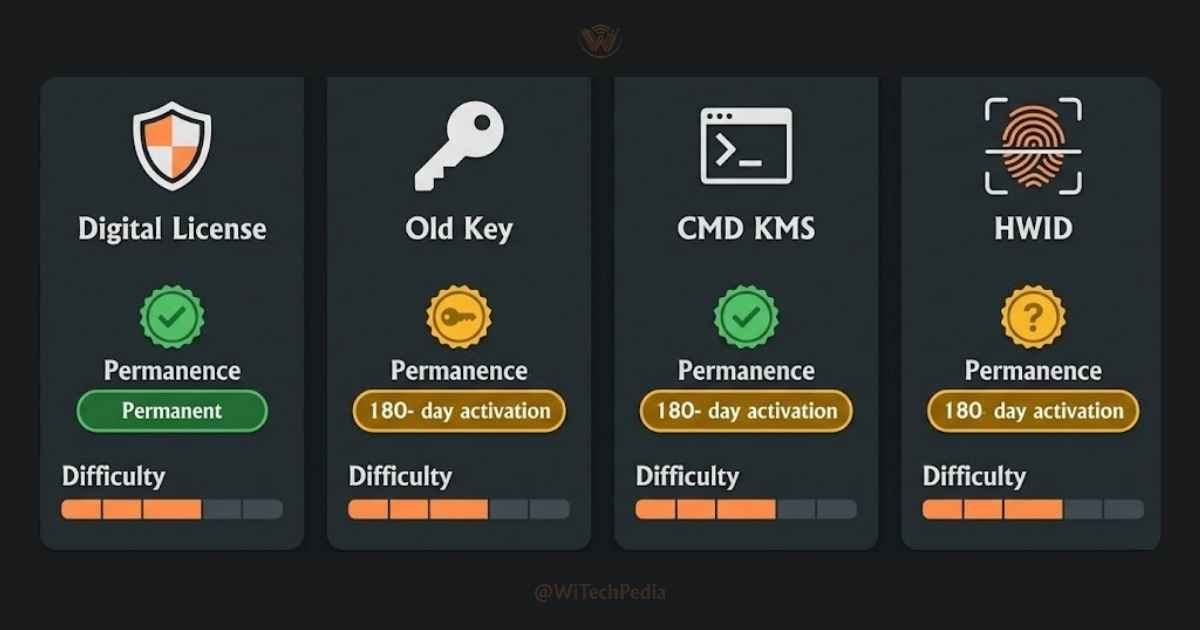
Quick Comparison: All 4 Methods at a Glance
| Method | Permanence | Difficulty | Requires 3rd-Party Tool? | Best For |
|---|---|---|---|---|
| Digital License (Microsoft Account) | Permanent | Easy | No | PC with a previous genuine license |
| Old Windows 7 or 8.1 Key | Permanent | Easy | No | Users with a legacy product key |
| CMD (KMS Method) | 180 days (auto-renews) | Moderate | No | Quick activation, no downloads |
| MAS HWID Script | Permanent | Easy | Open-source only | Personal PCs, clean reinstalls |
Why Activating Windows 10 Actually Matters
Running Windows 10 unactivated is technically possible — the OS functions — but it comes with real limitations that affect everyday use.
What you lose without activation:
- Personalization is locked. You cannot change your wallpaper, lock screen, colors, or themes through Settings.
- A persistent watermark appears in the bottom-right corner of every screen.
- Microsoft Account sync features may be restricted on some builds.
- License compliance. An unactivated copy is not a genuine license — this matters for businesses and anyone receiving Microsoft support.
What you gain after activation:
- Full personalization control restored
- Watermark permanently removed
- The device is recognized by Microsoft’s servers as genuine
- You can reactivate after hardware changes using the Activation Troubleshooter
Windows 10 reached end of mainstream support in October 2025. However, activation still works normally in 2026 — Microsoft’s licensing servers are still operational. For extended security patches, you can enroll in the Extended Security Update (ESU) program or consider upgrading to Windows 11.
Method 1: Digital License via Linked Microsoft Account (Easiest)
If your PC ever ran a genuine, activated copy of Windows 10 or Windows 11, it almost certainly has a Digital License tied to its hardware ID (motherboard fingerprint). Microsoft’s servers store this license permanently.
This is the cleanest and most official method — no keys, no commands, no downloads.
When This Works
- You upgraded from an activated Windows 7 or 8.1 install
- You previously had an activated Windows 10 or 11 install on this same machine
- You reinstalled Windows 10 on hardware that already had a digital license
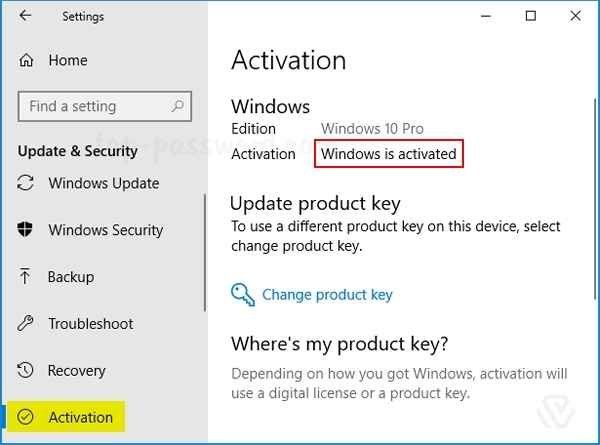
Step-by-Step Instructions
- Open Settings → Update & Security → Activation
- If the status shows “Windows is not activated,” click Troubleshoot
- Sign in with your Microsoft Account if prompted
- Select “I changed hardware on this device recently”
- Choose this device from the list of previously activated devices
- Click Activate
If the troubleshooter returns “Windows is activated,” you are done. The watermark disappears immediately after restarting or waiting a few minutes.
Pro Tip: Always link your Microsoft Account to your Windows activation (Settings → Activation → Add an account). This lets you reactivate for free any time you replace hardware.
Method 2: Reuse Your Old Windows 7 or 8.1 Product Key
Microsoft still accepts valid Windows 7 and Windows 8.1 product keys to activate Windows 10 in 2026. This was originally part of the free upgrade offer Microsoft ran in 2015–2016, but the back-end validation has remained active.
If you have a 25-character product key from an old licensed Windows installation, this is the fastest permanent activation available.
How to Find Your Old Key
Your Windows 7 or 8.1 product key may be:
- On a Certificate of Authenticity (COA) sticker on the bottom or back of your PC
- In your original purchase email from Microsoft or a retailer
- Stored in your old system using a key retrieval tool
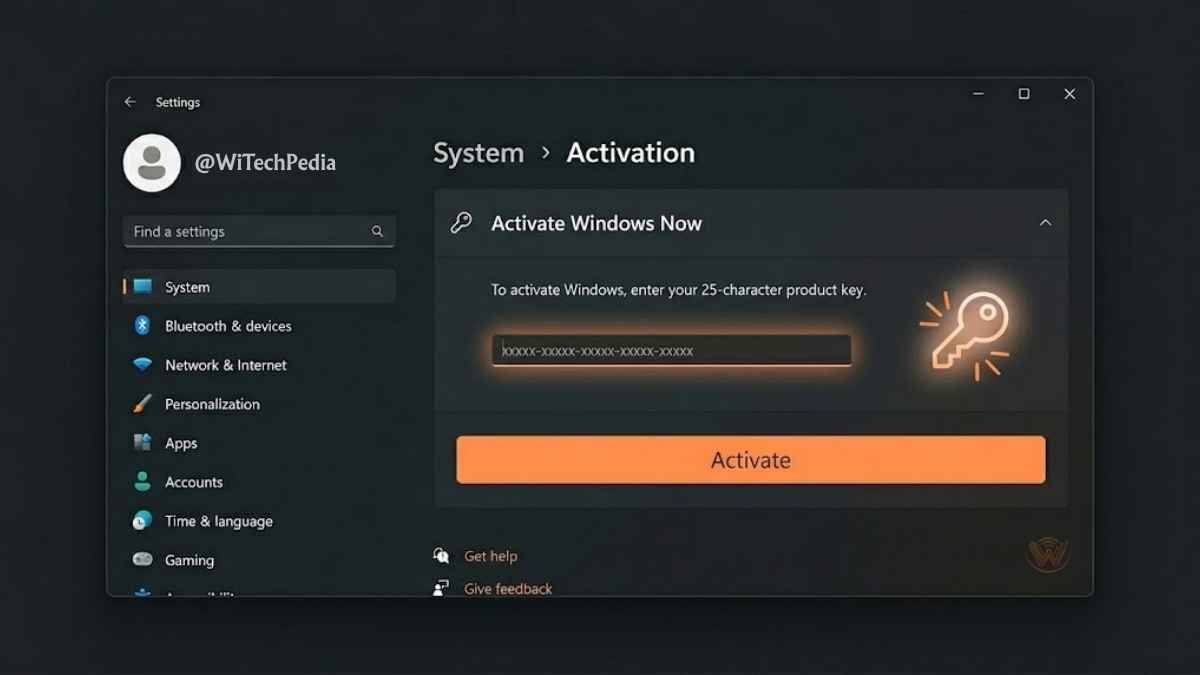
Step-by-Step Instructions
- Open Settings → Update & Security → Activation
- Click Change product key
- Enter your 25-character Windows 7 or 8.1 key
- Click Next and then Activate
Windows will contact Microsoft’s servers, validate the key, and switch to a permanent Digital License tied to your hardware. This is a fully legitimate permanent activation.
Note: If you receive error 0xC004F050, the key may have already been used on another PC, or your version (Home vs. Pro) may not match the key. Try the MAS method below instead.
Method 3: Activate Windows 10 Using CMD (KMS Method)
The Key Management Service (KMS) method uses Windows’ built-in slmgr.vbs tool to activate your copy by pointing it at a KMS server. This requires no downloads — only the built-in Command Prompt.
Important: KMS activation lasts 180 days and renews automatically as long as your PC can reach the KMS server. If the server goes offline, you need to repeat the process. For permanent activation, use Method 4.
Step-by-Step Instructions
Step 1 — Open Command Prompt as Administrator
Press Win + S, type cmd, right-click Command Prompt, and select Run as Administrator. Click Yes on the UAC prompt.
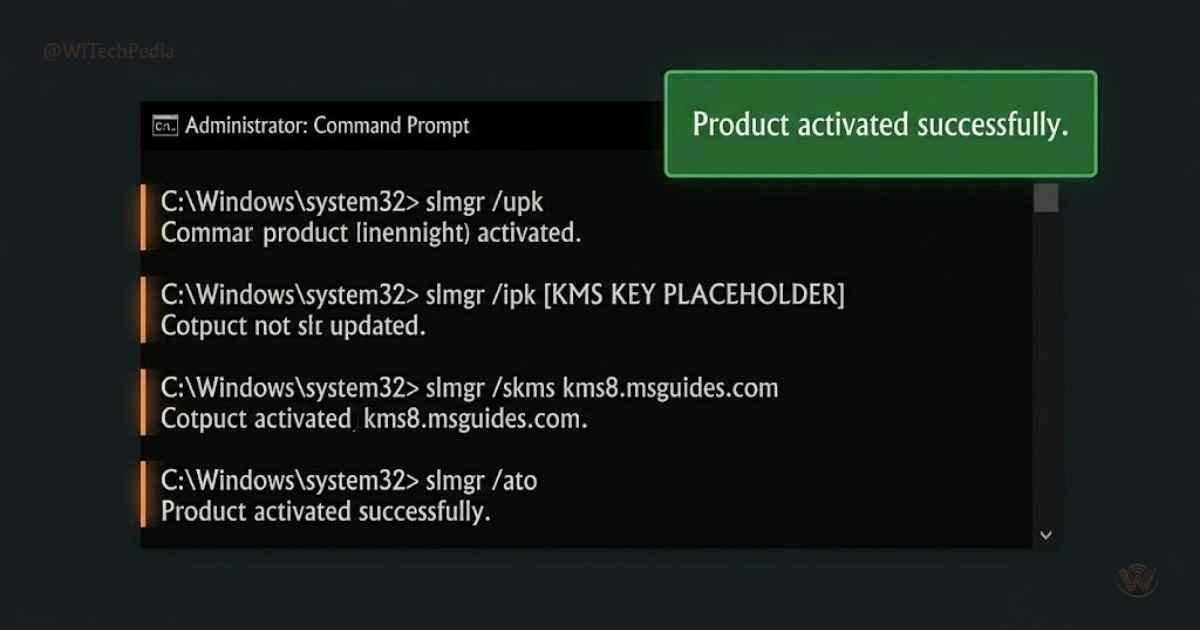
Step 2 — Uninstall any existing key
slmgr /upkWait for the “Uninstalled product key successfully” dialog.
Step 3 — Install the KMS client key for your edition
Use the correct windows 10 pro product key 2026:
| Edition | KMS Client Key |
|---|---|
| Windows 10 Home | TX9XD-98N7V-6WMQ6-BX7FG-H8Q99 |
| Windows 10 Pro | W269N-WFGWX-YVC9B-4J6C9-T83GX |
| Windows 10 Enterprise | NPPR9-FWDCX-D2C8J-H872K-2YT43 |
| Windows 10 Education | NW6C2-QMPVW-D7KKK-3GKT6-VCFB2 |
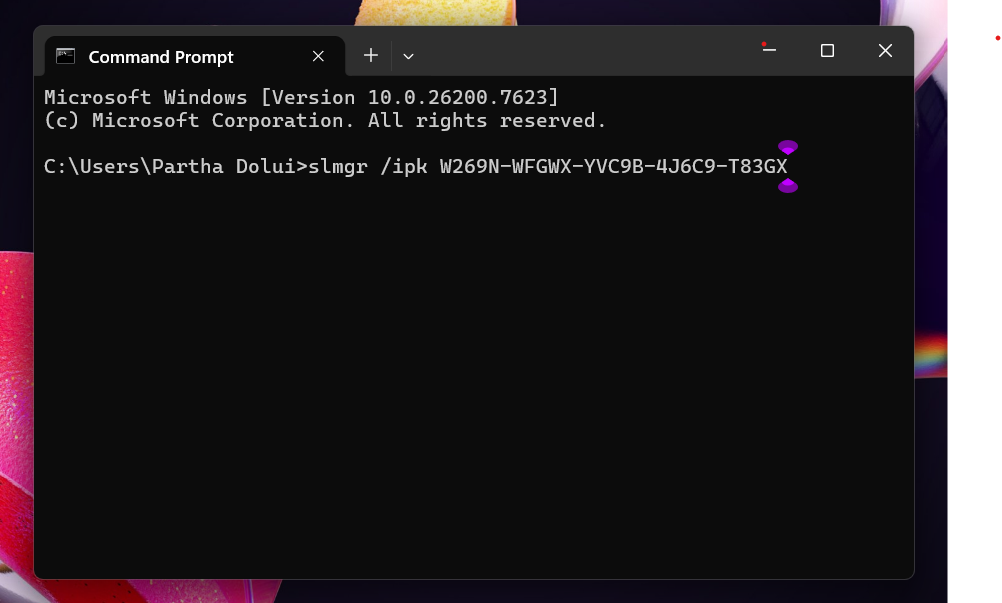
Run the command with your key:
slmgr /ipk W269N-WFGWX-YVC9B-4J6C9-T83GXWait for the “Installed product key successfully” dialog.
Step 4 — Set the KMS server
slmgr /skms kms8.msguides.comStep 5 — Activate
slmgr /atoYou should see: “Product activated successfully.”
Step 6 — Verify activation
slmgr /xprThis shows the expiry date. Since KMS auto-renews every 180 days, you should see a message confirming the machine is permanently activated within the KMS cycle.
These are Microsoft’s official KMS client setup keys, publicly documented by Microsoft for volume licensing environments. They are not piracy tools — they require a live KMS server connection to remain active.
Method 4: Permanent Activation via Microsoft Activation Scripts (MAS HWID)
The MAS (Microsoft Activation Scripts) HWID method is the gold standard for permanent, clean, offline-capable activation. It works by generating a legitimate Hardware ID (HWID) activation and registering it with Microsoft’s servers — the same mechanism Microsoft uses for digital licenses.
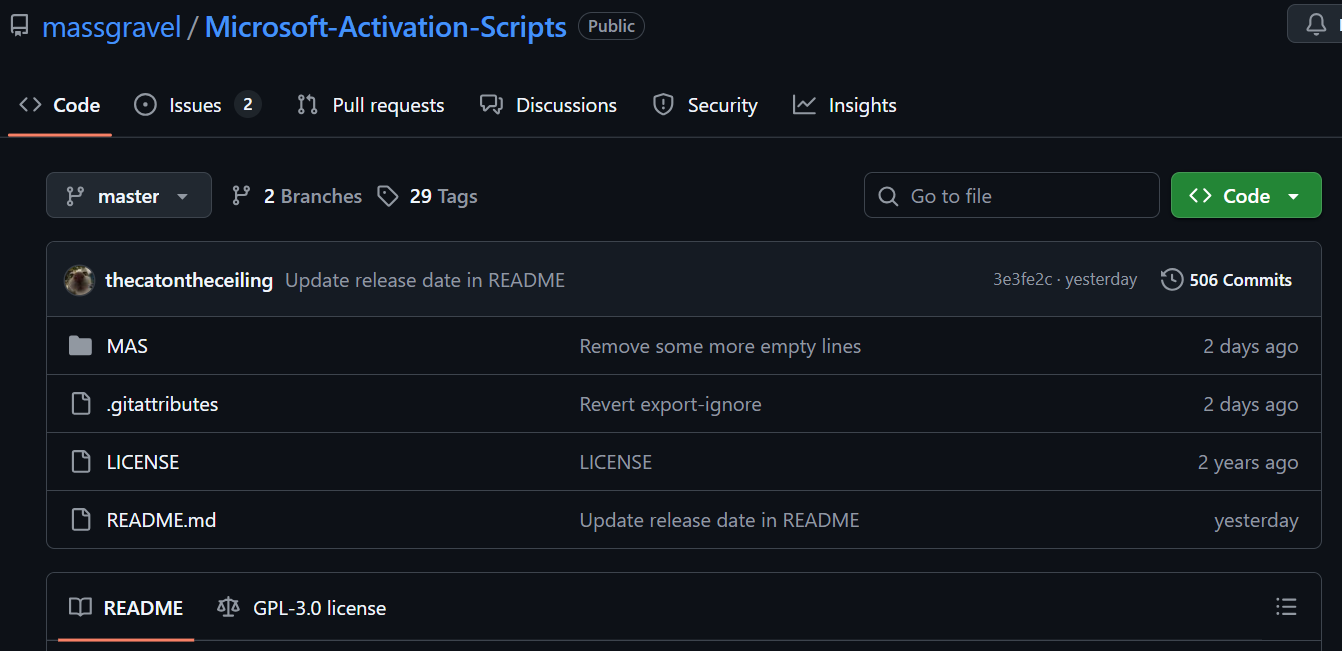
The script is fully open-source, hosted on GitHub, and has been audited by the security community. It contains no malware, no telemetry, and no executable installer.
This method produces permanent activation. It survives OS reinstalls on the same hardware.
Step-by-Step Instructions
Option A — PowerShell One-Liner (Recommended)
You May Also Like

- Press
Win + Xand select Windows PowerShell (Admin) or Terminal (Admin) - Paste this exact command and press Enter:
powershell
irm https://get.activated.win | iex- The MAS menu will open in the terminal window
- Press 1 for HWID Activation
- The script contacts Microsoft’s servers and registers a digital license for your hardware
- When you see “Activation Successful,” close the window
Option B — Manual Download from GitHub
- Visit the official repository: https://github.com/massgravel/Microsoft-Activation-Scripts
- Click Code → Download ZIP
- Extract the archive
- Navigate to the
MASfolder and runMAS_AIO.cmdas Administrator - Select Option 1 (HWID) and follow the prompt
Verify you are on the correct repository. The legitimate MAS repository is at github.com/massgravel/Microsoft-Activation-Scripts with over 100,000 GitHub stars. Do not download from any other source.
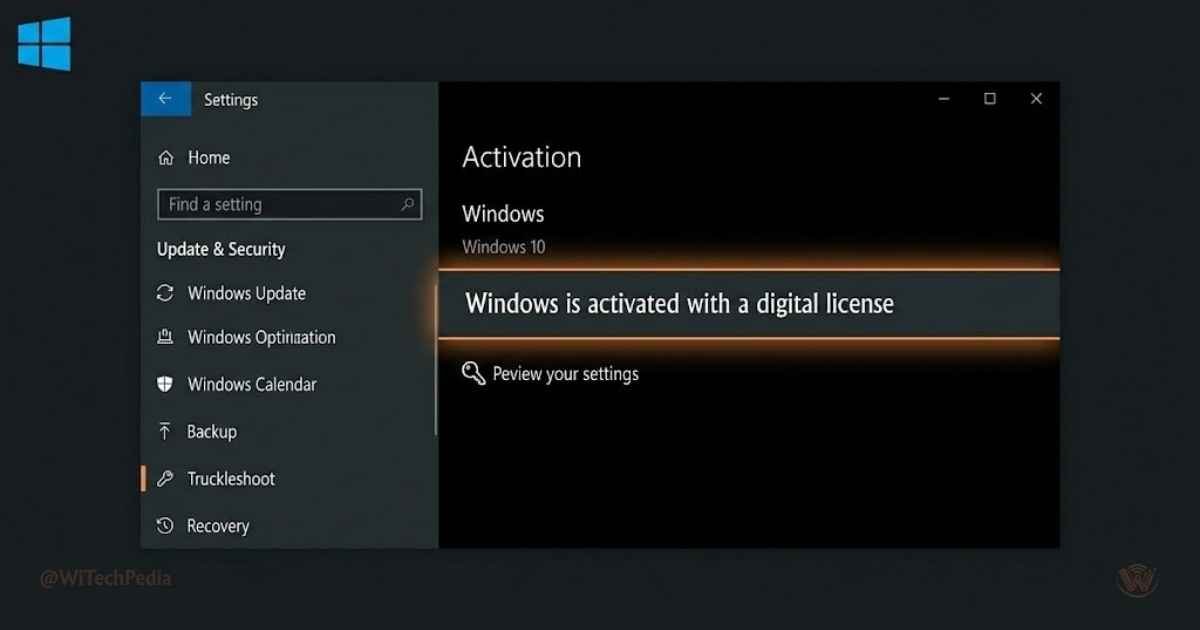
After activation: Go to Settings → Update & Security → Activation. You will see: “Windows is activated with a digital license.” The watermark is gone permanently.
Comparing Activated vs. Unactivated Windows 10
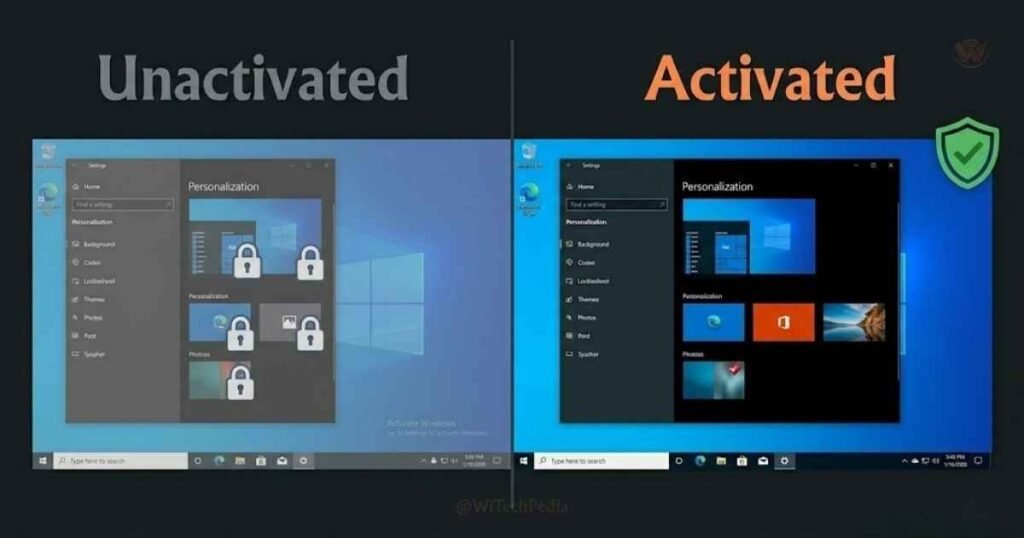
| Feature | Activated | Unactivated |
|---|---|---|
| Desktop Personalization | Fully unlocked | Locked (wallpaper, themes, colors) |
| “Activate Windows” Watermark | Removed | Persistent — appears on every screen |
| Legal / Genuine Status | Genuine license | Evaluation/unlicensed mode |
| Critical Security Updates | Yes | Yes (updates are not blocked) |
| Activation Troubleshooter | Available | Not applicable |
| Microsoft Support Access | Full | Limited |
Troubleshooting Common Activation Errors
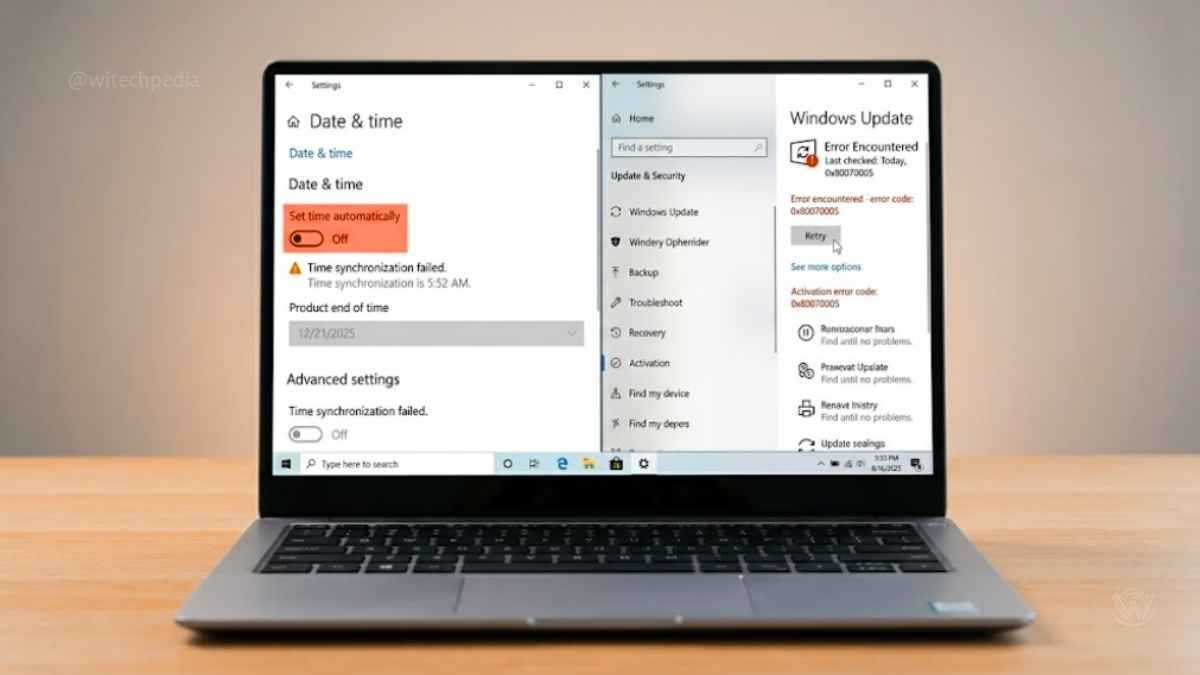
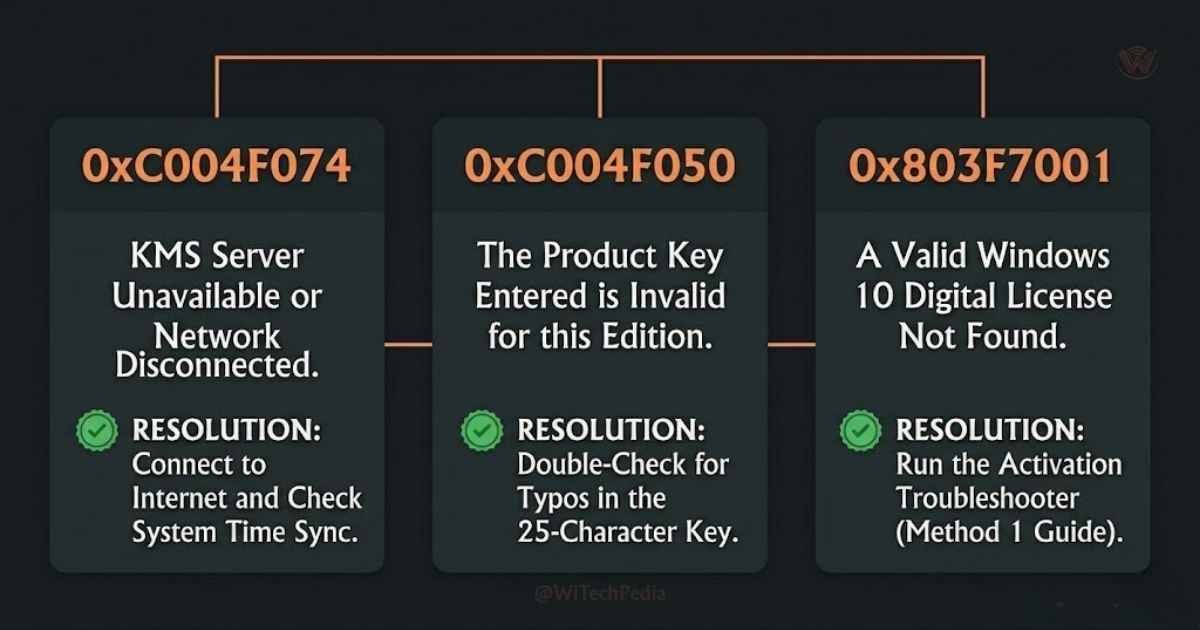
Error 0xC004F074 — KMS Server Unreachable
This is the most common KMS error. It means your PC cannot reach the activation server.
Fixes:
- Check your internet connection
- Disable your VPN if one is running
- Sync your system clock: Settings → Time & Language → Sync Now (the KMS protocol requires your clock to be within 5 minutes of the server time)
- Try a different KMS server address: replace
kms8.msguides.comwithkms.digiboy.irand rerunslmgr /ato - Ensure the Windows Update service is running: press
Win + R, typeservices.msc, find Windows Update, and set it to Running
Error 0xC004F050 — Invalid Product Key
The key you entered is either incorrect or already in use on another machine. Double-check the key edition matches your installed Windows version (Home key won’t activate a Pro install). Switch to Method 4 (MAS HWID) for a guaranteed result.
Error 0x803F7001 — No Digital License Found
Your hardware does not have a digital license on Microsoft’s servers. This happens on new builds or PCs that never had a genuine Windows installation. Use Method 3 (CMD/KMS) or Method 4 (MAS HWID).
“Activation is not available in your region”
This is rare and typically caused by a VPN or proxy making your connection appear to be in a region with licensing restrictions. Disable all VPN and proxy connections and try again.
Watermark Still Showing After Activation
If the watermark persists after a successful activation, restart your PC. If it still shows after a restart, go to Settings → Update & Security → Activation and confirm the status reads “Windows is activated.” If not, rerun the activation method.
Frequently Asked Questions
Is activating Windows 10 for free legal?
It depends on the method. Methods 1 and 2 (Digital License and old product key) are completely official and endorsed by Microsoft. The CMD KMS method uses Microsoft’s own key management infrastructure — the client-side keys are published in Microsoft’s documentation for volume licensing. The MAS HWID method operates in a grey area: it generates a genuine activation signature on Microsoft’s servers, but uses automation Microsoft didn’t design for individual users. For personal, non-commercial use, these methods are widely used and accepted.
Will I still receive security updates after activating?
es, activation status does not affect your ability to receive Windows Updates. Even unactivated Windows receives security patches. However, note that Windows 10 ended mainstream support in October 2025. To continue receiving security updates beyond that, you need to enroll in Microsoft’s Extended Security Update program or upgrade to Windows 11.
Does activation survive a Windows reinstall?
Digital License activation (Methods 1, 2, and 4) is tied to your hardware ID (motherboard). If you clean install Windows 10 on the same hardware and sign in with the same Microsoft Account, it activates automatically. KMS activation (Method 3) does not survive a reinstall — you will need to rerun the commands.
Can I activate Windows 10 on multiple PCs with one key?
A retail product key activates one PC. A volume/KMS key can activate multiple machines within a licensed organization. The KMS client keys used in Method 3 are designed for that purpose but require the KMS server to stay active. For personal use, each machine should have its own activation.
Is KMSPico safe to use?
No. KMSPico and similar packaged activators have a well-documented history of bundling trojans, ransomware droppers, and cryptocurrency miners. The CMD method in this guide achieves the same KMS result using only Windows’ own built-in slmgr.vbs tool — no third-party executable required. You can learn How to Detect and Remove Malware on Windows 10 by going through this guide.
Does Windows 10 still need activation after end of support?
Yes, activation still works normally in 2026. Microsoft’s licensing servers continue to validate both digital licenses and KMS activations. End of support affects security patch availability, not the activation system.
Can I activate Windows 10 Pro if I only have a Home key?
No. Activation keys are edition-specific. Home keys activate Home, Pro keys activate Pro. If you need to upgrade from Home to Pro, you must purchase a Pro upgrade key from Microsoft or a licensed retailer.
How to Check Your Windows 10 Activation Status
At any time, you can verify your activation status:
- Press
Win + Ito open Settings - Go to Update & Security → Activation
- The status will show one of:
- “Windows is activated” — fully activated, no action needed
- “Windows is activated with a digital license” — permanent hardware-linked activation
- “Windows is not activated” — follow one of the methods above
You can also check via CMD:
slmgr /xprThis displays the exact activation type and expiry (if KMS).
Should You Upgrade to Windows 11 Instead?
With Windows 10’s end of support in October 2025, upgrading to Windows 11 is worth considering — especially for security. If your hardware meets the requirements (TPM 2.0, Secure Boot, 64-bit processor), the upgrade is free from Settings → Windows Update.
If your hardware does not meet Windows 11 requirements, you can still run Windows 10 safely with the Extended Security Update program, or follow our guide on installing Windows 11 on unsupported hardware.
- How to Activate Windows 11 for Free
- How to Install Windows 11 on Unsupported Hardware
- How to Install Windows 10 for Free
Final Thoughts
You now have four proven methods to activate Windows 10 for free in 2026. Here is how to choose:
- Fastest and most official: Use Method 1 (Digital License) if this PC ever had a genuine activation
- Have an old key? Use Method 2 — enter your Windows 7 or 8.1 key directly
- Want zero downloads: Use Method 3 (CMD KMS) — pure built-in tools, 3 commands
- Want permanent activation: Use Method 4 (MAS HWID) — links a real digital license to your motherboard
Every one of these methods removes the watermark, restores personalization, and keeps your system recognized as genuine by Microsoft’s servers.
If you run into any error during activation, leave the error code in the comments and the WiTechPedia team will help you troubleshoot.