











Ninety-five percent of developers now use AI coding tools at least weekly. That number alone tells you something seismic has shifted in how software gets built. But here’s the more striking figure: in under a year of its public launch, Claude Code earned a 46% “most loved” rating among developers — leaving GitHub Copilot at 9% and Cursor at 19% in its wake.
That’s not a gradual climb. That’s a category disruption.
Claude Code is Anthropic’s agentic coding assistant — not a plugin, not an autocomplete engine, but a fully autonomous AI that reads your codebase, plans multi-file changes, runs your tests, and ships pull requests with minimal hand-holding. This Claude Code review covers everything you need to know before you decide whether it belongs in your development workflow.
What Is Claude Code?
Claude Code is a terminal-native agentic AI built by Anthropic — the safety-focused AI company behind the Claude family of large language models. You run it from the command line, point it at your project, and give it tasks in plain English.
It doesn’t just suggest the next line. It reads your existing code, maps out dependencies, and makes coordinated changes across multiple files — without you babysitting every step.
It launched in February 2025 for early access and hit general availability later that year. By 2026, it was running on a 1 million token context window, supporting a rich MCP (Model Context Protocol) server ecosystem, and introducing Agent Teams — a research preview enabling parallel multi-agent execution across complex tasks.
Where Can You Run Claude Code?
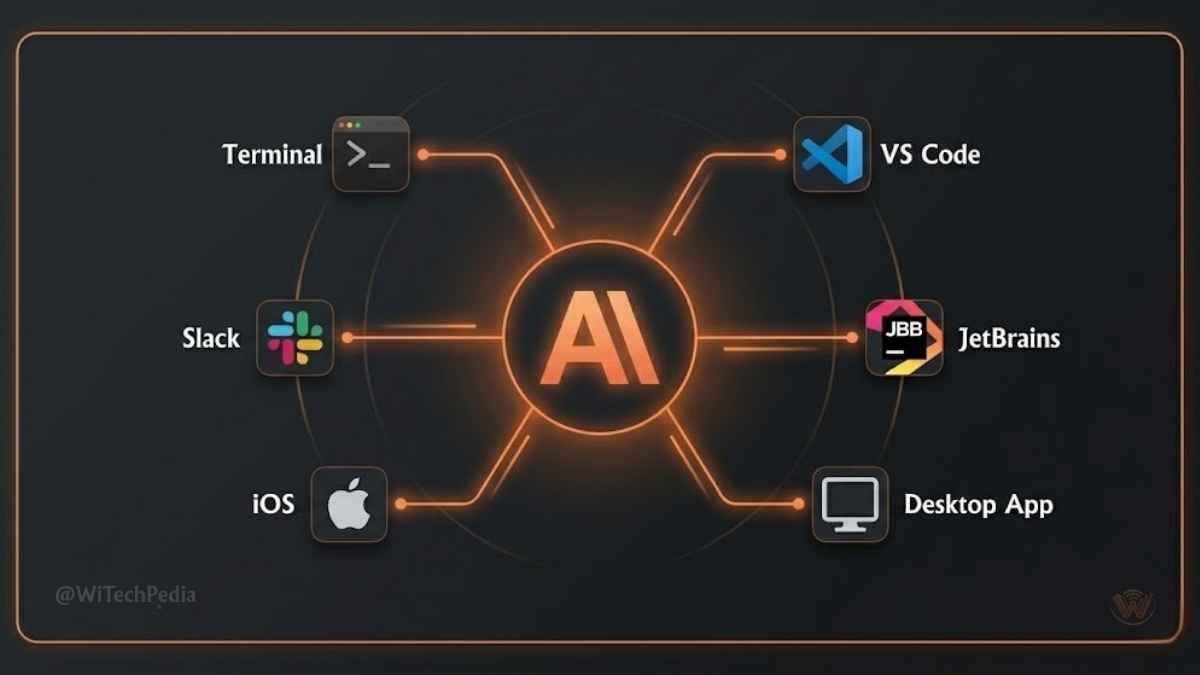
Claude Code is available across more surfaces than most developers realize:
- Native terminal (macOS, Linux, Windows via WSL)
- Desktop app (macOS and Windows)
- Web interface at claude.ai/code
- VS Code extension
- JetBrains plugin
- iOS app
- Slack integration
Every surface connects to the same underlying engine. Your configuration files and memory travel with you across all of them.
Claude Code Review: Core Claude Code Features
Agentic, Multi-File Code Editing
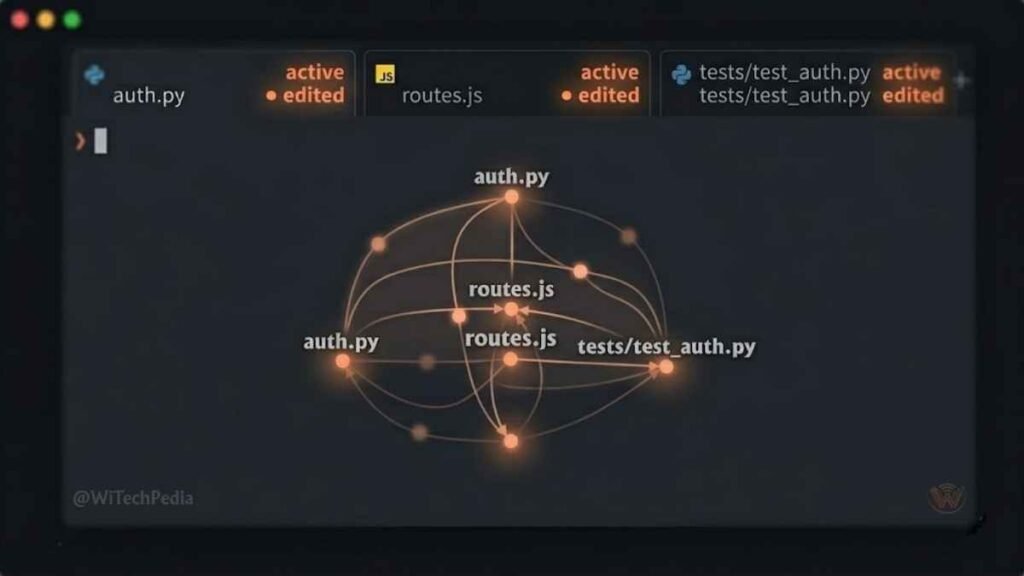
This is Claude Code’s defining strength — and what separates it from every traditional AI coding assistant. Where GitHub Copilot or ChatGPT gives you inline suggestions, Claude Code takes a task and executes it. It reads file contents, traces imports, understands your architecture, and makes surgical edits across your entire codebase.
Real-world example: tell it “Refactor the authentication module to use JWT tokens and update all dependent services.” It figures out which files need touching, makes the changes in sequence, runs the tests, and reports back. You’re a reviewer, not a pair programmer.
The /code-review Command
One of Claude Code’s most compelling features is its dedicated code review pipeline. The /code-review command dispatches a team of parallel agents onto every pull request. They:
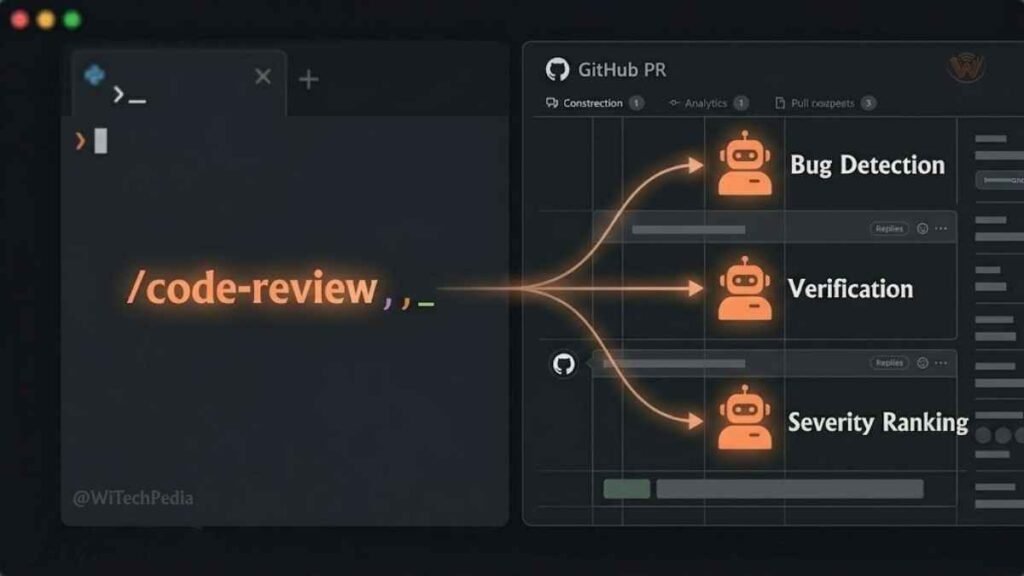
- Scan for bugs and vulnerabilities
- Cross-verify findings to eliminate false positives
- Rank issues by severity
- Post inline comments directly on GitHub
- Add a single high-signal summary comment
The average review runs in about 20 minutes. For teams drowning in PR backlogs, that’s not a feature — it’s infrastructure.
1 Million Token Context Window
Most AI coding tools hit a wall when your codebase gets large. Claude Code’s context window — now at 1 million tokens in general availability — means it can hold an entire substantial codebase in working memory. It sees what you see, understands dependencies across dozens of files, and reasons about system-level design rather than just function-level logic.
This is a genuine architectural advantage when working on complex backend systems, microservices, or large monorepos.
MCP Server Ecosystem
Claude Code integrates natively with an expanding ecosystem of MCP servers, giving it direct access to the tools your team already uses:
You May Also Like

- GitHub / GitLab — branch management, PR creation, issue resolution
- Slack — task assignment, status updates
- Datadog — log inspection, error tracing
- Linear — issue tracking
- Supabase / PostgreSQL — database schema access
- Docker — container management
This isn’t surface-level integration. When connected to GitHub via MCP, Claude Code can take a GitHub issue URL and return a complete pull request — code, tests, and all — from a single command.
Agent Teams (Research Preview)
The latest frontier in Claude Code is Agent Teams: a multi-agent orchestration system where multiple Claude instances work in parallel on different parts of a problem. One agent might write the implementation while another writes tests and a third audits for security issues. It’s still a research preview, but it signals clearly where Anthropic is taking this product.
Claude Code Pricing: What It Actually Costs
Pricing is where Claude Code gets complicated — and where many reviews gloss over the real numbers.
Subscription Plans
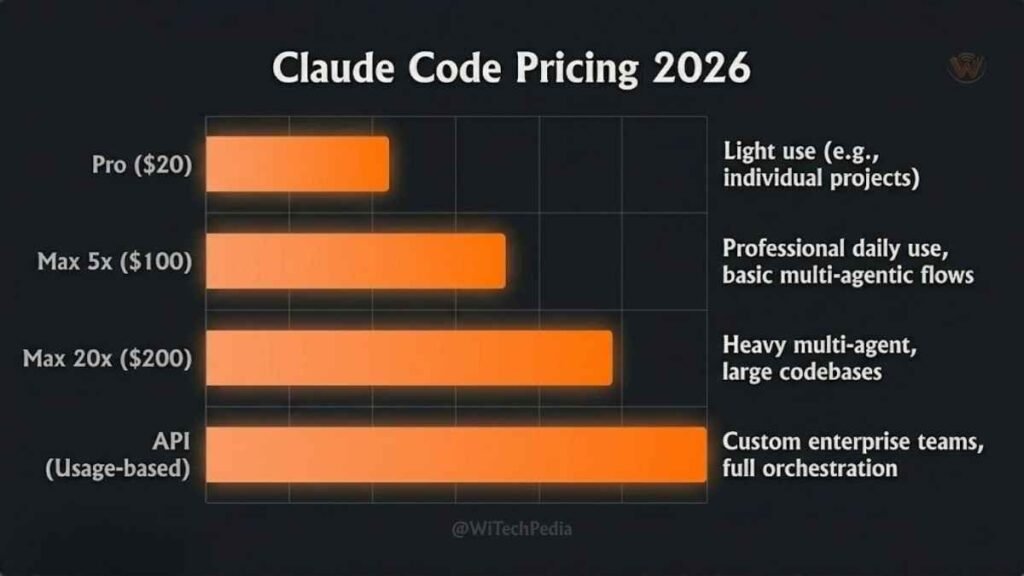
| Plan | Monthly Cost | Best For |
|---|---|---|
| Claude Pro | $20/month | Light use, experimentation |
| Claude Max 5x | $100/month | Professional daily use |
| Claude Max 20x | $200/month | Heavy multi-agent workflows |
| API (Pay-as-you-go) | Token-based | Teams, custom integrations |
The honest truth: The $20 Pro plan hits rate limits after 2–3 hours of intensive use. Community consensus places the real entry point for full-time professional development at the Claude Max 5x plan at $100/month.
API Token Costs
For developers using Claude Code via the API directly:
- Claude Sonnet 4.6 — the default workhorse model
- Claude Opus 4.7 — Anthropic’s flagship for complex reasoning (approximately 5x more expensive than Sonnet per token)
A typical session involving reading 10 files and modifying 5 can consume between 50,000 and 100,000 tokens. On Sonnet, that’s roughly $0.15–$1.50 per session. Heavy users should budget accordingly.
Practical tip: Use Sonnet for most coding tasks. Reserve Opus for complex architectural decisions, security-sensitive reviews, or tasks requiring extended reasoning chains.
Claude Code vs. The Competition
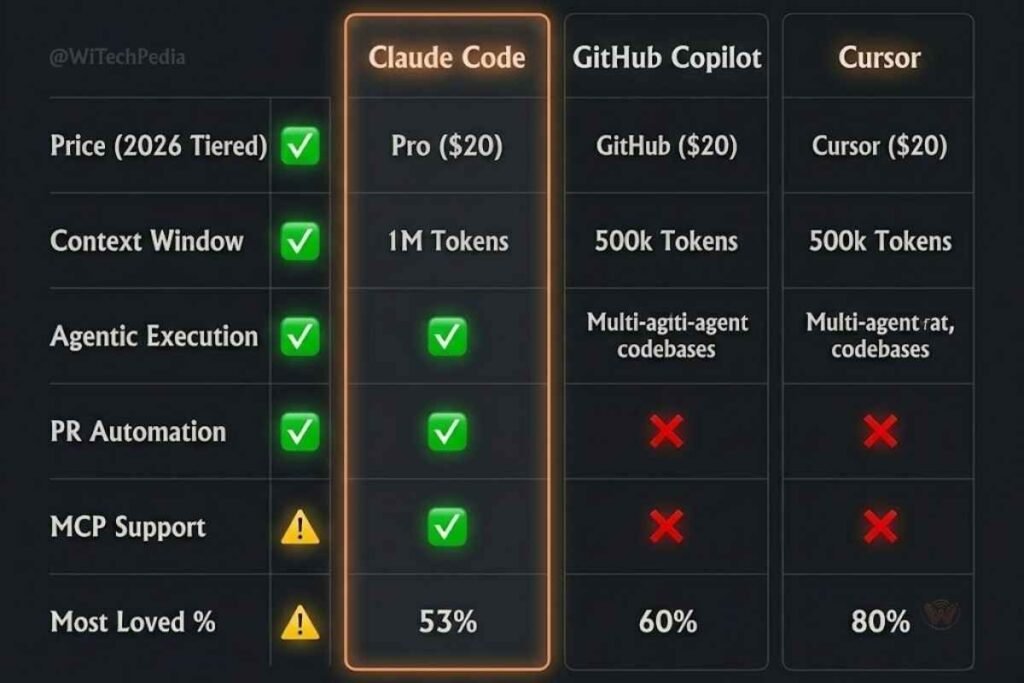
Claude Code vs GitHub Copilot vs Cursor
| Feature | Claude Code | GitHub Copilot | Cursor |
|---|---|---|---|
| Price | $20–$200/month | $10/month | $20/month |
| Primary Interface | Terminal + IDE | IDE extension | AI-native IDE |
| Agentic Execution | ✅ Full | ⚠️ Limited | ⚠️ Limited |
| Context Window | 1M tokens | ~128K tokens | ~200K tokens |
| Multi-file Editing | ✅ Native | ⚠️ Via Copilot Chat | ✅ Via Composer |
| PR Automation | ✅ Full pipeline | ⚠️ Partial | ❌ No |
| MCP Integration | ✅ Extensive | ❌ No | ❌ No |
| Enterprise Maturity | ⚠️ Growing | ✅ Mature | ⚠️ Growing |
| Workplace Adoption | 18% | 29% | 18% |
| “Most Loved” Rating | 46% | 9% | 19% |
The story these numbers tell is fascinating. GitHub Copilot leads on workplace adoption — largely on the back of Microsoft enterprise distribution and GitHub’s installed base. But Claude Code’s “most loved” score of 46% versus Copilot’s 9% suggests developers who switch to it rarely want to go back.
These tools aren’t mutually exclusive. The most common professional setup in 2026 is Cursor for daily editing plus Claude Code for complex, multi-file, or agentic tasks. Many experienced developers now run 2.3 AI tools on average.
Real-World Use Cases
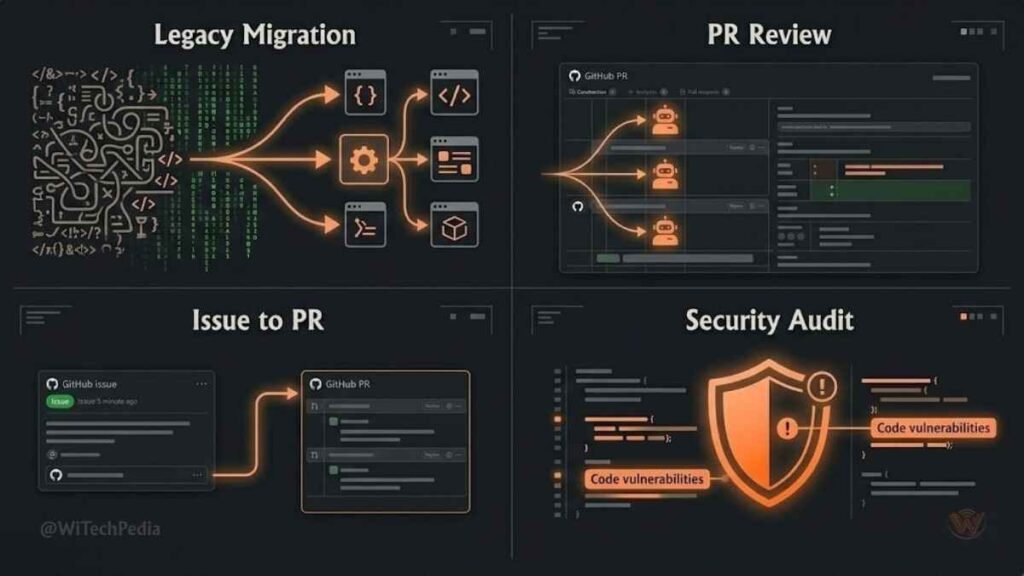
1. Legacy Codebase Modernization
A mid-sized engineering team used Claude Code to migrate a 40,000-line Python 2 application to Python 3. The tool analyzed the full dependency graph, flagged breaking changes, and produced migration patches file by file — a project estimated at 3 developer-weeks completed in 4 days.
2. Automated Pull Request Reviews
A development team handling 80+ PRs per week deployed Claude Code’s /code-review pipeline. The tool caught a critical SQL injection vulnerability in a PR that had passed human review. False positives were filtered by Claude’s parallel verification agents before results reached the developer.
3. Feature Implementation from Issue Tickets
Point Claude Code at a GitHub issue describing a new API endpoint. It reads the existing route structure, writes the handler, generates tests, updates documentation, and opens a draft PR. The developer reviews and merges. The implementation loop shrinks from hours to minutes.
4. Security Auditing
Claude Code with Opus 4.7 can perform structured security audits of authentication flows, input validation, and dependency vulnerabilities — producing ranked, actionable reports rather than generic warnings.
Claude Code Pros & Cons
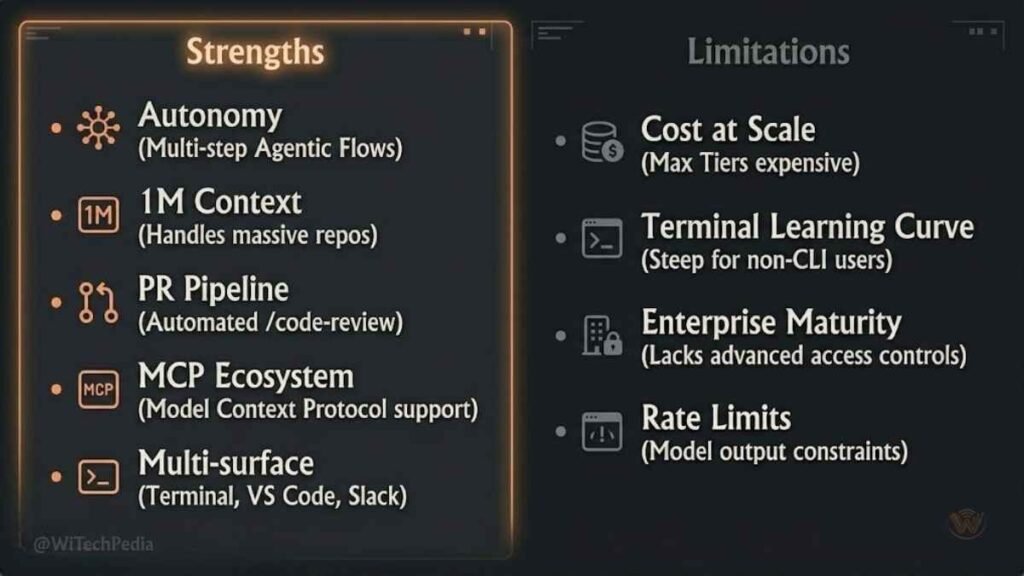
What Claude Code Does Well
- True autonomy — it executes tasks, not just suggestions
- Massive context — 1M token window handles large, real-world projects
- GitHub-native workflow — PR creation and code review are first-class features
- Multi-surface availability — terminal, IDE, desktop, mobile, Slack
- MCP ecosystem — direct integration with the tools developers already use
- Model quality — Claude Sonnet 4.6 and Opus 4.7 are among the strongest coding models available
Where Claude Code Falls Short
No review is honest without the limitations:
- Cost at scale — $100–$200/month for professional use isn’t cheap; API costs add up on large sessions
- Terminal-first learning curve — developers accustomed to GUI tools need an adjustment period
- Enterprise maturity — SSO, audit logs, and organizational policy controls lag behind GitHub Copilot’s enterprise offering
- Rate limits at lower tiers — the $20 Pro plan is inadequate for full-time professional use
- Still maturing — Agent Teams and some multi-agent features are research previews, not production-hardened features
FAQ: Claude Code Review
What is Claude Code and how does it differ from other AI coding tools?
Claude Code is Anthropic’s agentic coding assistant that operates primarily in the terminal. Unlike GitHub Copilot (which provides inline suggestions within an IDE) or Cursor (which is an AI-native IDE), Claude Code functions as an autonomous agent that can plan and execute multi-step coding tasks across your entire codebase — reading files, writing code, running tests, and opening pull requests with minimal human intervention.
Is Claude Code free to use?
Claude Code is not free. The CLI tool itself is open source, but it requires either a paid Claude subscription (starting at $20/month for the Pro plan) or API access (pay-per-token). For serious professional use, most developers find the $100/month Claude Max 5x plan necessary, as the $20 Pro plan hits rate limits after 2–3 hours of intensive work.
How does Claude Code’s context window compare to competitors?
Claude Code operates with a 1 million token context window — significantly larger than GitHub Copilot (~128K tokens) and Cursor (~200K tokens). In practical terms, this means Claude Code can hold more of your codebase in active memory at once, enabling more coherent multi-file edits and architectural reasoning on larger projects.
Is Claude Code good for beginners?
Claude Code is primarily designed for professional developers comfortable with terminal-based workflows. Beginners can use it, especially via the Desktop app or VS Code extension, but the agentic, autonomous nature of the tool is best leveraged by developers who can review, understand, and validate the changes it produces. For beginners, tools like GitHub Copilot may offer a gentler entry point.
How does Claude Code handle security and privacy?
Anthropic has published usage policies and privacy commitments for Claude Code. For enterprise users, it’s important to review data handling practices — specifically whether your code is used for model training. As of 2026, Anthropic offers enterprise agreements with stricter data privacy guarantees. Always verify current terms at anthropic.com before deploying in sensitive environments.
Can Claude Code work without an internet connection?
No. Claude Code requires an active internet connection to communicate with Anthropic’s API. It is not a locally-running model. For teams with strict offline requirements, air-gapped environments, or regulated industries requiring on-premises deployment, Claude Code is not currently suitable.
What programming languages does Claude Code support?
Claude Code has no hard language restrictions. It works with any programming language or framework because it operates on your files as text and reasons about code structure. In practice, it performs strongest with Python, JavaScript/TypeScript, Go, Rust, Java, and Ruby — languages well-represented in its training data. Community reports suggest it handles less common languages adequately for most standard tasks.
Verdict: Is Claude Code Worth It in 2025–2026?
Here’s the bottom line after cutting through the noise.
Claude Code is the most capable autonomous coding agent available today. If you’re a professional developer working on complex, multi-file projects who wants to compress implementation cycles, automate PR reviews, and hand off repetitive architectural work to an AI that actually understands your codebase — Claude Code delivers on that promise in a way no other tool currently does.
The caveats are real: the pricing is steep for high-volume use, the terminal-first interface isn’t for everyone, and some features are still maturing. The $100/month Max plan is a serious commitment.
But the developers who use it daily aren’t going back. That 46% “most loved” developer rating isn’t marketing — it’s the market speaking.
Who should use Claude Code:
- Senior developers working on large or complex codebases
- Teams managing high PR volumes who want automated, high-quality code review
- Developers comfortable with terminal-based workflows
- Engineers who need deep MCP integrations with GitHub, Slack, or Supabase
Who might want to look elsewhere:
- Beginners or developers preferring an IDE-first experience (consider Cursor or Copilot)
- Teams with tight budgets or air-gapped environments
- Enterprises needing mature SSO and audit controls (GitHub Copilot is more mature here)
Key Takeaways
- Claude Code is genuinely agentic — it executes tasks autonomously across multiple files, not just suggests code inline.
- The 1M token context window is a real differentiator for large codebase work.
- Pricing requires honesty — budget $100/month for real professional use, not $20.
- The
/code-reviewpipeline is one of the most practically useful features for development teams handling high PR volumes. - Most professional developers in 2026 combine tools — Claude Code for complex agentic tasks, Cursor or Copilot for daily editing.
Explore More on WiTechPedia
Enjoyed this Claude Code review? Dive deeper into the AI developer ecosystem:
- Complete Claude Slash Commands Guide to Every Command & Shortcut →
- Claude Skills: The Complete Guide to Installing, Building & Using Them in 2026 →
- Everything about Claude Fable 5 & Mythos 5 →
- Best Claude AI Prompts →
- Claude AI Review: Get Started with Claude →
📬 Stay ahead of the curve. Subscribe to the WiTechPedia newsletter for weekly AI and developer tools coverage — no spam, just signal.Verdict: Is Claude Code Worth It in 2025–2026?