







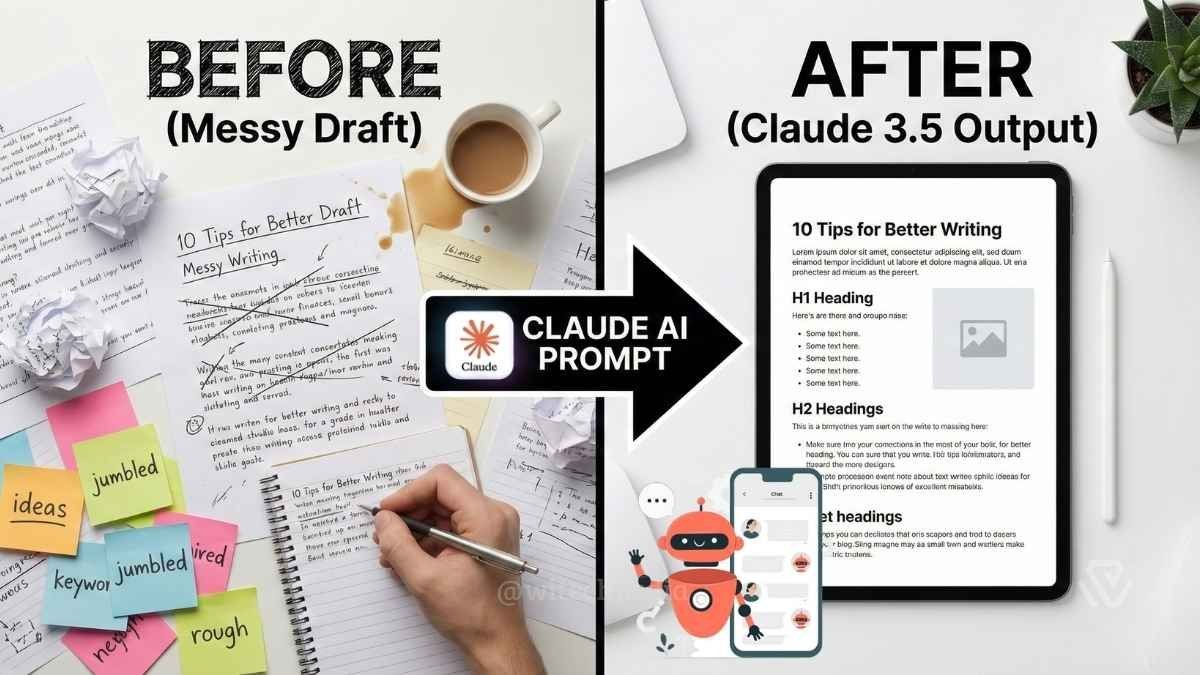
Struggling to get high-quality content from your AI tools? You aren’t alone. Most users find that without the right instructions, AI output can sound robotic or generic. That is why we have curated the Best Claude AI prompts to help you automate your writing workflow while maintaining a human touch.
- Why Claude Outperforms ChatGPT for Writing in 2026
- The RCTC Prompt Framework — Engineer Better Prompts Every Time
- Best Claude AI Prompts for Copywriting (Prompts 1–12)
- Best Claude AI Prompts for SEO Blogging (Prompts 13–22)
- Best Claude AI Prompts for Research & Summarization (Prompts 23–30
- Best Claude AI Prompts for Email Marketing (Prompts 31–38)
- Best Claude AI Prompts for Social Media (Prompts 39–44)
- Best Claude AI Prompts for Developers (Prompts 45–50)
- Supercharge Results with Projects & Artifacts
- Claude Prompt Cheat Sheet (Quick-Reference Table)
- Frequently Asked Questions
- Conclusion: Turn These Prompts Into a Repeatable System
Most AI writing guides hand you 10 recycled prompts that barely scratch the surface. This guide gives you 50 battle-tested Claude AI prompts across six categories — copywriting, SEO blogging, research & summarization, email marketing, social media, and code/dev — plus a prompt-engineering framework that makes every future prompt you write more effective. All prompts are tested on Claude Sonnet 4.6 and Claude Opus 4.8.
Why Claude Outperforms ChatGPT for Writing in 2026

Before you copy a single prompt, it helps to know why Claude is the tool professionals reach for when quality matters. If you want the full breakdown, read our dedicated Claude AI vs ChatGPT comparison — but here are the three reasons that matter most for writers:

1. Constitutional AI training eliminates AI-isms.
Claude is trained using Anthropic’s Constitutional AI methodology, which bakes in a preference for natural, nuanced prose. You won’t get the “delve into,” “it’s worth noting,” or “tapestry of ideas” filler language that haunts GPT-4 output. The result is copy that sounds like a human colleague, not a corporate memo generator.
2. A 200,000-token context window.
Claude Sonnet 4.6 and Opus 4.8 can hold the equivalent of a 500-page book in a single conversation. That matters enormously for long-form article work, multi-document research, and maintaining consistent brand voice across an entire content batch. GPT-4o’s 128k window still feels cramped by comparison.
3. Precise instruction-following with XML tags.
Claude is specifically trained to parse structured XML tags like <context>, <task>, and <constraints>. This is not a quirk — it’s an intentional design choice by Anthropic that makes it possible to write prompts with surgical precision. We use this throughout the guide below.
For a deeper look at how large language models differ in their training approaches, see our LLMs Explained wiki. For context on the underlying AI & Machine Learning landscape in 2026, our full category hub is a good starting point.
The RCTC Prompt Framework — Engineer Better Prompts Every Time
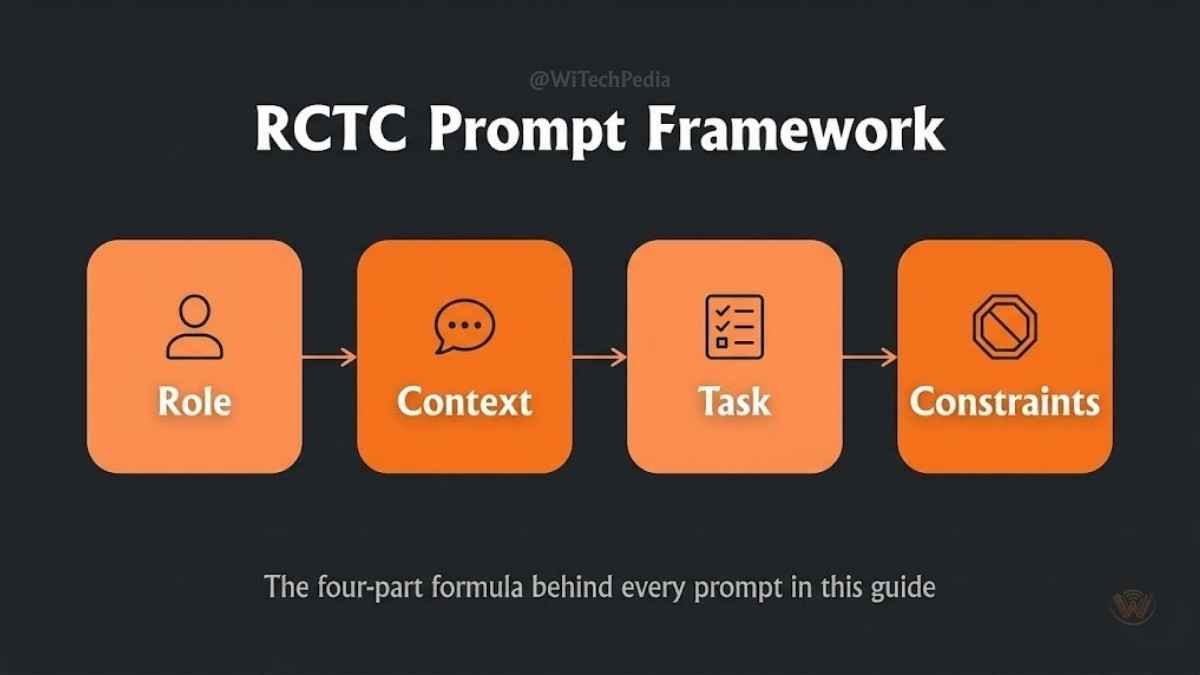
Every prompt in this guide follows the same four-part skeleton. Once you understand it, you can build your own prompts from scratch and get consistently professional results.
| Element | What It Does | Example |
|---|---|---|
| R — Role | Tells Claude who it is | “Act as a senior direct-response copywriter.” |
| C — Context | Provides background | “The audience is skeptical B2B SaaS buyers.” |
| T — Task | States what to produce | “Write five Hero Section variations.” |
| C — Constraints | Sets boundaries & guardrails | “Active voice only. No more than 12 words per headline.” |
This is what we call the RCTC Framework, and it is the single biggest upgrade you can make to your AI workflow. If you want to go deeper, our full Prompt Engineering guide covers chain-of-thought, few-shot, and tree-of-thought techniques in detail.
The prompts below all use this structure — some explicitly with XML tags (best for complex tasks), some implicitly (best for quick one-shot requests).
Best Claude AI Prompts for Copywriting (Prompts 1–12)
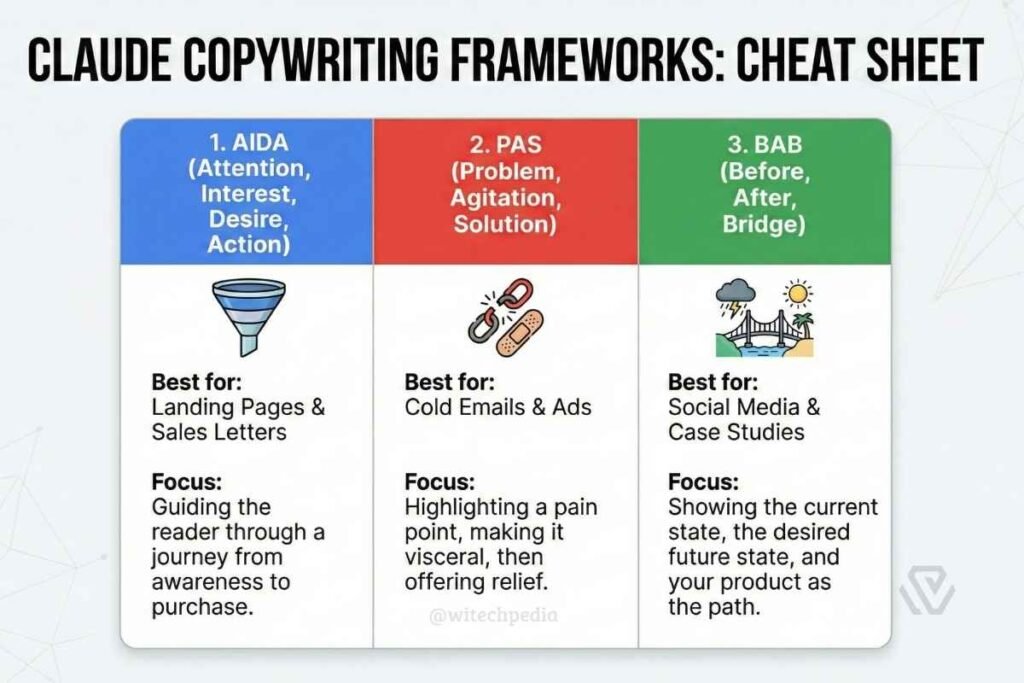
Good copy is the difference between a landing page that converts at 2% and one that converts at 8%. These prompts use proven direct-response frameworks — AIDA, PAS, BAB — to remove the guesswork. Here are the 12 Claude prompt for copywriting that will boost your Claude Skills and overall Claude Slash Commands experience.
1. The Landing Page Architect
Use this to generate an entire hero section in multiple variations so you can A/B test.
Act as a senior direct-response copywriter with 10 years of experience in conversion rate optimisation.

<context>
Product: [Product Name]
Target audience: [Audience]
Main pain point they experience: [Pain Point]
Key benefit of your product: [Benefit]
</context>

<task>
Write 5 variations of a Hero Section (Headline + Subheadline + CTA button text).
</task>

<constraints>
- Lead with the benefit, not the feature.
- At least two variations must use the formula: "How to [Benefit] Without [Pain Point]."
- CTA text must be action verbs, not "Submit" or "Learn More."
- Tone: urgent but trustworthy.
- Maximum 12 words per headline.
</constraints>
2. The Objection Handler (FAQ Format)
Use this when you know people are hesitant to buy but cannot identify exactly why.
Act as a conversion copywriter specialising in objection handling.

<context>
Product: [Product/Service]
Price point: [Price]
Target buyer: [Audience description]
</context>

<task>
1. List the top 7 objections a potential buyer has before purchasing.
2. For each objection, write a 2-sentence response: first validate the concern, then overcome it with a specific benefit or social proof.
3. Format as a styled FAQ section with H3 headings.
</task>

<constraints>
- Do not use vague reassurances like "Don't worry!"
- Each response must reference either a stat, a guarantee, or a real outcome.
</constraints>
3. The PAS Sales Email
PAS (Problem → Agitate → Solution) is one of the most battle-tested formulas in copywriting.
Act as an email copywriter who specialises in cold outreach for [Industry].

<context>
Product/service: [What you sell]
Ideal customer: [Job title, company size, industry]
Their biggest problem right now: [Problem]
Your solution: [What you do about it]
</context>

<task>
Write a cold sales email using the PAS framework.
- Subject line: 3 variations (curiosity, pain, benefit-driven).
- Body: 150 words maximum.
- CTA: One clear ask — not a pitch, a micro-commitment (e.g., "Would a 15-minute call next week make sense?").
</task>

<constraints>
- No corporate jargon. Write like a human being who respects the reader's time.
- First sentence must not start with "I" or the company name.
</constraints>
4. The AIDA Product Description
Act as an e-commerce copywriter.

<context>
Product: [Product Name and key specs]
Target customer: [Audience]
Competitors they are considering: [Competitor 1, Competitor 2]
</context>

<task>
Write a product description using the AIDA framework (Attention, Interest, Desire, Action).
- Attention: One punchy headline.
- Interest: Two sentences that expand on the headline with specific proof.
- Desire: Three bullet points — each must quantify a benefit (use numbers, time saved, money saved).
- Action: A CTA that creates urgency without false scarcity.
</task>
5. The BAB Social Proof Story
BAB (Before → After → Bridge) is perfect for testimonials, case studies, and about-page copy.
Act as a brand storytelling copywriter.

<context>
Client name: [Name]
Their situation before using the product: [Before state]
Their situation after using the product: [After state]
The specific feature or action that caused the change: [Bridge]
</context>

<task>
Write a 200-word customer success story using the BAB framework.
Format it as a mini case study with a pull-quote I can use as a testimonial.
</task>

<constraints>
- Specific, concrete details only. No vague "transformed our business" language.
- The pull-quote must be one sentence, 20 words maximum.
</constraints>
6. The Tone Polisher
Drop in any draft and get it rewritten to sound natural and confident.
The following draft sounds too robotic and overly formal. Please rewrite it:

<draft>
[Paste your text here]
</draft>

<constraints>
- Conversational tone — write like a knowledgeable colleague, not a textbook.
- Cut word count by at least 20%.
- Active voice throughout.
- No sentence longer than 25 words.
- Do not change the core meaning or remove any specific facts.
</constraints>
7. The Brand Voice Trainer (Ghostwriter)
This is the most powerful prompt in this section. It forces Claude to imitate your style precisely.
I need you to learn my writing style.

<reference_text>
[Paste 3–5 paragraphs of your existing writing here]
</reference_text>

<task>
Step 1: Analyse my reference text. Note:
- Average sentence length
- Use of humour or personality
- Vocabulary level (simple/technical)
- Formatting habits (bullet points, em-dashes, parentheses, etc.)
- Any repeated phrases or structural quirks

Step 2: Confirm what you have learned in a short bullet list.

Step 3: Write a new [blog intro / LinkedIn post / email] about [Topic] using STRICTLY that same voice and style.
</task>
8. The Headline Multiplier
Act as a conversion copywriter. I need headline options for A/B testing.

<context>
Article/page topic: [Topic]
Target keyword: [Keyword]
Reader's goal: [What they want to achieve]
</context>

<task>
Write 15 headline variations for this content. Use a different framework for each group:
- Group A (5 headlines): Number-led ("7 Ways to…")
- Group B (5 headlines): Question-based ("Why Does…")
- Group C (5 headlines): How-to with a twist ("How to X Without Y")
</task>

<constraints>
- Each headline must include the target keyword or a close synonym.
- Maximum 65 characters per headline (for SEO title tag compliance).
</constraints>
9. The UX Microcopy Writer
Act as a UX writer with experience in SaaS products.

<context>
Product type: [SaaS / e-commerce / mobile app]
User action being taken: [e.g., Signing up for a free trial]
Potential anxiety at this moment: [e.g., "Will I need a credit card?"]
</context>

<task>
Write microcopy for the following UI elements:
1. Button text (3 variations)
2. Helper text below the form field
3. Error message (if the user makes a mistake)
4. Success confirmation message
</task>

<constraints>
- Every word must reduce friction, not add to it.
- Avoid negative language (e.g., "Don't forget to…").
</constraints>
10. The Ad Copy Generator (Google & Meta)
Act as a paid media copywriter.

<context>
Product: [Product Name]
USP (Unique Selling Proposition): [USP]
Target audience: [Audience]
Campaign goal: [Awareness / Leads / Sales]
</context>

<task>
Write ad copy for:
1. Google Search Ad — 3 headlines (30 chars each) + 2 descriptions (90 chars each)
2. Meta (Facebook/Instagram) Ad — Primary text (125 chars), Headline (27 chars), Description (27 chars)
3. One variation for each platform that leads with a question instead of a statement.
</task>
11. The Content Repurposer
I have a long-form article. I need to repurpose it across multiple formats.

<source_content>
[Paste your article or key sections here]
</source_content>

<task>
Repurpose this content into:
1. A 280-character tweet thread (5 tweets)
2. A 150-word LinkedIn carousel outline (5 slides, one key point each)
3. A 60-second video script with a hook, 3 points, and CTA
4. A 5-question quiz based on the key facts
</task>
12. The Competitor Analysis Copywriter
Act as a competitive intelligence analyst and copywriter.

<task>
I am pasting a competitor's landing page copy below. Analyse it and tell me:
1. Which copywriting framework are they using?
2. What emotional triggers are they using (fear, FOMO, aspiration, trust)?
3. What claims are unsubstantiated?
4. What is the single weakest part of their copy, and how would you rewrite it?
5. Write a counter-positioning statement I can use on my own page.
</task>

<competitor_copy>
[Paste competitor text]
</competitor_copy>
Best Claude AI Prompts for SEO Blogging (Prompts 13–22)
These prompts are built around the way Google and AI search systems (Google AI Overviews, Perplexity, ChatGPT Search) actually evaluate and cite content in 2026. For a complete breakdown of how modern search works, see our AI & Machine Learning section or our guide to Multimodal AI.
Important: The best SEO content satisfies E-E-A-T — Experience, Expertise, Authoritativeness, and Trustworthiness. Every prompt below is designed with those four signals in mind.
13. The SEO Outline Builder (Topical Authority Edition)
Act as an SEO content strategist with expertise in topical authority.

<context>
Primary keyword: [Keyword]
Search intent: [Informational / Commercial / Transactional]
Target reader: [Who will read this — beginner, expert, buyer?]
Competitor articles I want to outrank: [URL 1, URL 2]
</context>

<task>
Create a full article outline that:
1. Suggests 3 SEO-optimised H1 title options (under 65 characters, keyword included).
2. Lists 6–8 H2 sections that follow a logical reader journey from problem → solution → implementation.
3. Under each H2, provides 3 specific sub-points or questions to answer (no generic advice).
4. Identifies one "content gap" — a question the competitor articles failed to answer.
5. Recommends 2 Featured Snippet opportunities (table, list, or definition block).
</task>
14. The Long-Form Section Writer
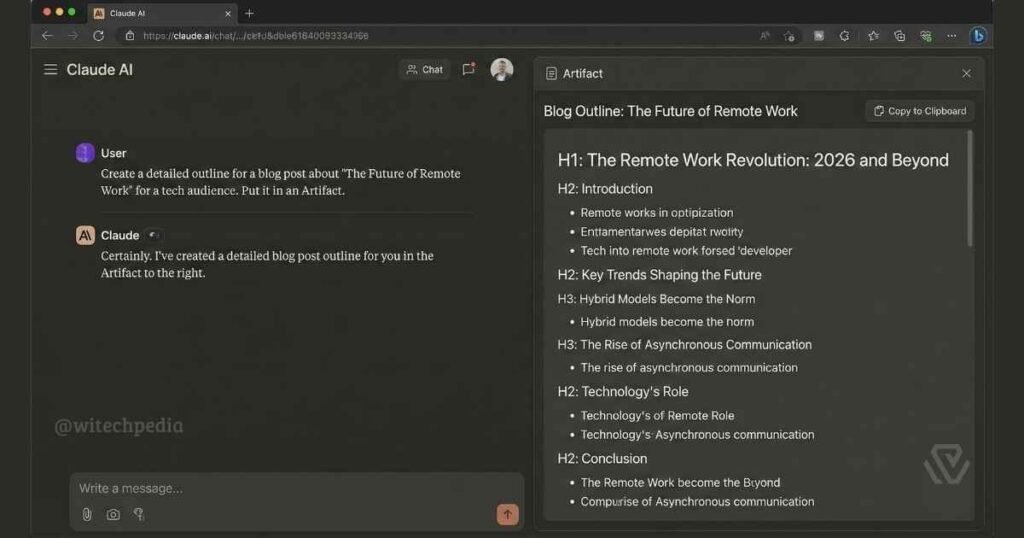
Never ask Claude to write an entire 3,000-word article in one go. Use this iterative approach instead.
Using the outline we have agreed on, please write the full content for the section: "[H2 Heading]"

<style_guidelines>
- Short paragraphs: maximum 3 sentences each.
- Include one real-world example or data point per H2.
- No transition-word clichés: "Furthermore," "Moreover," "It is worth noting."
- Tone: Conversational but authoritative — think senior journalist, not professor.
- Place the primary keyword or a close variant in the first 100 words of this section.
</style_guidelines>
15. The Featured Snippet Optimizer
Act as an SEO specialist focused on SERP feature capture.

<context>
Target keyword: [Keyword]
Current article section where I want to capture the snippet: [Paste text]
</context>

<task>
Rewrite this section to maximise the chance of capturing the Featured Snippet.
- If the keyword is a "what is" query: write a 40–60 word definition paragraph.
- If the keyword is a "how to" query: rewrite as a numbered list with 5–7 steps.
- If the keyword is a comparison query: create a 3-column comparison table.
Include a bolded H3 label directly above the snippet-optimised content.
</task>
16. The Internal Linking Auditor
Act as an SEO internal linking specialist.

<task>
I am pasting the text of a new article below. Analyse it and suggest:
1. Five anchor text phrases within this article that should link to other pages on my site.
2. For each anchor, suggest the type of page it should link to (e.g., category page, related guide, product review).
3. Flag any section that should receive an inbound internal link from other existing articles.
</task>

<article_text>
[Paste your article]
</article_text>
17. The Meta Title & Description Writer
Act as an SEO copywriter optimising for click-through rate.

<context>
Target keyword: [Keyword]
Article topic: [Topic]
Search intent: [Informational / Commercial]
Current title (if any): [Existing title]
</context>

<task>
Write:
1. Five meta title variations (50–60 characters, keyword in first 30 chars, include year if evergreen).
2. Three meta descriptions (150–160 characters, include keyword, end with an action prompt).
3. For each, score the emotional trigger used (curiosity / urgency / specificity / authority).
</task>
18. The Content Gap Analyser
Act as an SEO content strategist.

<task>
I am pasting a competitor article below. Analyse it and identify:
1. What key questions does the reader leave with unanswered?
2. Are there sections that are too shallow or outdated?
3. What is the #1 content gap I could exploit to write a definitively better article?
4. List 5 semantic LSI keywords this article failed to use.
5. Suggest one original data point, statistic, or original framework I could create that would make my version more citable.
</task>

<competitor_article>
[Paste competitor article text]
</competitor_article>
19. The Schema Markup Generator
Act as a technical SEO specialist.

<task>
Based on the article excerpt below, generate the correct JSON-LD structured data for:
1. Article schema (include datePublished, dateModified, author, publisher)
2. FAQPage schema for the FAQ section
3. BreadcrumbList schema

Format each as clean, copy-paste-ready JSON-LD blocks inside <script type="application/ld+json"> tags.
</task>

<article_excerpt>
[Paste article title, author, publish date, and FAQ questions/answers]
</article_excerpt>
20. The E-E-A-T Enhancer
Act as a senior editor reviewing this article for Google's E-E-A-T guidelines.

<task>
Review the article below and suggest specific additions that strengthen:
- Experience: Where can I add a first-person observation, original test, or original data?
- Expertise: Where should I cite a primary source (gov, academic, industry) instead of a secondary one?
- Authoritativeness: What external authoritative sources (Wikipedia, gov.uk, .edu) should I link to?
- Trust: Are there any claims that are unsubstantiated? Flag them.

For each suggestion, provide the specific sentence where the improvement should go.
</task>

<article>
[Paste article text]
</article>
21. The AI Search Optimisation Prompt (GEO/AEO)
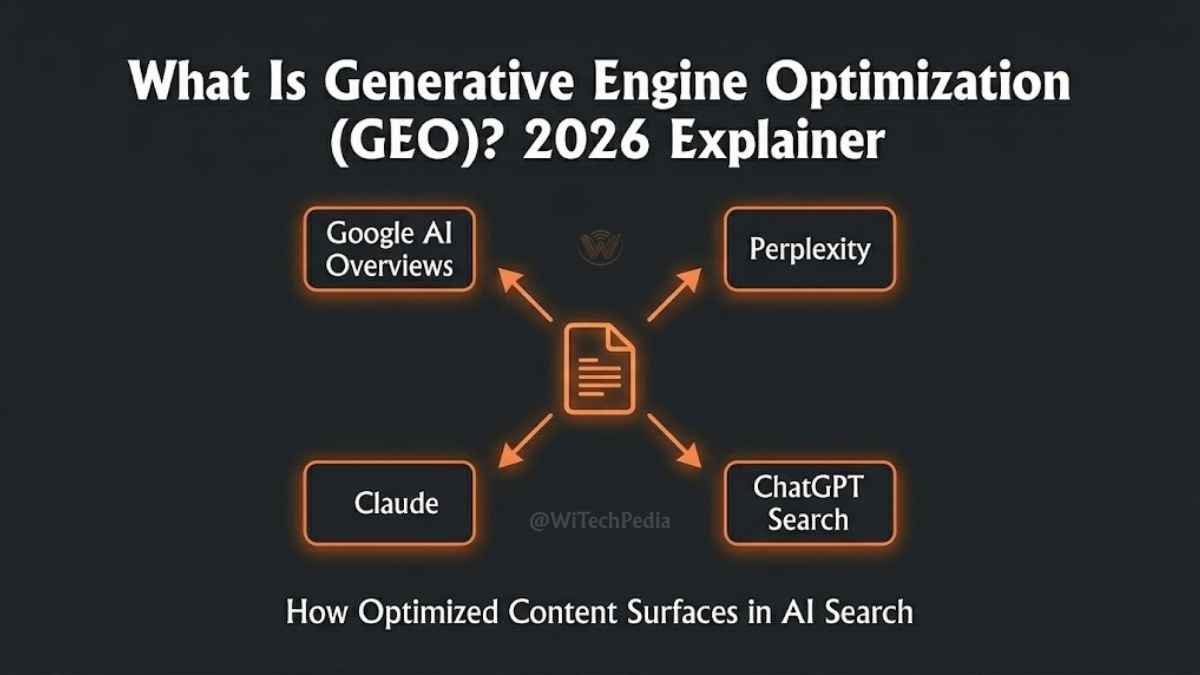
Generative Engine Optimisation (GEO) is the 2026 equivalent of traditional SEO — optimising to be cited by AI tools like Google AI Overviews, Perplexity, and Claude itself.
Act as a Generative Engine Optimisation (GEO) specialist.

<task>
Rewrite the following article section to maximise the chance of being cited by AI search systems (Google AI Overviews, Perplexity, ChatGPT Search).

Specifically:
1. Add a clear, quotable definition in the first paragraph (40–60 words, encyclopaedic style).
2. Include at least one statistic with a named source.
3. Break down any complex process into a numbered list that an AI can extract as a direct answer.
4. Add a "Key Takeaway" box at the end of the section (2 sentences max).
</task>

<section>
[Paste article section]
</section>
22. The Refresh & Update Prompt
Act as a content editor updating an existing article for 2026.

<context>
Original article URL: [URL]
Original publish date: [Date]
Primary keyword: [Keyword]
</context>

<task>
Review the article text below and:
1. Identify every statistic, product mention, or claim that may be outdated.
2. Flag sections that no longer reflect current best practices.
3. Suggest new H2 sections to add that reflect 2026 developments in this topic.
4. Rewrite the introduction and conclusion with updated 2026 framing.
5. Suggest a new meta title that includes "2026" for freshness signals.
</task>

<article>
[Paste existing article]
</article>
Best Claude AI Prompts for Research & Summarization (Prompts 23–30
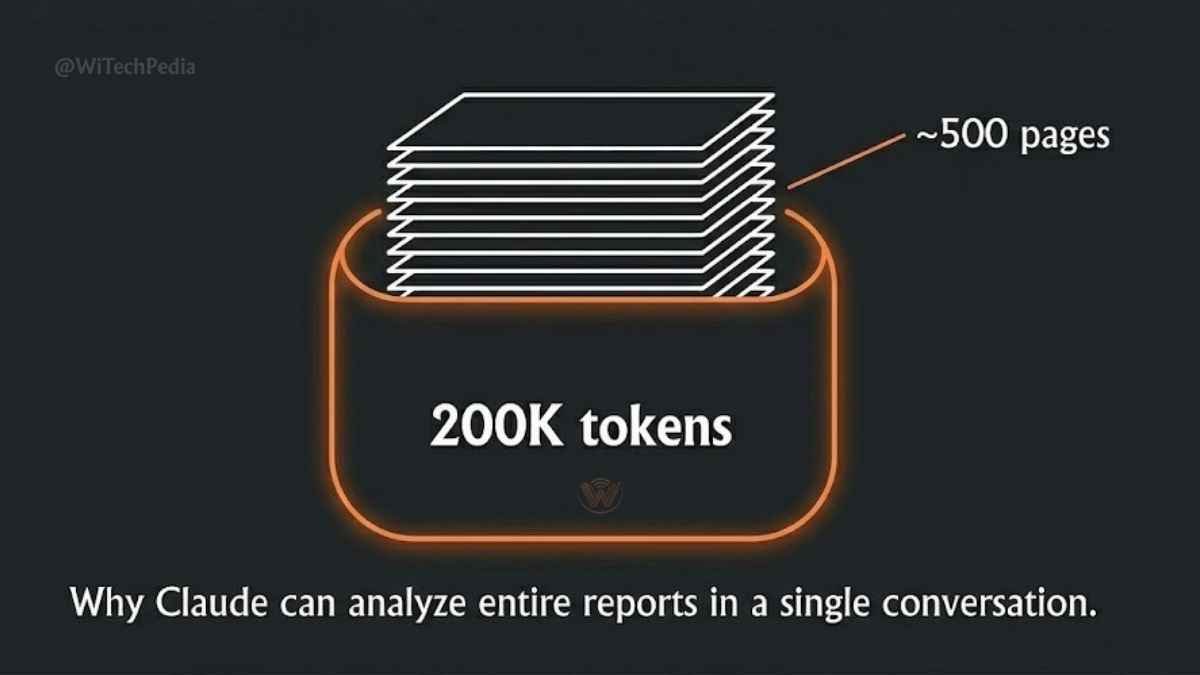
Claude’s 200,000-token context window is its biggest structural advantage for research work. You can paste an entire 50-page PDF into a single message and get a structured analysis back in seconds.
23. The Executive Summary Synthesizer
Act as a senior business analyst.

<task>
Summarise the document below into a one-page executive report with exactly four sections:
1. **The Bottom Line** — 2 sentences: what is this document's main argument or conclusion?
2. **Key Findings** — The 5 most critical data points, claims, or statistics.
3. **What This Means for Me** — 3 practical implications for [your role/industry].
4. **Next Actions** — 3 concrete things the reader should do based on this information.

Use plain language. Assume the reader has 90 seconds and zero prior context.
</task>

<document>
[Paste or upload document]
</document>
24. The Multi-Source Research Synthesizer
Act as a research analyst.

<context>
I am pasting content from three different sources on the topic of [Topic].
</context>

<task>
1. Identify the 3 points all sources agree on.
2. Identify the 2 points where sources contradict each other — explain why they might disagree.
3. Identify the single most important insight that only ONE source mentions (the hidden gem).
4. Write a 300-word synthesis that combines all three perspectives into one coherent narrative.
</task>

<source_1> [Paste text] </source_1>
<source_2> [Paste text] </source_2>
<source_3> [Paste text] </source_3>
25. The Interview Transcript Analyser
Act as a qualitative researcher.

<task>
I am providing an interview transcript below. Please:
1. Extract the 5 most quotable statements (direct quotes, under 30 words each).
2. Identify the 3 recurring themes across the conversation.
3. Note any statements that contradict each other.
4. Write a 150-word "speaker profile" based on their vocabulary, concerns, and values.
</task>

<transcript>
[Paste transcript]
</transcript>
26. The Report-to-Bullets Converter
Act as an editorial assistant.

<task>
Convert the formal report section below into a scannable bullet-point brief for a busy executive.
- Maximum 10 bullets.
- Each bullet must be one sentence, starting with an action verb or a specific number.
- Remove all filler language and qualifications (e.g., "It could be argued that…").
- Preserve every specific statistic and named source.
</task>

<report_section>
[Paste text]
</report_section>
27. The Academic Paper Translator
Act as a science communicator.

<task>
Take the academic abstract below and translate it into plain English for a non-specialist reader.
1. Write a one-paragraph (100-word) summary for a general audience.
2. Explain the methodology in one sentence using an analogy.
3. State the finding in one sentence a 14-year-old could understand.
4. List one real-world implication of this research.
</task>

<abstract>
[Paste abstract]
</abstract>
28. The Competitive Intelligence Brief
Act as a market intelligence analyst.

<task>
Using the information below about [Competitor Name], produce a competitive intelligence brief:
1. Positioning statement: How do they describe themselves?
2. Key strengths (max 3)
3. Key weaknesses or gaps (max 3)
4. Messaging angle I can use to differentiate from them
5. One strategic recommendation based on this analysis
</task>

<competitor_info>
[Paste competitor website copy, reviews, or any available info]
</competitor_info>
29. The Legal/Policy Plain-Language Summary
Act as a plain-language specialist.

<task>
The legal/policy document below contains language most readers will not understand.
Please:
1. Summarise each major clause in plain English (one sentence per clause).
2. Flag any clause that requires immediate action from the reader.
3. Flag any clause that creates a legal obligation or risk.
4. Write a 3-bullet "What This Means for You" summary at the top.

Important: This is for informational clarity only. Remind the reader at the end to consult a qualified legal professional for formal advice.
</task>

<document>
[Paste document]
</document>
30. The Podcast/Video Notes Generator
Act as a content producer.

<task>
I am pasting a video/podcast transcript below. Please produce:
1. A 200-word article summary (optimised for SEO, include the speaker's name and topic).
2. Five social media hooks drawn directly from the transcript (use actual quotes, keep under 30 words each).
3. A 10-item Q&A FAQ based on points raised in the episode.
4. Three follow-up article ideas inspired by topics mentioned in the transcript.
</task>

<transcript>
[Paste transcript]
</transcript>
Best Claude AI Prompts for Email Marketing (Prompts 31–38)
31. The Welcome Email Sequence Writer
Act as an email marketing strategist.

<context>
Product: [Product/Service]
New subscriber context: They just downloaded [Lead Magnet] / signed up for [Free Trial].
Brand voice: [Formal / Casual / Expert-friendly]
</context>

<task>
Write a 5-email welcome sequence:
- Email 1 (Day 0): Welcome + deliver the promised value. No pitch.
- Email 2 (Day 2): One big, useful tip related to their goal. Subtle brand mention.
- Email 3 (Day 4): Social proof story using the BAB framework.
- Email 4 (Day 6): Address the #1 objection to buying.
- Email 5 (Day 8): Soft pitch with a specific offer and deadline.

For each email: Subject line (3 variations), Preview text, Body (150–200 words).
</task>
32. The Re-Engagement Campaign
Act as an email deliverability and re-engagement specialist.

<context>
Segment: Subscribers who have not opened an email in [X] days.
Product: [Product]
Last thing they received: [Email topic]
</context>

<task>
Write a 3-email re-engagement sequence.
- Email 1: The "We miss you" — low-key, no hard sell, high curiosity subject line.
- Email 2: The "Here's what you missed" — a value-packed digest of the best content.
- Email 3: The "Last chance" — honest, respectful. Give them an easy out (unsubscribe option prominent).
</task>
33. The A/B Subject Line Generator
Act as an email subject line specialist.

<context>
Email content summary: [Describe what the email is about in 2 sentences]
Subscriber type: [New / Engaged / Cold / VIP]
Goal: [Opens / Clicks / Replies]
</context>

<task>
Generate 20 subject lines for A/B testing, grouped by psychological trigger:
- Curiosity (5): Make them need to know the answer.
- Specificity (5): Use exact numbers or names.
- FOMO (5): Time sensitivity or social proof.
- Direct/Plain (5): Just tell them what's inside.

For each group, identify the one you'd test first and why.
</task>
34. The Newsletter Issue Writer
Act as a newsletter editor.

<context>
Newsletter name and niche: [Name — e.g., WiTechPedia Weekly, technology professionals]
This week's main topic: [Topic]
Secondary items to mention: [Item 1, Item 2]
</context>

<task>
Write a full newsletter issue:
1. Subject line (3 options)
2. Opening hook (100 words — personal, conversational)
3. Main feature section (400 words — informative, expert insight)
4. Quick links section (3 curated items with a 1-sentence reason to click)
5. Closing CTA (50 words)
</task>
35. The Abandoned Cart Recovery Email
Act as an e-commerce email copywriter.

<context>
Product abandoned: [Product Name and Price]
Customer behaviour: Added to cart, reached checkout, did not complete purchase.
Potential reason for abandonment: [Price / Shipping / Distraction / Comparison shopping]
</context>

<task>
Write a 3-email abandoned cart recovery sequence (send at 1hr, 24hr, 72hr):
- Email 1: Gentle reminder, no discount, emphasise the product benefit.
- Email 2: Add social proof (reviews) + answer top objection.
- Email 3: Final nudge with a small incentive (e.g., free shipping or 10% off) with an expiry.
</task>
36. The Cold Outreach Personalisation Prompt
Act as a cold email specialist who understands personalisation at scale.

<context>
My company: [Company name and what it does]
Prospect type: [Job title, industry]
Research I have on this specific prospect: [LinkedIn bio snippet, recent post, company news]
</context>

<task>
Write a cold email that:
1. Opens with a personalised first line referencing the specific research above (not "I came across your profile").
2. States the problem in one sentence without mentioning my product.
3. Bridges to my solution in one sentence.
4. Ends with a low-commitment CTA (a question, not a calendar link).
Maximum 100 words in the body.
</task>
37. The Post-Purchase Upsell Email
Write a post-purchase email for a customer who just bought [Product A].

Goal: Introduce [Product B] as a natural next step.

<constraints>
- Open by celebrating their purchase decision (2 sentences max).
- Introduce Product B as "what customers who bought Product A also find useful" — not a hard sell.
- Include one specific outcome/benefit of Product B.
- CTA: "Explore [Product B]" — not "Buy Now."
- Total length: under 150 words.
</constraints>
38. The Transactional Email Humaniser
Act as a UX writer and email specialist.

<task>
The transactional email below sounds robotic and automated. Rewrite it to feel warm and human while keeping all the required information intact.

Original email: [Paste order confirmation / shipping notification / password reset email]

Guidelines:
- Keep the subject line functional but add one warm word.
- First sentence must acknowledge the human on the other end.
- Preserve all transactional details (order number, items, links).
- Add one piece of genuinely useful information they didn't ask for (e.g., a tip for using the product).
</task>
Best Claude AI Prompts for Social Media (Prompts 39–44)
39. The LinkedIn Thought Leadership Post
Act as a LinkedIn content strategist.

<context>
My professional background: [Role, years of experience, industry]
Topic I want to discuss: [Topic]
Personal experience or story related to this topic: [2–3 sentence description of a real experience]
</context>

<task>
Write a LinkedIn post using this structure:
- Hook (Line 1): A single provocative or counterintuitive statement. No question hooks.
- Body (Lines 2–8): Tell the story. Short sentences. One idea per line.
- Insight (Lines 9–11): The lesson or framework extracted from the story.
- CTA (Line 12): One specific question for the comments.
Target length: 150–200 words. Write for desktop reading (no emojis unless I specify).
</task>
40. The Twitter/X Thread Writer
Act as a Twitter growth writer.

<context>
Topic: [Topic]
My audience: [Describe your followers — e.g., developers, marketers, founders]
Main insight I want to communicate: [Core idea in one sentence]
</context>

<task>
Write a 10-tweet thread.
- Tweet 1 (Hook): Must make someone stop scrolling. Include a bold claim or promise.
- Tweets 2–8 (Body): One discrete, useful insight per tweet. No tweet should require reading the previous one to make sense.
- Tweet 9 (Summary): Bullet-point recap of the 3 most important points.
- Tweet 10 (CTA): Retweet ask + one question to drive replies.
Max 280 characters per tweet. Number each tweet (1/10, 2/10…).
</task>
41. The Instagram Caption Writer
Act as an Instagram content creator for [brand/industry].

<context>
Post image description: [Describe what the image shows]
Brand voice: [Describe in 3 adjectives]
Target audience: [Who follows this account]
</context>

<task>
Write three caption variations:
- Version A: Educational (teach something in 5 sentences).
- Version B: Story-led (start with "The day I…" or "Last week…").
- Version C: Community-building (ends with a question that invites a 1-word answer).

For each: First sentence must work as a standalone hook before the "more" cut-off.
Include 10 relevant hashtags at the end (niche-specific, not generic).
</task>
42. The YouTube Script Writer (Short-Form Hook)
Act as a YouTube Shorts / TikTok scriptwriter.

<context>
Topic: [Topic]
Target audience: [Audience]
Goal: [Educate / Entertain / Drive subscribers]
</context>

<task>
Write a 60-second video script:
- Hook (0–3 sec): One sentence that creates immediate curiosity or stakes.
- Setup (3–15 sec): Context — why this matters to the viewer.
- Payoff (15–50 sec): The answer/value, broken into 3 clear steps or points.
- CTA (50–60 sec): One ask — follow, comment with "[specific word]," or visit a link.

Format with timestamps. Mark each section clearly.
</task>
43. The Content Calendar Generator
Act as a social media content strategist.

<context>
Brand/niche: [Brand name and niche]
Platforms: [e.g., LinkedIn + Instagram + Twitter]
Posting frequency: [e.g., 3x per week per platform]
Brand pillars (the topics I cover): [Pillar 1, Pillar 2, Pillar 3]
</context>

<task>
Create a 4-week content calendar.
- Week × Platform = Post idea (include format: carousel, video, image, text)
- Each post must map to one brand pillar.
- Include 2 "trend-reactive" slots per week (blank for me to fill in with timely content).
Format as a table: Date | Platform | Format | Pillar | Post Concept | CTA.
</task>
44. The Comment Reply Template Generator
Act as a community manager.

<context>
My brand: [Brand name and niche]
Brand voice: [Formal / Casual / Expert]
</context>

<task>
Create response templates for these 6 comment types:
1. Positive review / praise
2. Question about product features
3. Price complaint ("too expensive")
4. Negative experience / complaint
5. Comparison question ("Why should I choose you over X?")
6. Spam / irrelevant comment

For each: Write 2 variations so responses never feel copy-pasted.
</task>
Best Claude AI Prompts for Developers (Prompts 45–50)
Developers are one of Claude’s core use cases — and for good reason. Claude Sonnet 4.6 performs exceptionally on code generation, debugging, and documentation. For more on AI-assisted development, see our Programming & DevOps section and our guide to the Best Languages for AI Development in 2026.
45. The Code Review Prompt
Act as a senior software engineer conducting a code review.

<context>
Language/framework: [e.g., Python / React / Node.js]
This code is for: [Describe the feature or function]
My main concern: [Performance / Security / Readability / All three]
</context>

<task>
Review the code below and provide:
1. A security audit — flag any potential vulnerabilities (SQL injection, XSS, exposed keys, etc.).
2. A performance assessment — identify any O(n²) operations, unnecessary re-renders, or blocking calls.
3. A readability score (1–10) with 3 specific suggestions to improve it.
4. A rewritten version of the single most problematic function.
</task>

<code>
[Paste code]
</code>
46. The Bug Hunter (Debugging Prompt)
Also see our dedicated guide: Best Prompts for Debugging Code.
Act as a senior [language] developer debugging a production issue.

<context>
Expected behaviour: [What should happen]
Actual behaviour: [What is happening]
Error message (if any): [Paste error]
What I have already tried: [List your attempts]
</context>

<task>
1. Identify the most likely cause of this bug (with reasoning).
2. List 3 possible causes in order of likelihood.
3. Provide a step-by-step debugging process to isolate the exact issue.
4. Once the cause is identified, provide the corrected code.
</task>

<code>
[Paste relevant code]
</code>
47. The Documentation Generator
Act as a technical writer specialising in developer documentation.

<task>
Generate complete documentation for the function/class/API endpoint below.

For each function:
- Plain-English description (1–2 sentences, no jargon)
- Parameters table (Name | Type | Required | Description)
- Return value description
- One working code example
- Edge cases and known limitations

Format as Markdown, ready for a README or docs site.
</task>

<code>
[Paste code]
</code>
48. The Test Case Generator
Act as a QA engineer.

<task>
Write a comprehensive test suite for the function below.
Include:
1. Happy path tests (expected inputs → expected outputs).
2. Edge case tests (empty strings, null values, extreme numbers, etc.).
3. Negative tests (invalid inputs that should throw errors).
4. One integration test that tests this function alongside [related function].

Use [Jest / pytest / the testing framework I specify] syntax.
</task>

<code>
[Paste function]
</code>
49. The API Integration Assistant
Act as a backend developer specialising in API integrations.

<context>
I need to integrate [API Name] into my [language/framework] project.
My goal: [What I want the integration to do]
Authentication method: [API key / OAuth 2.0 / JWT]
</context>

<task>
1. Write the authentication setup code.
2. Write a reusable wrapper function for making authenticated requests.
3. Write example calls for the 3 most common endpoints I'll use.
4. Write error handling code that covers: rate limits, authentication failures, and network timeouts.
5. List 3 security best practices for storing and using this API's credentials.
</task>
50. The Regex & Query Builder
Act as a database engineer and regex specialist.

<task>
I need help with the following [regex pattern / SQL query / MongoDB query]:

Goal: [Describe what you want to match or retrieve]
Data example: [Paste a sample of your data]
Edge cases to handle: [e.g., international characters, null fields, multi-line strings]

Please:
1. Write the pattern/query.
2. Explain every component in plain English.
3. Test it against my data example and show the output.
4. Provide one alternative approach if performance matters at scale.
</task>
Supercharge Results with Projects & Artifacts
If you are on Claude Pro or a Team plan, two features transform these prompts from good to exceptional.
Claude Projects — Your Permanent Brand Brain
Instead of pasting your brand voice, style guide, and target audience context into every new conversation, save it once in a Claude Project. Every chat you start inside that project automatically inherits the context.
How to set up a WiTechPedia-style content project:
- Create a new Project called “Content Engine.”
- Upload your brand style guide (tone of voice, forbidden words, formatting rules).
- Add your site’s category structure as a reference document.
- Start every article with Prompt #13 (SEO Outline Builder) — Claude will automatically apply your brand context without you asking.
Claude Artifacts — A Side-by-Side Editing Window
Whenever you use a writing prompt, add this line at the end:
“Place the output in an Artifact.”
This opens a dedicated panel where you can view, edit, and export the text without it getting buried in the chat thread. It is especially useful for the multi-section article writing workflow (Prompts 13–22), where you build a piece incrementally over 6–8 turns.
For a full walkthrough, see our guide to Multimodal AI tools and the WiTechPedia AI & ML hub.
Claude Prompt Cheat Sheet (Quick-Reference Table)
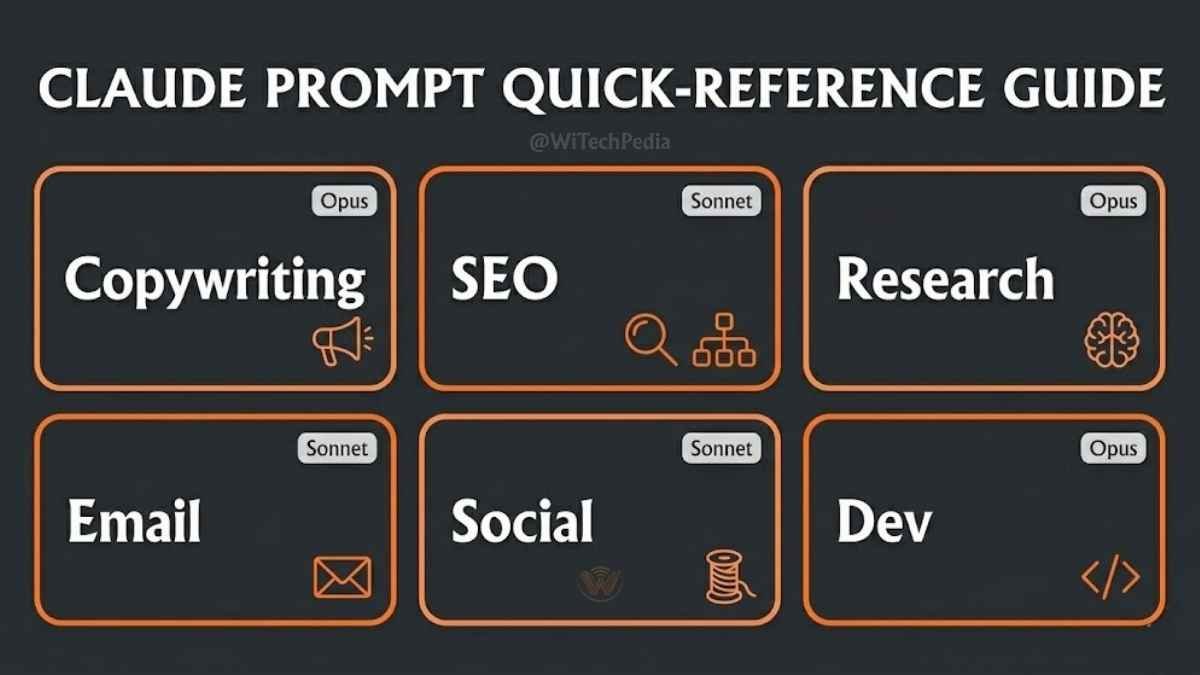
| # | Prompt Name | Best For | Model Recommendation |
|---|---|---|---|
| 1 | Landing Page Architect | High-converting hero sections | Sonnet 4.6 |
| 2 | Objection Handler | FAQ & sales copy | Sonnet 4.6 |
| 3 | PAS Sales Email | Cold outreach | Sonnet 4.6 |
| 4 | AIDA Product Description | E-commerce listings | Sonnet 4.6 |
| 5 | BAB Social Proof Story | Case studies & testimonials | Opus 4.8 |
| 7 | Brand Voice Trainer | Ghostwriting & brand voice | Opus 4.8 |
| 8 | Headline Multiplier | A/B testing | Sonnet 4.6 |
| 13 | SEO Outline Builder | Article planning | Opus 4.8 |
| 15 | Featured Snippet Optimizer | SERP feature capture | Sonnet 4.6 |
| 19 | Schema Markup Generator | Technical SEO | Sonnet 4.6 |
| 21 | AI Search Optimizer (GEO) | Google AI Overviews / Perplexity | Opus 4.8 |
| 23 | Executive Summary Synthesizer | Research & long PDFs | Opus 4.8 |
| 31 | Welcome Email Sequence | Email marketing | Sonnet 4.6 |
| 39 | LinkedIn Thought Leadership | B2B social media | Sonnet 4.6 |
| 45 | Code Review | Developer QA | Opus 4.8 |
| 46 | Bug Hunter | Debugging | Opus 4.8 |
Frequently Asked Questions
What is the best Claude model for writing in 2026?
For most writing tasks — blog posts, emails, social media, short-form copywriting — Claude Sonnet 4.6 is the right choice. It is faster and more cost-efficient than Opus. For complex long-form work, multi-document research, or nuanced brand voice tasks, Claude Opus 4.8 produces noticeably more sophisticated output. Use Opus when quality matters more than speed.
Are these Claude prompts different from ChatGPT prompts?
Yes, structurally. Claude is specifically trained to parse XML tags (<context>, <task>, <constraints>). Using that structure — as most prompts in this guide do — produces more precise, on-target output than the same prompt would on GPT-4o. If you are switching from ChatGPT to Claude, read our Claude vs ChatGPT comparison for a full breakdown.
Can I use these prompts on the free Claude plan?
Yes. All 50 prompts work on the free tier (Claude Sonnet 4.6). The only limitation is daily message volume — heavy users will hit rate limits. The Projects and Artifacts features require a paid plan.
How do I stop Claude from sounding like AI?
Prompt #7 (The Brand Voice Trainer) is the solution. By feeding Claude 3–5 paragraphs of your own writing as a reference, you force it to adopt your specific cadence, vocabulary, and structural habits. Combined with Constraint instructions (“no passive voice,” “maximum 25 words per sentence”), the output becomes genuinely hard to distinguish from human writing.
What is the RCTC Prompt Framework?
It stands for Role → Context → Task → Constraints — the four-part structure used by every prompt in this guide. Giving Claude a clear role tells it who to be. Context tells it what situation it’s operating in. Task tells it what to produce. Constraints tell it what not to do. Using all four elements consistently is the single biggest quality improvement you can make to your AI workflow. See our full Prompt Engineering guide for advanced techniques.
What is Generative Engine Optimisation (GEO)?
GEO is the practice of structuring content to be cited by AI-powered search systems like Google AI Overviews, Perplexity, and ChatGPT Search — rather than just traditional Google search. Prompt #21 in this guide is built specifically for GEO. For a deeper explanation of how AI search works, see our AI & Machine Learning section and our Multimodal AI wiki.
How do I save prompts for reuse in Claude?
Use Claude Projects (available on paid plans). Create a Project, add your favourite prompts to the Project Instructions, and Claude will have access to them in every conversation within that Project. Alternatively, save them in a simple Notion or Google Doc and paste as needed — the prompts in this guide are designed to be copy-paste ready with only the bracketed fields to fill in.
Is Claude better than ChatGPT for creative writing?
Yes. Most professional writers prefer Claude because its “Constitutional AI” training results in more natural, human-sounding prose compared to ChatGPT’s often repetitive sentence structures.
Conclusion: Turn These Prompts Into a Repeatable System
Fifty best Claude AI prompts are only useful if you actually use them. The fastest way to get value out of this guide is not to read it top to bottom — it’s to bookmark the section that matches whatever you’re working on this week, copy the prompt, swap the bracketed fields, and let the RCTC Framework (Role → Context → Task → Constraints) do the heavy lifting.
A few starting points depending on your role:
- If you write or manage content, start with the SEO Outline Builder (#13) and the Brand Voice Trainer (#7) — together they cover planning and tone, the two things that make AI-assisted articles read as genuinely human. Pair that workflow with our AI & Machine Learning hub and the LLMs & Models subcategory to keep up with how the underlying models keep changing.
- If you run marketing or growth, the Email Marketing and Social Media sections will get you a full content calendar and a welcome sequence in under an hour. Once you’ve drafted copy, run it through the Competitor Analysis Copywriter (#12) to pressure-test it before it ships.
- If you build software, the Developer prompts (#45–50) — especially the Code Review and Bug Hunter prompts — slot directly into a pull-request workflow. For prompt patterns specific to debugging sessions, see our dedicated Best Prompts for Debugging Code guide, and for a wider language-by-language breakdown, check Best Languages for AI Development in 2026.
- If you’re optimising for visibility in AI search, don’t skip the GEO prompt (#21) — it’s the one piece of this guide most “best prompts” listicles haven’t caught up to yet, and it’s increasingly the difference between getting cited by Google AI Overviews and getting ignored by them.
None of this replaces editorial judgment. Claude — whether you’re running Sonnet 4.6 or Opus 4.8 — is a force multiplier for a skilled writer, not a substitute for one. The prompts in this guide consistently outperform generic AI requests because they encode real expertise into the instructions; the quality ceiling is still set by the human reviewing, fact-checking, and editing the output before it ships.
If you’re weighing Claude against alternatives for this kind of work, our ChatGPT Review and Grok AI Review are good next reads, and if you want a sense of how today’s models trace back to earlier breakthroughs, the History of Artificial Intelligence wiki provides useful context.
Save this page, bring it back into your next Claude conversation, and start with whichever prompt solves today’s problem — that’s the entire system.