

The Command Prompt (CMD) might look intimidating with its “black box” interface, but it remains one of the most powerful tools in Windows. Whether you are troubleshooting network issues or automating file tasks, knowing the right commands can save you hours of manual work. In this guide, we break down the must-know commands into easy-to-digest categories.
Navigation & Basic Commands
Before you can fix your PC, you need to know how to move around.
cd(Change Directory): The most used command. Usecd Documentsto enter a folder orcd ..to go back one level.dir(Directory): Lists all files and folders in your current location.- Pro Tip: Use
dir /sto see every file in all subdirectories. cls(Clear Screen): Clears the entire terminal window when it gets too cluttered.exit: Simply closes the Command Prompt window.
Networking & Internet Troubleshooting
This is where CMD shines for the average user. If your internet is acting up, these are your “first responders.”
ipconfig: Displays your IP address and network details.ipconfig /flushdns: Clears your DNS cache—the go-to fix when a specific website won’t load.ping: Checks if a website or server is reachable.- Example:
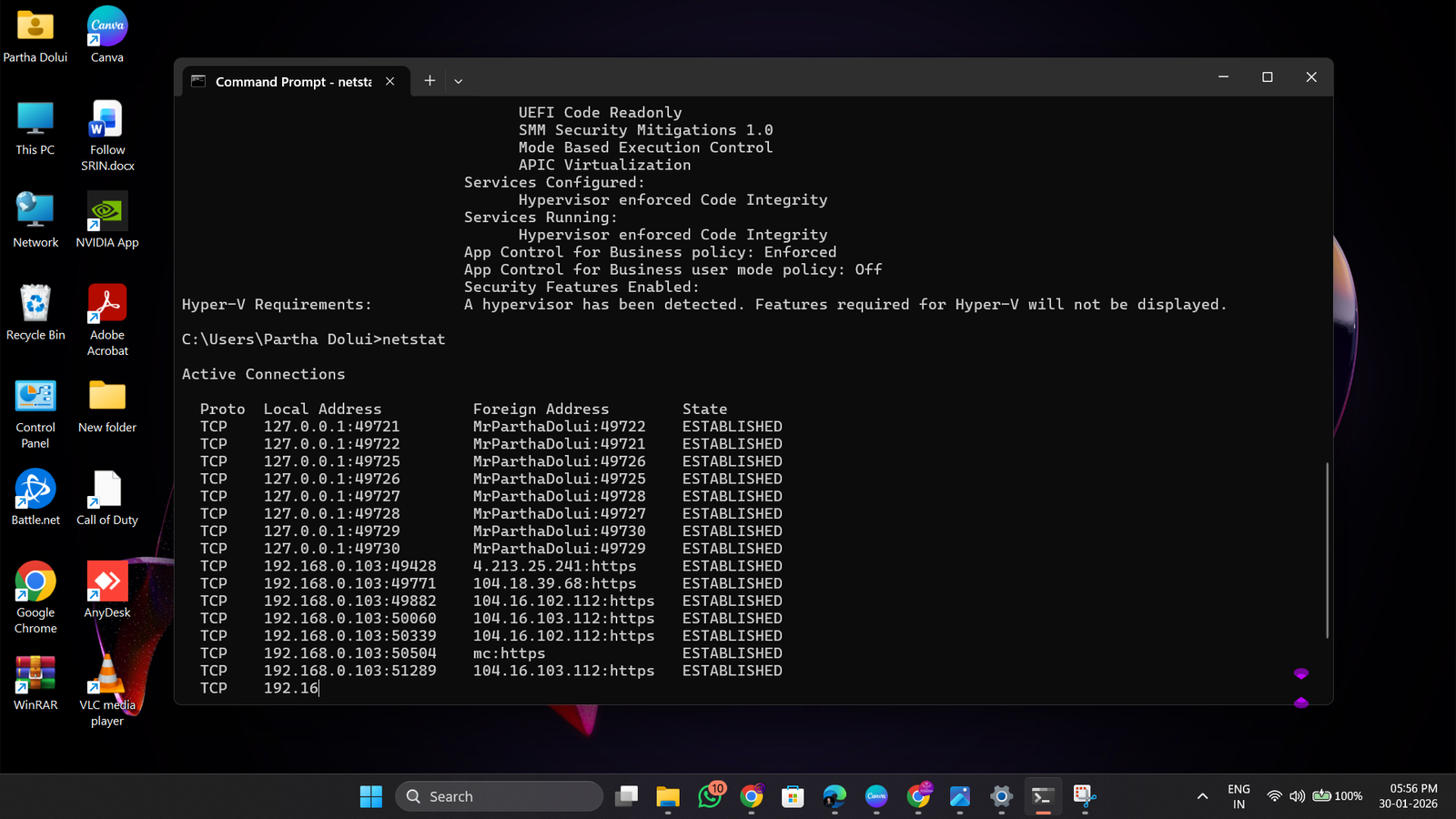
ping google.comchecks your connection to Google’s servers. tracert(Trace Route): Shows the “path” your data takes to reach a website. Great for seeing exactly where a connection is failing.netstat: Shows all active internet connections on your PC. Usenetstat -anfor a detailed list of ports.
File & System Management
Automate your file tasks or fix broken system files without a GUI.
mkdir(Make Directory): Creates a new folder instantly.del(Delete): Deletes a specific file. (Be careful: there is no “Recycle Bin” here!)sfc /scannow: The “System File Checker.” It scans and repairs corrupted Windows system files. Requires Administrator privileges.chkdsk: Checks your hard drive for errors and bad sectors.tasklist&taskkill: *tasklistshows every running app (like Task Manager).taskkill /IM appname.exe /Fforce-closes a frozen program.
Developer & Power User "Cheat Codes"
systeminfo: Gives you a massive list of your PC’s specs, including BIOS version, RAM, and the date Windows was installed.powercfg /batteryreport: Generates a detailed HTML report of your laptop’s battery health and history.cipher: Permanently wipes deleted data so it can’t be recovered—or encrypts new folders.clip: Want to save a command’s output? Add| clipat the end (e.g.,ipconfig | clip) to copy it straight to your clipboard.
Using these commands to prep a new PC? See our Windows 10 Installation Guide.
Sign Up For Daily Newsletter
Be keep up! Get the latest breaking news delivered straight to your inbox.
By signing up, you agree to our Terms of Use and acknowledge the data practices in our Privacy Policy. You may unsubscribe at any time.