








“By 2026, more than 80% of enterprises will have deployed AI agents in production.” — Gartner, 2024.
- What Is an AI Agent? (And Why It Matters)
- How to Build AI Agents for Free: The Core Stack
- Step 1 — Choose Your Free LLM Backbone
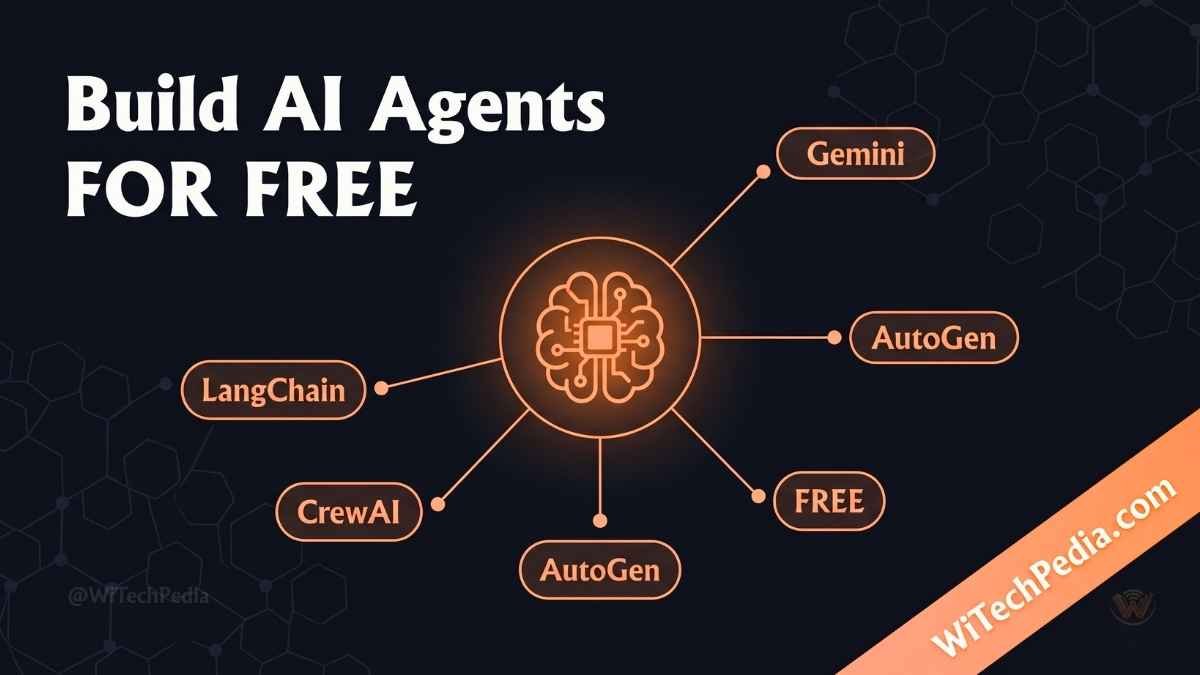
- Step 2 — Pick Your Free AI Agent Framework
- Step 3 — Give Your Agent Tools (Without Paying)
- Step 4 — Add Memory to Your Agent
- Step 5 — Run Your Agent for Free (No Local GPU Needed)
- Step 6 — Build Your First Complete AI Agent (End-to-End Example)
- Real-World Use Cases for Free AI Agents
- No-Code Options: Build AI Agents Without Writing a Single Line
- Common Mistakes When Building Free AI Agents
- FAQ: Building AI Agents for Free
- The Future of Free AI Agents
- Conclusion: Your AI Agent Journey Starts Now
The agent revolution is here — and you don’t need a Fortune 500 budget to join it.
Whether you’re a developer, entrepreneur, or curious technologist, learning how to build AI agents for free is one of the highest-leverage skills you can develop right now. This guide shows you exactly how — from zero to your first working agent — using tools that cost absolutely nothing.
Let’s build.
What Is an AI Agent? (And Why It Matters)
Before we touch a single line of code, let’s get one thing straight.
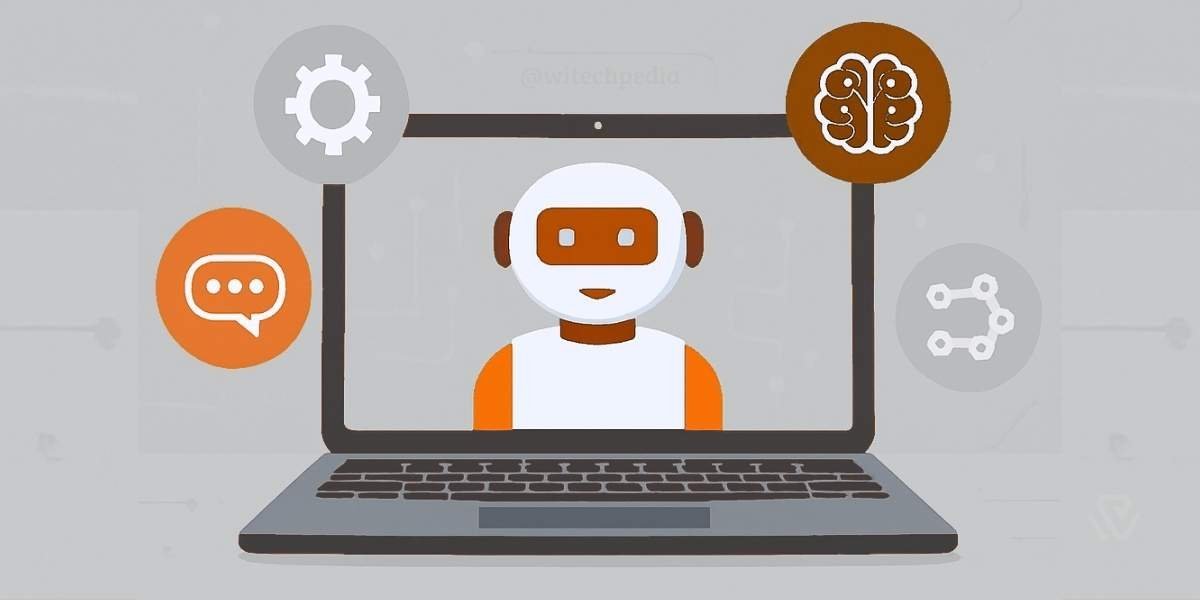
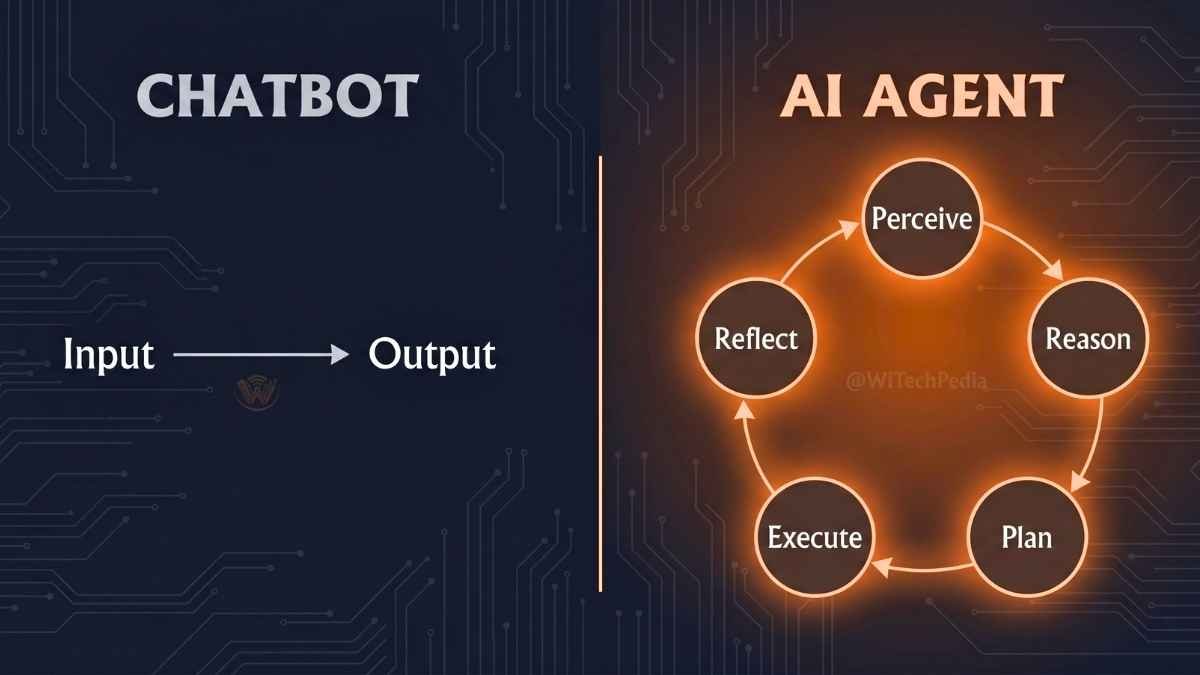
An AI agent is not just a chatbot. It’s an autonomous system that can:
- Perceive inputs (text, data, tool outputs)
- Reason over a goal
- Plan a sequence of steps
- Execute actions using tools (APIs, browsers, code interpreters)
- Reflect on results and adapt
Think of it as the difference between asking someone a question and hiring someone to complete a project. Agents act. Chatbots respond.
The practical implications are enormous: from automating customer support to building personal research assistants, AI agents are rewriting what software can do.
Why Build AI Agents?
Creating your own AI agents offers several advantages:
How to Build AI Agents for Free: The Core Stack
Here’s the good news: the open-source AI ecosystem has exploded. You can build production-grade agents today using entirely free tools. Here’s the standard free stack:
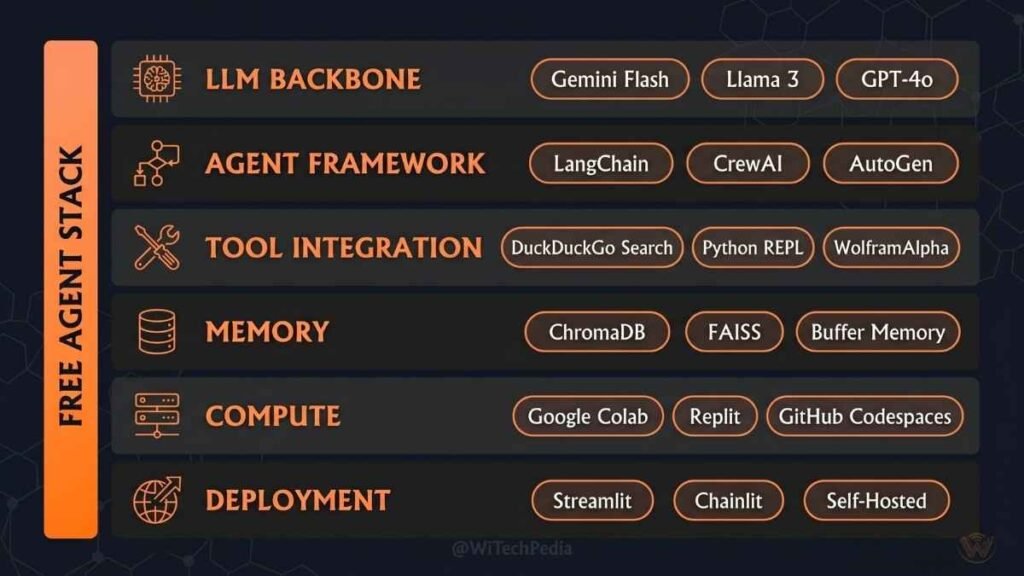
| Layer | Free Tool | What It Does |
|---|---|---|
| LLM Backbone | GPT-4o (free tier), Gemini 1.5 Flash, Llama 3 (local) | Provides reasoning and language understanding |
| Agent Framework | LangChain, CrewAI, AutoGen | Orchestrates agent logic, memory, and tools |
| Tool Integration | SerpAPI (free tier), Browserless, Python functions | Gives agents real-world capabilities |
| Memory | ChromaDB, FAISS (both free) | Stores context and long-term knowledge |
| Execution Environment | Google Colab, Replit, GitHub Codespaces | Free cloud compute — no local setup needed |
| Deployment | HuggingFace Spaces, Vercel (free tier) | Ships your agent to the world at zero cost |
Step 1 — Choose Your Free LLM Backbone
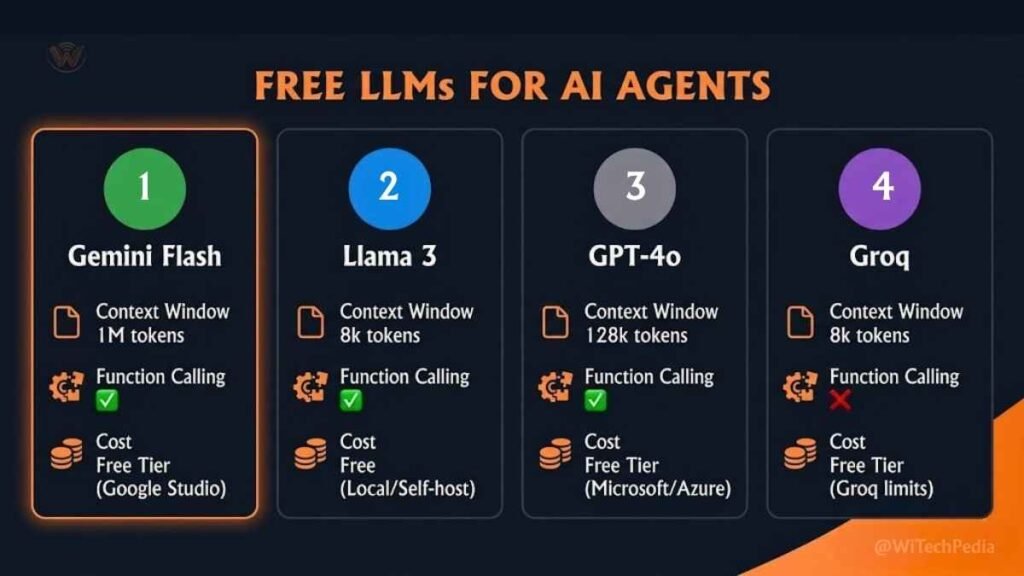
Your agent’s intelligence runs on a Large Language Model (LLM). The good news: several powerful models offer generous free tiers.
Top Free LLM Options in 2025
Google Gemini 1.5 Flash
- Free via Google AI Studio — no credit card required
- 1 million token context window
- Best for: speed, multimodal tasks, cost-zero prototyping
OpenAI GPT-4o (Free Tier)
- Available via ChatGPT and limited API access
- Best for: reasoning tasks, tool calling, structured output
- Note: API usage requires a paid plan; use Gemini or Llama for truly free API calls
Meta Llama 3 (Local/Free)
- Fully open-source — run locally via Ollama (free, offline)
- Best for: privacy-first applications, no API costs, unrestricted usage
- Runs on most modern laptops (8GB RAM minimum recommended)
Groq API (Free Tier)
- Runs Llama 3 and Mixtral at blazing speed — free tier available
- Best for: fast iteration and testing agent pipelines
💡 WiTechPedia Tip: For true zero-cost agents with an API, start with Google Gemini 1.5 Flash via Google AI Studio. It’s free, fast, and supports function calling — the critical feature agents need. Check out The Best Large Language Models for better understanding before using.
Step 2 — Pick Your Free AI Agent Framework
The framework is the engine that turns an LLM into an agent. It handles orchestration, memory, tool routing, and multi-step reasoning.
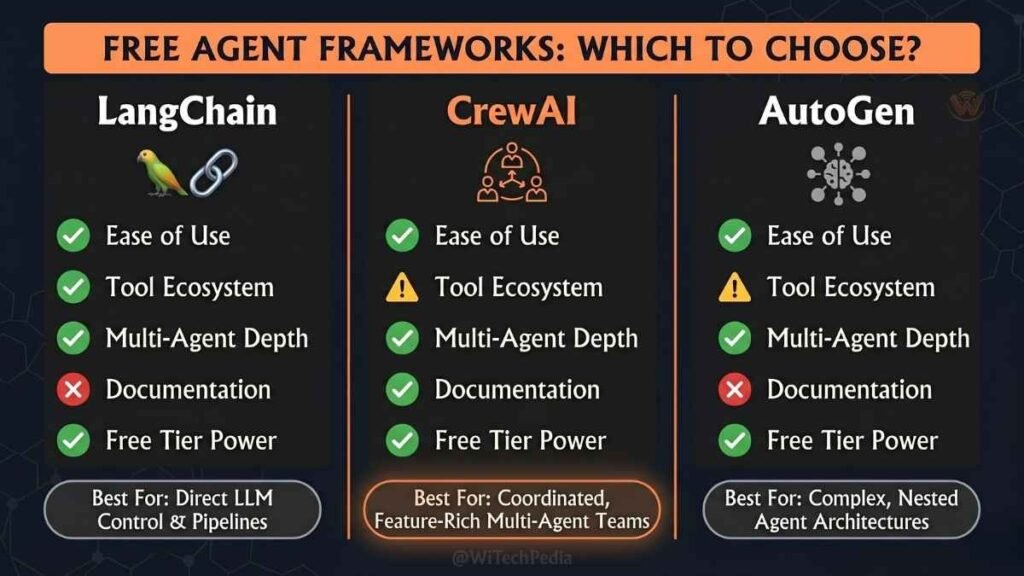
LangChain — The Industry Standard
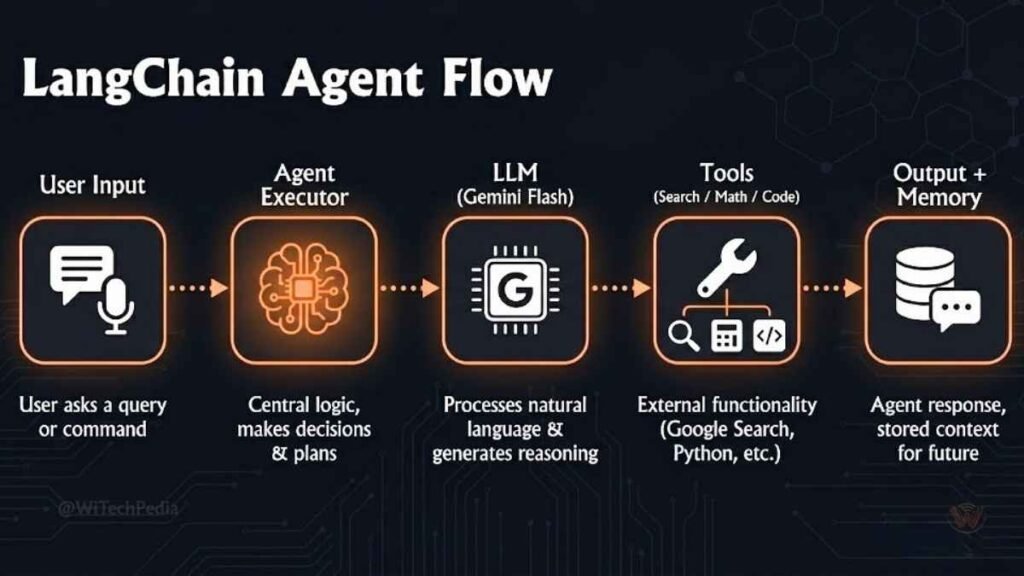
LangChain is the most widely-used agent framework in the world. It’s open-source, free, and has a massive ecosystem.
Why use LangChain:
- Supports all major LLMs (Gemini, OpenAI, Anthropic, Ollama)
- Built-in tools: web search, calculators, code execution
- Powerful memory modules: conversation history, vector stores
- Active community and extensive documentation
Install it:
bash
pip install langchain langchain-google-genaiYour first LangChain agent:
python
from langchain_google_genai import ChatGoogleGenerativeAI
from langchain.agents import AgentType, initialize_agent, load_tools

# Free Gemini model
llm = ChatGoogleGenerativeAI(model="gemini-1.5-flash", google_api_key="YOUR_FREE_API_KEY")

# Load free tools
tools = load_tools(["serpapi", "llm-math"], llm=llm)

# Initialize agent
agent = initialize_agent(
    tools,
    llm,
    agent=AgentType.ZERO_SHOT_REACT_DESCRIPTION,
    verbose=True
)

# Run it
agent.run("What is the current price of Bitcoin? Multiply it by 0.01 and tell me the result.")
This agent searches the web and does math — in one natural language command. That’s the power.
CrewAI — Multi-Agent Teams for Free
CrewAI lets you build teams of AI agents that collaborate. Think of it as a virtual workforce where each agent has a role, goal, and memory.
Why CrewAI stands out:
- Define agents as “roles” (Researcher, Writer, Analyst)
- Agents collaborate autonomously to complete complex tasks
- Fully open-source and free
- Built on LangChain under the hood
Install it:
bash
pip install crewaiA simple CrewAI multi-agent setup:
python
from crewai import Agent, Task, Crew

researcher = Agent(
    role='Technology Researcher',
    goal='Find the latest developments in AI agents',
    backstory='An expert technology analyst with deep web research skills.',
    verbose=True,
    allow_delegation=False,
    llm=llm  # Your free Gemini or Llama instance
)

writer = Agent(
    role='Content Writer',
    goal='Write a compelling summary from research findings',
    backstory='A professional tech writer who explains complex topics simply.',
    verbose=True,
    llm=llm
)

research_task = Task(
    description='Research the top 5 AI agent frameworks released in 2025.',
    agent=researcher
)

write_task = Task(
    description='Write a 300-word summary of the research findings.',
    agent=writer
)

crew = Crew(agents=[researcher, writer], tasks=[research_task, write_task])
result = crew.kickoff()
print(result)
In under 50 lines, you have a two-agent team that researches and writes. For free.
AutoGen — Microsoft’s Free Agent Framework
AutoGen (by Microsoft Research) specializes in multi-agent conversation — agents that talk to each other, debate, and self-correct.
Why AutoGen is powerful:
- Agents can critique and improve each other’s outputs
- Built-in code execution and debugging
- Supports local models via Ollama (fully offline and free)
- Perfect for agentic coding workflows
Install it:
bash
pip install pyautogenFramework Comparison Table
| Feature | LangChain | CrewAI | AutoGen |
|---|---|---|---|
| Best For | General agents, RAG | Multi-agent teams | Code/debate agents |
| Ease of Use | Moderate | Easy | Moderate |
| Multi-Agent | Limited | Native | Native |
| Free LLM Support | ✅ Yes | ✅ Yes | ✅ Yes |
| Local Model Support | ✅ Yes | ✅ Yes | ✅ Yes |
| Community Size | 🔥 Largest | Growing fast | Strong |
| Best Free Entry Point | Tutorials + Docs | crewai pip | AutoGen Studio |
Step 3 — Give Your Agent Tools (Without Paying)
An agent without tools is just a chatbot. Tools are what make agents genuinely autonomous.
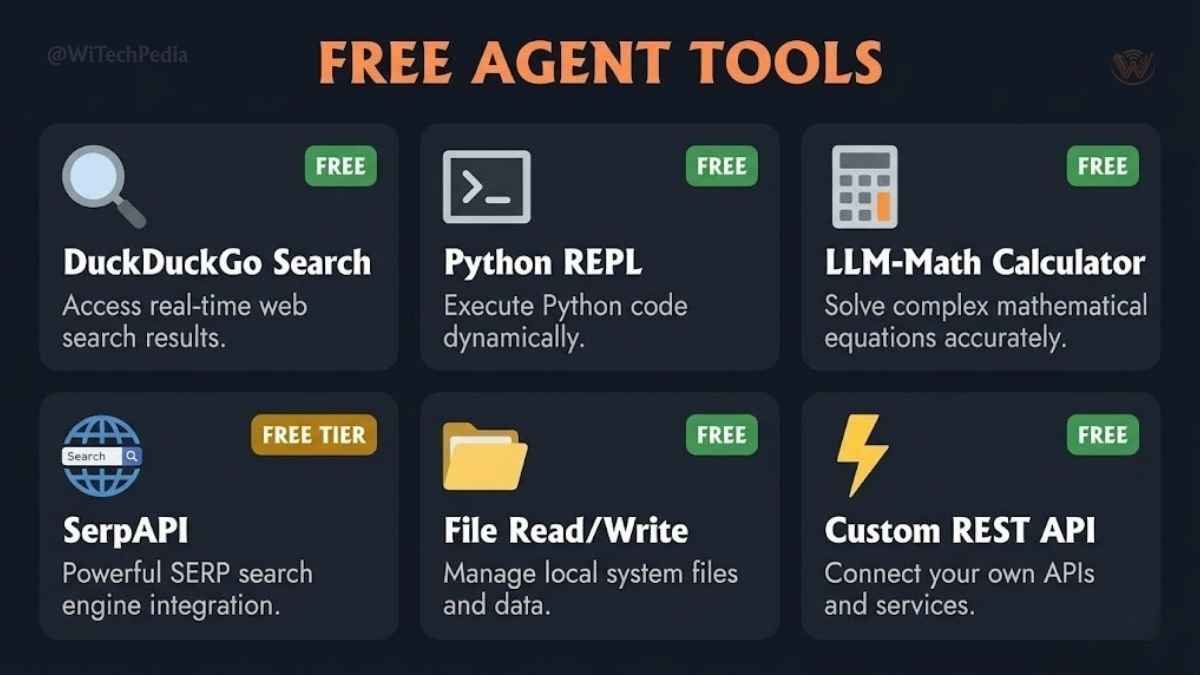
Free Tools You Can Integrate Right Now
Web Search — SerpAPI (Free Tier)
- 100 free searches/month via serpapi.com
- Plug directly into LangChain:
load_tools(["serpapi"]) - Alternative: DuckDuckGo Search (completely free, no API key needed)
python
from langchain.tools import DuckDuckGoSearchRun
search = DuckDuckGoSearchRun()
Code Execution — Python REPL
- Built into LangChain:
load_tools(["python_repl"]) - Zero cost — runs locally
File Reading/Writing
- Use Python’s built-in
open()wrapped as a LangChain tool - Agents can read CSVs, write reports, process data
Calculator
python
tools = load_tools(["llm-math"], llm=llm)Custom API Calls
- Wrap any REST API as a LangChain tool using
@tooldecorator - Access weather APIs, stock data, database queries — all free at their basic tiers
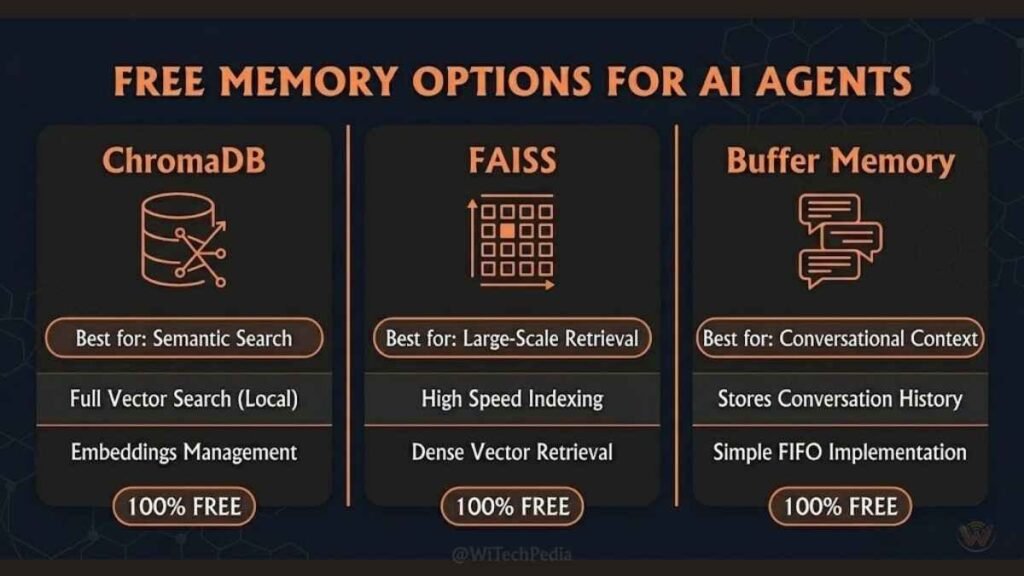
Step 4 — Add Memory to Your Agent
Stateless agents forget everything between conversations. Memory makes them genuinely intelligent over time.
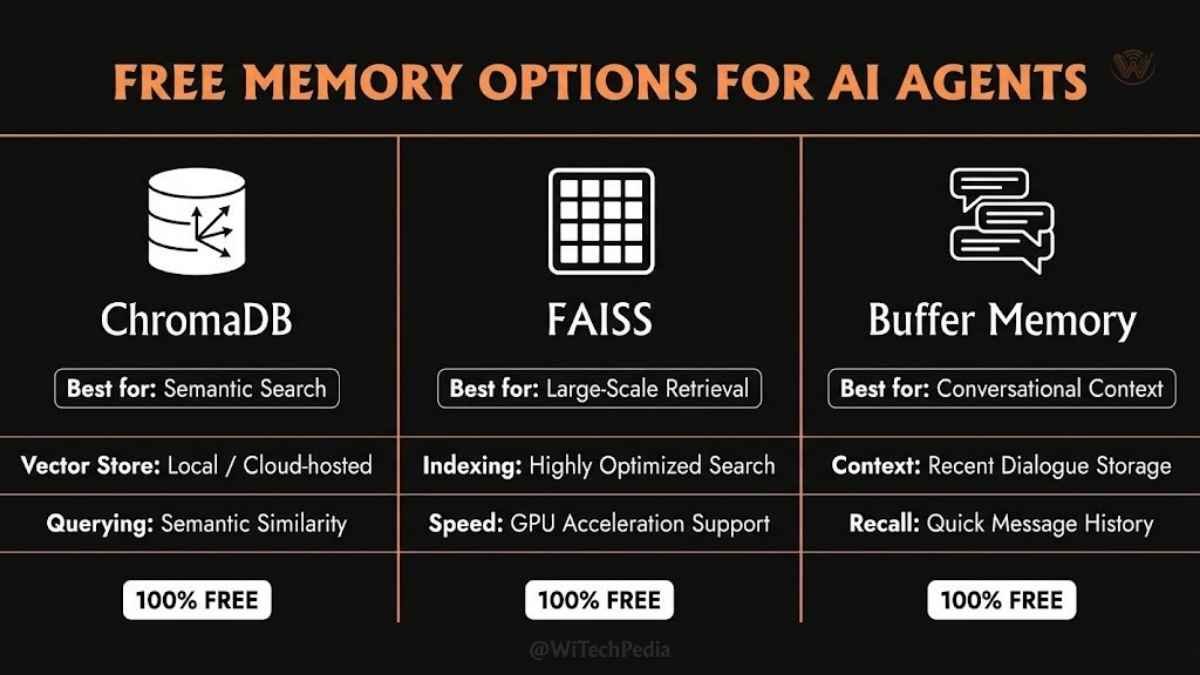
Free Memory Options
ChromaDB (Vector Store — Free, Local)
bash
pip install chromadb- Stores and retrieves semantic memories
- Runs fully locally — zero cost
FAISS (Facebook AI Similarity Search — Free)
bash
pip install faiss-cpu- Lightning-fast vector search for large knowledge bases
Conversation Buffer Memory (Built-in LangChain)
python
from langchain.memory import ConversationBufferMemory
memory = ConversationBufferMemory()
For most beginner agents, the conversation buffer is all you need to start.
Step 5 — Run Your Agent for Free (No Local GPU Needed)
No powerful computer? No problem. These platforms give you free compute:
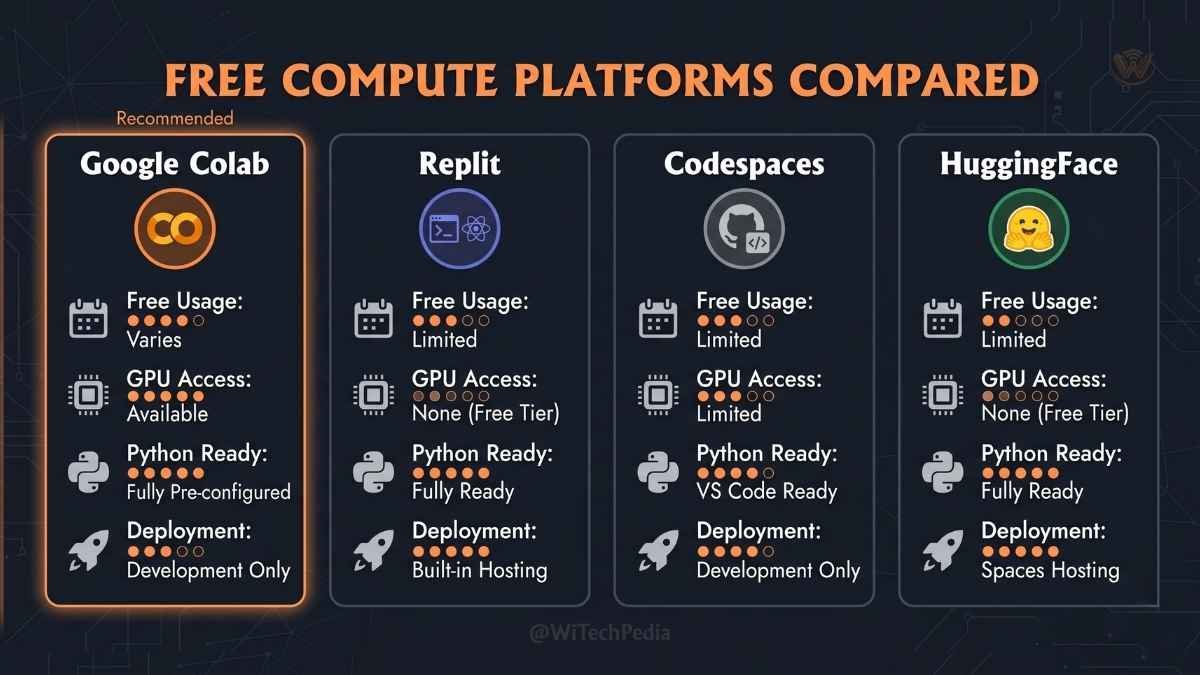
Free Execution Environments
Google Colab
- Free GPU/TPU access
- Pre-installed Python environment
- Ideal for running Llama models locally without owning a GPU
- URL: colab.research.google.com
Replit
- Browser-based IDE with free tier
- Deploy and run agents live
- Great for sharing agents with others
GitHub Codespaces
- 60 free hours/month of cloud development environments
- Full Linux terminal, pip, and Python pre-configured
HuggingFace Spaces
- Deploy Gradio or Streamlit agent UIs for free
- Share your agent publicly with one click
Step 6 — Build Your First Complete AI Agent (End-to-End Example)
Let’s put it all together. Here’s a real-world Research Agent built entirely with free tools.
Goal: Given a topic, this agent searches the web, reads the results, summarizes findings, and writes a structured report.
python
# Full Free Research Agent — WiTechPedia.com

import os
from langchain_google_genai import ChatGoogleGenerativeAI
from langchain.agents import AgentType, initialize_agent, load_tools
from langchain.memory import ConversationBufferMemory
from langchain.tools import DuckDuckGoSearchRun

# 1. Free LLM (Google Gemini Flash)
llm = ChatGoogleGenerativeAI(
    model="gemini-1.5-flash",
    google_api_key=os.environ["GOOGLE_API_KEY"],  # Free from aistudio.google.com
    temperature=0.3
)

# 2. Free Tools
search_tool = DuckDuckGoSearchRun()
tools = [search_tool]

# 3. Free Memory
memory = ConversationBufferMemory(memory_key="chat_history", return_messages=True)

# 4. Initialize Agent
agent = initialize_agent(
    tools=tools,
    llm=llm,
    agent=AgentType.CONVERSATIONAL_REACT_DESCRIPTION,
    memory=memory,
    verbose=True
)

# 5. Run
response = agent.run(
    "Research the latest breakthroughs in AI agents from 2025. "
    "Summarize the top 3 developments with key implications."
)

print(response)
Total cost: $0.00. Total lines of meaningful code: under 35.
Real-World Use Cases for Free AI Agents
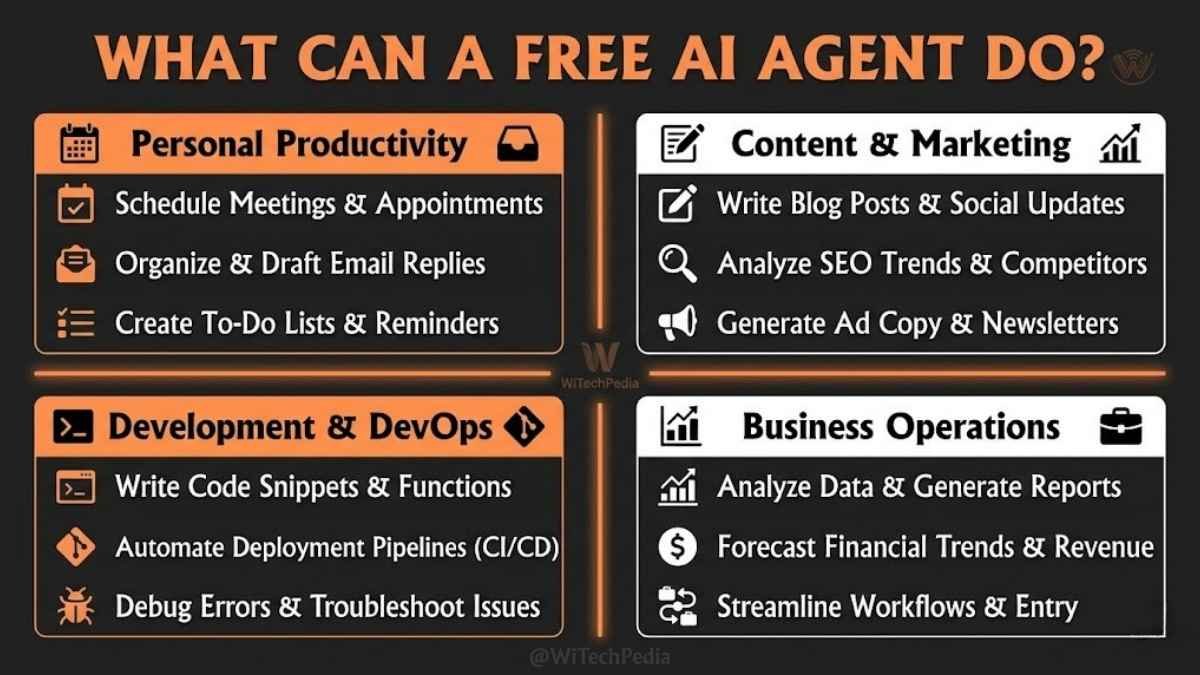
Here’s where this gets exciting. Free agents aren’t just toys — they’re production-ready for dozens of real use cases:
Personal Productivity
- Email triage agent — reads your inbox, categorizes emails, drafts replies
- Research agent — deep-dives any topic, outputs structured summaries
- Calendar assistant — schedules meetings by analyzing availability
Content & Marketing
- SEO content agent — researches keywords, generates article outlines, writes drafts
- Social media agent — monitors trends, drafts posts, schedules content
- Competitive analysis agent — scans competitor sites and summarizes insights
Development & DevOps
- Code review agent — reads pull requests, flags issues, suggests fixes
- Documentation agent — reads codebases, writes README files and API docs
- Bug triage agent — analyzes error logs, identifies root causes, suggests patches
Business Operations
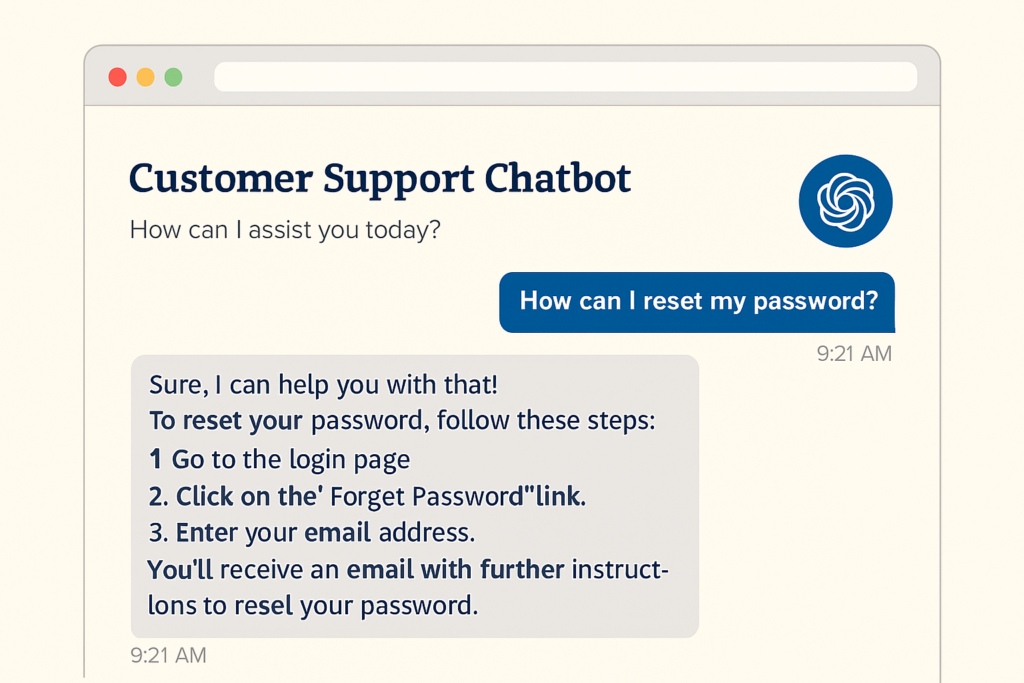
- Customer support agent — answers FAQs, escalates complex queries, logs tickets
- Data analysis agent — reads CSVs, generates visualizations, writes business reports
- Lead qualification agent — researches prospects, scores them, drafts outreach
No-Code Options: Build AI Agents Without Writing a Single Line
Not a developer? No problem. These free platforms let you build and deploy AI agents visually:
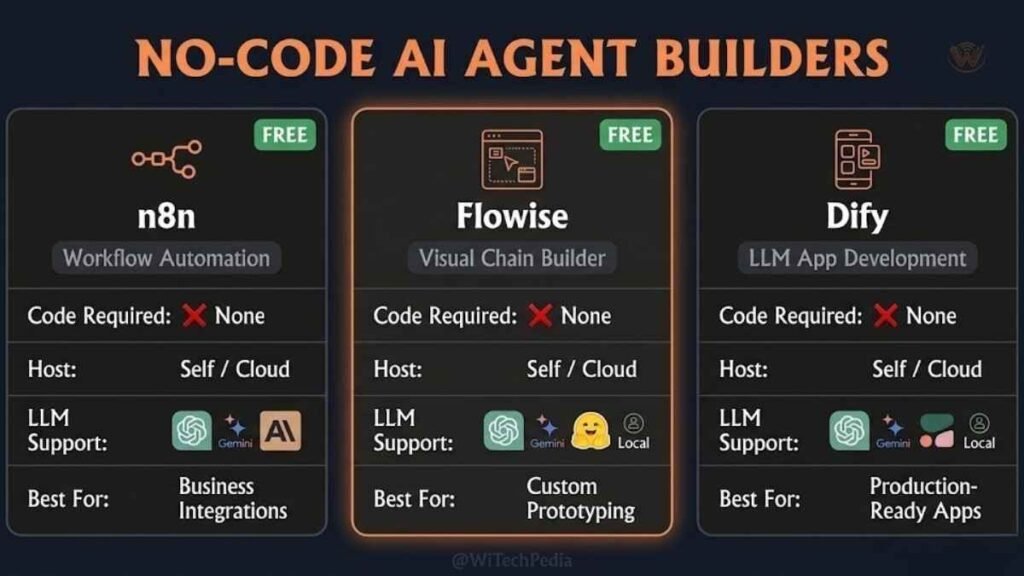
n8n (Open-Source Automation — Free Self-Host)
- Visual workflow builder with AI agent nodes
- Connect GPT, Gemini, or local models to hundreds of integrations
- Free to self-host on any VPS or even your laptop
- URL: n8n.io
You may also like

Flowise (Visual LangChain Builder — Free)
- Drag-and-drop interface to build LangChain agents
- No code required — connects LLMs, tools, and memory visually
- One-click Docker deployment
- URL: flowiseai.com
Dify (Free Open-Source AI App Platform)
- Build agents, chatbots, and workflows with a visual editor
- Supports OpenAI, Claude, Gemini, and local models
- Generous free cloud tier + fully open-source self-hosting
- URL: dify.ai
| Platform | Code Required | Best For | Free Tier |
|---|---|---|---|
| n8n | No | Workflow automation | Self-hosted (free) |
| Flowise | No | LangChain visual agents | Free self-host |
| Dify | No | AI apps + agents | Cloud free tier + self-host |
| LangChain | Yes | Custom, flexible agents | Fully free |
| CrewAI | Yes | Multi-agent teams | Fully free |
| AutoGen | Yes | Code + debate agents | Fully free |
Common Mistakes When Building Free AI Agents
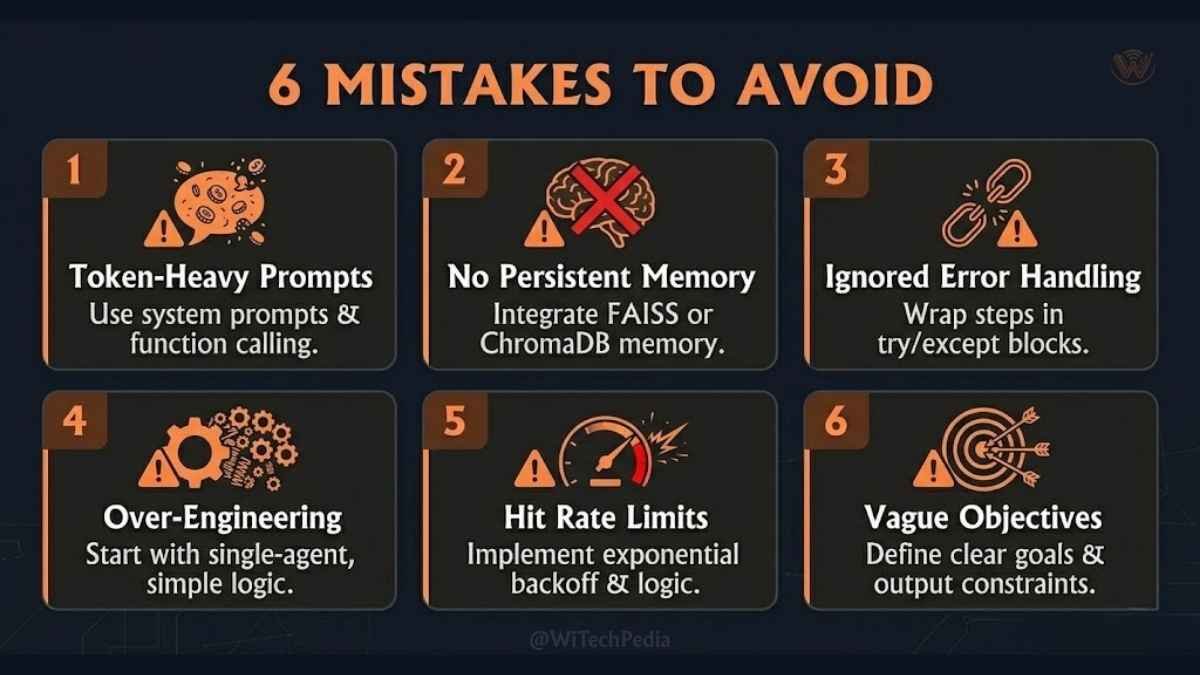
Avoid these pitfalls that trip up most beginners:
- Using token-hungry prompts — Vague, long prompts burn through free API limits fast. Be precise.
- Skipping memory — Agents without memory repeat themselves and lose context. Always add memory.
- No error handling — Agents will fail when tools return errors. Wrap tool calls in try/except blocks.
- Over-engineering day one — Start with a single-agent, single-tool setup. Add complexity gradually.
- Ignoring rate limits — Free tiers have limits. Build in retry logic and exponential backoff.
- Not defining a clear goal — Agents need specific, measurable objectives. “Help me with stuff” fails. “Research X and output a 5-bullet summary” succeeds.
FAQ: Building AI Agents for Free
Can I really build a functional AI agent for free?
Yes, absolutely. The open-source ecosystem provides everything you need: free LLMs (Gemini 1.5 Flash, Llama 3), free frameworks (LangChain, CrewAI, AutoGen), free compute (Google Colab, Replit), and free deployment (HuggingFace Spaces). Thousands of developers are running production agents at zero cost today.
What is the easiest free tool to start building AI agents?
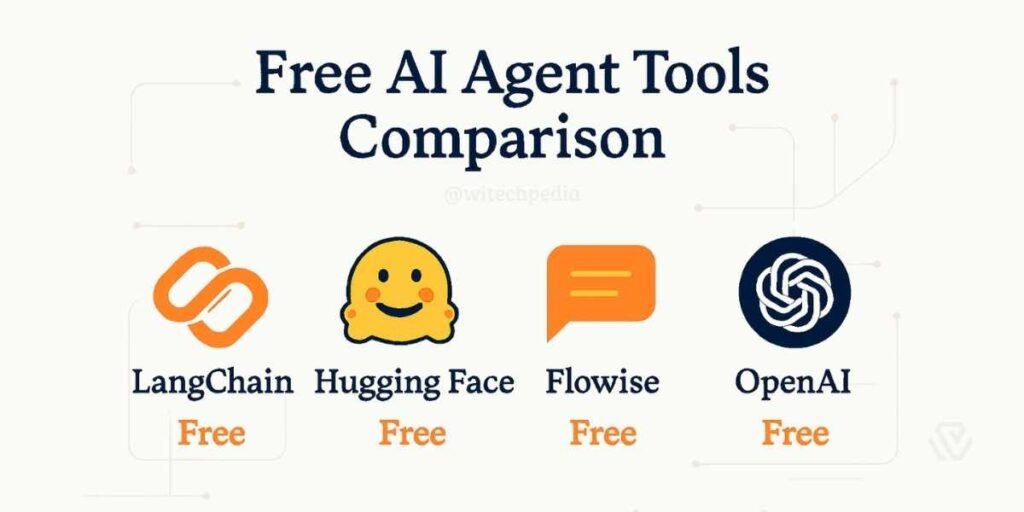
For beginners with coding experience, CrewAI is the fastest path to a working multi-agent setup — its role-based model is intuitive and well-documented. For non-coders, Flowise or Dify offer visual, no-code interfaces that require zero programming knowledge.
Do I need a GPU to build and run AI agents for free?
No. If you use API-based models (Gemini 1.5 Flash, Groq), all computation happens in the cloud — your laptop only runs the orchestration code. If you want to run local models (Llama 3 via Ollama), a modern CPU with 8–16GB RAM handles smaller models. For larger local models, Google Colab provides free GPU access.
What is the difference between an AI agent and a chatbot?
A chatbot responds to inputs — it is reactive and stateless. An AI agent pursues goals — it is proactive, stateful, and uses tools to take real-world actions. An agent can search the web, write and execute code, call APIs, read files, and update databases. A chatbot just answers questions.
How do I give my free AI agent access to the internet?
Use the DuckDuckGo Search tool in LangChain (completely free, no API key): from langchain.tools import DuckDuckGoSearchRun. Alternatively, SerpAPI offers 100 free searches/month. For deeper web access, tools like Browserless (free tier) allow agents to navigate full web pages.
Which free LLM is best for building AI agents?
For API-based free use, Google Gemini 1.5 Flash is currently the strongest choice — it’s fast, supports function calling (critical for tool use), has a 1 million token context window, and requires no credit card. For local/offline use, Meta Llama 3 8B via Ollama is excellent and fully free.
Is AutoGen or LangChain better for beginners?
LangChain has the larger community, more tutorials, and more mature documentation — making it the safer starting point for most beginners. AutoGen shines for coding-focused agents and multi-agent debate scenarios. If you’re building your first agent, start with LangChain. Once comfortable, explore AutoGen for advanced workflows.
The Future of Free AI Agents
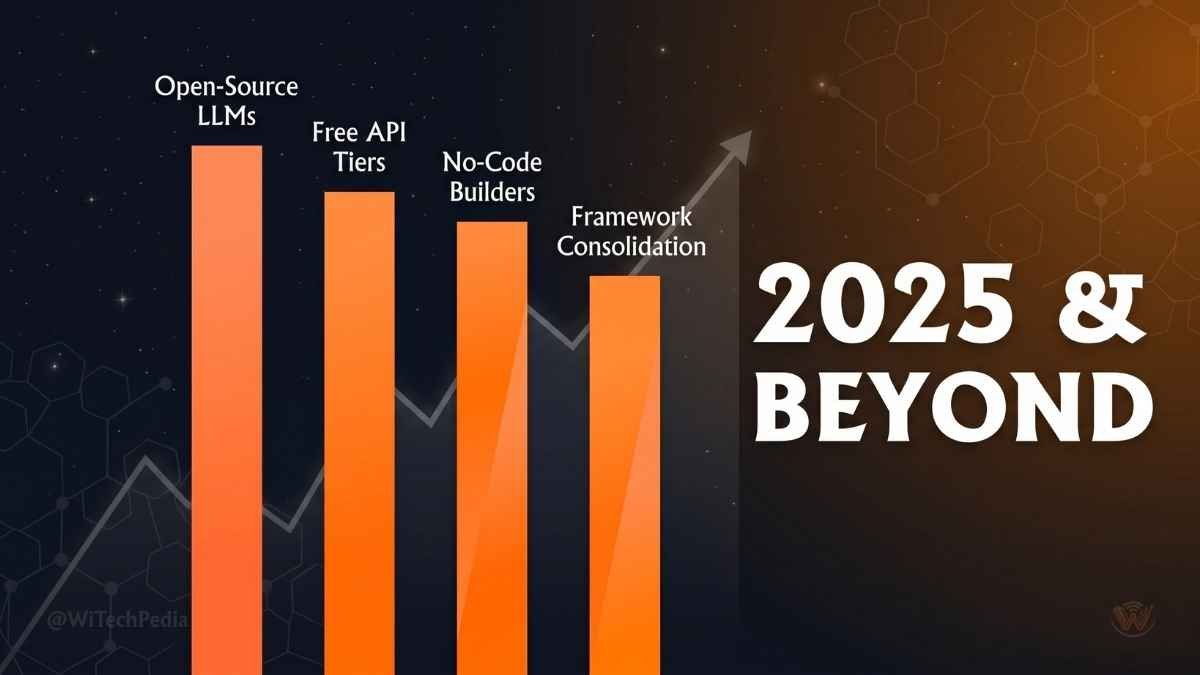
The trajectory is clear. As of 2025:
- Open-source models are catching up to closed-source — Llama 3.1, Mistral, and Qwen 2 are increasingly competitive with GPT-4 class models.
- Free API tiers are expanding — Google, Groq, and HuggingFace are competing aggressively for developer mindshare with generous free offerings.
- No-code agent builders are maturing — Dify, Flowise, and n8n are making agent creation accessible to non-developers at scale.
- Agentic frameworks are consolidating — LangChain, LlamaIndex, and CrewAI are converging on standard patterns that lower the learning curve.
The result: building powerful, autonomous AI agents for free has never been more accessible — and the gap between free and paid capabilities is shrinking every month.
Conclusion: Your AI Agent Journey Starts Now
Let’s recap the key takeaways from this guide:
- Free AI agents are real and production-ready — You don’t need paid APIs or expensive cloud compute to build agents that do meaningful work.
- The core free stack is: Gemini 1.5 Flash + LangChain/CrewAI + DuckDuckGo + ChromaDB + Google Colab — This covers reasoning, tools, memory, and execution at zero cost.
- Start single-agent, single-tool — Complexity should be earned. Build a working research agent first, then add roles, memory, and integrations.
- No-code options exist — Flowise, Dify, and n8n make AI agents accessible to non-developers with drag-and-drop simplicity.
- Real-world value is immediate — Agents for research, content, coding, and customer support can be live within hours of starting this guide.
The agent revolution is open-source, open-access, and open to you — starting today.
📬 Stay Ahead of the AI Curve
Subscribe to the WiTechPedia Newsletter for weekly deep-dives on AI, open-source tools, and practical technology guides — delivered free to your inbox.
References & External Sources:
- LangChain Documentation — Official LangChain framework docs
- CrewAI GitHub Repository — CrewAI open-source project
- Microsoft AutoGen — AutoGen framework by Microsoft Research
- Google AI Studio — Free Gemini API access
- Ollama — Run local LLMs for free
- Flowise — Visual LangChain agent builder
- Dify.ai — Open-source AI application platform
- HuggingFace Spaces — Free AI app deployment
- Gartner AI Predictions 2024 — Industry AI agent forecasts
- Meta Llama 3 Model Card — Official Llama 3 documentation