








Writing the code is only half the battle; deploying it to production without causing an outage is where the real stress begins. In my 6+ years navigating the full-stack landscape, I’ve seen countless hours lost to debugging tedious YAML indentation errors and broken build pipelines. Fortunately, you no longer have to build your infrastructure from scratch. If you want to eliminate deployment bottlenecks, you need the best prompts for DevOps and pipeline automation.
- The Golden Rule: Secure DevOps Prompts
- Best Prompts for Containerization & Docker
- Chatgpt Prompts for CI/CD Pipeline Automation
- Terraform AI Prompts: Automate Deployment with AI
- Kubernetes Debugging Prompts & Orchestration
- Incident Response & System Monitoring
- Frequently Asked Questions (FAQ)
- Final Thoughts
Modern AI tools have transformed how we handle server provisioning, containerization, and orchestration. By leveraging AI for infrastructure as code (IaC), you can automate the heavy lifting and focus on architecture.
This guide provides a curated list of production-ready, copy-paste prompts designed for Site Reliability Engineers (SREs), Cloud Architects, and developers looking to streamline their CI/CD workflows.
The Golden Rule: Secure DevOps Prompts
Before we dive into the best prompts for DevOps, we must establish a critical ground rule: Never paste hardcoded secrets into an AI model. Whether you are using ChatGPT Enterprise, GitHub Copilot, or Claude, feeding API keys, AWS credentials, or private SSH keys into a prompt is a massive security risk.
The Secret Scrubbing Prompt Run this prompt locally or on sanitized data to ensure your scripts are safe before committing them to a repository.
Best Prompts for Containerization & Docker
If your application works on your local machine but fails in production, containerization is the answer. Use these prompts as a powerful Dockerfile generator AI to create lean, secure containers.
1. The Multi-Stage Dockerfile Generator
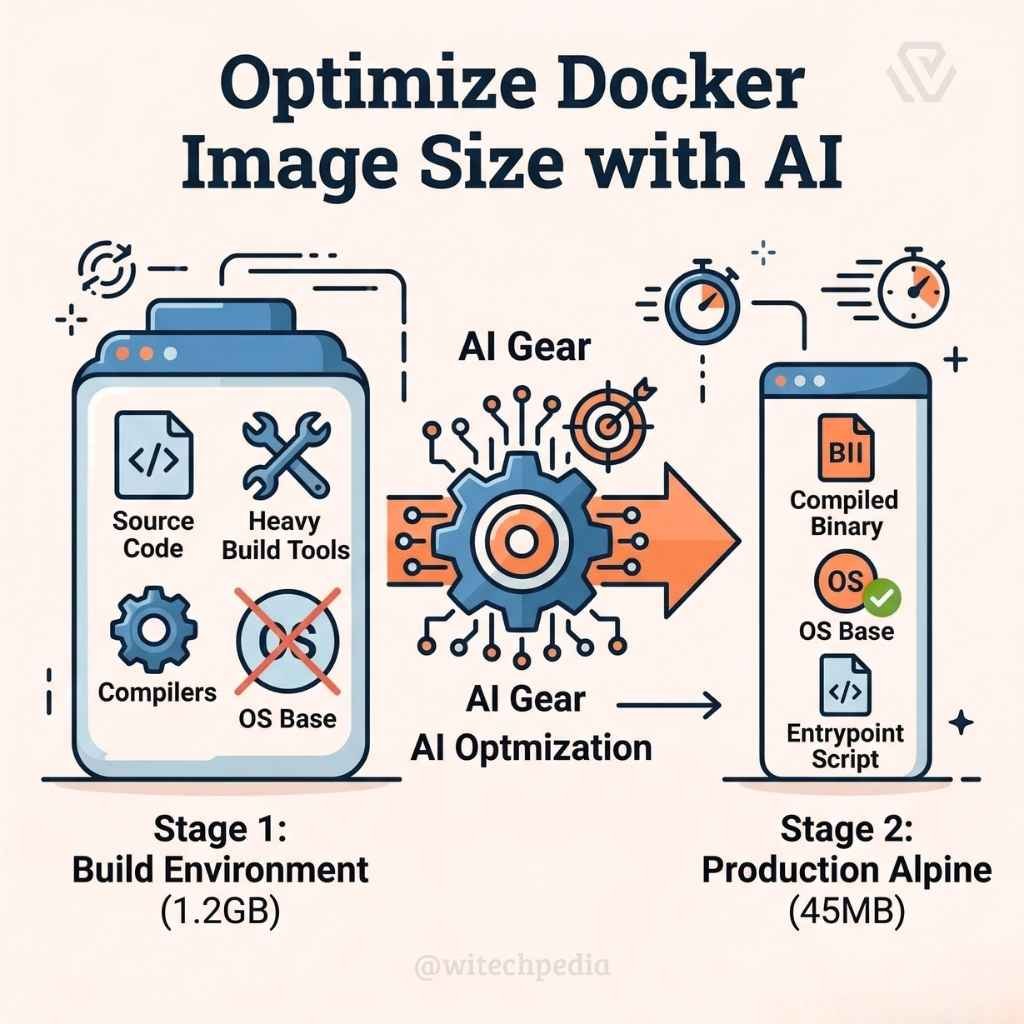
Generating a basic Dockerfile is easy, but generating an optimized, multi-stage build that keeps the final image size under 50MB and reduces the attack surface requires expertise.
Prompts
"Act as a Senior Cloud Engineer. Write an optimized, multi-stage Dockerfile for a production Node.js application.

Stage 1: Use a full Node image to install dependencies and build the project.

Stage 2: Use an Alpine Linux base image. Copy only the compiled assets and necessary production dependencies from Stage 1.

Ensure the application runs as a non-root user for security. Add inline comments explaining the optimizations."
2. The Local Environment Orchestrator (Docker Compose)
Prompt:
"Generate adocker-compose.yml file to spin up a local development environment. I need three services: a Python FastAPI backend, a PostgreSQL 16 database, and a Redis caching layer. Set up a dedicated Docker network for them to communicate, and map the database storage to a local volume to persist data across container restarts."Chatgpt Prompts for CI/CD Pipeline Automation
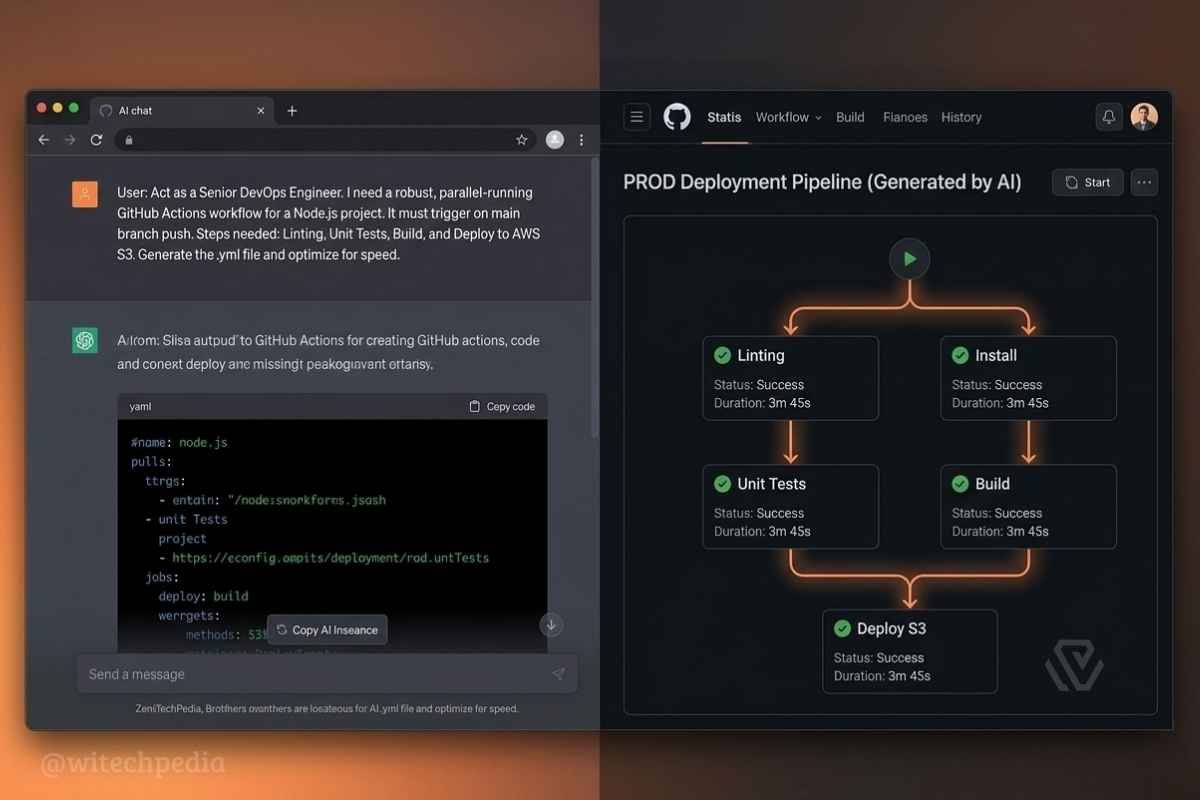
Continuous Integration and Continuous Deployment (CI/CD) pipelines are the backbone of modern software delivery. Here is how to generate GitHub actions workflow with ChatGPT and optimize your deployments.
1. The Complete GitHub Actions Workflow Builder
Prompt: “Generate a robust GitHub Actions .yml workflow that triggers automatically on a push or pull request to the main branch. The pipeline must execute the following sequential steps:
- Check out the repository code.
- Set up the Node.js environment.
- Install dependencies cleanly (using
npm ci). - Run Jest unit tests and ESLint.
- If tests pass, build the project and deploy the static build folder to an AWS S3 bucket using OIDC (OpenID Connect) authentication. Do not use long-lived AWS secret keys.”
2. The GitLab CI/CD Parallel Job Optimizer
Prompt: “My current GitLab CI/CD .gitlab-ci.yml file takes 25 minutes to run because the linting, unit tests, and integration tests run sequentially. Rewrite the pipeline configuration to run these jobs in parallel across multiple runners. Add a caching strategy for the node_modules folder to speed up the installation phase.”
Terraform AI Prompts: Automate Deployment with AI
Writing HashiCorp Configuration Language (HCL) from scratch is notoriously prone to syntax errors. These Terraform AI prompts help you map out complex cloud architectures instantly.
1.The Secure AWS VPC Provisioner
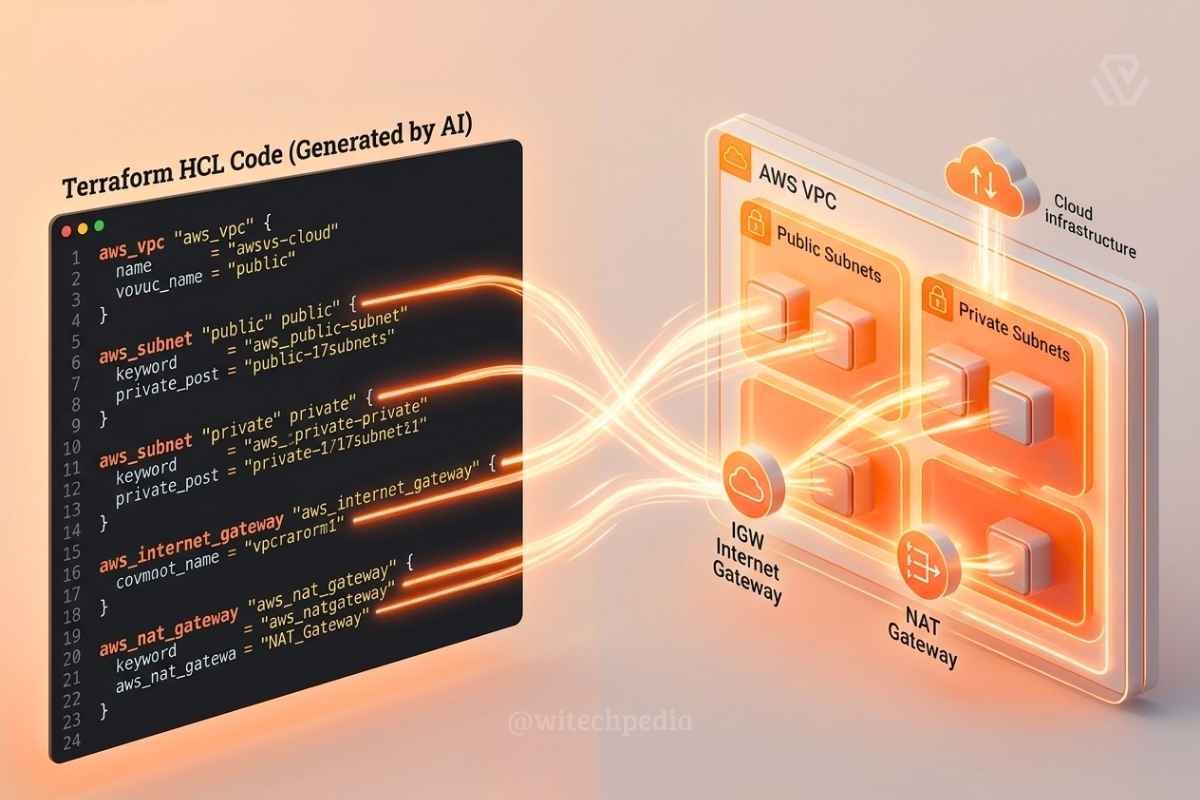
Prompt: “Act as an AWS Solutions Architect. Write a Terraform script to provision a highly available Virtual Private Cloud (VPC). Requirements:
- Two public subnets and two private subnets distributed across two different Availability Zones.
- An Internet Gateway attached to the public subnets.
- A NAT Gateway configured for the private subnets.
- A strict default Security Group that denies all inbound traffic. Format the code clearly and include the necessary AWS provider block.”
Kubernetes Debugging Prompts & Orchestration
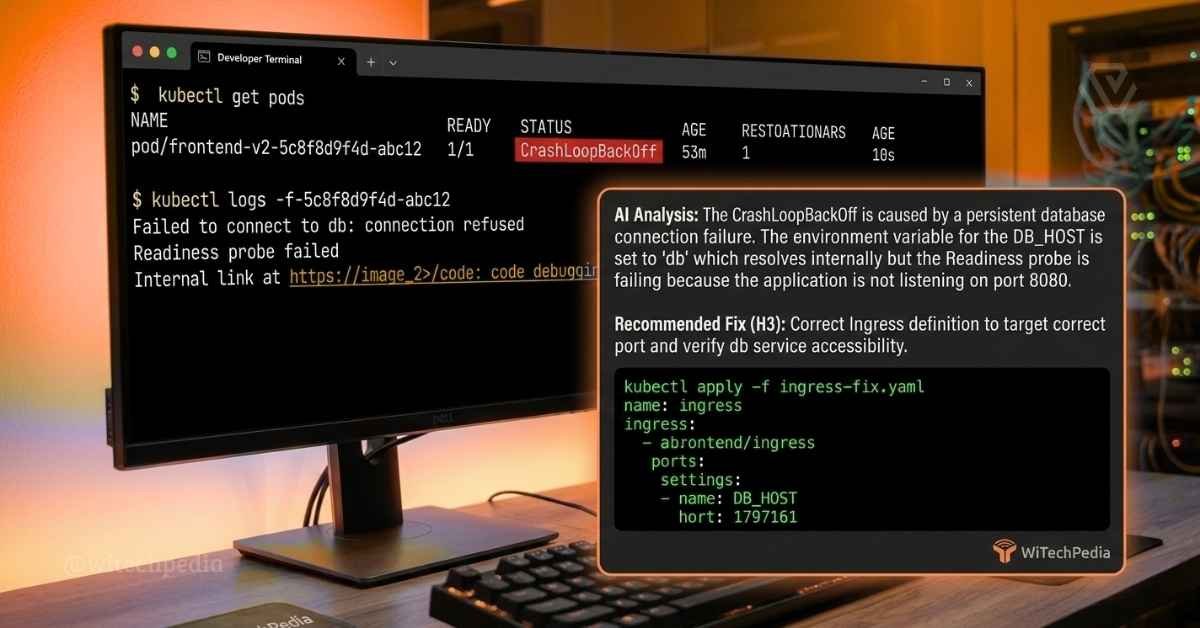
Kubernetes is incredibly powerful, but debugging a failing pod can feel like finding a needle in a haystack. Use these Kubernetes debugging prompts to resolve issues fast.
1. The K8s Manifest Creator
Prompt: “Write a complete set of Kubernetes YAML manifests for a microservice. I need a Deployment with 3 replicas, a Service of type ClusterIP to expose it internally, and an Ingress resource configured to route traffic from api.example.com to the service. Apply standard labels and resource limits (CPU/Memory requests and limits).”
2. Fix Kubernetes CrashLoopBackOff with AI
When a pod keeps crashing and restarting, don’t panic. Feed the logs to AI.
Prompt: “Act as a Site Reliability Engineer. My Kubernetes pod is stuck in a CrashLoopBackOff state. Below is the output from kubectl describe pod and the tail of the pod logs. Analyze the errors, identify the root cause of the crash, and provide the exact kubectl command or YAML adjustment needed to fix it. [PASTE LOGS HERE]“
Incident Response & System Monitoring
You cannot fix what you cannot measure. Setting up alerts prevents silent failures.
1.The PromQL (Prometheus) Alert Query Writer
Prompt: “Write a PromQL (Prometheus Query Language) query that triggers an alert if the average CPU utilization of any Kubernetes pod in the ‘production’ namespace exceeds 85% for more than 5 consecutive minutes. Explain how the query calculates the rate.”
Frequently Asked Questions (FAQ)
Can AI completely replace a DevOps engineer?
No. AI is excellent at generating boilerplate YAML and infrastructure scripts, but it lacks the contextual understanding of your business’s budget, compliance requirements, and long-term architectural goals. It replaces the typing, not the thinking.
Is it safe to use ChatGPT for Terraform and IaC?
Yes, provided you sanitize your prompts. Never include real AWS Account IDs, database passwords, or private domain names. Always run terraform plan to review the execution strategy generated by the AI in a safe sandbox environment before running terraform apply.
How can I optimize my AI prompts for CI/CD?
Provide the AI with the specific version of the tools you are using (e.g., “Use GitHub Actions checkout v4” or “Use Terraform v1.5”). Cloud tooling updates rapidly, and specifying the version prevents the AI from hallucinating deprecated commands.
Final Thoughts
The era of manually configuring servers and untangling broken deployment pipelines is over. By integrating the best prompts for DevOps into your daily workflow, you can transition from putting out infrastructure fires to actually building scalable, resilient systems.
Stop writing boilerplate YAML and let AI handle your CI/CD pipeline automation.
What pipeline tool are you currently struggling to configure? Drop a comment below, or subscribe to the WiTechPedia newsletter for more enterprise-grade tech strategies.