







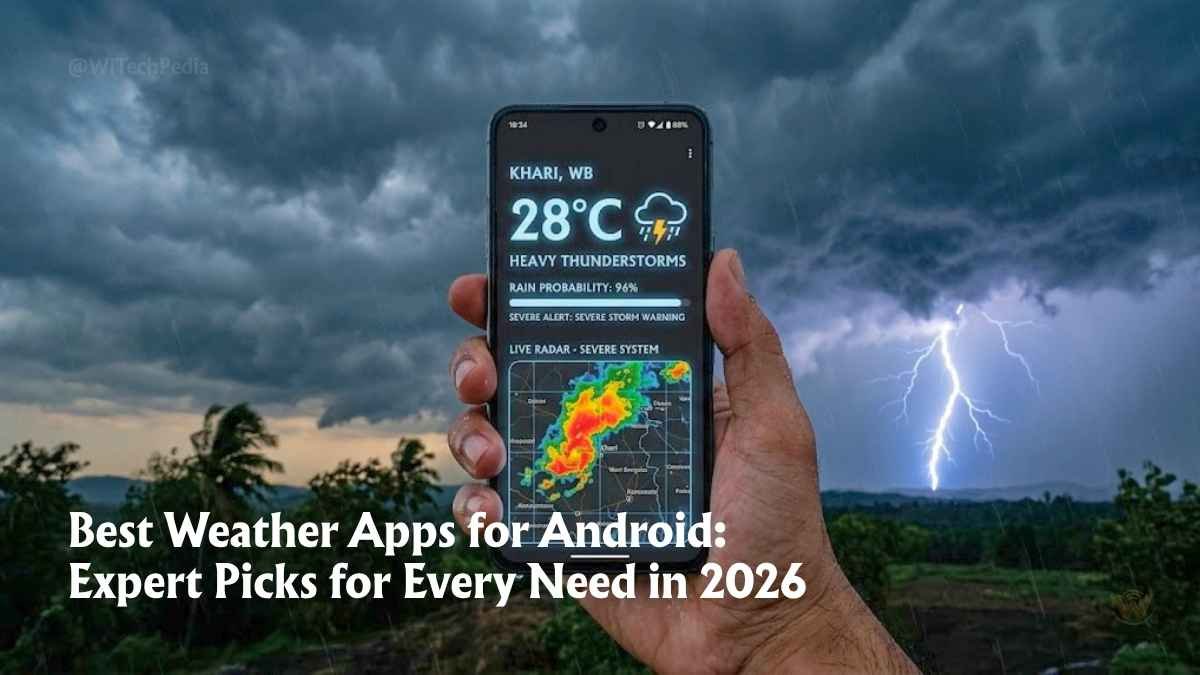
Here’s a fact that might surprise you: studies show that 50% of smartphone users check the weather every single day — more often than they check their social media feeds. Yet most people are still running the bare-bones stock weather widget that shipped with their phone in 2022.
In 2026, that’s leaving a lot on the table.
The best weather apps for Android aren’t just a temperature reader anymore. The top contenders combine minute-by-minute rain timing, hyperlocal community data, AI-assisted forecasting, live dual-polarization radar, and severe weather alerts — all inside a beautifully designed interface that fits in your pocket.
Whether you’re a daily commuter trying to decide whether to grab an umbrella, a hiker tracking a fast-moving storm, or a weekend traveler planning flights around weather windows, there’s an Android weather app built precisely for you.
In this guide, we break down every serious contender — tested on real Android devices — ranked by what users actually care about: forecast accuracy, radar depth, alert reliability, widget quality, privacy trade-offs, and value for money.
Let’s get into it.
What Makes the Best Weather App for Android?
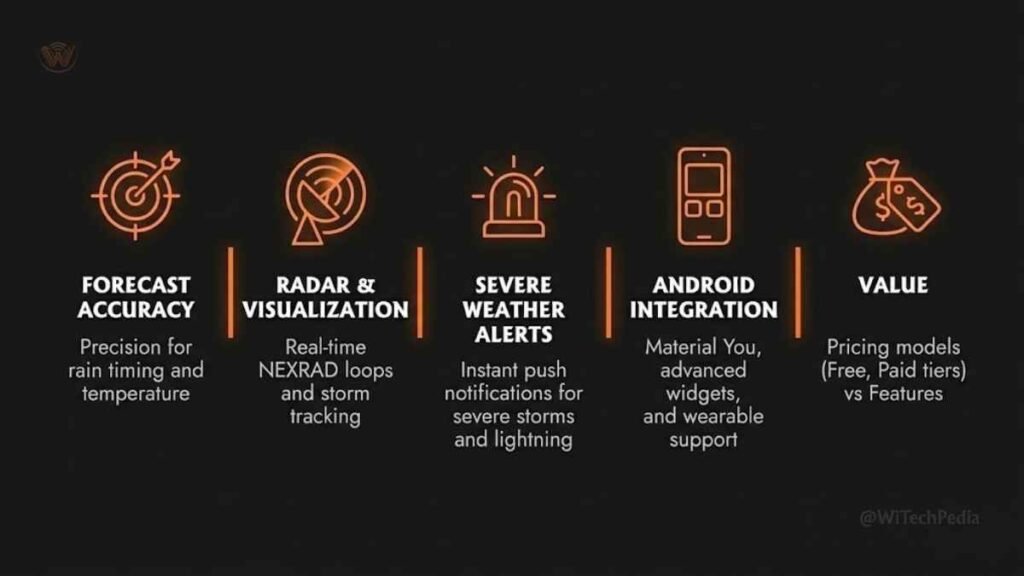
Before we rank apps, let’s be clear about the criteria. A great Android weather app must deliver on five core pillars:
- Forecast Accuracy — How reliably does it predict your local conditions vs. what actually happens?
- Radar & Visualization — Does it offer live radar, storm tracking, and weather maps that make sense at a glance?
- Severe Weather Alerts — Does it notify you early enough to act — not just echo NOAA bulletins?
- Android Integration — Quality widgets, Android Auto support, lock screen glances, and Wear OS compatibility.
- Value — What do you get free, and is the paid tier actually worth it?
With those benchmarks locked in, here are the apps that earned a spot in this guide.
The Best Weather Apps for Android in 2026 — At a Glance
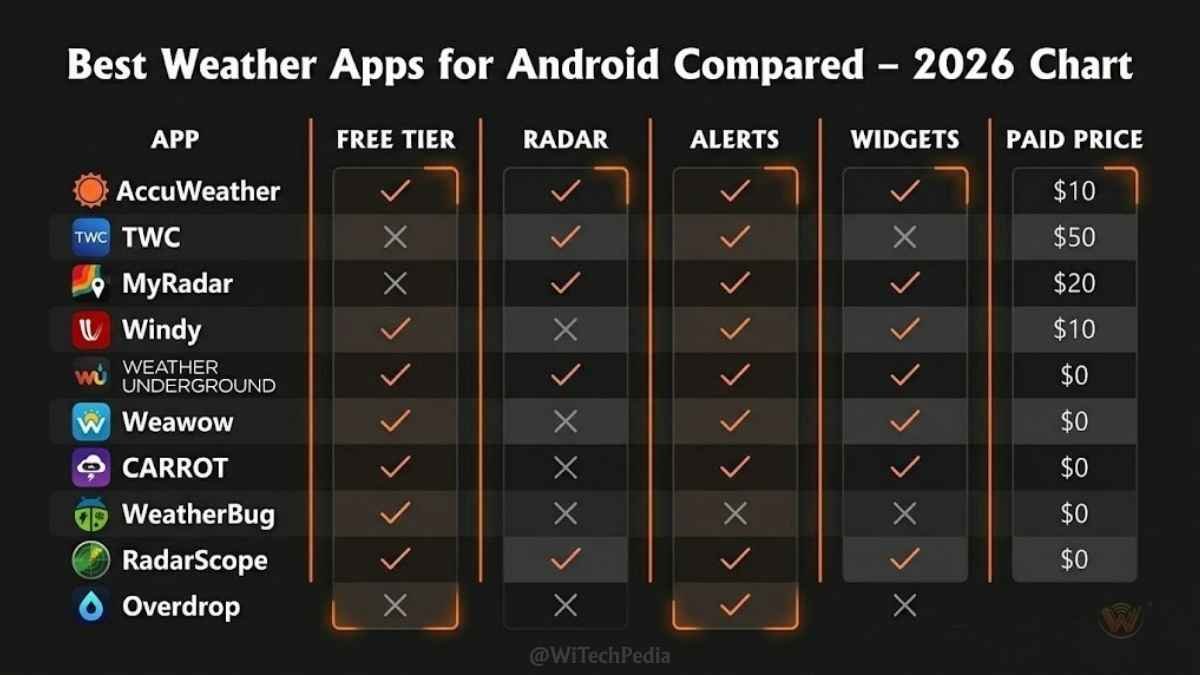
| App | Best For | Free Tier | Paid Tier |
|---|---|---|---|
| AccuWeather | Daily accuracy + MinuteCast rain timing | ✅ Yes (ads) | $4.99/mo |
| The Weather Channel | All-in-one alerts + radar | ✅ Yes (ads) | $2.99/mo |
| MyRadar | Radar-first, storm tracking | ✅ Yes (ads) | $6 one-time (Android) |
| Windy | Power users, weather models | ✅ Yes | $25/yr (Premium) |
| Weather Underground | Hyperlocal community data | ✅ Yes (ads) | $1.99/mo |
| Weawow | 100% free, no ads | ✅ Yes (no ads!) | Free |
| CARROT Weather | Personality + depth + customization | ✅ Yes | $4.99/mo |
| WeatherBug | Lightning detection + storm alerts | ✅ Yes (ads) | $2.99/mo |
| RadarScope | Professional radar (meteorologist-grade) | ❌ | $9.99/yr |
| Overdrop | Widgets + home screen customization | ✅ Yes | $1.99/mo |
1. AccuWeather — Best Overall Daily Forecast App
Platform: Android, iOS | Price: Free (ads) / $4.99/mo Premium
If there’s one name that’s earned near-universal respect in weather forecasting, it’s AccuWeather. With decades of meteorological data and one of the most powerful hyperlocal engines on the market, AccuWeather remains the go-to choice for most Android users who prioritize accuracy above everything else.
Why AccuWeather Stands Out
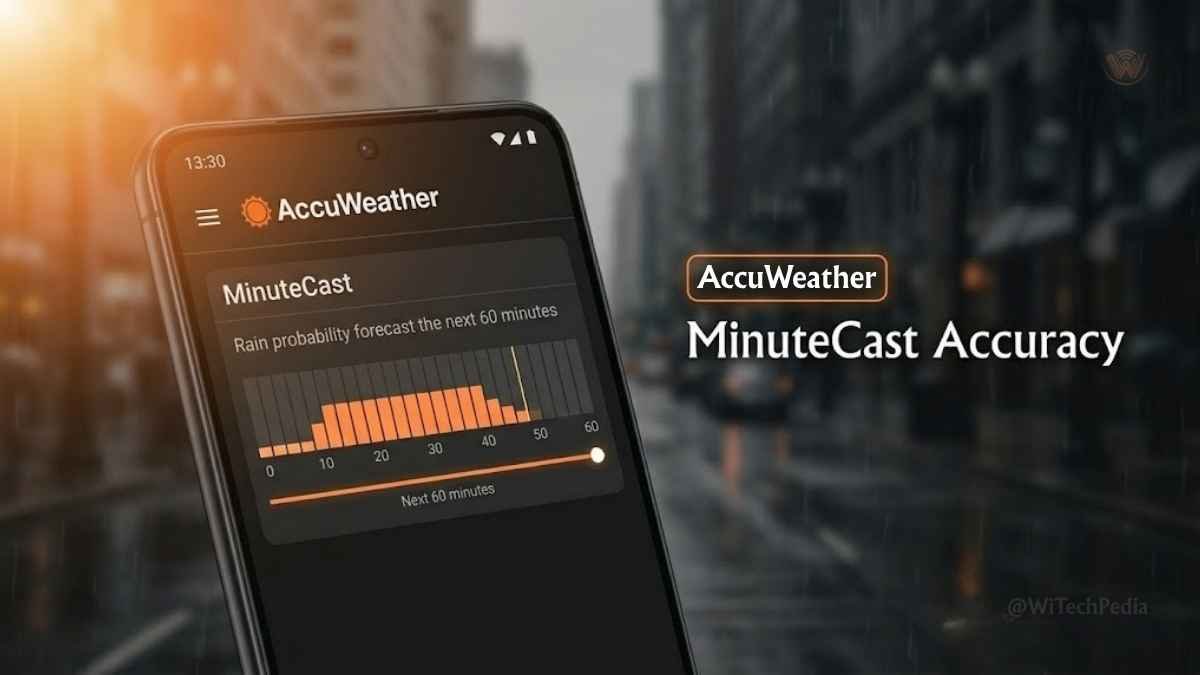
The headline feature is MinuteCast — a minute-by-minute precipitation forecast that tells you not just if it will rain, but exactly when it starts and stops, down to a specific address. If you’ve ever dashed to your car between rain breaks, you know exactly why this matters.
Beyond MinuteCast, AccuWeather delivers:
- Daily and hourly forecasts out to 15 days
- Air quality, pollen, and UV index data for health-conscious users
- Detailed radar maps with precipitation layers
- Severe weather alerts integrated directly into the notification system
- Travel planning features including destination-based forecasts
Real-World Use Case
A commuter in a city with unpredictable afternoon thunderstorms can set AccuWeather to send a MinuteCast alert 30 minutes before rain is expected at their office address — allowing them to leave on time, umbrella in hand, without compulsively checking the app.
What to Know
The free tier is functional but ad-heavy, and some features like Life360 integration and ad-free experience require a Premium subscription. Still, for raw forecast reliability, AccuWeather is the benchmark that every other app in this list is measured against.
Rating: 4.7/5 ⭐⭐⭐⭐½
2. The Weather Channel — Best All-in-One App
Platform: Android, iOS | Price: Free (ads) / $2.99/mo Premium
The Weather Channel app is the broadest toolkit in this list. Backed by IBM Watson’s deep weather modeling and one of the most extensive historical weather datasets on Earth, TWC covers everything from daily commutes to cross-country road trips.
Why The Weather Channel Stands Out

Think of it as a weather Swiss Army knife:
- Live radar with storm tracking overlays
- Severe weather push notifications that go out before NOAA official bulletins in many cases
- Air quality and respiratory health indices — particularly useful for people with asthma or allergies
- Pollen count, flu index, and fire weather risk
- Video weather reports from TWC meteorologists, updated several times daily
Real-World Use Case
Before a weekend road trip from Chicago to Nashville, a user opens TWC to get a corridor-by-corridor weather breakdown — checking radar to see where storms are sitting, air quality to plan rest stops, and overnight lows to decide whether to pack extra layers.
What to Know
The free tier is genuinely capable, but the app is ad-supported and can feel visually busy compared to cleaner alternatives like Weawow. The paid tier removes ads and unlocks enhanced radar and maps. Overall, TWC earns its place near the top of every Android weather app list by sheer breadth.
Rating: 4.5/5 ⭐⭐⭐⭐½
3. MyRadar — Best Radar-First Weather App
Platform: Android, iOS | Price: Free (ads) / $6 one-time (Android)
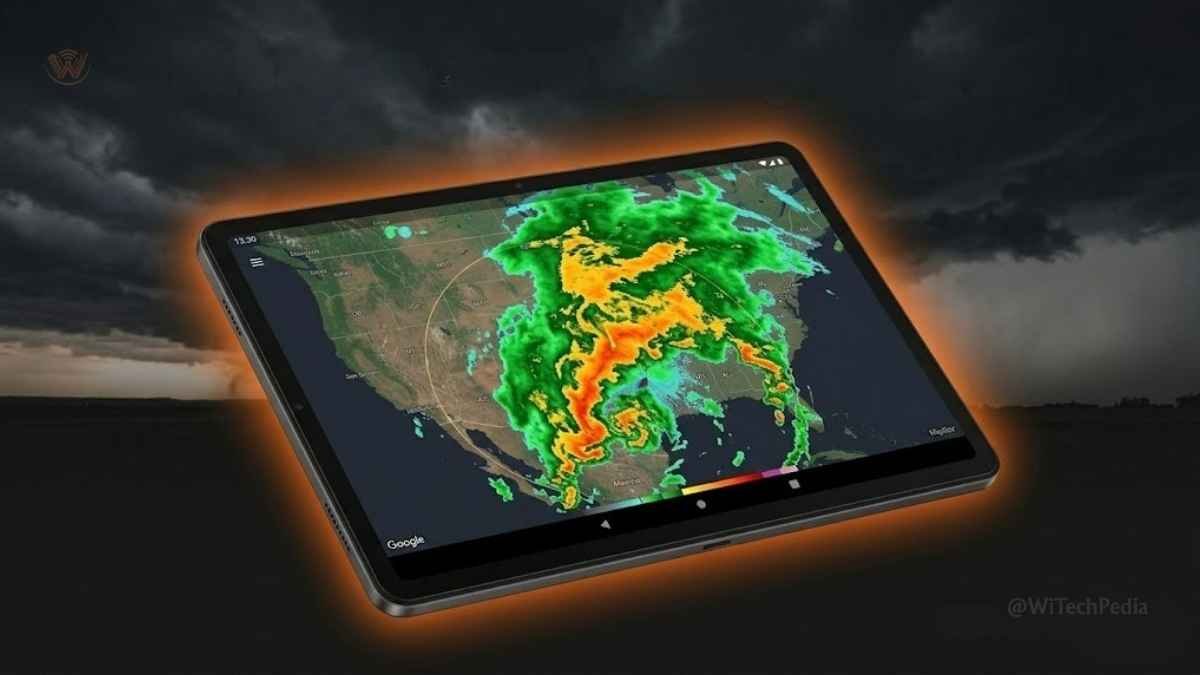
MyRadar bucks the trend of bloated weather super-apps by doing one thing exceptionally well: showing you where the weather actually is, right now, on a live map. It’s fast, clean, and immediately useful.
Why MyRadar Stands Out
Open MyRadar and you’re instantly looking at a full-screen animated radar loop — no home screen, no unnecessary onboarding. The app’s drag-and-zoom interface lets you track a storm cell from 200 miles out all the way to your street.
Key features:
- Full-screen NEXRAD radar with smooth animation
- Hourly, daily, and 10-day pull-down forecasts
- Hurricane tracking layer — essential during Atlantic season
- Aviation weather layer for private pilots and frequent flyers
- Android Auto support — check radar during road trips, hands-free
- 4.8 user rating across both major app stores — one of the highest in the weather category
Real-World Use Case
A storm chaser or outdoor enthusiast uses MyRadar on a weekend hike to track a fast-developing thunderstorm from 80 miles away, monitoring radar velocity to judge whether it’s safe to continue or time to turn back.
What to Know
MyRadar’s forecast depth is thinner than AccuWeather or The Weather Channel — it’s radar-first, not an all-rounder. The paid upgrade on Android is a one-time $6 purchase rather than a subscription, which makes it exceptional value. Consider pairing it with a daily forecast app like AccuWeather for a complete setup.
Rating: 4.6/5 ⭐⭐⭐⭐½
4. Windy — Best for Power Users & Weather Enthusiasts
Platform: Android, iOS, Web | Price: Free / $25/yr Premium
If AccuWeather is the everyday driver, Windy is the sports car you take out on special occasions. Built for pilots, sailors, paragliders, kitesurfers, and anyone who needs to understand weather at a systems level, Windy visualizes meteorological data in ways that will make casual weather apps feel like children’s toys.
Why Windy Stands Out
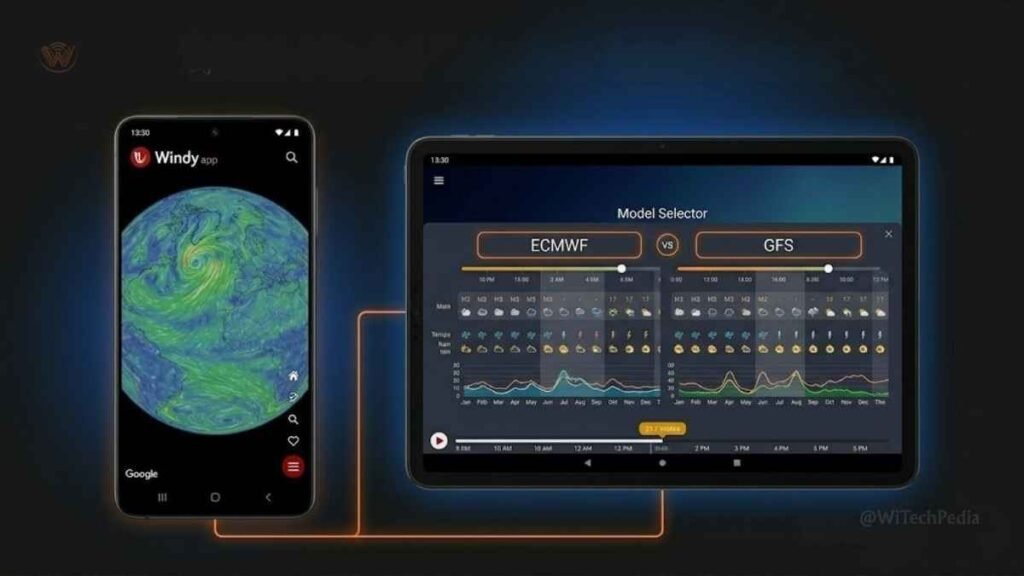
Windy layers data from multiple global weather models — including ECMWF, GFS, ICON, and AROME — and lets you switch between them to cross-reference forecast confidence. The visualizations are genuinely stunning: animated wind flows, wave heights, temperature gradients, and jet stream patterns rendered in real time on a zoomable globe.
Key features:
- Multiple forecast model switching (ECMWF, GFS, ICON)
- Wind, wave, and temperature overlays for maritime and aviation planning
- Snowfall and rain accumulation layers
- Thunderstorm tracking and CAPE (Convective Available Potential Energy) maps
- Community webcam integration — see live views of mountaintops, coastlines, and cities worldwide
Real-World Use Case
A kitesurfer heading to a coastal spot uses Windy the night before to check wind speed and direction at 10m and 80m altitude, wave swell period, and whether the forecast models agree — only heading out if both ECMWF and GFS show a clean 15–20 kt window.
What to Know
Windy’s learning curve is steeper than any other app on this list. It is not designed for users who just want to know if they need a jacket. But if you want to understand weather — not just consume it — there’s nothing better on Android.
Rating: 4.5/5 ⭐⭐⭐⭐½
5. Weather Underground — Best for Hyperlocal Community Data
Platform: Android, iOS | Price: Free (ads) / $1.99/mo Premium
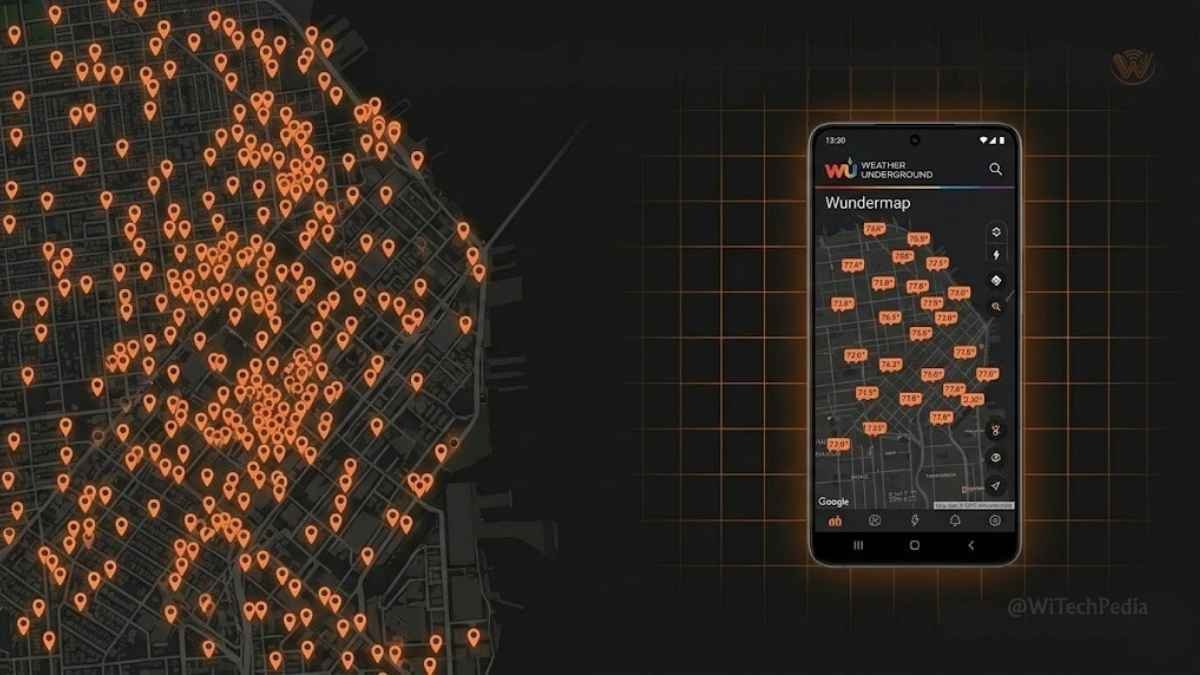
Weather Underground occupies a unique and irreplaceable niche: community-powered hyperlocal weather data. Its global network of over 250,000 personal weather stations (PWS) means you can often get forecasts and current conditions from a station literally in your neighborhood — not from a sensor at an airport 15 miles away.
Why Weather Underground Stands Out
- Personal Weather Station (PWS) network — the most extensive of any app
- Wundermap — an interactive map showing PWS readings, radar, satellite, and lightning strikes simultaneously
- Historical weather data going back decades for any location
- 10-day forecast with hourly breakdowns
- Neighborhood-level pollen, UV, and humidity readings
Real-World Use Case
A homeowner in a valley wants to know if frost risk is real for their vegetable garden tonight — not the official forecast for the city 12 miles away. Weather Underground shows them the reading from a PWS two streets over, registered at the same elevation, telling them the actual ground temperature at their micro-location.
What to Know
Weather Underground’s accuracy advantage shines in densely populated areas with many PWS contributors. In rural zones or developing regions with fewer stations, the network effect shrinks significantly. The interface is also somewhat dated compared to newer competitors, though functional.
Rating: 4.3/5 ⭐⭐⭐⭐
6. Weawow — Best 100% Free, Zero-Ad Weather App
Platform: Android, iOS | Price: Completely Free (donations optional)
Weawow is a genuine anomaly and one of the best free weather app for android in 2026: a beautiful, capable weather app with zero ads, zero subscriptions, and zero hidden paywalls. It runs on a donation model and uses data from the Yr.no and OpenWeatherMap APIs to deliver clean, accurate forecasts.
Why Weawow Stands Out
- Stunning photographer-contributed backgrounds that match current weather conditions
- Customizable widgets with a wide selection of styles and sizes
- Hourly and weekly forecasts with wind, humidity, and UV data
- Radar maps powered by RainViewer integration
- Genuinely zero ads — not even in the free tier
Real-World Use Case
A user who’s tired of weather apps riddled with banner ads and push notifications begging for premium upgrades switches to Weawow, gets clean accurate forecasts, beautiful home screen widgets, and never sees a single advertisement again. That’s it. That’s the pitch.
What to Know
Weawow lacks some advanced features like professional radar tools or severe alert systems. It’s not a RadarScope or a Windy replacement. But as a daily forecast companion that respects your attention, it’s the best completely free option on Android by a wide margin.
Rating: 4.4/5 ⭐⭐⭐⭐
7. CARROT Weather — Best for Personality + Depth
Platform: Android, iOS | Price: Free / $4.99/mo Premium
CARROT Weather is the only app on this list that will insult you while telling you it’s about to rain — and you’ll love it for that. Originally an iOS exclusive built around a snarky AI narrator named CARROT, the app eventually came to Android and brought its irreverent sense of humor with it.
Why CARROT Weather Stands Out
Beneath the personality, CARROT is a technically excellent weather app:
- Multiple data source switching — choose from Dark Sky (where available), Apple Weather, Open-Meteo, and others
- Highly customizable interface — widgets, layout, data density, humor level (yes, you can dial down the snark)
- Hourly, daily, and minute-by-minute forecasts
- Secret locations and Easter eggs for users who dig into the app’s lore
- Tide data, air quality, and moon phase
Real-World Use Case
A user who dreads checking the weather on gloomy Monday mornings starts their day with CARROT, which greets them with something like: “There’s a 90% chance of rain. CARROT suggests you stay inside and contemplate your choices.” Forecast delivered. Mood: marginally lifted.
What to Know
CARROT Weather’s premium pricing is higher than average, and some of its best data sources require a subscription. But for users who want a weather app that’s genuinely enjoyable to open every day — not just informative — CARROT is unmatched on Android.
Rating: 4.4/5 ⭐⭐⭐⭐
8. WeatherBug — Best for Lightning & Severe Alert Warnings
Platform: Android, iOS | Price: Free (ads) / $2.99/mo Premium
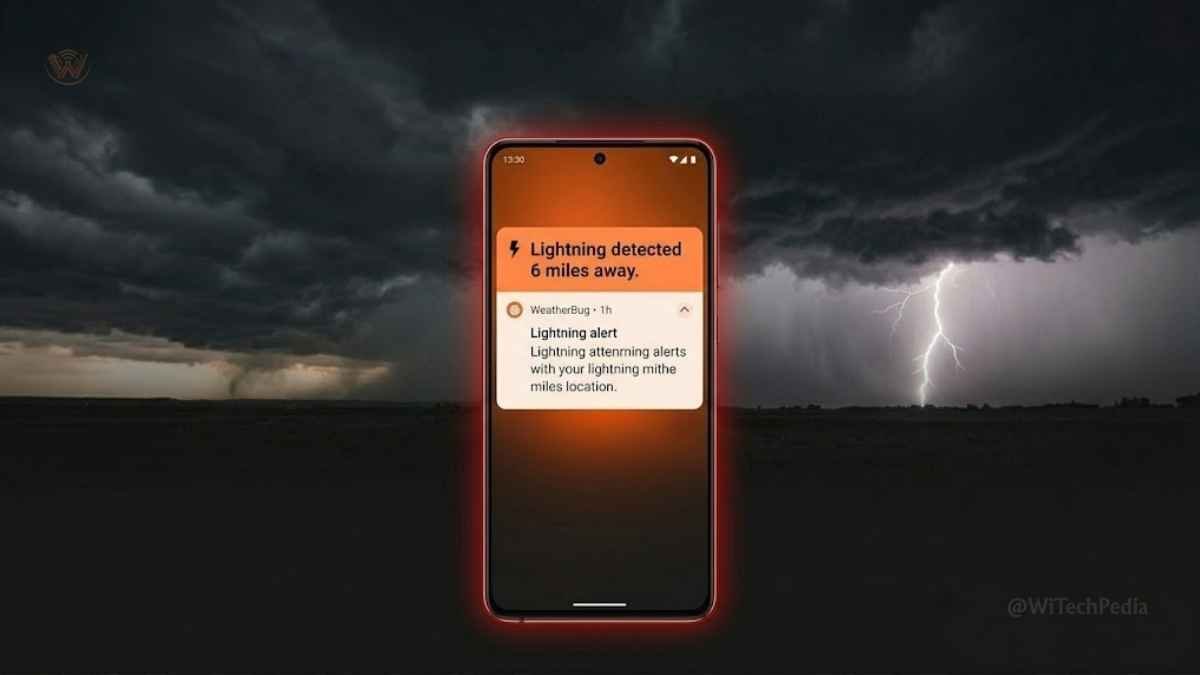
WeatherBug has quietly built one of the most impressive severe weather alert networks in the consumer app space. Its proprietary Lightning Spark technology gives it a measurable edge in detecting and warning about lightning strikes — often faster than official NWS alerts.
Why WeatherBug Stands Out
- Spark Lightning Alerts — notifications when lightning is detected within a customizable radius (1–25 miles)
- Severe weather push notifications with location-specific triggers
- Live radar with wind speed, temperature, and precipitation layers
- Air quality and pollen index
- School/sports weather safety tools — widely used by athletic directors and event coordinators
Real-World Use Case
A parent watching their child’s soccer game opens WeatherBug as dark clouds approach. The app already sent a Spark alert 4 minutes ago: lightning detected 6 miles out and closing. The parent flags the coach. The game is paused. Thirty seconds later, a bolt hits a tree 400 yards from the field.
What to Know
WeatherBug’s Spark lightning system is its key differentiator — and for anyone who spends significant time outdoors, it’s a compelling reason to have the app installed even as a backup. General forecast depth is solid but not as detailed as AccuWeather or TWC.
Rating: 4.2/5 ⭐⭐⭐⭐
9. RadarScope — Best Professional Radar Tool
Platform: Android, iOS | Price: $9.99/yr subscription
RadarScope is not a casual weather app. It’s a meteorologist-grade radar tool that happens to be available to the public — and it’s the most technically powerful radar option on this list.
Why RadarScope Stands Out
- True dual-polarization NEXRAD radar data — the same data that TV meteorologists use
- Velocity, correlation coefficient, and differential reflectivity products — far beyond what consumer apps display
- 24/7 live support from weather experts
- Android Wear OS integration for wrist-level alerts
- Wildly popular among storm chasers, pilots, truckers, and roofing contractors
Real-World Use Case
A storm chaser uses RadarScope’s velocity products to identify a rotating thunderstorm’s mesocyclone structure — not possible in any other consumer app — and makes an educated positioning decision based on actual dual-pol data rather than smoothed radar blobs.
What to Know
RadarScope has essentially no general forecast features. It’s pure radar. For casual users, it’s overkill. For anyone who needs to understand what a storm is actually doing at a structural level, there’s nothing else like it on Android.
Rating: 4.6/5 ⭐⭐⭐⭐½ (for its target audience)
10. Overdrop — Best Android Weather Widgets
Platform: Android | Price: Free / $1.99/mo Premium
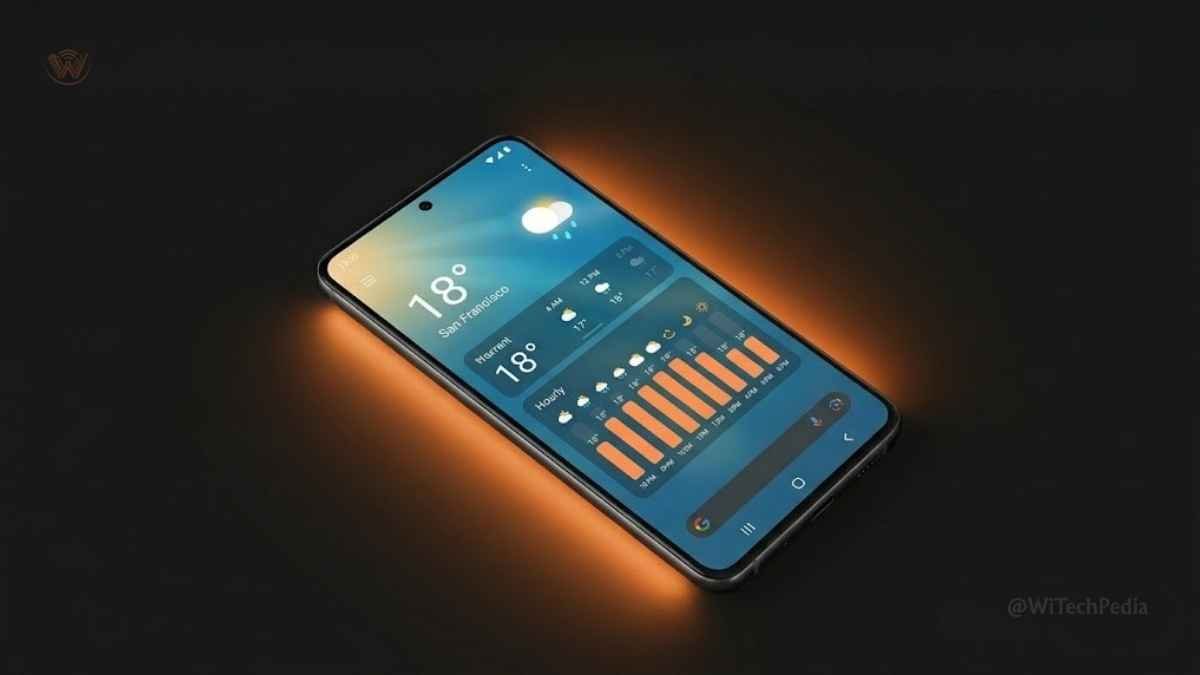
Overdrop earns its spot by doing something the other apps barely try: making weather look genuinely beautiful on your Android home screen. If your home screen matters to you — and for many Android users, it does — Overdrop’s widget engine is the best in the business.
Why Overdrop Stands Out
- Massive widget library — dozens of styles, sizes, and layouts
- Supports multiple weather data sources including Dark Sky, Open-Meteo, OpenWeatherMap
- Customizable color themes and typography options
- Hourly and weekly forecast widgets that auto-update
- Minimalist and detailed widget options for every home screen philosophy
Real-World Use Case
An Android power user with a carefully curated home screen uses Overdrop to build a widget that matches their wallpaper — showing current temperature, hourly forecast, and wind speed in a clean sans-serif layout that blends seamlessly with their setup.
What to Know
Overdrop’s forecasting engine is not as deep as AccuWeather or The Weather Channel. It’s a widget-first experience. But if home screen aesthetics matter and you want weather data that looks like it belongs there, Overdrop is the answer.
Rating: 4.3/5 ⭐⭐⭐⭐
How to Choose the Right Android Weather App for You
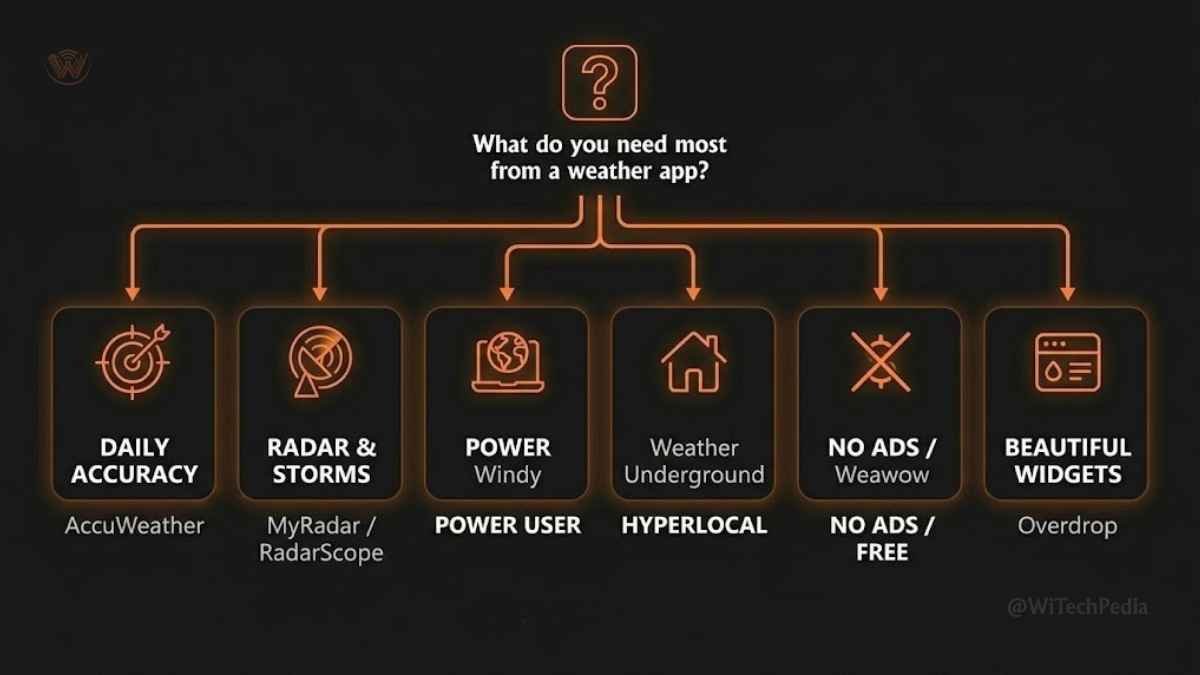
Still not sure which app is right for you? Use this decision tree:
You need accurate daily forecasts → AccuWeather
The most reliable minute-by-minute and day-by-day forecast engine. Best for commuters and travel planners.
You want an all-in-one solution → The Weather Channel
Radar + alerts + air quality + health indices in one place. Best for users who don’t want multiple apps.
You live for radar and storm tracking → MyRadar or RadarScope
MyRadar for accessibility and speed. RadarScope for professional-grade dual-pol data.
You’re a weather power user → Windy
Multiple forecast models, global coverage, and data visualizations that no other consumer app matches.
You want hyperlocal precision → Weather Underground
250,000+ personal weather stations mean the most granular neighborhood-level data available.
You hate ads and paywalls → Weawow
The only truly free, truly ad-free option. Accurate, beautiful, and respects your attention.
You want lightning safety alerts → WeatherBug
Spark Lightning technology is the fastest early-warning system available in a consumer app.
You care about home screen design → Overdrop
The best weather widget library on Android, full stop.
Frequently Asked Questions
What is the most accurate weather app for Android?
AccuWeather is widely regarded as the most accurate general-purpose weather app for Android in 2026. Its MinuteCast technology delivers minute-by-minute precipitation forecasts at the address level, which consistently outperforms competitors in independent accuracy tests. Weather Underground provides the highest hyperlocal accuracy in areas with dense personal weather station networks. For professional meteorological accuracy in radar data specifically, RadarScope uses true dual-polarization NEXRAD data — the same source used by TV weather stations.
Is there a completely free weather app for Android with no ads?
Yes. Weawow is a completely free Android weather app with no advertisements, no premium tier, and no in-app purchases. It relies on a voluntary donation model and uses Yr.no and OpenWeatherMap data to deliver clean, reliable forecasts with beautiful photography-based backgrounds. CARROT Weather and MyRadar also offer free tiers, though with ads or limited features.
Which Android weather app is best for severe weather alerts and lightning warnings?
WeatherBug is the top choice for severe weather alerts, specifically because of its proprietary Spark Lightning detection technology, which identifies lightning strikes and sends alerts faster than most official NOAA notification systems. For broader severe weather alerting including tornadoes, flash floods, and winter storms, The Weather Channel’s push notification system is among the most comprehensive available to Android users.
Do weather apps drain Android battery life?
Yes, all weather apps that use background location and frequent data refreshes will have some impact on battery life. To minimize battery drain on Android: set weather app background refresh intervals to 30–60 minutes rather than real-time; use GPS only when the app is in use; and disable features like continuous radar animation in the background. Weawow and Overdrop tend to be lighter on battery than full-featured apps like AccuWeather or The Weather Channel.
What is the best free weather widget for Android?
Overdrop has the most capable and visually customizable weather widget system available for Android in 2026, with dozens of widget styles, sizes, and color themes. For a completely free option with no ads, Weawow also offers attractive home screen widgets. CARROT Weather provides premium widgets for subscribers that are among the most polished on the platform.
Can Android weather apps work without an internet connection?
Most Android weather apps require an active internet connection to fetch current conditions, radar data, and updated forecasts. However, many apps cache a certain amount of forecast data for offline viewing — typically the next 24–48 hours of previously fetched forecast data. Apps like AccuWeather and The Weather Channel cache recent data so you can view previously loaded forecasts while offline, but live radar and real-time alerts require connectivity.
Is MyRadar safe to use? What data does it collect?
MyRadar collects location data to provide weather forecasts and radar centered on your position. According to its privacy policy, location data is used for weather service delivery and may be shared with advertising partners in the free tier. Users concerned about location privacy can either purchase the ad-free Android upgrade ($6 one-time) or use an app like Weawow, which has a more minimal data collection footprint. Always review the privacy policy of any weather app before granting persistent background location access.
The Verdict — Best Weather App for Android in 2026
Here’s what five years of tracking the Android weather app market has taught us: there is no single best weather app for everyone. The right choice depends entirely on what you actually need from weather data.
That said, here’s how we’d summarize the top picks:
- Best overall daily forecast: AccuWeather — MinuteCast accuracy sets the standard
- Best all-in-one app: The Weather Channel — broadest feature set at a fair price
- Best radar experience: MyRadar — fast, full-screen, intuitive, with a great one-time price
- Best free and ad-free option: Weawow — the rare app that asks nothing of you
- Best for power users: Windy — multi-model weather data for people who want to understand weather systems
Our recommendation for most Android users: run AccuWeather as your primary forecast app and pair it with MyRadar for radar-focused storm tracking. That two-app combination costs either nothing (free tiers) or $6 (MyRadar one-time upgrade) and covers 95% of what any Android user needs from weather data.
Want more expert Android picks? Explore our Best Android Apps of 2026 roundup or subscribe to the WiTechPedia newsletter for weekly guides, reviews, and tech insights delivered straight to your inbox. No spam — ever.