






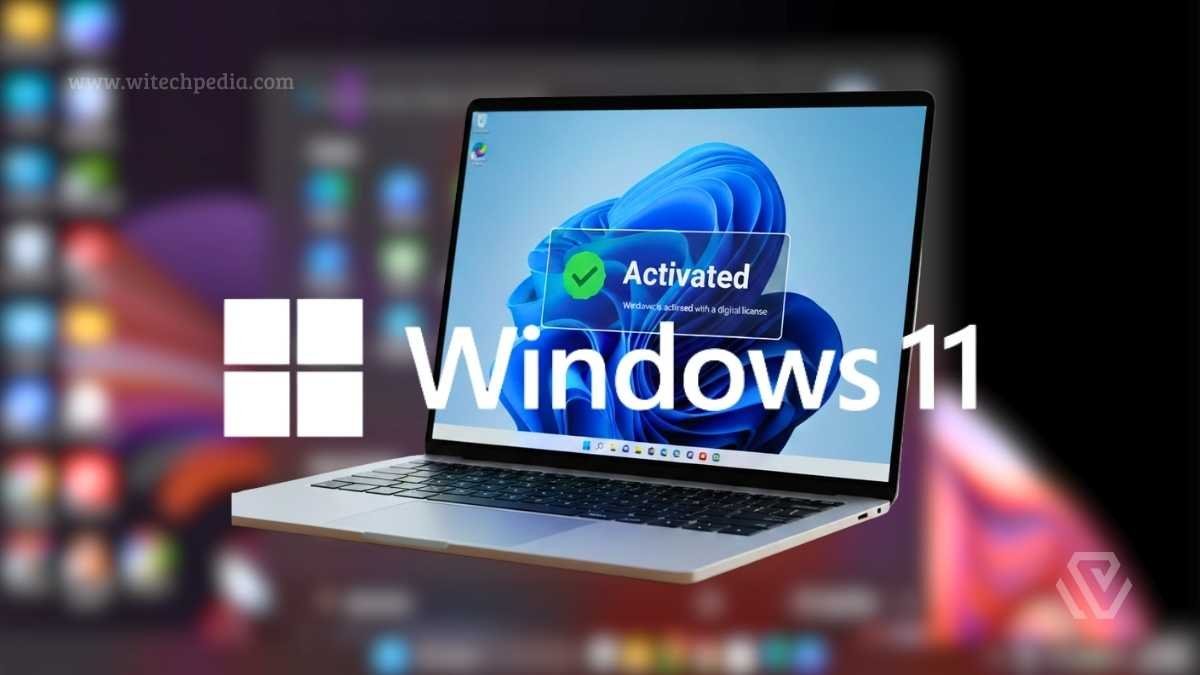
Did you know? Over 400 million devices worldwide have upgraded to Windows 11 — yet millions of users are still running unactivated copies, missing critical personalization features and potentially breaching Microsoft’s terms of service. The good news? Learning how to activate Windows 11 for free is entirely possible through legitimate, Microsoft-approved methods.
Whether you’ve done a fresh install, upgraded aging hardware, or inherited a PC, this guide covers every path to a fully activated Windows 11 — no shady key generators, no third-party cracks, no risk.
- What Does Windows 11 Activation Actually Mean?
- How to Activate Windows 11 for Free: 5 Legitimate Methods
- How to Activate Windows 11 for Free via Command Prompt (KMS)
- How to Check If Windows 11 Is Activated
- Common Windows 11 Activation Errors and Fixes
- What NOT to Do: Activation Methods to Avoid
- Windows 11 Activation: Free vs. Paid — Is There a Real Difference?
- FAQ: How to Activate Windows 11 for Free
- Final Thoughts: Activate Windows 11 the Smart Way
Let’s activate your Windows 11 the right way.
What Does Windows 11 Activation Actually Mean?
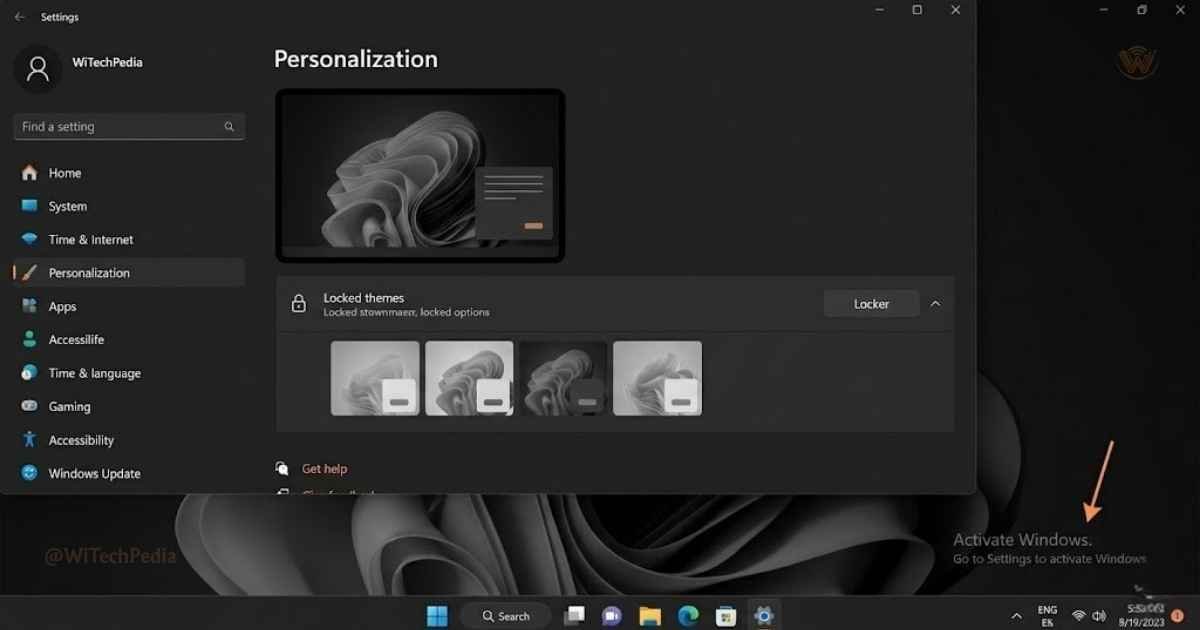
Activation is Microsoft’s process of verifying that your copy of Windows 11 is genuine and hasn’t been used on more devices than the license allows. It ties your installation to a digital license or a product key linked to your hardware.
Without activation, you will:
- See a persistent “Activate Windows” watermark on your desktop
- Be locked out of personalization settings (themes, accent colors, lock screen customization)
- Receive limited access to certain Windows Update features
- Potentially face reduced security patching in future updates
With activation, you get:
- Full access to all Windows 11 features
- Seamless reinstallation linked to your Microsoft account
- Official Microsoft support eligibility
- Peace of mind — your system is genuine
How to Activate Windows 11 for Free: 5 Legitimate Methods
There is no one-size-fits-all answer. Your best method depends on your situation — whether you’re upgrading from Windows 10, reinstalling on the same hardware, or setting up a new PC.
Method 1: Free Upgrade from Windows 10 (Most Common)
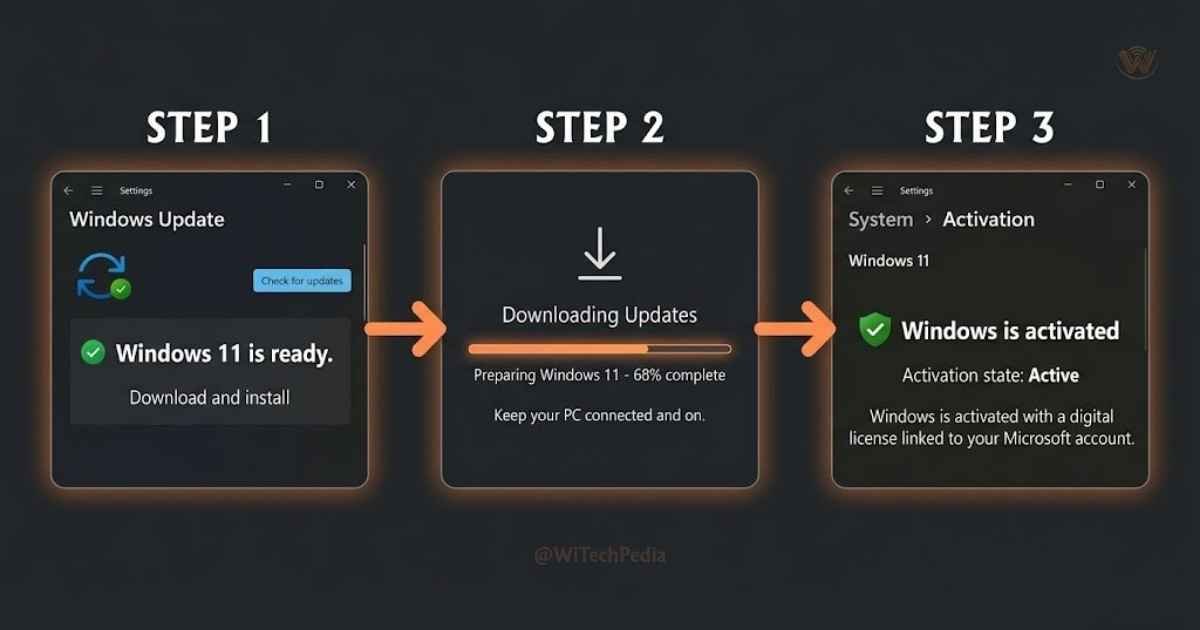
Microsoft officially supports a free upgrade path from Windows 10 to Windows 11 for eligible devices. This is by far the most common and cleanest activation method.
Requirements:
- A licensed, activated copy of Windows 10
- A device meeting Windows 11 minimum hardware requirements (TPM 2.0, Secure Boot, 4GB RAM, 64GB storage)
Steps:
- Open Settings → Update & Security → Windows Update
- Click Check for updates
- If your device is eligible, you’ll see “Windows 11 is ready — and it’s free”
- Click Download and install
- Follow the on-screen prompts to complete the upgrade
Once upgraded, your device receives a digital license automatically tied to your hardware. You won’t need to enter any product key — activation happens silently in the background.
Pro Tip: If you don’t see the Windows 11 offer, download the PC Health Check app from Microsoft to verify eligibility.
Method 2: Use an Existing Windows 10/8/7 Product Key
If you have an unused or currently active Windows 10, Windows 8.1, or Windows 7 product key, you can use it directly to activate Windows 11.
Microsoft continues to honor these legacy keys through its digital licensing infrastructure.
Steps:
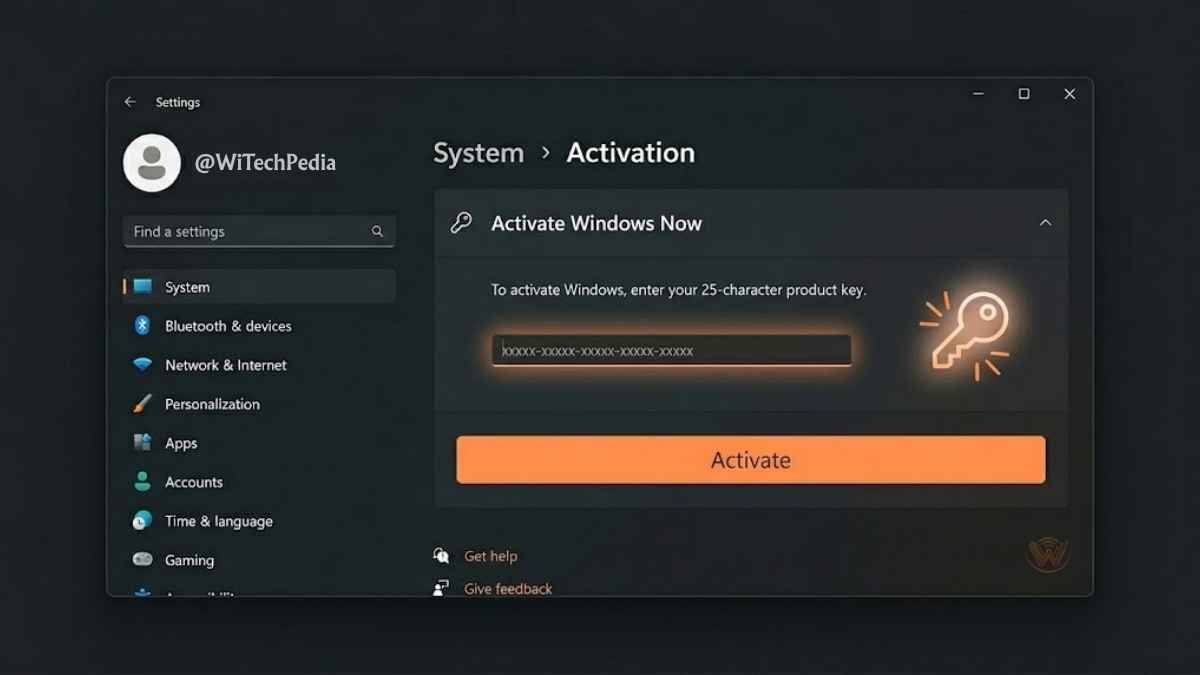
- Press Windows + I to open Settings
- Navigate to System → Activation
- Click Change product key
- Enter your 25-character Windows 10/8/7 product key
- Click Next — Windows will contact Microsoft’s activation servers and issue a digital license
This works because Microsoft’s activation backend maps older valid keys to the equivalent Windows 11 edition.
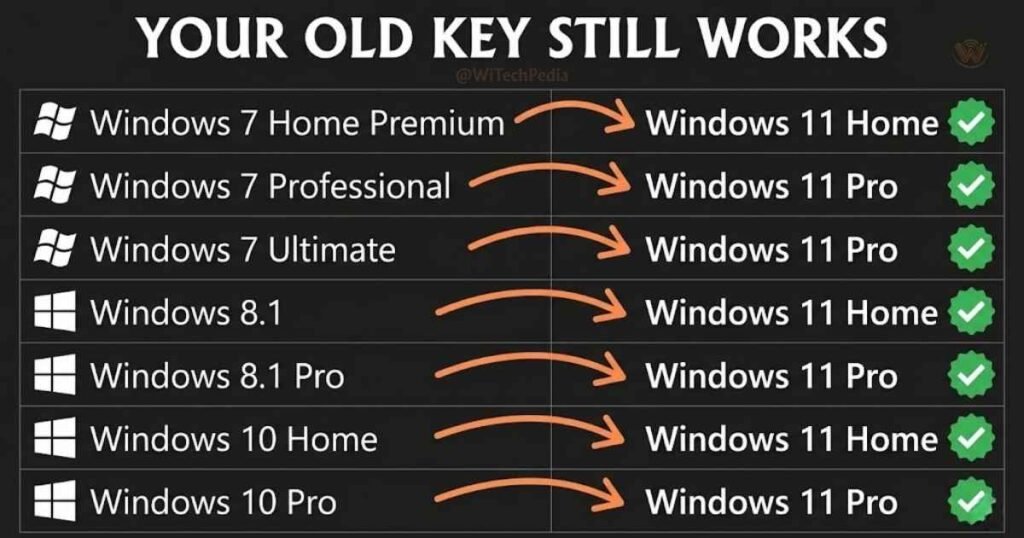
Key Edition Mapping:
| Old License | Windows 11 Edition Activated |
|---|---|
| Windows 10 Home | Windows 11 Home |
| Windows 10 Pro | Windows 11 Pro |
| Windows 8.1 Core | Windows 11 Home |
| Windows 7 Professional | Windows 11 Pro |
| Windows 7 Home Premium | Windows 11 Home |
Method 3: Link Your Digital License to a Microsoft Account
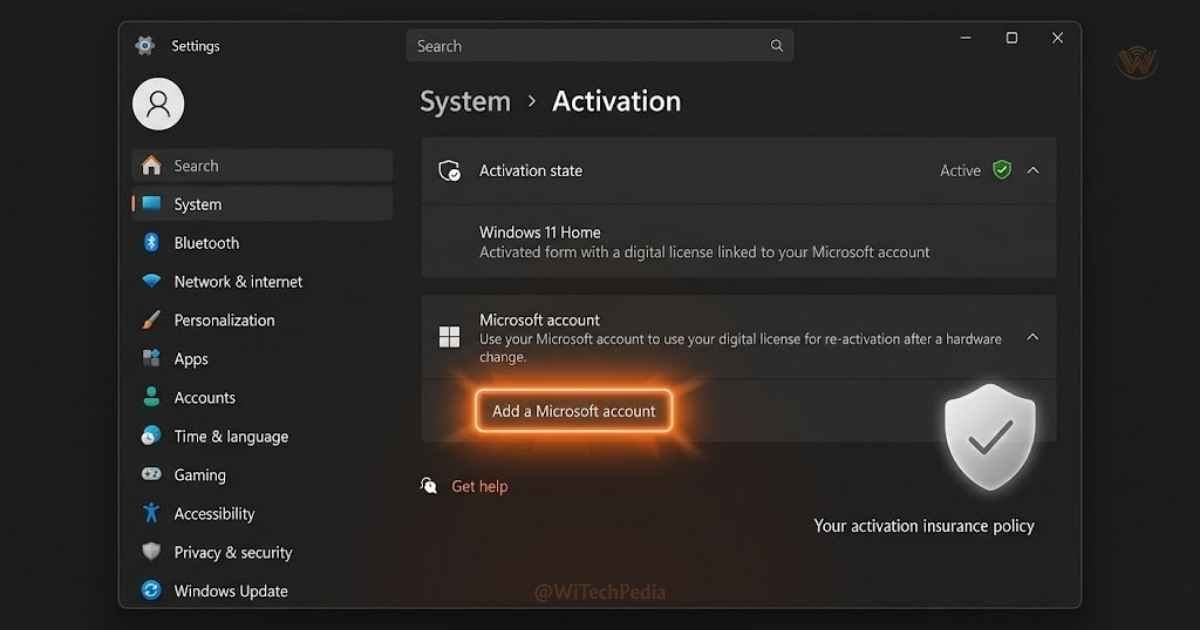
If you previously activated Windows 10 or Windows 11 on the same device, a digital license may already be stored in Microsoft’s servers — tied to your hardware profile.
This method works perfectly for:
- Reinstalling Windows 11 after a format
- Recovering activation after a motherboard swap (with Microsoft support)
- Migrating to a new SSD on the same machine
Steps:
- Open Settings → System → Activation
- Click Add an account under “Add a Microsoft account”
- Sign in with your Microsoft account
- If a digital license is detected, activation completes automatically
Important: Linking your Microsoft account to your activation lets you recover your license even after complete reinstalls — as long as you sign in with the same account. This is the most resilient activation method long-term.
Method 4: Use the Windows 11 Activation Troubleshooter
Already activated but getting an error after a hardware change? The built-in Activation Troubleshooter can resolve most post-upgrade activation issues without a new license.
Steps:
- Go to Settings → System → Activation
- Under “Activation state,” click Troubleshoot
- Select “I changed hardware on this device recently”
- Sign in with your Microsoft account linked to the previous activation
- Select the device and click This is the device I’m using right now
Microsoft’s servers will cross-reference your account with its license records and re-activate Windows 11 on the new hardware.
Method 5: OEM License — Already Activated at Factory
If you purchased a laptop or desktop PC with Windows 11 pre-installed, it uses an OEM (Original Equipment Manufacturer) digital license embedded in the UEFI firmware. This activation is permanent and requires no action from you.
To verify:
- Open Settings → System → Activation
- Check the “Activation state” — it should show “Windows is activated”
- Under “Activation type,” look for “Windows is activated with a digital license linked to your Microsoft account” or “OEM digital license”
If you reinstall Windows 11 using a USB installer on an OEM device, the activation will automatically re-apply as long as you:
- Install the correct edition (Home or Pro) matching the original OEM license
- Keep the same motherboard/UEFI chip
How to Activate Windows 11 for Free via Command Prompt (KMS)
For students or those working within an organization, the Command Prompt (CMD) offers a way to connect to a Key Management Service. This is a technical but effective way to learn how to activate Windows 11 for free if you have access to a legal KMS host.
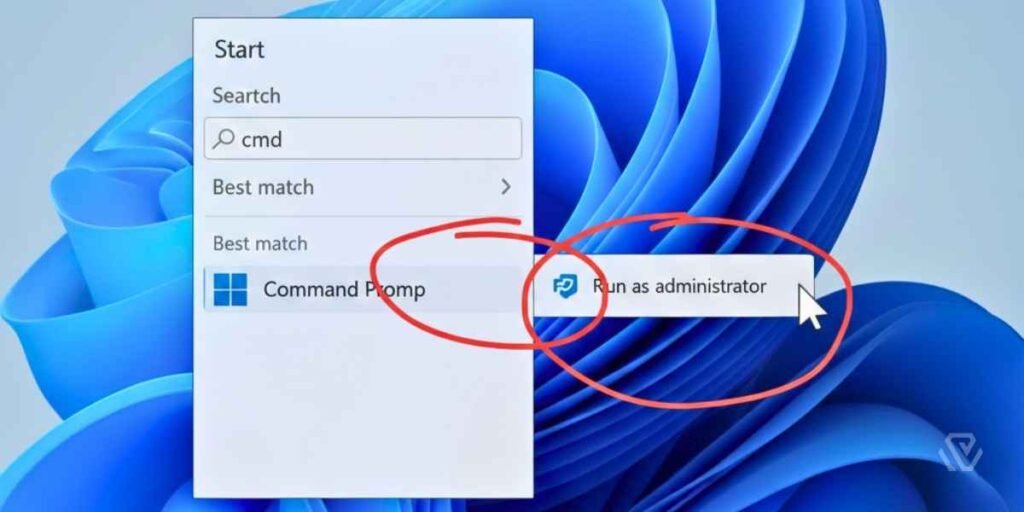
Step-by-Step CMD Activation:
- Search for CMD in the Start menu and Run as Administrator.
- Enter
slmgr /ipk [Your-KMS-Client-Key]. - Set the connection server using
slmgr /skms [Your-Server-Address]. - Finalize the process by typing
slmgr /ato.
How to Check If Windows 11 Is Activated
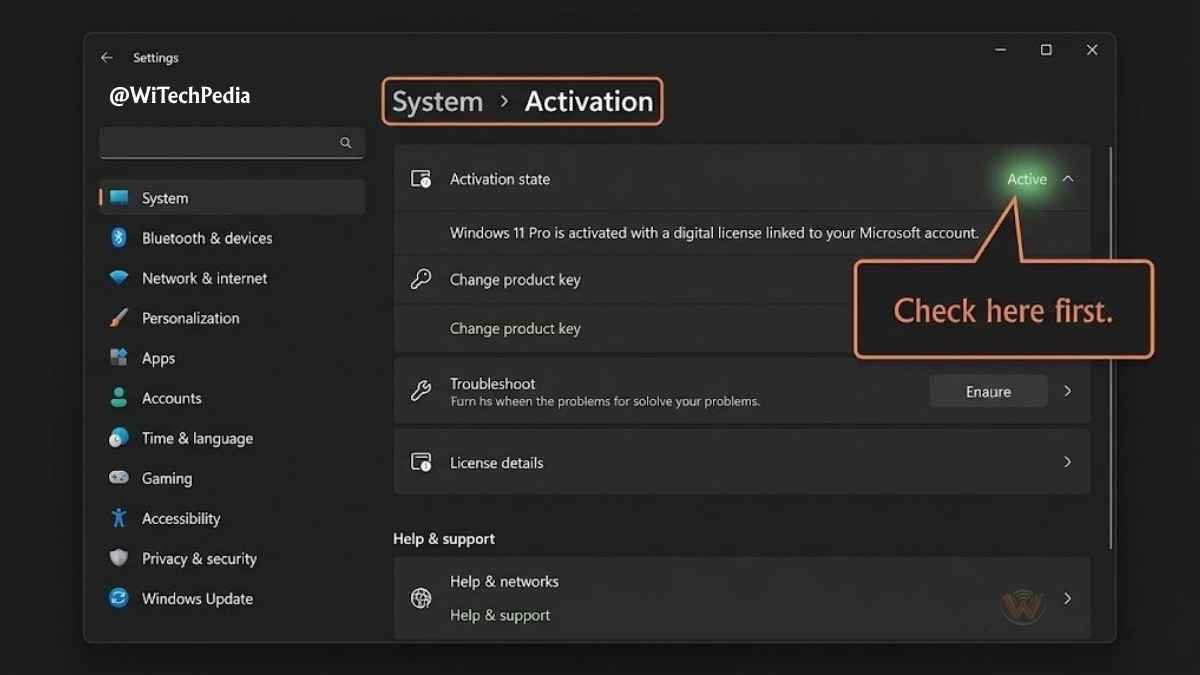
Before trying any activation method, verify your current status:
Method A — Settings:
- Press Windows + I
- Go to System → Activation
- Check the status shown under “Activation state”
Method B — Command Prompt:
- Press Windows + R, type
cmd, press Enter - Type:
slmgr /xpr - Press Enter — a dialog will confirm whether your license is permanent, expires, or is unlicensed
Method C — PowerShell:
powershell
(Get-WmiObject SoftwareLicensingProduct -Filter "PartialProductKey IS NOT NULL AND LicenseFamily = 'Windows'").LicenseStatusReasonCommon Windows 11 Activation Errors and Fixes
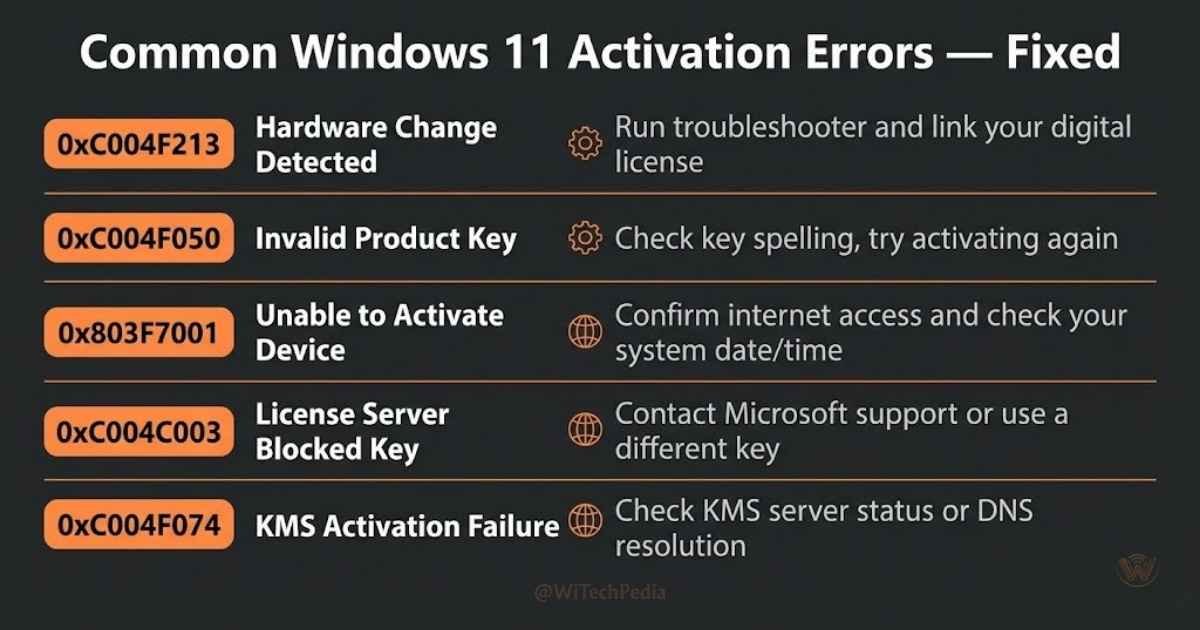
| Error Code | Meaning | Fix |
|---|---|---|
| 0xC004F213 | Hardware mismatch | Use Activation Troubleshooter with Microsoft account |
| 0xC004C003 | Product key blocked | Use a different key or contact Microsoft |
| 0x803F7001 | No digital license or product key found | Enter a valid product key in Settings → Activation |
| 0x8007007B | Invalid product key format | Double-check key formatting (no extra spaces) |
| 0xC004F074 | Key Management Service unavailable | For enterprise/volume license environments, contact IT |
What NOT to Do: Activation Methods to Avoid
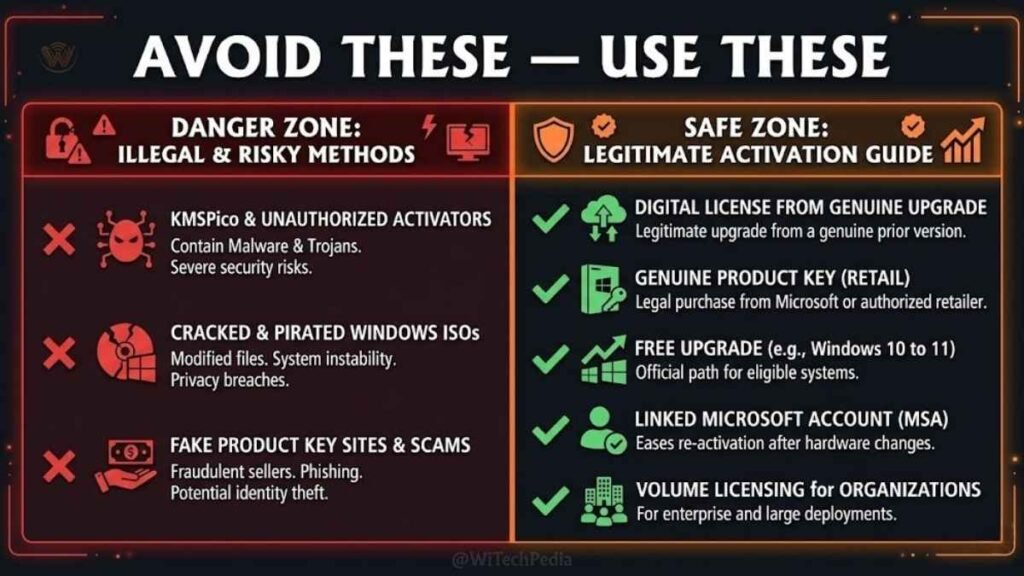
Many websites promote “free Windows 11 activation” using methods that are either illegal, unstable, or dangerous to your system. Here’s what to steer clear of:
- ❌ KMSPico and similar tools — These mimic enterprise volume licensing servers. They’re illegal for personal use, inject malware, and trigger Windows Defender alerts.
- ❌ “Free product key” websites — These either distribute stolen OEM keys (which get revoked) or are phishing traps.
- ❌ CMD “slmgr hack” scripts — Scripts that claim to activate Windows via command-line tricks without a real key do not work and can corrupt system files.
- ❌ Cracked ISO files — Unofficial Windows ISOs bundled with “pre-activated” installs are notorious malware delivery vehicles.
Stick to the five legitimate methods above. They’re free, safe, and fully supported by Microsoft.
Windows 11 Activation: Free vs. Paid — Is There a Real Difference?
| Feature | Unactivated | Activated (Free Methods) | Activated (Purchased License) |
|---|---|---|---|
| Core OS functionality | ✅ | ✅ | ✅ |
| Personalization (themes, colors) | ❌ | ✅ | ✅ |
| Windows Update | Partial | ✅ Full | ✅ Full |
| Desktop watermark | ❌ Visible | ✅ Hidden | ✅ Hidden |
| Microsoft account linking | ❌ | ✅ | ✅ |
| Enterprise features (Pro) | ❌ | ✅ (with Pro key) | ✅ |
| Microsoft support eligibility | ❌ | ✅ | ✅ |
For home users, the free upgrade from Windows 10 or a linked digital license provides every feature a paid retail license would. You’re not getting a “lesser” version — you’re getting the full product.
FAQ: How to Activate Windows 11 for Free
Is it legal to activate Windows 11 for free?
Yes — provided you use one of the methods described in this guide. The free upgrade path from Windows 10, reusing a legitimate older Windows key, and OEM activation are all explicitly authorized by Microsoft. What is illegal is using cracked tools, key generators, or stolen product keys.
Can I activate Windows 11 without a Microsoft account?
Yes. Product key activation and OEM activation do not require a Microsoft account. However, linking your activation to a Microsoft account is strongly recommended because it allows you to recover your license across reinstalls and hardware changes without contacting Microsoft support.
What happens if I don’t activate Windows 11?
Windows 11 remains functional — you can browse, run apps, and use most features. However, you’ll see a persistent “Activate Windows” watermark in the bottom-right corner of your desktop, and all personalization settings (themes, colors, fonts, lock screen images) will be locked. Some Windows Update channels may also be restricted.
My Windows 10 was activated — will it automatically activate after upgrading to Windows 11?
Yes. If your Windows 10 copy was genuinely activated, upgrading to Windows 11 transfers the digital license automatically. Your hardware fingerprint is stored in Microsoft’s activation servers, and Windows 11 queries those servers during setup to verify and activate your installation without any manual input.
How do I activate Windows 11 Pro for free?
If you have a legitimate Windows 10 Pro, Windows 8.1 Pro, or Windows 7 Professional key, you can use it to activate Windows 11 Pro under Method 2 above. Additionally, if your PC was originally sold with Windows 10 Pro, upgrading it to Windows 11 Pro through Windows Update is free and automatic.
What is a Windows 11 digital license and how do I get one?
A digital license (also called a digital entitlement) is an activation method that doesn’t require you to enter a product key. Instead, Microsoft links your license to your hardware configuration and, optionally, your Microsoft account. You receive one automatically when you upgrade from a legitimately activated Windows 10, purchase a device with Windows 11 pre-installed, or buy Windows 11 from the Microsoft Store.
Final Thoughts: Activate Windows 11 the Smart Way
Here’s what you need to remember:
- The free upgrade from Windows 10 is the easiest and most reliable path — if your device is eligible, use Windows Update and activation happens automatically.
- Legacy Windows product keys (7, 8.1, 10) still work — enter them in Settings → Activation to claim a digital license.
- Always link activation to your Microsoft account — it’s your insurance policy for future reinstalls and hardware changes.
- Use the built-in Activation Troubleshooter — before spending a cent, let Microsoft’s own tool diagnose and fix activation issues after hardware changes.
- Avoid any third-party activation tools — they’re dangerous, illegal, and completely unnecessary given Microsoft’s generous free upgrade policy.
Windows 11 is the most capable version of Windows ever built. You deserve to run it fully activated — and now you know exactly how to do that without paying a penny.
Stay in the loop with WiTechPedia. Subscribe to our newsletter for weekly guides, Windows tips, and the latest in tech — delivered straight to your inbox.