







Did you know the global robotics market is projected to surpass $218 billion by 2030? Whether you’re a curious student, a weekend maker, or a seasoned engineer, robotics projects are one of the most rewarding ways to merge creativity with engineering. Building robots teaches you electronics, programming, mechanics, and problem-solving — all in one hands-on package.
- What Are Robotics Projects and Why Do They Matter?
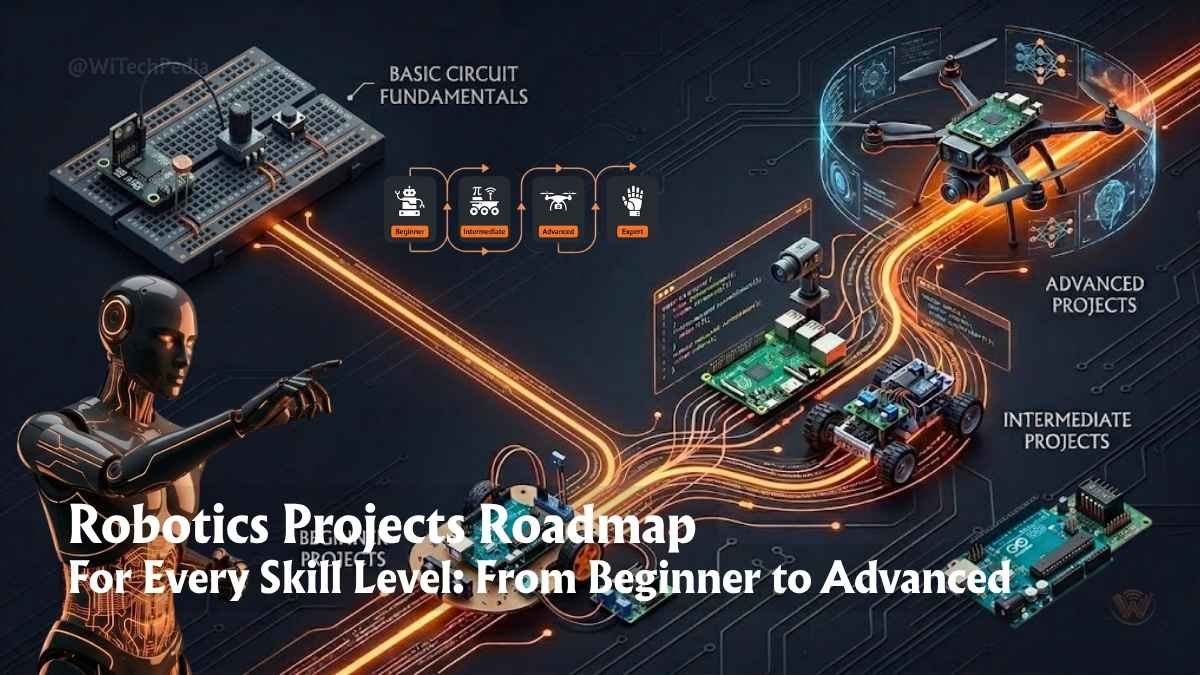
- Beginner Robotics Projects: Start Here
- Intermediate Robotics Projects: Level Up Your Skills
- Advanced Robotics Projects: Engineering-Grade Builds
- Robotics Projects Comparison Table
- Essential Tools and Platforms for Robotics Projects
- Cybersecurity Considerations in Robotics
- Frequently Asked Questions (FAQ)
- Final Thoughts: Your Robotics Journey Starts Now
This guide covers the most impactful robotics projects across every skill level, from your first blinking LED to autonomous AI-driven machines. Let’s build something extraordinary.
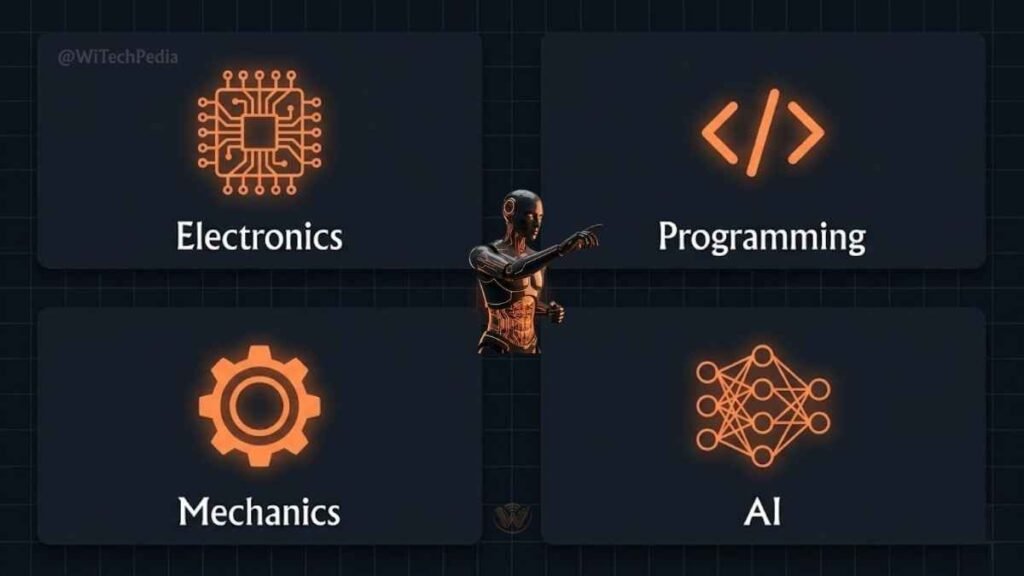
What Are Robotics Projects and Why Do They Matter?
Robotics projects are practical builds that combine hardware, software, and often artificial intelligence to create machines that sense, think, and act. They matter because:
- They bridge the gap between theoretical learning and real-world application.
- They develop critical STEM competencies demanded by modern industry.
- They democratize innovation — anyone with a $10 microcontroller can start.
- They’re increasingly central to careers in AI & Machine Learning, Hardware & Gadgets, and Programming & DevOps.
The barrier to entry has never been lower. Platforms like Arduino, Raspberry Pi, and ROS (Robot Operating System) have empowered millions of makers worldwide.
Beginner Robotics Projects: Start Here
If you’re new to robotics, start simple. These robotics projects for beginners will teach you core concepts without overwhelming you.
1. Line-Following Robot
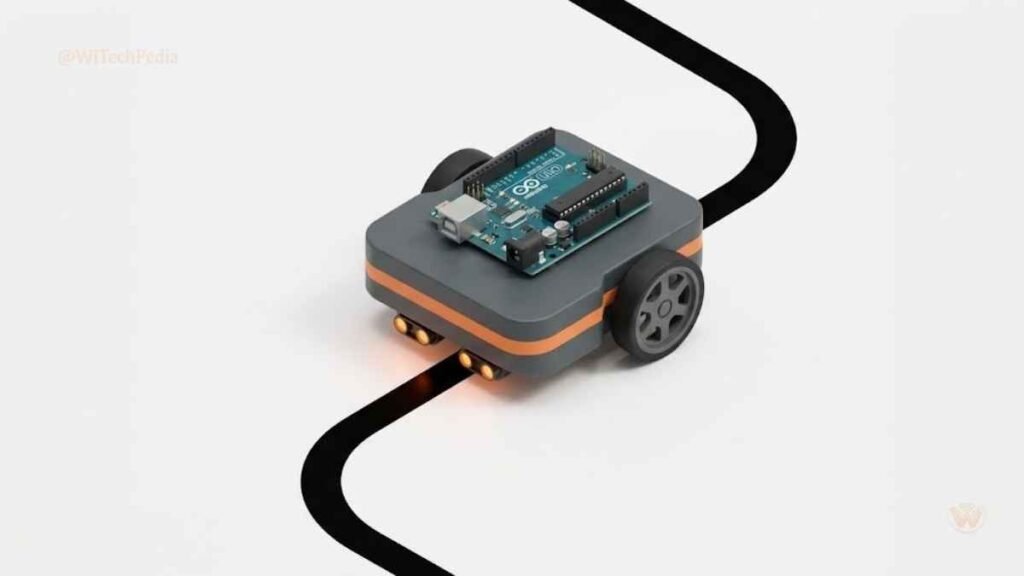
What it does: Uses infrared sensors to detect and follow a black line on a white surface.
Components needed:
- Arduino Uno
- IR sensor module (2x)
- L298N motor driver
- DC gear motors (2x)
- Chassis and wheels
- 9V battery
What you learn: Motor control, sensor integration, basic logic programming.
Real-world use case: Line-following robots are used in warehouse automation systems like those at Amazon fulfillment centers to transport goods along predefined paths.
Tip: Program the robot in the Arduino IDE, which is beginner-friendly and free.
2. Obstacle-Avoiding Robot
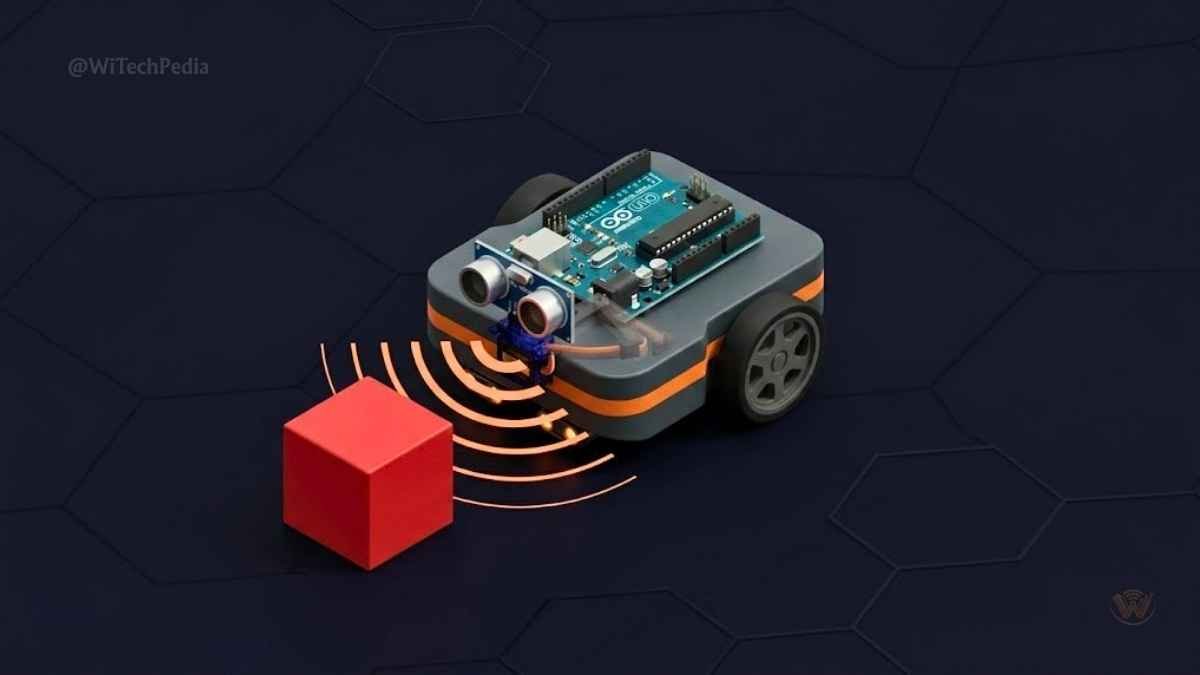
What it does: Uses an ultrasonic sensor to detect objects in its path and navigate around them autonomously.
Components needed:
- Arduino Nano or Uno
- HC-SR04 ultrasonic sensor
- Servo motor (for sensor sweep)
- L298N motor driver
- Robot car chassis kit
What you learn: Distance measurement, servo control, decision-making logic.
Real-world use case: The same obstacle-avoidance logic powers autonomous vacuum cleaners like the Roomba and self-driving vehicle prototypes.
3. Robotic Arm (3-DOF)
What it does: A servo-driven arm that picks and places objects, controlled via joystick or serial commands.
Components needed:
- Arduino Mega
- 3–4 servo motors (SG90 or MG996R)
- Joystick module
- 3D-printed or acrylic arm frame
- External 5V power supply
What you learn: Inverse kinematics basics, PWM servo control, multi-axis coordination.
Real-world use case: Industrial robotic arms (KUKA, ABB) use the same multi-DOF principles to weld, paint, and assemble parts in factories.
4. Voice-Controlled Robot
What it does: Responds to spoken commands (“forward,” “stop,” “turn left”) using Bluetooth and a smartphone app.
Components needed:
- Arduino Uno
- HC-05 Bluetooth module
- Android phone with MIT App Inventor app
- L298N driver + motors
What you learn: Bluetooth serial communication, speech-to-text integration.
Intermediate Robotics Projects: Level Up Your Skills
Once you’ve mastered the basics, these DIY robot projects will push your hardware and software skills further.
5. Raspberry Pi–Powered Surveillance Bot
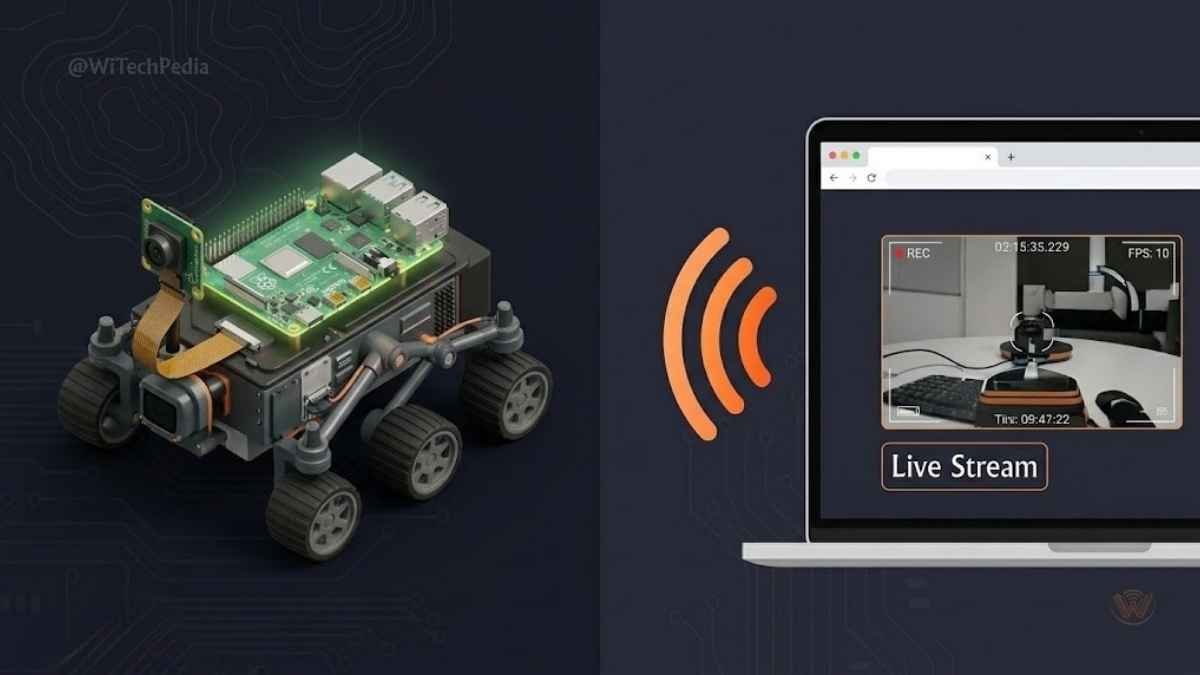
What it does: A mobile robot that streams live video to your browser and can be controlled remotely.
Components needed:
- Raspberry Pi 4
- Pi Camera Module v2
- L298N motor driver
- Chassis kit
- Flask (Python web framework)
What you learn: Linux networking, Python web servers, real-time video streaming.
Real-world use case: Remote-controlled inspection robots used in nuclear facilities, deep-sea exploration, and search-and-rescue missions operate on this exact principle.
6. Self-Balancing Robot (Inverted Pendulum)
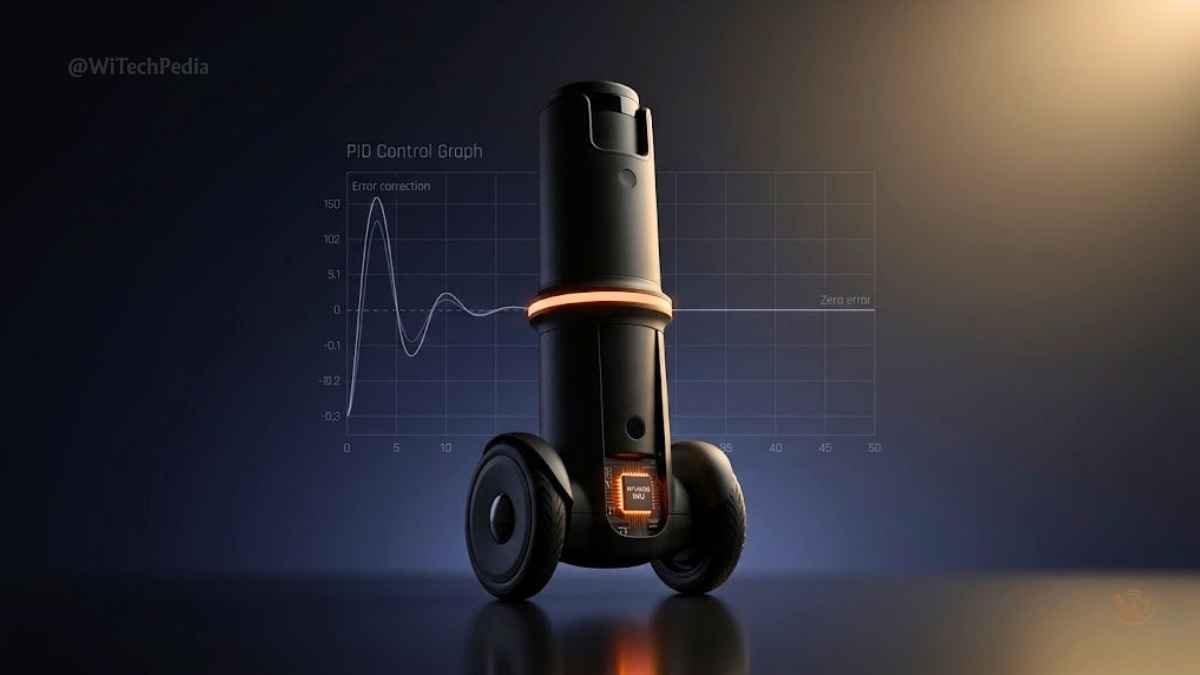
What it does: A two-wheeled robot that uses a gyroscope/accelerometer (MPU6050) and a PID control loop to balance upright.
Components needed:
- Arduino Uno or Mega
- MPU6050 IMU module
- L298N driver
- N20 or JGA25 motors with encoders
- Li-Po battery
What you learn: PID control theory, sensor fusion, real-time embedded systems.
Real-world use case: Segway personal transporters and Boston Dynamics’ humanoid robots use advanced versions of PID balance control.
7. Maze-Solving Robot
What it does: Autonomously navigates a maze using a flood-fill or wall-following algorithm.
Components needed:
- Arduino Mega
- Ultrasonic or IR sensors (front + sides)
- Motor driver + encoders
- OLED display (optional for debugging)
What you learn: Pathfinding algorithms, encoder-based odometry, state machines.
Real-world use case: Maze-solving algorithms are foundational to robotic vacuum navigation and autonomous drone path planning.
8. Gesture-Controlled Robot
What it does: Mirrors the movements of a glove embedded with flex sensors and an MPU6050 accelerometer.
Components needed:
- Two Arduino Unos (transmitter + receiver)
- nRF24L01 wireless module
- Flex sensors (5x per glove)
- MPU6050 IMU
- Servo or DC motors
What you learn: Wireless sensor networks, flex sensor calibration, gesture mapping.
Advanced Robotics Projects: Engineering-Grade Builds
These robotics projects for students and professionals demand deep expertise in programming, machine learning, and mechanical design.
9. Autonomous Drone with Computer Vision
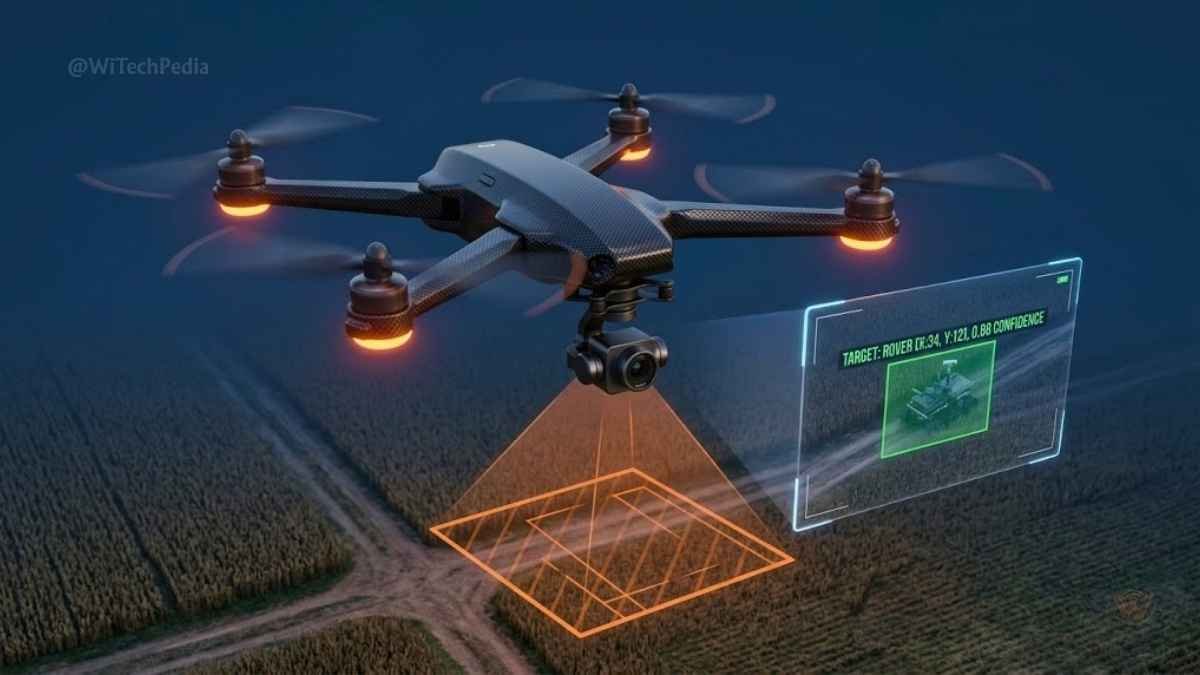
What it does: A quadcopter that uses a Raspberry Pi + camera to detect and track colored objects or faces.
Stack:
- Flight controller: Pixhawk or Betaflight
- Onboard computer: Raspberry Pi 4
- Vision library: OpenCV
- Communication: MAVLink protocol
What you learn: Drone physics, PID tuning, OpenCV, real-time AI inference.
Real-world use case: Agricultural drones use computer vision to detect crop disease; delivery drones use it for obstacle avoidance and precision landing.
10. ROS-Based Mobile Robot (SLAM Navigation)
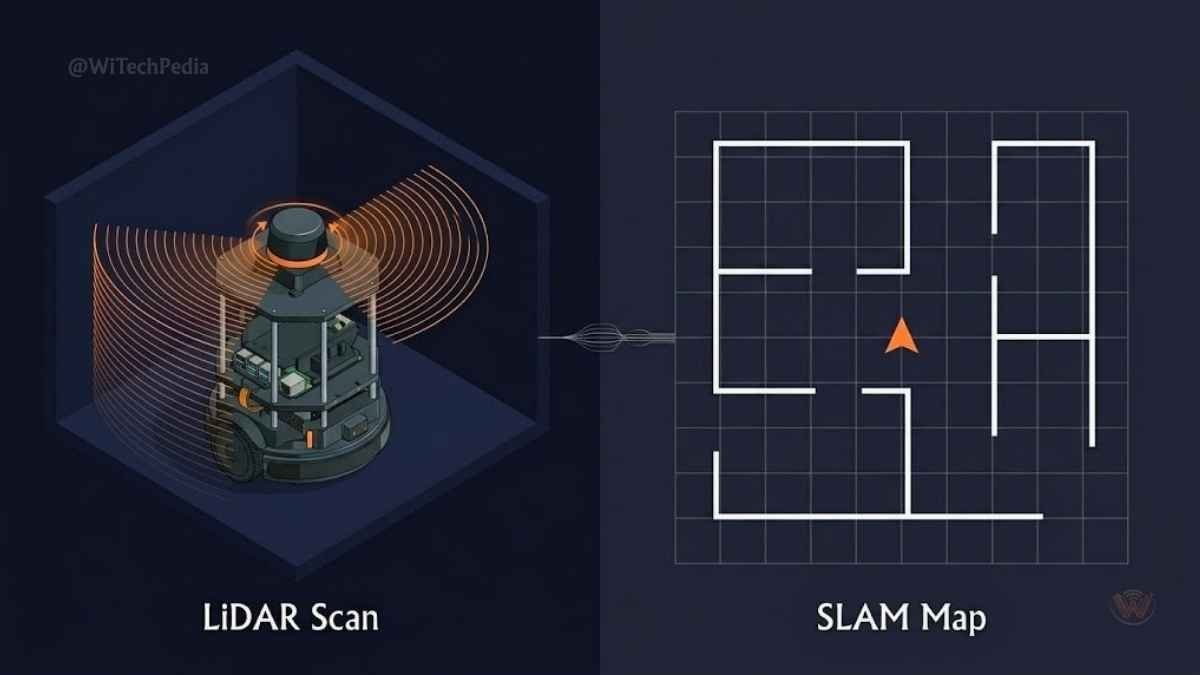
What it does: A ground robot that maps its environment in real-time using LiDAR and navigates autonomously using the ROS navigation stack.
Stack:
- Robot: TurtleBot3 or custom build
- OS: Ubuntu + ROS Noetic or ROS 2 Humble
- Sensors: RPLiDAR A1 or A2
- Algorithm: GMapping / Cartographer for SLAM
What you learn: Robot Operating System, SLAM (Simultaneous Localization and Mapping), RViz visualization.
Real-world use case: Autonomous mobile robots (AMRs) from MiR and Fetch Robotics use ROS-based SLAM in hospital logistics and warehouse operations.
External reference: ROS Documentation | Navigation Stack Tutorial
11. Humanoid Robot Hand with Haptic Feedback
What it does: A 3D-printed five-finger hand driven by servo motors, with force sensors providing haptic feedback to a data glove.
Stack:
- Raspberry Pi + Arduino combo
- Servo drivers (PCA9685)
- Force-sensitive resistors (FSR)
- 3D-printed InMoov hand (open source)
What you learn: Tendon-driven mechanism design, multi-servo synchronization, closed-loop force control.
12. AI-Powered Robot with Reinforcement Learning
What it does: A simulated robot (or physical build) that learns to walk or navigate through reinforcement learning using OpenAI Gym.
Stack:
- Simulation: PyBullet or MuJoCo
- Framework: Python + TensorFlow / PyTorch
- Algorithm: PPO (Proximal Policy Optimization)
- Optional hardware: Dynamixel servo robot
What you learn: Deep RL, reward shaping, policy gradient methods, neural networks.
Real-world use case: Boston Dynamics used reinforcement learning to train Atlas and Spot to perform agile movements and parkour.
Robotics Projects Comparison Table
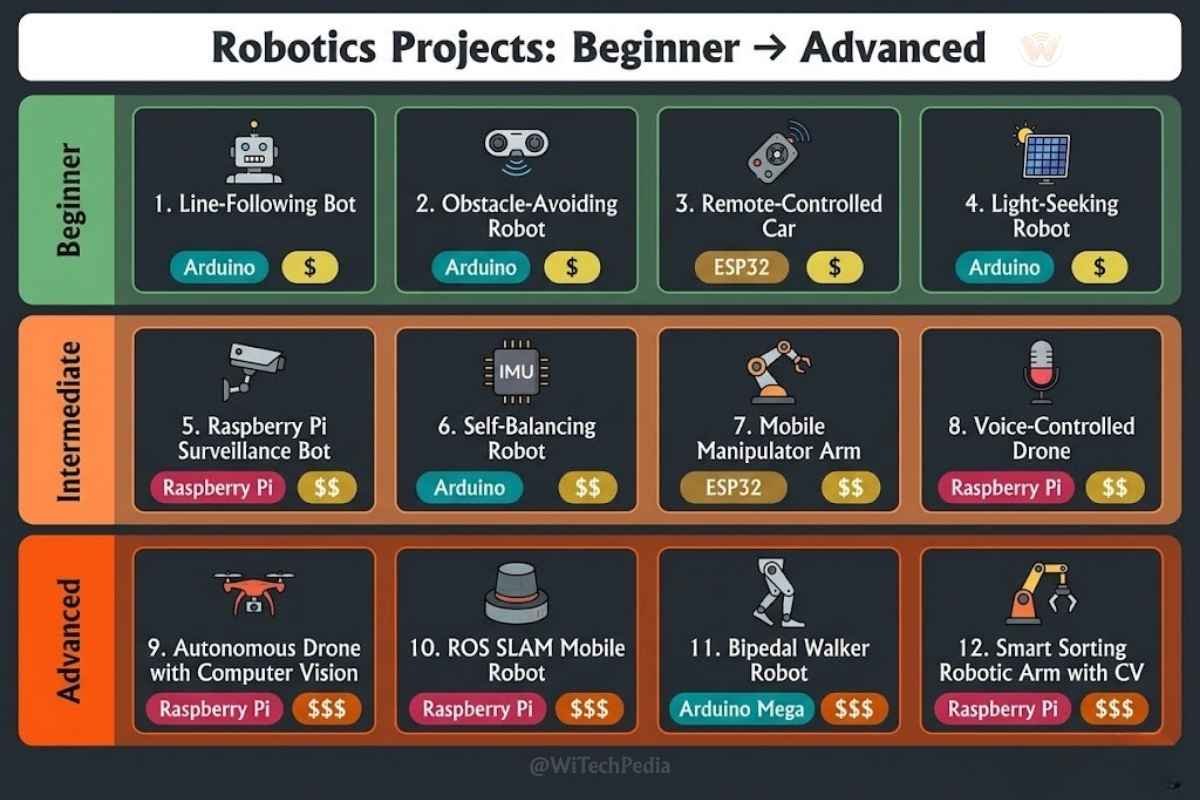
| Project | Difficulty | Primary Platform | Core Skill | Est. Cost (USD) |
|---|---|---|---|---|
| Line-Following Robot | Beginner | Arduino | Motor Control | $15–$30 |
| Obstacle-Avoiding Robot | Beginner | Arduino | Sensor Fusion | $20–$40 |
| Robotic Arm (3-DOF) | Beginner | Arduino | Servo Control | $30–$60 |
| Voice-Controlled Robot | Beginner | Arduino + Android | Bluetooth Comm | $25–$45 |
| Surveillance Bot | Intermediate | Raspberry Pi | Networking + CV | $60–$100 |
| Self-Balancing Robot | Intermediate | Arduino | PID Control | $40–$80 |
| Maze-Solving Robot | Intermediate | Arduino | Pathfinding | $35–$70 |
| Gesture-Controlled Robot | Intermediate | Arduino | Wireless Sensors | $50–$90 |
| Autonomous Drone | Advanced | Raspberry Pi | OpenCV + MAVLink | $200–$400 |
| SLAM Navigation Bot | Advanced | ROS + LiDAR | SLAM + ROS | $300–$600 |
| Humanoid Robot Hand | Advanced | RPi + Arduino | Servo + Haptics | $150–$300 |
| AI Reinforcement Learning Bot | Advanced | Python + PyTorch | Deep RL | $0–$500 |
Essential Tools and Platforms for Robotics Projects
Hardware Platforms
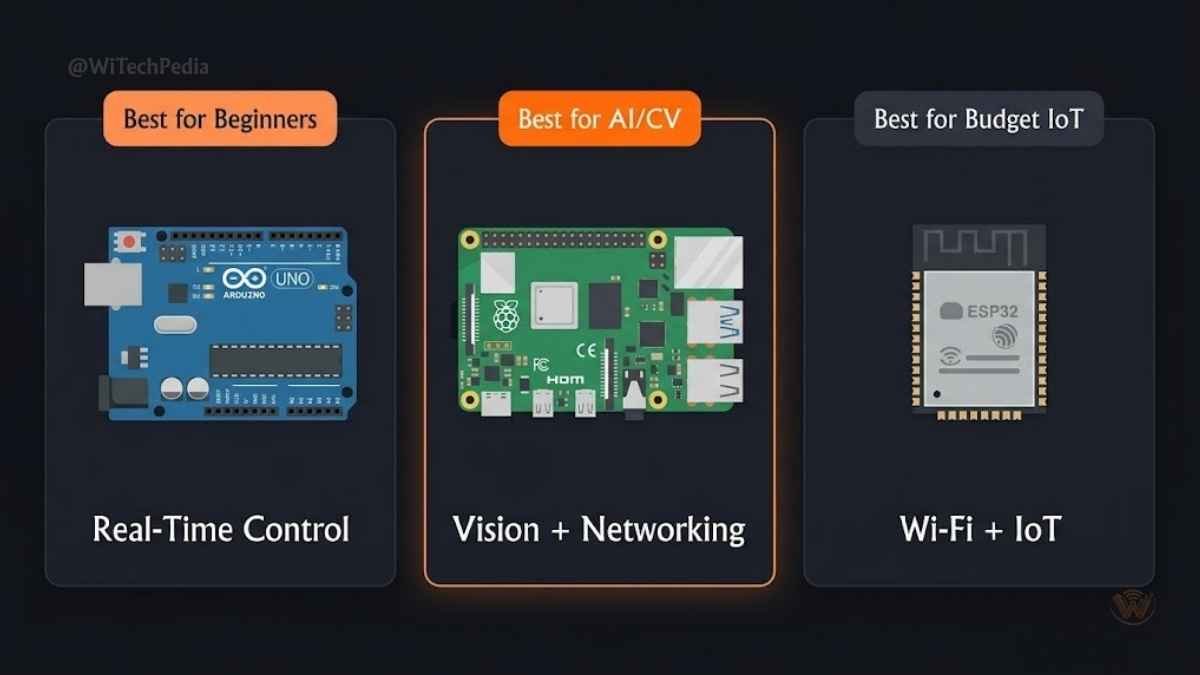
- Arduino: The gold standard for beginners.
- Raspberry Pi: Linux-capable SBC for vision, networking, and AI on the edge.
- ESP32: Wi-Fi + Bluetooth MCU ideal for IoT robots at low cost.
- Jetson Nano: NVIDIA’s AI compute module for vision-heavy robots.
Software & Frameworks
- ROS / ROS 2: The de facto OS for professional robotics.
- OpenCV: Open-source computer vision library.
- Arduino IDE / PlatformIO: Embedded programming environments.
- PyBullet / Gazebo: Physics simulators for testing robot logic safely.
- TensorFlow / PyTorch: For AI-powered robotics projects.
Where to Source Components
- SparkFun Electronics
- Adafruit Industries
- Amazon / AliExpress for budget components
Cybersecurity Considerations in Robotics

As robots become networked — via Wi-Fi, Bluetooth, or 5G — cybersecurity becomes critical. Key concerns include:
- Remote code execution vulnerabilities in ROS nodes.
- Insecure Bluetooth pairing in DIY projects.
- Firmware update integrity for embedded MCUs.
Always isolate your robot’s network, use encrypted communication protocols, and keep firmware updated. For professional deployments, consult ICS/OT security standards.
Frequently Asked Questions (FAQ)
What are the best robotics projects for absolute beginners?
The best starting points are the line-following robot and obstacle-avoiding robot using an Arduino Uno. Both cost under $40, use beginner-friendly C++ code, and teach fundamental concepts: sensor reading, motor control, and basic decision logic. Platforms like Tinkercad Circuits let you simulate these builds before buying hardware.
Which is better for robotics projects — Arduino or Raspberry Pi?
Arduino excels at real-time, hardware-level tasks: precise motor control, PWM signals, and sensor polling with microsecond timing. Raspberry Pi is superior for tasks requiring an operating system, networking, or computer vision. For most beginner-to-intermediate robotics projects, start with Arduino. Advanced builds often combine both — Raspberry Pi as the “brain” and Arduino as the “motor cortex.”
How much does it cost to start a robotics project?
A complete beginner robot (line follower or obstacle avoider) costs $15–$50 in components. Mid-range projects like a surveillance bot or self-balancing robot run $60–$150. Advanced builds with LiDAR, NVIDIA Jetson, or professional servos can range from $300 to $1,000+. Many components are reusable across projects, so your total investment drops over time.
What programming languages are used in robotics projects?
The most common languages are:
- C/C++ — for Arduino and embedded microcontrollers.
- Python — for Raspberry Pi, ROS, and AI/ML pipelines.
- MATLAB/Simulink — in academic and aerospace robotics.
- Java — used in LEGO Mindstorms EV3 environments.
- Rust — emerging for safety-critical robotic systems.
Python is the fastest path to robotics AI thanks to its ecosystem (OpenCV, TensorFlow, PyTorch, ROS Python client).
Can robotics projects help with college admissions or getting a job?
Absolutely. Competitive robotics projects — especially those published on GitHub, entered in competitions (FIRST Robotics, RoboGames, NASA competitions), or documented in detail — significantly strengthen engineering and CS applications. Employers in automation, AI, and embedded systems actively look for candidates with tangible, hands-on project portfolios. A well-documented SLAM navigation robot on GitHub is worth more than a dozen lines on a resume.
Final Thoughts: Your Robotics Journey Starts Now
Robotics is no longer a niche pursuit reserved for PhD researchers. Today, a teenager with a $20 Arduino kit can build a robot that would have required a university lab just two decades ago.
Here are the top takeaways from this guide:
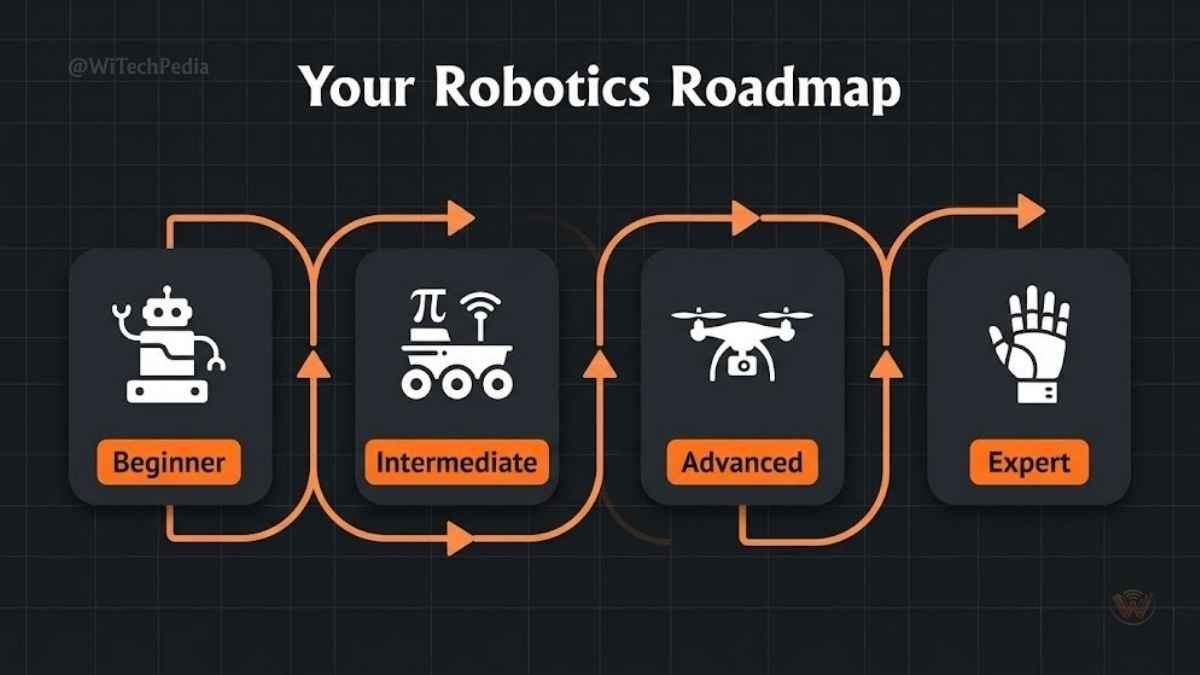
- Start small, think big. Begin with a line follower and work up to autonomous systems.
- Choose the right platform. Arduino for hardware control; Raspberry Pi for OS-level and vision tasks; ROS for professional-grade robotics.
- Combine disciplines. The best robotics projects fuse electronics, programming, and mechanical design.
- Document everything. GitHub repos and project writeups open doors to jobs, universities, and communities.
- Security matters. As your robots connect to networks, treat cybersecurity as a design requirement, not an afterthought.
Ready to go deeper? Subscribe to the WiTechPedia newsletter for weekly tutorials, project breakdowns, and the latest in robotics and AI.