






Imagine an AI that doesn’t just answer your questions, but actively executes your tasks. In 2026, that vision is a reality. We have moved past passive chatbots into the era of autonomous agents capable of managing complex, multi-step workflows right from your machine.
To thrive in this new landscape, you need to master OpenClaw skills. Created by developer Peter Steinberger, OpenClaw has rapidly become the premier framework for turning a standard open-source AI assistant into a proactive powerhouse.
Whether you are a full-stack developer deploying to Amazon Web Services or a content strategist optimizing WordPress caching, these integrations allow your AI to interact with the real world. Let’s dive into the ultimate blueprint for the top 20 OpenClaw skills and explore how to use them effectively.
What Are OpenClaw Skills?
OpenClaw skills consist of Markdown files with YAML frontmatter and clear instructions. These files guide the agent on tool usage, workflows, and decision-making. You can install ready-made skills from ClawHub or create custom ones. This system makes OpenClaw highly extensible and adaptable to your needs. Learn How to install OpenClaw on Windows, MacOs, Linux or other devices.
Benefits of mastering OpenClaw skills include:
Why OpenClaw Skills Are Transforming Autonomous Agents
Standard language models are isolated text predictors. They cannot read your local files, push code to GitHub, or fetch real-time market data. OpenClaw skills bridge this gap. By giving your local AI models access to specific tools, APIs, and system commands, you transform them into true autonomous agents.
Best OpenClaw Skills Categories at a Glance
Before diving into the full list, here is a breakdown of how the best OpenClaw integrations map to real-world tasks.
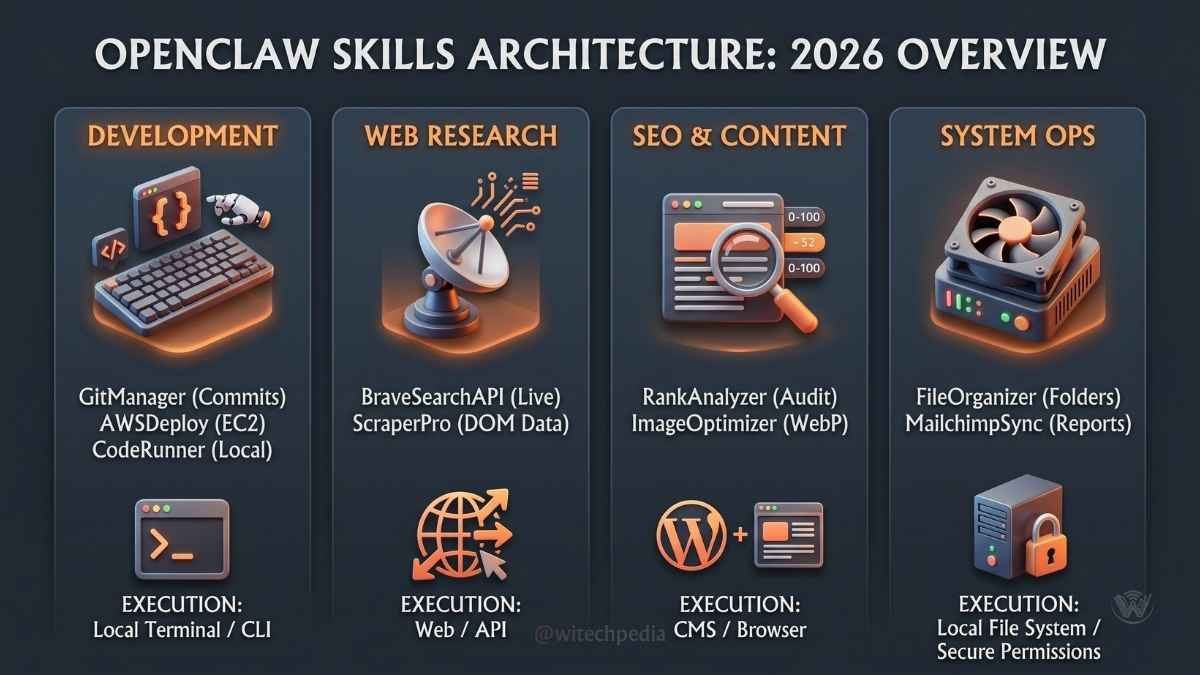
| Skill Category | Top Skill Example | Real-World Use Case | Execution Environment |
| Development | GitManager | Resolving merge conflicts and pushing code. | Local Terminal / CLI |
| Web Research | BraveSearchAPI | Fetching real-time news and technical documentation. | Web / API |
| SEO & Content | RankAnalyzer | Auditing on-page SEO metrics. | WordPress / CMS |
| System Ops | NodeExecutor | Running custom Node.js TTS scripts automatically. | Local File System |
| Finance & Data | CryptoTracker | Pulling live ETF data via CoinMarketCap. | Web / API |
For a deeper dive into the underlying architecture of these models, check out our Beginner’s Guide to AI Terminology and our technical breakdown of Vector Databases in 2026.
You install most skills easily through the ClawHub CLI or interface. Open your terminal and run commands like clawhub install skill-name. Always review skills on ClawHub.ai first. Check ratings, download counts, and security indicators. Test new skills in a controlled environment.
Top 20 Most Useful OpenClaw Skills in 2026
Here are the 20 most powerful skills available in the OpenClaw ecosystem, categorized by their primary function.
Development & Infrastructure
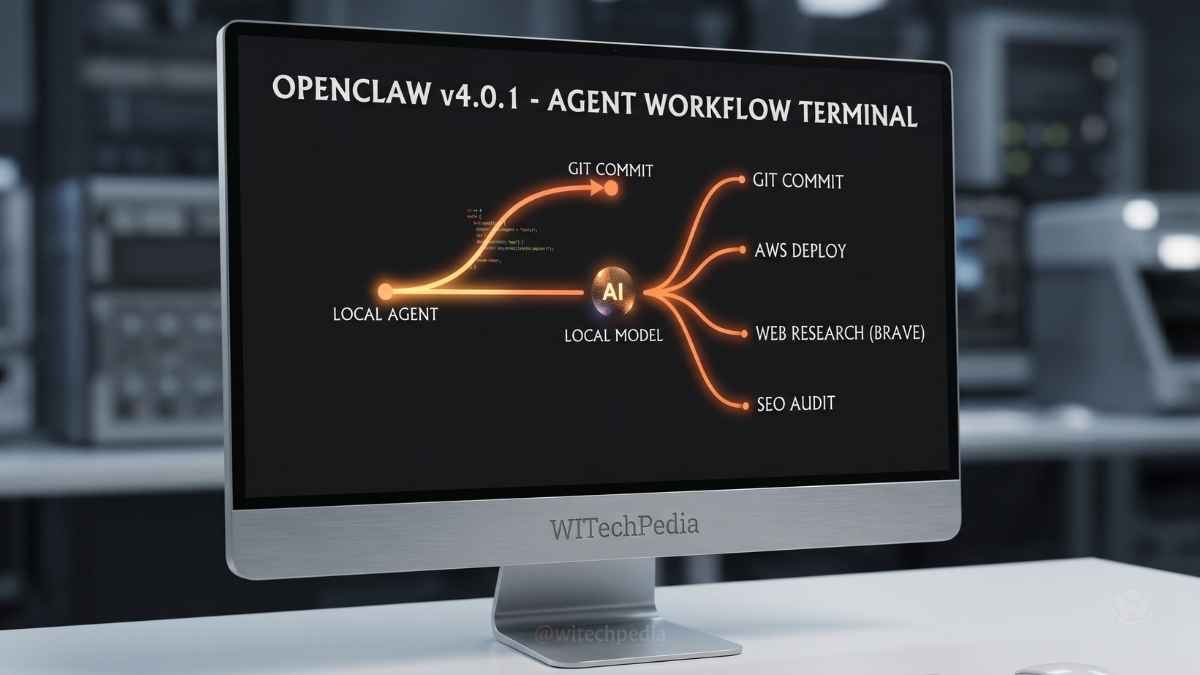
- GitManager: Automates staging, committing, and pushing code to GitHub. Perfect for managing seamless version control without leaving your editor.
- AWSDeploy: Connects directly to Amazon Web Services. Use it to spin up EC2 instances or check server health status on the fly.
- NodeExecutor: Allows your agent to run custom Node.js scripts locally. Ideal for triggering background tasks like Microsoft Edge TTS generation.
- PythonRunner: Executes Python code in an isolated sandbox. Highly effective for running local traffic generation scripts or data analysis.
- DBQuery: Connects to your local or cloud SQL/NoSQL databases to fetch, update, or organize data through natural language commands.
SEO & Web Management
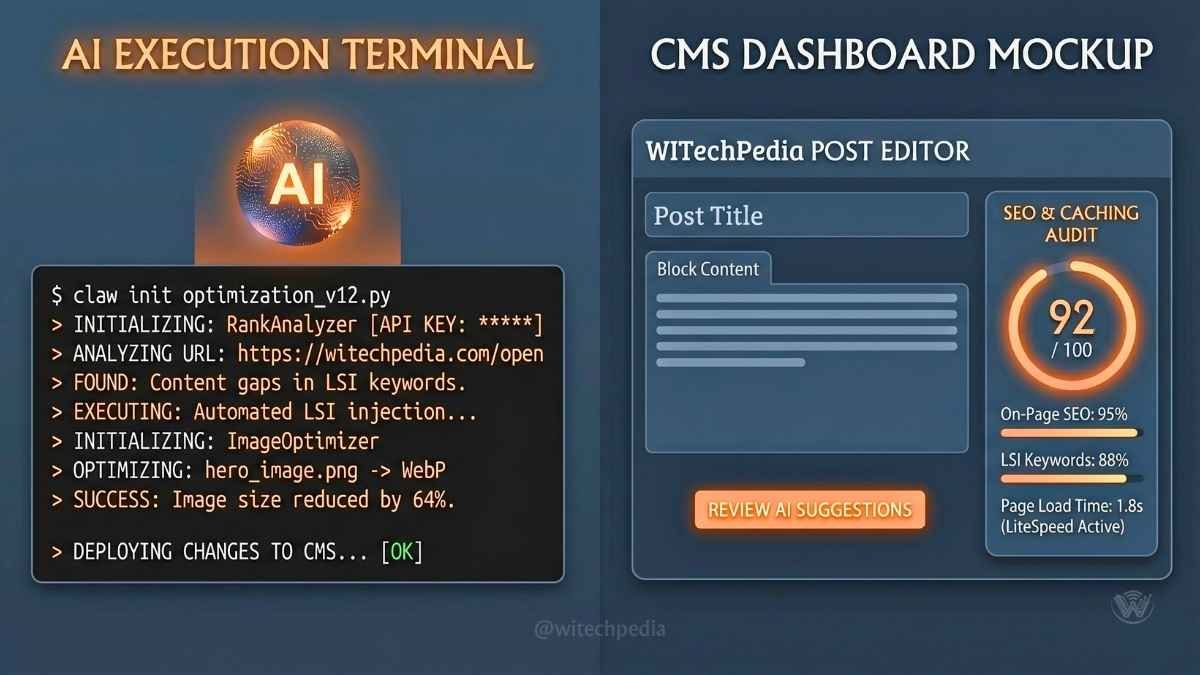
- RankAnalyzer: Integrates with your SEO stack (like Rank Math Premium or SEOPress PRO) to audit content structure and suggest keyword optimizations.
- BraveSearchAPI: Enables your agent to browse the live web. Essential for bypassing outdated training data and pulling real-time competitor analysis.
- SiteSpeedTester: Hooks into tools like LiteSpeed Cache to evaluate page load times and automatically suggest minification or caching tweaks.
- ImagifyOptimizer: Automatically compresses and converts image directories into WebP formats before you upload them to your CMS.
- LinkIndexer: Automates the submission of new URLs to Google Search Console and Bing Webmaster Tools to accelerate indexing.
Data & Research
- CryptoTracker: Connects to the CoinMarketCap API to monitor real-time cryptocurrency fluctuations and Bitcoin ETF trends.
- PDFExtractor: Reads, summarizes, and extracts tabular data from massive technical whitepapers or official model documentation hosted on Hugging Face.
- ScraperPro: Extracts specific HTML elements from competitor sites for content gap analysis.
- ClawHub Integrator: Automatically searches the OpenClaw skills registry for new community-built tools relevant to your current prompt.
- VectorSync: Connects your agent to a local vector database, allowing it to remember past conversations and project contexts over months of work.
Productivity & System Operations
- FileOrganizer: Scans messy download folders and categorizes files into specific directories based on your predefined rules.
- MailchimpSync: Pulls audience engagement reports and subscriber metrics directly into your terminal for quick review.
- CanvaAssetFetcher: Retrieves specific brand assets (like logos or graphics utilizing hex codes
#FF914Dand#FF751F) from your cloud directories. - LottieAnimator: Interfaces with LottieFiles to generate or tweak lightweight JSON animations for your web frontend.
- TerminalCommander: Grants your agent secure, permission-scoped access to run bash commands, navigate directories, and manage your local OS.
How to Install OpenClaw Skills
Adding new capabilities to your agent is surprisingly straightforward. Here is how to install OpenClaw skills safely:
- Access the CLI: Open your terminal and ensure your local AI environment is running.
- Browse the Registry: Use the command
claw search [skill-name]to query the official OpenClaw skills registry. You can also browse verified skills on Peter Steinberger’s official GitHub repository. - Install the Skill: Run
claw install [skill-name]. - Configure API Keys: If the skill requires external access (e.g., Brave Search or CoinMarketCap), OpenClaw will prompt you to enter your API key. These are stored securely in your
.envfile. - Restart Your Agent: Reboot your agent to initialize the new capabilities.
How to Automate Workflows with OpenClaw
Understanding how to use OpenClaw effectively means chaining these skills together into automated workflows.
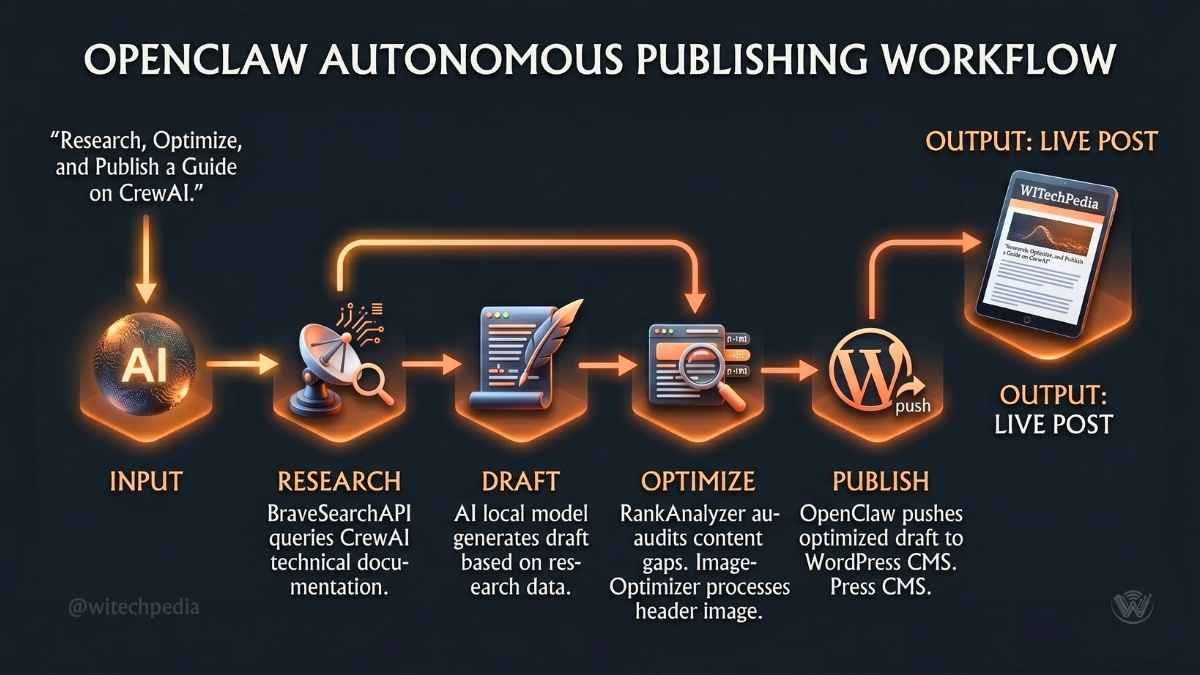
Real-World Example: The Content Publishing Workflow Imagine you want to publish a new article on WITechPedia. Instead of manually handling every step, you can command your agent:
“Write a 1,000-word guide on CrewAI. Optimize it using RankAnalyzer, compress the header image using ImagifyOptimizer, and push the draft to my WordPress instance.”
The agent breaks this prompt down. It uses BraveSearchAPI to research CrewAI, writes the draft, calls RankAnalyzer to verify LSI keywords, compresses your local image with ImagifyOptimizer, and uses a webhook skill to stage the post in WordPress. This is how you automate workflows with OpenClaw—turning hours of manual labor into minutes of computation.
Frequently Asked Questions (FAQs)
What are OpenClaw skills?
OpenClaw skills are modular instruction packages. They teach the local AI agent how to perform specific tasks using tools, APIs, and workflows.
How do I install skills from ClawHub?
Visit ClawHub.ai, search for the skill, and use the command clawhub install skill-name. Review details first.
Are OpenClaw skills safe to use?
Many skills are safe, especially high-rated ones. However, always review permissions. Use security scanners and run in isolated environments when possible.
Can I create my own OpenClaw skills?
Yes. Create a directory with a SKILL.md file containing YAML and instructions. The Skill Creator skill simplifies this process.
Which OpenClaw skills should beginners install first?
Start with Web Browsing, GOG (Google Workspace), Summarize, and Self-Improving Agent. These deliver immediate value.
Are OpenClaw skills free to use?
Yes, the core OpenClaw framework and the majority of community-built skills in the registry are open-source and entirely free. However, if a skill connects to a paid third-party service (like Semrush or Google AI Pro), you will need your own API subscription for that specific service.
How do I access the OpenClaw skills registry?
You can access the registry directly through your command line interface by typing claw search, or you can view the visual directory on the official OpenClaw GitHub page.
Can I run OpenClaw locally?
Absolutely. OpenClaw is designed to function seamlessly with local AI models running on frameworks like LM Studio or Ollama. This ensures your data remains completely private.
What is the best OpenClaw integration for developers?
The GitManager and TerminalCommander skills are widely considered the best OpenClaw integrations for developers. They allow the agent to read your local codebase, debug errors, and push commits autonomously.
How does OpenClaw differ from standard LLMs?
Standard LLMs like ChatGPT generate text based on prompts. OpenClaw acts as an execution layer, giving those LLMs “hands” to interact with software, read files, and execute commands on your computer.
Wrapping Up: Master Your Open-Source AI Assistant
The future of productivity belongs to those who treat AI as a collaborator rather than a glorified calculator. By mastering these tools, you are building a personalized, highly capable digital workforce.
Key Takeaways:
- OpenClaw skills turn static local models into autonomous agents.
- You can automate complex processes—from AWS deployments to advanced SEO optimization—by chaining skills together.
- The OpenClaw skills registry is constantly expanding; check it regularly for new community integrations.
Ready to level up your tech stack? Join the WITechPedia community! Subscribe to our weekly newsletter below for the latest insights on AI agentic frameworks, or dive into our comprehensive guide on OpenClaw AI WIKI to continue your learning journey.