









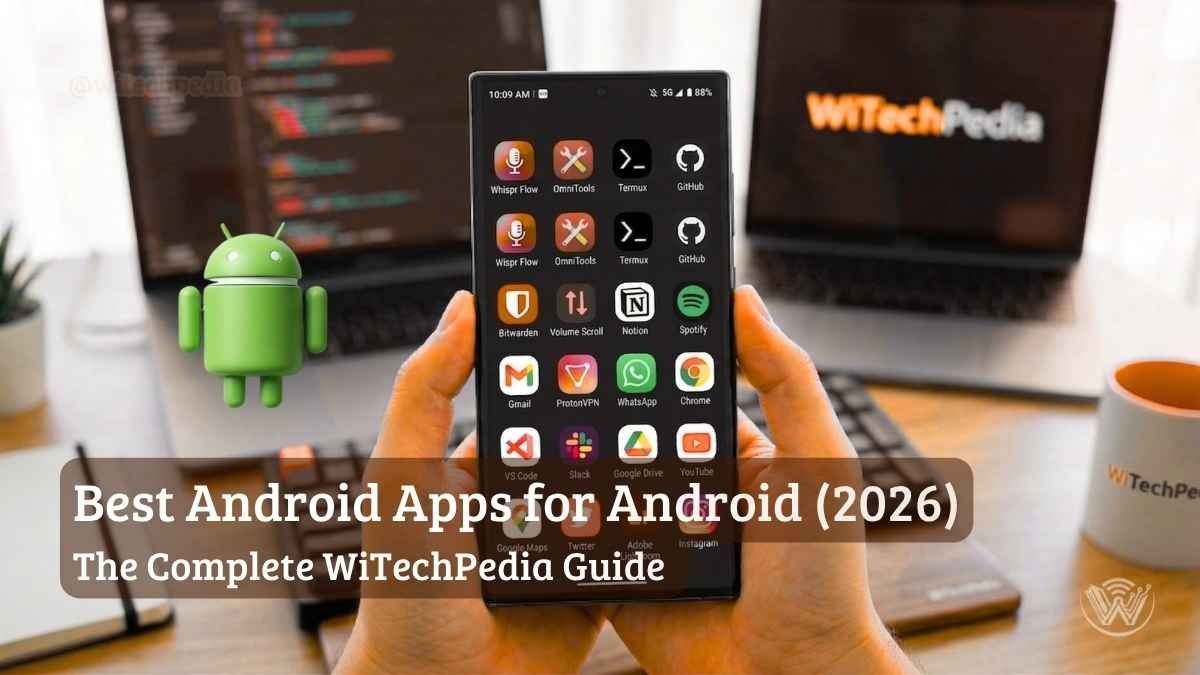
Your smartphone is only as powerful as the software running on it. In 2026, the Google Play Store is flooded with over 3.5 million applications, making it harder than ever to separate the digital masterpieces from the battery-draining clutter. If you are looking to unlock your device’s true potential, you need the absolute best Android apps installed on your home screen.
- The 2026 App Ecosystem at a Glance
- Productivity & AI: The Best Android Apps for Getting Things Done
- Privacy First: Essential Android Apps for Cybersecurity
- Creativity & Media: Top Rated Google Play Store Apps
- Navigation & Travel: Exploring the World
- Finance & Budgeting: Managing Your Money
- Communication & Social: Staying Connected
- Health & Fitness: Tracking Your Wellness
- Learning & News: Expanding Your Knowledge
- Cloud Storage & File Management
- Customization & Launchers
- Entertainment & Streaming
- Content Creation & Photography
- Utilities & Browsers
- System Tools & Optimization
- Niche & Power User Tools
- How We Test and Select the Best Android Apps
- FAQs About the Best Android Apps
- Summary: Empower Your Smartphone Experience
Whether you are unboxing a flagship device or breathing new life into an older model, the right tools transform your phone from a mere communication device into a pocket-sized powerhouse. As the Lead Content Creator here at WiTechPedia.com, I test hundreds of applications monthly. I have curated the ultimate blueprint of must have android apps that prioritize privacy, leverage cutting-edge AI, and genuinely elevate your daily workflow.
The 2026 App Ecosystem at a Glance
Before we dive into the deep end, let’s look at how our top recommendations break down across core categories.
| App Category | WiTechPedia Top Pick | Primary Real-World Use Case | Pricing Model |
| AI & Productivity | ChatGPT | Drafting emails, summarizing meeting notes, and live voice translation. | Freemium |
| Cybersecurity | Bitwarden | Generating and auto-filling zero-knowledge encrypted passwords. | Free / Premium |
| System Utility | Files by Google | Cleaning duplicate files and offline peer-to-peer sharing. | Free |
| Media & Design | CapCut | Editing fast, short-form video content with auto-captions. | Freemium |
| Task Management | Todoist | Natural language processing to instantly organize daily tasks. | Freemium |
Productivity & AI: The Best Android Apps for Getting Things Done
When searching for the best productivity tools for Android, the focus in 2026 has shifted heavily toward automation and artificial intelligence. These tools do not just organize your work; they do the work for you.
1. ChatGPT (by OpenAI)
ChatGPT remains the gold standard for mobile AI. It is no longer just a chatbot; the 2026 iteration acts as a universal translator, code debugger, and creative engine.
Why it’s essential: Seamless Voice Mode integration makes hands-free brainstorming while driving or walking incredibly fluid. Read more about AI models in our AI & Machine Learning hub.
Real-World Use Case: Snap a photo of a broken appliance, and ChatGPT’s vision model will instantly analyze the image, diagnose the issue, and provide step-by-step repair instructions.
2. Notion
Notion is the ultimate “everything app” for your digital life, successfully bridging the gap between a simple text editor and a complex database.
- Real-World Use Case: Build a synchronized family meal planner that links to grocery lists and tracks weekly household budgets, updating instantly across your tablet and phone.
- Why it’s essential: It offers unparalleled flexibility, easily cementing its place among the top android apps 2026.
3. Todoist
If you want to reclaim your time, Todoist is your best bet. It strips away the friction of traditional task managers.
- Real-World Use Case: Simply type “Remind me to call the client every Tuesday at 9 AM,” and Todoist’s natural language engine automatically sets the recurring schedule.
- Why it’s essential: It is light on battery and flawlessly integrates with Google Calendar.
Editor’s Note: For a broader suite of organizational platforms, check out our comprehensive guide on the topSoftware & Toolsfor modern professionals.
Privacy First: Essential Android Apps for Cybersecurity
Your digital privacy is constantly under attack. Out of the millions of choices, the most popular android applications are not always the safest. These apps lock down your personal data with enterprise-grade encryption.
4. Bitwarden
Stop reusing your pet’s name as a password. Bitwarden is an open-source, highly secure vault that safely stores unlimited logins across all your devices.
- Real-World Use Case: Automatically autofill complex, unique passwords into banking apps or websites without ever typing them out in public.
- Why it’s essential: As a zero-knowledge platform, even Bitwarden cannot see your data. It is widely considered one of the best free android apps on the market. Learn more in our Cybersecurity archives.
5. DuckDuckGo Private Browser
If you are tired of being tracked across the web, DuckDuckGo is the antidote to surveillance capitalism.
- Real-World Use Case: Browse sensitive health or financial information, then tap the “Fire” button to instantly burn your search history, tabs, and cookies.
- Why it’s essential: It automatically blocks hidden third-party trackers, actively speeding up page load times.
Creativity & Media: Top Rated Google Play Store Apps
Whether you are a budding content creator or a mobile photography enthusiast, Android’s creative ecosystem is unmatched.
6. CapCut
For video editing, CapCut brings desktop-tier power to your pocket. It is built for the era of short-form content.
- Real-World Use Case: Shoot a quick vlog, use CapCut’s AI to auto-generate perfectly timed captions, and apply a dynamic color grade in under five minutes.
- Why it’s essential: It simplifies complex timeline editing without stripping away pro-level tools like keyframing.
7. Snapseed
Developed by Google, Snapseed remains an ad-free, incredibly powerful photo editor.
- Real-World Use Case: Use the “Healing” tool to seamlessly remove photobombers or unwanted objects from your vacation photos.
- Why it’s essential: It offers non-destructive raw editing, making it an absolute staple for anyone who takes smartphone photography seriously.
Navigation & Travel: Exploring the World
8. Google Maps
Google Maps remains the undisputed king of navigation in 2026, offering unparalleled real-time traffic data, indoor layouts, and immersive 3D routing.
- Real-World Use Case: Use the AR walking directions in a crowded, unfamiliar city to see exactly which street to turn down overlaid dynamically on your camera screen.
- Why it’s essential: Its deep integration with Android’s system-level AI makes hands-free driving safe, predictive, and incredibly reliable.
9. Hopper
Hopper utilizes predictive AI to help you time your travel purchases perfectly, saving you hundreds on flights, hotels, and car rentals.
- Real-World Use Case: Track a flight to Tokyo months in advance; the app will notify you the exact minute prices drop to their statistical lowest point before booking.
- Why it’s essential: It turns travel booking from a stressful gamble into a data-backed science.
10. Uber
Uber has evolved far beyond simple ride-sharing into a global logistics platform, seamlessly handling rides, food delivery, and direct package couriers.
- Real-World Use Case: Land at a foreign airport and immediately book a verified driver in your native language, paying safely through the app without needing local currency.
- Why it’s essential: The modern safety features, including PIN verification and live location sharing with trusted contacts, make it a global necessity.
Finance & Budgeting: Managing Your Money
11. YNAB (You Need A Budget)
YNAB completely changes how you view money through its proactive, zero-based budgeting philosophy and strict rule set.
- Real-World Use Case: Assign every dollar of your paycheck to specific digital envelopes—like groceries, car repairs, or vacation—before you spend a single dime.
- Why it’s essential: It forces active financial accountability and has a proven track record of breaking the paycheck-to-paycheck cycle for its users.
12. Revolut
Revolut brings borderless banking directly to your smartphone, offering multi-currency accounts, disposable virtual cards, and granular spending analytics.
- Real-World Use Case: Instantly convert USD to Euros at the true interbank exchange rate while traveling, completely avoiding massive hidden traditional bank fees.
- Why it’s essential: It is the ultimate financial multi-tool for digital nomads and frequent travelers.
13. Wise
Formerly TransferWise, Wise provides the absolute cheapest, most transparent, and fastest way to move money internationally.
- Real-World Use Case: Pay a freelance web designer in London from your US bank account in seconds, with exact fees and conversion rates shown upfront.
- Why it’s essential: It bypasses traditional SWIFT banking delays and markup, making global transactions nearly instantaneous.
Communication & Social: Staying Connected
14. Signal
Signal is the gold standard for uncompromised, end-to-end encrypted messaging, highly recommended by cybersecurity experts globally.
- Real-World Use Case: Send highly sensitive work documents or personal photos knowing absolutely no one—not even the app’s developers—can intercept or view them.
- Why it’s essential: It operates as a non-profit, meaning your personal data is fundamentally secure because it is never mined or sold to advertisers.
15. WhatsApp
WhatsApp is the default communication layer for most of the world, seamlessly bridging the technological gap between Android and iOS users.
- Real-World Use Case: Create a temporary group chat for a weekend trip to coordinate locations, share high-res photos, and drop live audio messages effortlessly.
- Why it’s essential: Its sheer ubiquity means you rarely have to ask if someone has it downloaded—they already do.
16. Telegram
Telegram excels as a lightning-fast, cloud-based messaging app designed for massive group chats and enormous file transfers.
- Real-World Use Case: Send a 2GB raw video file to a colleague directly through the chat interface without needing to bounce through a third-party cloud service like Dropbox.
- Why it’s essential: Its server-side cloud sync allows you to seamlessly switch between your phone, tablet, and PC without your phone needing to remain online.
17. Discord
Discord is the ultimate community hub, originally built for gaming but now the undeniable standard for podcast communities, coding groups, and friend circles.
- Real-World Use Case: Hop into a persistent voice channel with friends to hang out and stream your screen while everyone plays different games.
- Why it’s essential: It offers the absolute best low-latency voice chat and mobile screen-sharing on the market.
Health & Fitness: Tracking Your Wellness
18. Strava
Strava gamifies fitness by blending highly accurate GPS tracking with a deeply engaged social network dedicated exclusively to athletes.
- Real-World Use Case: Record a local 5K run and instantly see how your pace compares to the all-time leaderboard of others who have run that exact same segment.
- Why it’s essential: The community aspect provides unmatched accountability and motivation to keep moving.
19. MyFitnessPal
MyFitnessPal boasts the world’s largest crowdsourced food database, making calorie and macro tracking virtually effortless.
- Real-World Use Case: Scan the barcode on a protein bar to instantly log its exact nutritional breakdown, sugars, and proteins into your daily diary.
- Why it’s essential: It removes the dangerous guesswork from dieting, providing hard data to ensure you hit your fitness goals safely.
20. Sleep Cycle
Sleep Cycle uses advanced acoustic analysis to monitor your specific sleep phases and gently wake you up during your lightest state of sleep.
- Real-World Use Case: Set an alarm for 7:00 AM, and the app will gently wake you at 6:45 AM if it detects you are naturally stirring out of REM sleep.
- Why it’s essential: It effectively eliminates the heavy grogginess associated with traditional alarms jarring you awake from deep sleep.
Learning & News: Expanding Your Knowledge
21. Duolingo
Duolingo turns language learning into an addictive, bite-sized daily habit through brilliant gamification and advanced AI-driven roleplay scenarios.
- Real-World Use Case: Practice conversational Spanish by interacting with an AI persona acting as a barista before a vacation to Mexico.
- Why it’s essential: The short lessons fit perfectly into a daily commute or wait in line, ensuring consistent progress over time.
22. Pocket
Pocket is the ultimate “read it later” application, stripping away web clutter to present articles in a clean, offline-accessible typographic format.
- Real-World Use Case: Save three long-form tech articles while on Wi-Fi to read smoothly during a flight with no internet access.
- Why it’s essential: It prevents you from losing great, informative content in an endless, unorganized sea of mobile browser tabs.
23. Feedly
Feedly aggregates the internet for you, allowing you to build a customized news feed via RSS without relying on toxic social media algorithms.
- Real-World Use Case: Subscribe to the WiTechPedia RSS feed to get all of our latest tech reviews the second they publish, organized in one clean dashboard.
- Why it’s essential: It gives you total, uncompromising control over your daily information diet.
Cloud Storage & File Management
24. Google Drive
Google Drive provides a seamless backbone for cloud storage, deeply integrated into the Android ecosystem natively.
- Real-World Use Case: Scan a physical contract using the Drive widget; it automatically uploads as a searchable, text-recognized PDF.
- Why it’s essential: It offers real-time collaboration on documents and sheets that simply works across every device you own.
25. Solid Explorer
Solid Explorer is a powerhouse file manager that treats your Android file system with the respect and capability of a desktop OS.
- Real-World Use Case: Open a dual-pane view in landscape mode to drag and drop downloaded zip files straight into your cloud storage folder intuitively.
- Why it’s essential: It supports connecting directly to local network drives (NAS), making heavy file transfers incredibly robust.
26. LocalSend
LocalSend is an open-source marvel that enables instant, wire-free file sharing across any device on your local network.
- Real-World Use Case: Send a massive 4K video from your Android phone directly to your Windows PC instantly, without cables or internet access.
- Why it’s essential: It replaces the need for Apple’s AirDrop across mixed-ecosystem households completely, with zero tracking.
Customization & Launchers
27. Nova Launcher
Nova Launcher allows you to completely rewrite the rules of your Android home screen, offering deep, granular aesthetic and functional customization.
- Real-World Use Case: Set up a hidden swipe gesture on your camera icon to instantly launch a specific pro-photo editing app instead of the default camera.
- Why it’s essential: It keeps your device feeling fresh and tailored precisely to your exact muscle memory.
28. Tasker
Tasker is the absolute pinnacle of Android automation, allowing you to program your phone to react to hundreds of different contextual triggers.
- Real-World Use Case: Program your phone to automatically turn on Wi-Fi, open Spotify, and set media volume to 50% the second it connects to your car’s Bluetooth.
- Why it’s essential: It transforms your phone from a passive device into a highly proactive smart assistant.
29. Zedge
Zedge provides a massive, community-driven library of high-quality wallpapers, ringtones, and notification sounds.
- Real-World Use Case: Download a perfectly optimized AMOLED dark mode wallpaper to actively save battery life on modern OLED screens.
- Why it’s essential: It is the fastest, most comprehensive way to personalize the aesthetic and auditory vibe of a new phone.
Entertainment & Streaming
30. Spotify
Spotify dominates audio streaming by combining an enormous music catalog with increasingly intelligent, hyper-personalized AI curation.
- Real-World Use Case: Use the AI DJ feature during a road trip for a seamlessly blended mix of new discoveries and old favorites, complete with conversational commentary.
- Why it’s essential: The “Spotify Connect” feature lets you seamlessly hand off audio from your phone to your smart TV or speaker without missing a beat.
31. VLC for Android
VLC is the legendary, open-source media player that can natively play absolutely any audio or video file format you throw at it.
- Real-World Use Case: Watch a direct MKV movie rip with embedded subtitles downloaded from your PC, with zero format conversion needed.
- Why it’s essential: It is completely free, lacks all ads, and includes robust hardware acceleration for smooth playback of 4K files.
32. Pocket Casts
Pocket Casts is a beautifully designed, power-user podcast player that prioritizes smart listening features over basic playback.
- Real-World Use Case: Turn on “Trim Silence” to automatically skip dead air, saving you hours of listening time over a year without distorting voices.
- Why it’s essential: Its reliable cross-platform syncing ensures you never lose your place, whether on your phone, tablet, or web browser.
33. YouTube Music
YouTube Music leverages Google’s massive video catalog, offering live performances, covers, and obscure remixes alongside official studio albums.
- Real-World Use Case: Search for “that one electronic song from the 2018 car commercial” and find the exact obscure track instantly.
- Why it’s essential: If you pay for YouTube Premium, this is bundled in, making it an unbeatable value for ad-free video and music streaming.
Content Creation & Photography
34. Adobe Lightroom
Adobe Lightroom brings professional-grade RAW photo editing to mobile, backed by powerful cloud synchronization and AI masking.
- Real-World Use Case: Use the AI-powered Generative Remove tool to flawlessly erase a tourist from the background of your landscape shot with one tap.
- Why it’s essential: It allows you to dial in precise color grading and lighting corrections that standard gallery editors simply cannot match.
35. Canva
Canva democratizes graphic design, enabling absolutely anyone to create stunning visual content entirely from their mobile device.
- Real-World Use Case: Quickly grab a sleek template to design and export a professional promotional flyer for a local event in under ten minutes.
- Why it’s essential: Its “Magic Studio” AI tools remove backgrounds and generate visual assets seamlessly, saving hours of manual design work.
36. Sketchbook
Sketchbook provides a distraction-free, highly responsive digital canvas for artists and designers using styluses.
- Real-World Use Case: Whip out your tablet to quickly draft a concept sketch using precision layers and customized digital Copic markers.
- Why it’s essential: It offers desktop-tier drawing and rendering tools in a fast, lightweight mobile package.
Utilities & Browsers
37. Brave Private Browser
Brave is a lightning-fast Chromium-based browser that aggressively blocks ads, pop-ups, and cross-site trackers entirely by default.
- Real-World Use Case: Read recipe blogs instantly without the page jumping around from loading auto-play video ads and heavy background tracking scripts.
- Why it’s essential: It dramatically reduces mobile data usage and battery drain by preventing unwanted background elements from ever loading.
38. AccuWeather
AccuWeather offers hyper-local, incredibly precise weather forecasting designed to keep you prepared for sudden atmospheric shifts.
- Real-World Use Case: Check the “MinuteCast” to see that rain will start precisely at 4:12 PM at your exact street address, letting you time your run perfectly.
- Why it’s essential: Its high-resolution radar visualizations are second to none for tracking incoming severe weather cells.
39. Google Keep
Google Keep is a lightning-fast, sticky-note style app for capturing fleeting thoughts, lists, and images before you forget them.
- Real-World Use Case: Pin a shared grocery checklist to your home screen widget so both you and your partner can update it live while at the store.
- Why it’s essential: Its built-in optical character recognition (OCR) can extract editable text from a photo of a whiteboard in seconds.
40. Gboard
Gboard is Google’s default keyboard, combining incredible swipe typing accuracy with built-in translation, GIF search, and clipboard management.
- Real-World Use Case: Type a message in English and have Gboard translate it into Japanese in real-time within the chat box before hitting send.
- Why it’s essential: Its voice-to-text dictation engine is fundamentally the fastest and most accurate on any mobile platform.
System Tools & Optimization
41. Files by Google
Files by Google is an intelligent storage manager that helps you hunt down duplicate files, massive hidden videos, and unused apps.
- Real-World Use Case: Tap the “Clean” tab to instantly identify and delete 5GB of backed-up memes and old WhatsApp voice notes holding your storage hostage.
- Why it’s essential: It keeps older Android devices running smoothly by proactively preventing system storage bottlenecks.
42. GlassWire
GlassWire is a beautiful data usage monitor that acts as a firewall, showing you exactly which apps are communicating over the network in real time.
- Real-World Use Case: Identify a shady, supposedly offline game that is secretly eating up gigabytes of mobile data in the background, and instantly block its network access.
- Why it’s essential: It provides absolute transparency and user control over your device’s data consumption.
43. SD Maid SE
SD Maid SE (System Edition) is the ruthless, open-source cleaner tool for advanced users who want to deeply scrub their operating system.
- Real-World Use Case: Run a “CorpseFinder” scan to locate and manually delete hidden residual folders left behind by uninstalled apps months ago.
- Why it’s essential: Unlike gimmicky, malware-riddled “speed booster” apps, SD Maid actually frees up legitimate space without running malicious background services.
Niche & Power User Tools
44. Obsidian
Obsidian is a powerful knowledge base that works on top of a local folder of plain text Markdown files.
- Real-World Use Case: Build a massive, interconnected “second brain” linking your class notes to your personal projects using bi-directional links, all stored locally on your device.
- Why it’s essential: It future-proofs your notes. You own the raw files, meaning you are never locked into a proprietary ecosystem.
45. Termux
Termux brings a powerful, fully functional Linux terminal environment directly to your Android device without requiring root access.
- Real-World Use Case: SSH into your home web server to reboot a crashed service or run Python scripts natively while riding the train.
- Why it’s essential: It effectively turns a consumer smartphone into a legitimate, capable tool for system administrators and developers.
46. BitTorrent
The official BitTorrent app allows you to download massive decentralized files efficiently and manage torrents on the go.
- Real-World Use Case: Safely download massive, open-source Linux ISOs directly to your phone’s SD card over overnight Wi-Fi.
- Why it’s essential: It provides robust download management with speed throttling so you do not choke your home network’s bandwidth.
47. ProtonVPN
ProtonVPN is a rigorously audited, highly secure VPN developed by the CERN scientists behind ProtonMail, featuring a genuinely safe free tier.
- Real-World Use Case: Connect to a public airport Wi-Fi network with total peace of mind, knowing your banking traffic is fully encrypted and hidden from local snoops.
- Why it’s essential: It strictly enforces a no-logs policy, making it one of the few truly trustworthy and transparent mobile VPNs available today.
48. KDE Connect
KDE Connect breaks down the walls between Android and your PC (Windows, Mac, or Linux), integrating them into one seamless wireless workflow.
- Real-World Use Case: Use your phone screen as a wireless trackpad for your PC during a presentation, and have your PC mute Spotify automatically when your phone rings.
- Why it’s essential: It is the powerful, open-source equivalent to Apple’s tightly integrated ecosystem, built for everyone else.
49. F-Droid
F-Droid is an alternative app repository consisting entirely of Free and Open Source Software (FOSS) for Android.
- Real-World Use Case: Download tracker-free, privacy-respecting alternatives to mainstream apps, securing your daily usage from corporate surveillance.
- Why it’s essential: It is the ultimate hub for privacy advocates and power users looking to effectively de-Google their smartphones.
50. Microsoft Copilot
Microsoft Copilot integrates the immense power of GPT-4 and DALL-E 3 directly into a standalone mobile app for unparalleled AI assistance.
- Real-World Use Case: Ask Copilot to draft a professional response to a difficult email and instantly generate a custom image to attach, all from one mobile interface.
- Why it’s essential: It provides free, unrestricted access to top-tier AI models that other platforms often lock behind expensive subscription paywalls.
How We Test and Select the Best Android Apps
At WiTechPedia, we don’t just aggregate generic lists from the internet. Every application featured in this guide has been rigorously evaluated through our hands-on testing methodology. As a full-stack developer and tech analyst, I personally install and monitor these apps across a variety of hardware—from the latest 2026 flagship powerhouses to entry-level budget models—to ensure they perform consistently across the entire Android ecosystem.
Before an app makes it to this list, it must pass our strict evaluation criteria:
- Performance & Battery Drain: We monitor CPU usage and background battery consumption over a minimum 14-day real-world testing period. Apps that secretly hog system resources or cause thermal throttling are immediately disqualified.
- Privacy & Security Audits: We ruthlessly check data collection permissions. An app must explicitly justify why it needs access to your microphone, camera, or location data. We heavily favor open-source projects and zero-knowledge encryption models.
- Usability & UI Design: The interface must be intuitive, modern, and natively optimized for Android. This includes proper support for system-wide dark mode, responsive scaling for tablets/foldables, and fluid gesture navigation.
- Value & Monetization: If an app requires a premium subscription, we thoroughly test the free tier first to ensure it isn’t crippled by intrusive ads or hidden paywalls for basic functionality. We only recommend premium upgrades if the return on investment is undeniably worth your money.
FAQs About the Best Android Apps
What are the best apps for a new Android phone?
If you are setting up a device from scratch, immediately install Bitwarden (for secure password logins), Google Files (to manage storage efficiently), Signal (for private messaging), and DuckDuckGo (for tracker-free browsing). These provide a secure, clean foundation before you add social or gaming apps.
How do I find the most popular Android applications safely?
Always download applications directly from the official Google Play Store or trusted open-source repositories like F-Droid. Check the developer’s name, read the most recent reviews (not just the overall star rating), and verify that the app’s requested permissions make logical sense for its function.
What are the best productivity tools for Android this year?
In 2026, Notion, Todoist, and ChatGPT dominate the productivity space. Notion handles your complex databases and notes, Todoist manages your daily micro-tasks, and ChatGPT acts as your on-demand research assistant and drafter.
Are Android app recommendations 2026 different from previous years?
Yes. The biggest shift in our android app recommendations 2026 is the sheer integration of on-device AI. Apps are now leveraging neural processing units (NPUs) directly on your Hardware & Gadgets to process data faster and more privately, without relying solely on cloud servers.
Do I need an antivirus app for my Android phone?
For most users, Google Play Protect (built into Android) is sufficient for baseline security. However, practicing good digital hygiene—avoiding shady third-party APKs and using a VPN like ProtonVPN on public Wi-Fi—is far more effective than downloading a heavy, battery-draining third-party antivirus app.
Summary: Empower Your Smartphone Experience
Your smartphone is a dynamic tool; treat it like one. Let’s recap the core takeaways from this guide:
- Prioritize Privacy: Apps like Bitwarden and DuckDuckGo are non-negotiable for protecting your digital identity in 2026.
- Leverage AI Smartly: Integrate tools like ChatGPT and Notion to automate tedious tasks and supercharge your daily productivity.
- Audit Your Software: Regularly review your installed applications. Delete anything you haven’t used in three months to preserve battery life and processing speed.
Ready to take your tech knowledge even further? Subscribe to the WiTechPedia Newsletter for weekly insights, exclusive tech deals, and deep dives into the software shaping our future. If you loved this guide, you won’t want to miss our latest breakdown on the Best Budget Android Phones of the Year!