









Every time you check the weather on your phone, book a flight, or pay using PayPal, you are relying on invisible digital infrastructure. That infrastructure is an API. If you are stepping into the world of tech and wondering exactly what is an API, you are not alone. It is the most crucial, yet least visible, engine powering the modern internet.
Without them, every application would be an isolated island. With them, the digital world becomes a seamlessly connected ecosystem. Let’s break down the Application Programming Interface, strip away the dense jargon, and explore exactly how this technology shapes the software we use every day.
The Core API Meaning: What Is An API?
At its simplest, an API (Application Programming Interface) is a set of rules that allows two different software programs to communicate with each other.
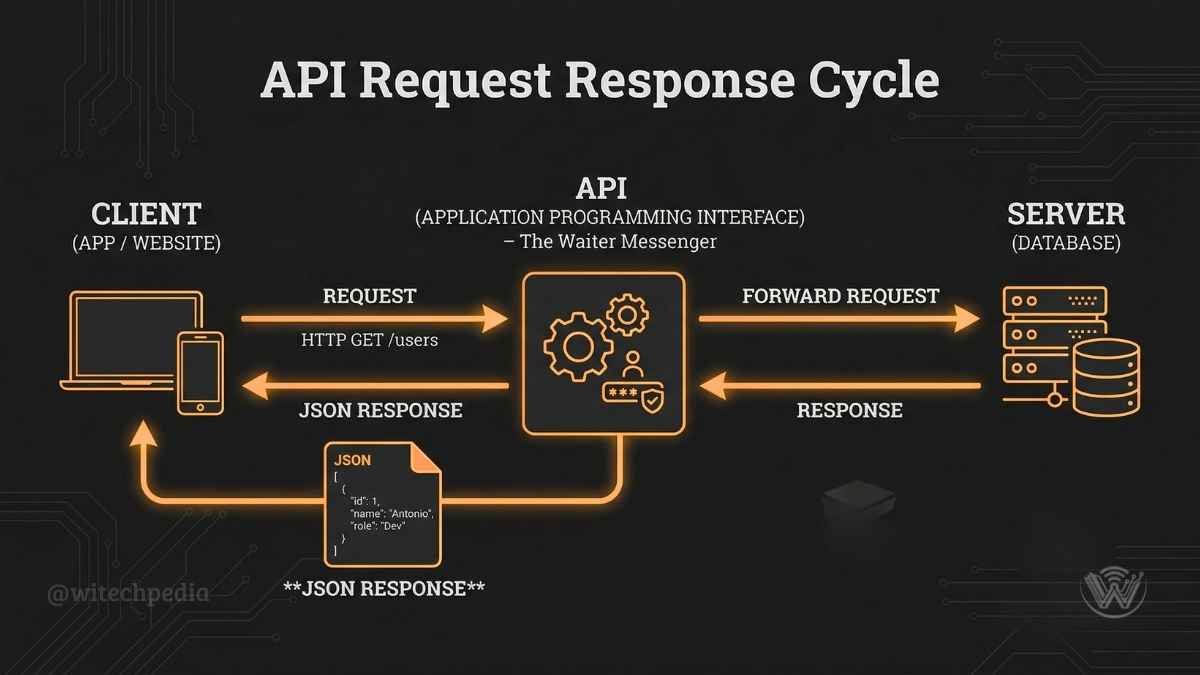
Think of it as a digital waiter in a restaurant. You (the user) sit at the table with a menu (the app interface). The kitchen (the server or database) has the food you want. You cannot just walk into the kitchen and start cooking. Instead, you tell the waiter your order, the waiter takes it to the kitchen, and then brings your food back to the table.
An API is that waiter. It takes your request from one application, securely hands it over to another system to be processed, and returns the correct response.
How Do APIs Work? A Step-by-Step Look
Understanding how do APIs work requires looking at the brief, millisecond lifecycle of a digital request. When you interact with a web service, the following sequence triggers:
For a deeper dive into the hardware that processes these requests, check out our guide on Hardware Section for detailed understanding.
The 4 Main Types of APIs
Not all interfaces operate the same way. Depending on the intended audience and security requirements, developers utilize different types of APIs:
API vs Webhook: Understanding the Difference
When discussing real-time data, you will often hear webhooks mentioned alongside APIs. While both connect systems, their communication styles are entirely different.
| Feature | API | Webhook |
| Communication Style | Pull (Client asks for data) | Push (Server sends data automatically) |
| Trigger | User initiates a specific request | An event happens on the server |
| Analogy | Calling the post office to check for mail | The mail carrier knocking on your door |
| Best Use Case | Searching a database | Getting payment confirmation alerts |
For authoritative documentation on web standards, Mozilla’s Developer Network remains an excellent external resource.
Real-World API Examples
You likely interact with dozens of APIs daily without noticing. Here are the most common API examples in action:
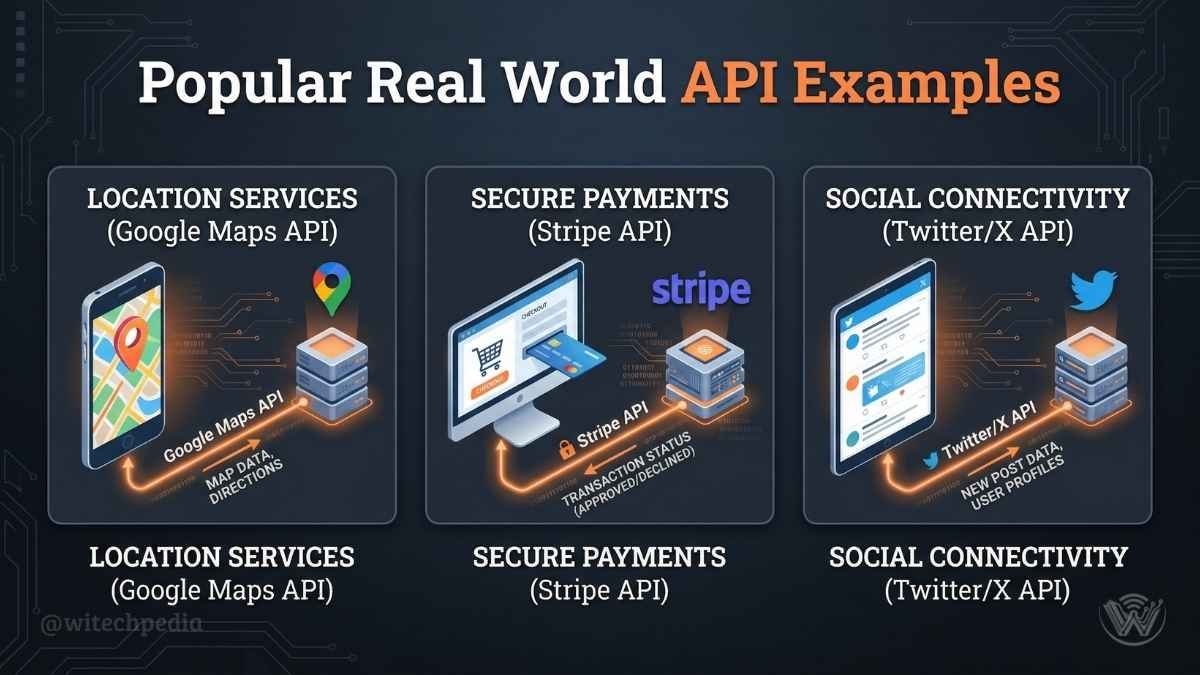

These examples clearly show why understanding what is API matters for every developer and business.
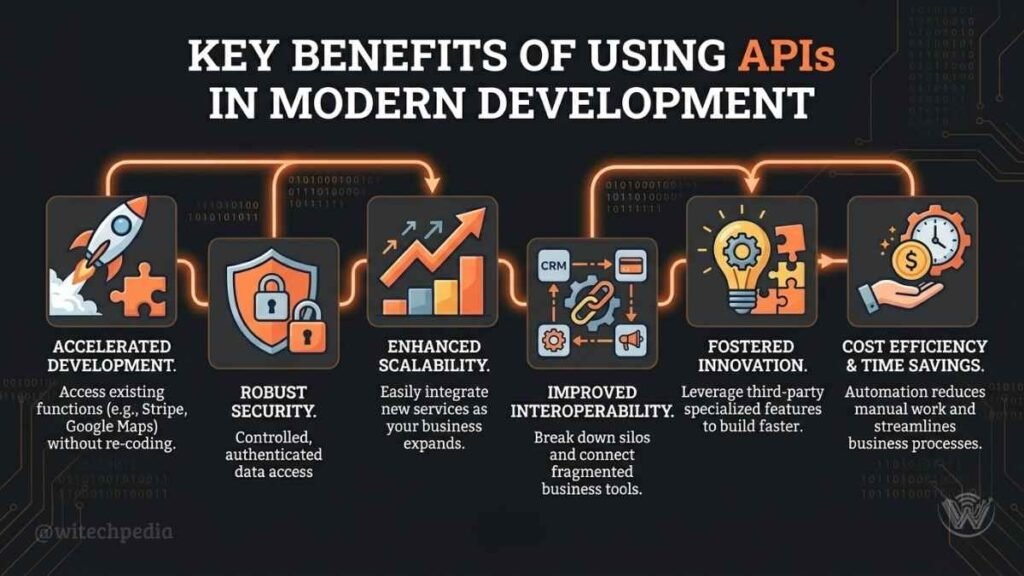
Benefits of Using APIs
Teams that use APIs gain many clear advantages:
API Best Practices
Follow these essential practices to create strong APIs:
Frequently Asked Questions (FAQ) About APIs
What is an API key?
An API key is a unique, alphanumeric string of code passed by a computer program to an API. It acts as a secure digital ID card, allowing the server to authenticate the user, track usage limits, and prevent malicious attacks.
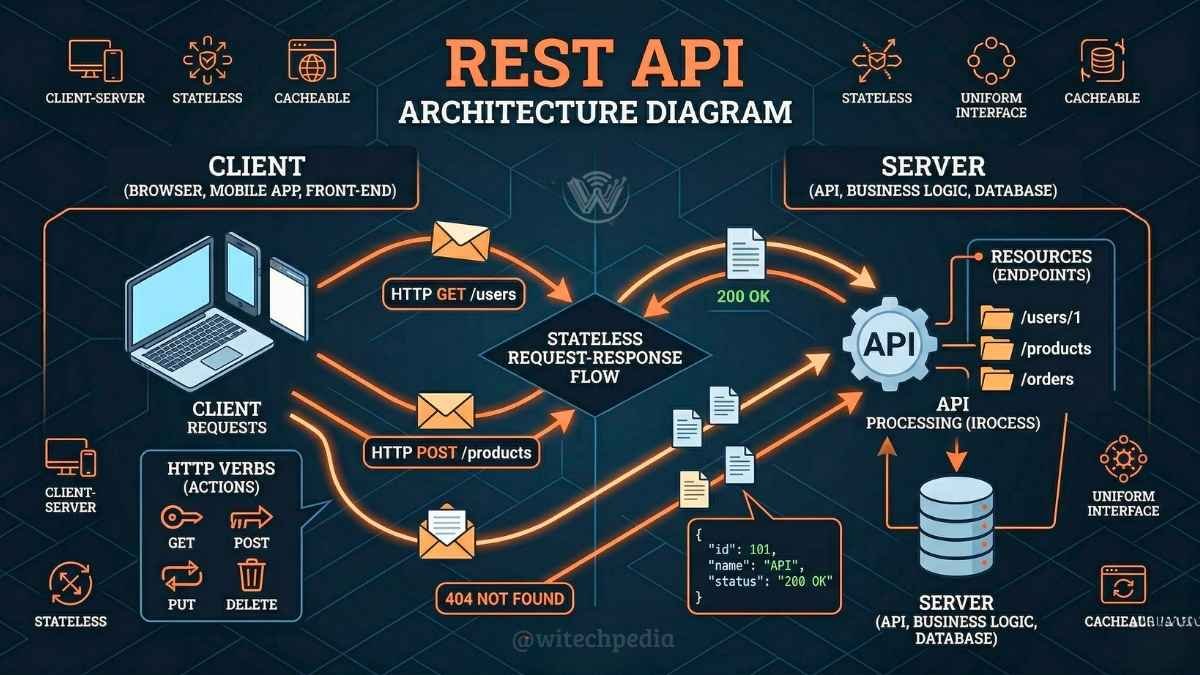
What is a REST API definition?
REST (Representational State Transfer) is a popular architectural style for designing networked applications. A REST API is a flexible, lightweight interface that uses standard HTTP methods (like GET, POST, PUT, and DELETE) to manage data over the web.
API vs webhook: What is the main difference?
An API requires the client to request data (polling), whereas a webhook automatically sends data to the client when a specific event occurs (pushing). APIs are for active querying; webhooks are for automated notifications.
Are APIs free to use?
Many APIs offer free tiers. Popular services like Google Maps and Stripe provide free usage up to certain limits.
How is API integration explained simply?
API integration is the process of connecting two or more applications via their APIs to let them exchange data seamlessly. It is how your CRM software automatically syncs with your email marketing platform without manual data entry.
What is the best way on how to use an API for beginners?
To start, choose a free, public API (like a weather or movie database API). Read the provided documentation, generate your free API key, and use a tool like Postman to safely test sending basic GET requests before writing any code.
The Future of Connectivity: Summary & Next Steps
APIs are the digital glue holding the modern web together. From powering seamless mobile app experiences to enabling complex enterprise software integrations, they transform isolated programs into powerful, collaborative tools.
Key Takeaways:
- An API acts as a secure messenger between two distinct software systems.
- They operate in the background, translating requests and returning data in milliseconds.
- There are multiple types (Public, Private, Partner) suited for different security needs.
- Tools like webhooks complement APIs by automating event-driven notifications.
Understanding what is an API is your first step toward mastering modern software development and digital strategy.
If you want to implement these concepts, check out our guide on the Best Programming Languages for AI Development to choose the right tool for your next project. Or, if you want to improve your overall efficiency, explore our Best Productivity Tools.
Ready to level up your tech knowledge? Subscribe to the WiTechPedia newsletter for weekly insights, or continue your journey by exploring our comprehensive breakdown of REST vs SOAP Architecture.